


The complete guide · 5 min read
Half-Life Deathmatch: Source Server Hosting: The Complete Guide
This guide covers running a Half-Life Deathmatch: Source server in 2026: what the game is, what Valve's recent updates changed, picking a slot count, building a map cycle, handling custom maps, keeping the server current and running it fairly. It is written for whoever ends up holding the rcon password.
By Matthew Griffin, Owner, Gaming DeluxePublished · Updated
In this guide
- What Half-Life Deathmatch: Source Is
- What Valve's Recent Updates Changed
- Picking a Slot Count
- Building a Map Cycle People Stay For
- Private Clan Server or Public Server
- Staying Current After Each Update
- Admins, Passwords and Fair Play
- Backups and Switching Hosts
- What to Compare Before You Rent a Half-Life Deathmatch: Source Server
- Half-Life Deathmatch: Source Server Glossary
- Half-Life Deathmatch: Source Server Help and Next Steps
What Half-Life Deathmatch: Source Is
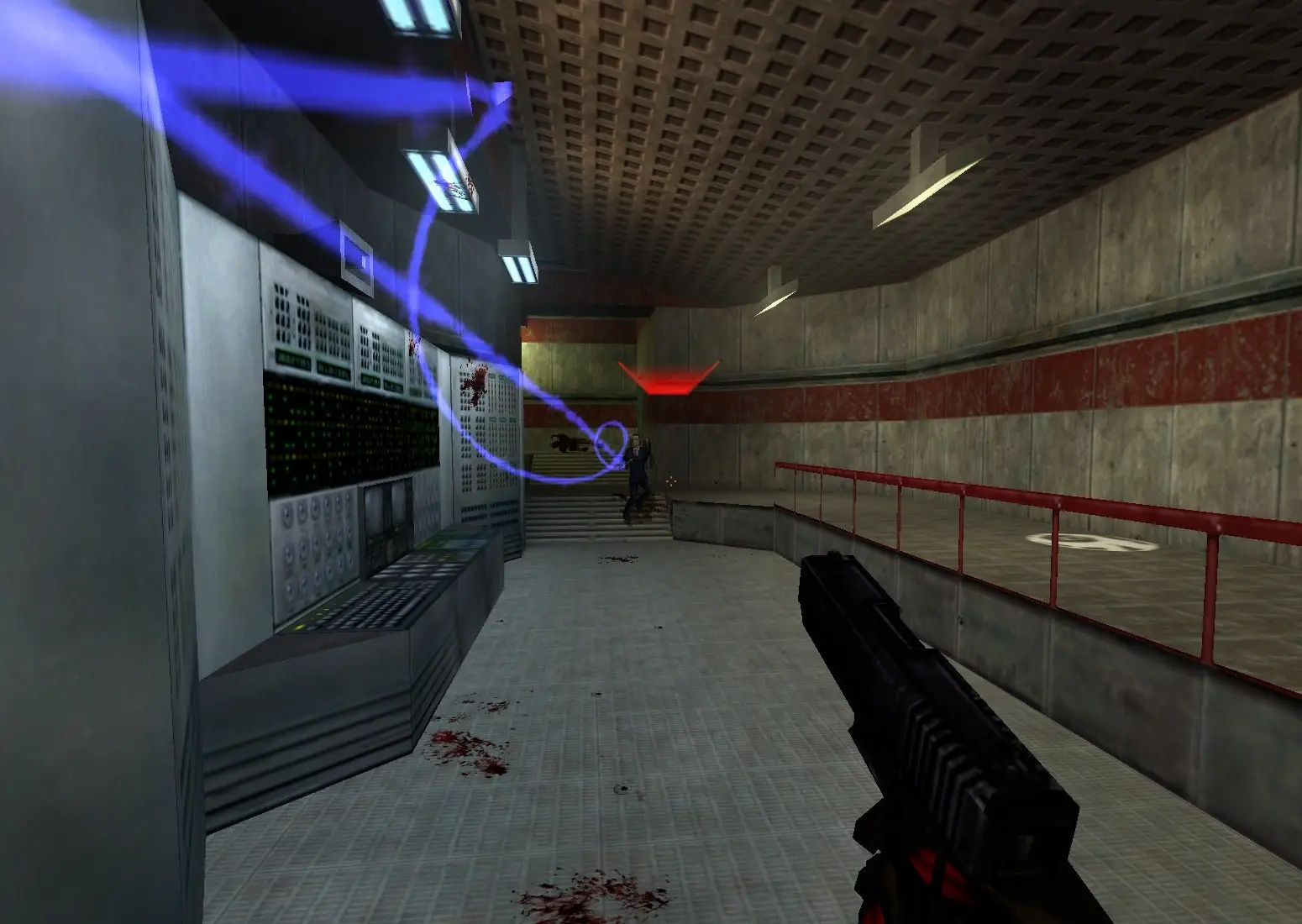
In 1998 Half-Life shipped with a deathmatch mode that many players remember as their first taste of online shooters. Half-Life Deathmatch: Source, released by Valve on 1 May 2006, rebuilds that game on the Source engine: the classic weapons and the most-played maps, on a newer engine. It is a separate Steam app with its own servers, not a mode inside another game.
The appeal is pace. There are no classes, no loadouts and no progression. Everyone spawns equal, the map is the loadout, and the player who knows where the weapons, ammo and armour are wins. That makes it a perfect game for a small, loyal community that enjoys knowing every corner of a map.
What Valve's Recent Updates Changed
For a game from 2006, Half-Life Deathmatch: Source has had a surprising amount of attention. In September 2013 Valve moved it to SteamPipe and added Linux and Mac OS X support, after a public beta that added weapon icons to death messages and restored muzzle flashes. Between 2015 and 2019 it shared several engine and security updates with the other Source multiplayer games.
The biggest recent change came on 18 February 2025. That update added 64-bit binaries that launch automatically on 64-bit systems, Steam Networking support, a borderless window option, UI scaling for high-resolution screens, bicubic lightmaps and radial fog from the Half-Life 2 20th Anniversary Update, and a long list of prediction fixes that remove the rollback players sometimes felt when moving on props. On 24 August 2026 another update followed with security and stability work and a fix for custom maps on Linux.
- 2013: SteamPipe, Linux and Mac OS X support.
- 2015 to 2019: shared Source engine and security updates.
- 2025: 64-bit, Steam Networking, prediction fixes.
- 2026: security and stability, custom map assets on Linux.
Picking a Slot Count
Deathmatch maps were built for a certain number of players, and too many turns a classic map into a spawn-kill blender. A group of friends or a duel server is happy on 10 slots. A public free-for-all is usually best around 16. Team deathmatch on the larger maps can take 24, and 32 is for events where chaos is the point.
| Server | What it suits | Suggested slots |
|---|---|---|
| Duel server | 1v1 practice and grudge matches | 10 |
| Public free-for-all | Regulars and drop-in players | 16 |
| Team deathmatch | Clan nights | 24 |
| Event server | Big community evenings | 32 |
Slots are sold one at a time between 10 and 32, so any size in between is fine. Memory stays at 5GB on every plan, which is many times what the server uses.
Building a Map Cycle People Stay For
The map cycle is the heart of the server. Start with the game's own maps, the ones players already know, and set a time or frag limit that keeps rounds short enough to rejoin between. Then add custom maps carefully, one or two at a time, and watch whether players stay or leave when they come up.
- Stop the server from the panel.
- Upload the map and every material, model and sound it needs.
- Add the map to the map cycle file.
- Start the server and change to the new map from the console to test it.
- Keep it in the cycle only if players stay through it.
Private Clan Server or Public Server
Decide early who the server is for. A private server for a clan or a group of old LAN friends needs a join password, a short map list everyone agrees on and little else. Share the IP and port from the panel and nobody else gets in.
A public server has to earn its players. Give it a clear name that says deathmatch, the region and any house rules, keep it running around the clock, and stick with familiar maps at busy times. Regulars return to a server that is always there and always plays the same way, so resist changing the cycle every week. When the evening crowd thins out, a smaller slot count keeps the remaining players finding each other.
Staying Current After Each Update
Valve updates are applied to players automatically the next time they start the game. A server that is not updated afterwards can stop them joining. When you see a new update in the game's Steam news, update the server from the panel, take a backup first if you have changed files, and check the console after it starts.
The 2025 move to 64-bit is worth knowing about if you run community plugins. Code written for the old 32-bit server may need a newer build, so test any plugin on a backup before you rely on it.
Admins, Passwords and Fair Play
Set an rcon password in server.cfg before the server goes public and share it only with people you trust with the server. Change it whenever someone leaves the admin team. For panel tasks such as restarts, a sub user login is safer than sharing your own account.
Half-Life Deathmatch: Source is a Valve Anti-Cheat enabled game. VAC deals with known cheats; your admins deal with everything else, from spawn camping rules to name changes. Write the rules in the server's message of the day so everyone sees them.
Backups and Switching Hosts
Seven days of offsite backups are kept for you and can be restored from the panel, but a snapshot of your own before a new map pack is still wise. Switching from another host is quick: grab server.cfg, the map cycle and your custom maps from the old server, send them up over SFTP and start it.
What to Compare Before You Rent a Half-Life Deathmatch: Source Server
A cheap old game still deserves a decent host. Weigh these up first.
- Pay per slotA host that sells single slots lets a ten-player group pay for ten.
- Your own filesCustom maps only work if you can upload their materials and sounds yourself.
- Self-service updatesAfter a Valve patch you want to update the server now, not when a ticket is answered.
- Ping to your playersTest from your own PC. Movement and splash damage feel wrong on a laggy server.
- Restore it yourselfBeing able to roll back a broken map pack in the panel saves an evening.
- How you payCheck for setup fees, minimum terms and what longer billing cycles cost.
Half-Life Deathmatch: Source Server Glossary
- Source
- Valve's engine behind Half-Life 2 and the Source multiplayer games, used to rebuild the original deathmatch.
- server.cfg
- The settings file that holds the server name, passwords and limits.
- Map cycle
- The list of maps the server rotates through.
- rcon
- Remote console access, protected by a password, used by admins to control the server.
- VAC
- Valve Anti-Cheat, the system Steam uses to detect known cheats in Valve games.
- SteamPipe
- Steam's content delivery system, which the game moved to in 2013.
- Prediction
- The client guessing movement before the server confirms it; the 2025 update fixed several prediction errors.
- Frag limit
- The score at which a map ends and the server moves to the next one.
Half-Life Deathmatch: Source Server Help and Next Steps
Useful pages for setting up and running your server.
- Half-Life Deathmatch: Source on SteamThe game, its requirements and VAC status.
- Half-Life Deathmatch: Source newsValve's update notes.
- Sven Co-op server hostingCo-op Half-Life maps with friends.
- Gaming Deluxe control panelWhat the panel does and how to log in.
- Our server locations
- Contact support24/7 help with maps, configs and updates.
How this guide was made: built from the Steam store page and Valve's update posts for the game (the Valve Developer Community wiki refuses automated reads, so we left it out), written with AI help, matched against our live order form for slots, prices and locations, and checked by Matthew Griffin before it went live. Found something out of date? Let us know.
Sources, checked 23 October 2026:
- Half-Life Deathmatch: Source on Steam (Valve, 1 May 2006; Windows and Linux; recreation of the first Half-Life multiplayer game with the classic weapons and most-played maps on Source; Valve Anti-Cheat enabled; 1.7GHz and 1024MB minimum)
- Valve, Half-Life Deathmatch: Source Update Released (24 August 2026: security and stability, custom map assets on Linux) and (18 February 2025: 64-bit support, Steam Networking, prediction fixes)
- Valve, Half-Life Deathmatch: Source update released and beta notes (21 to 26 September 2013: SteamPipe, Linux and Mac OS X, death message icons, muzzle flash); shared Source updates 2015 to 2019
- Valve Developer Community, Half-Life Deathmatch: Source (blocks automated reads, not used)
- Gaming Deluxe order form, Half-Life Deathmatch: Source (pid 374; slots 10 to 32, sold one at a time)