
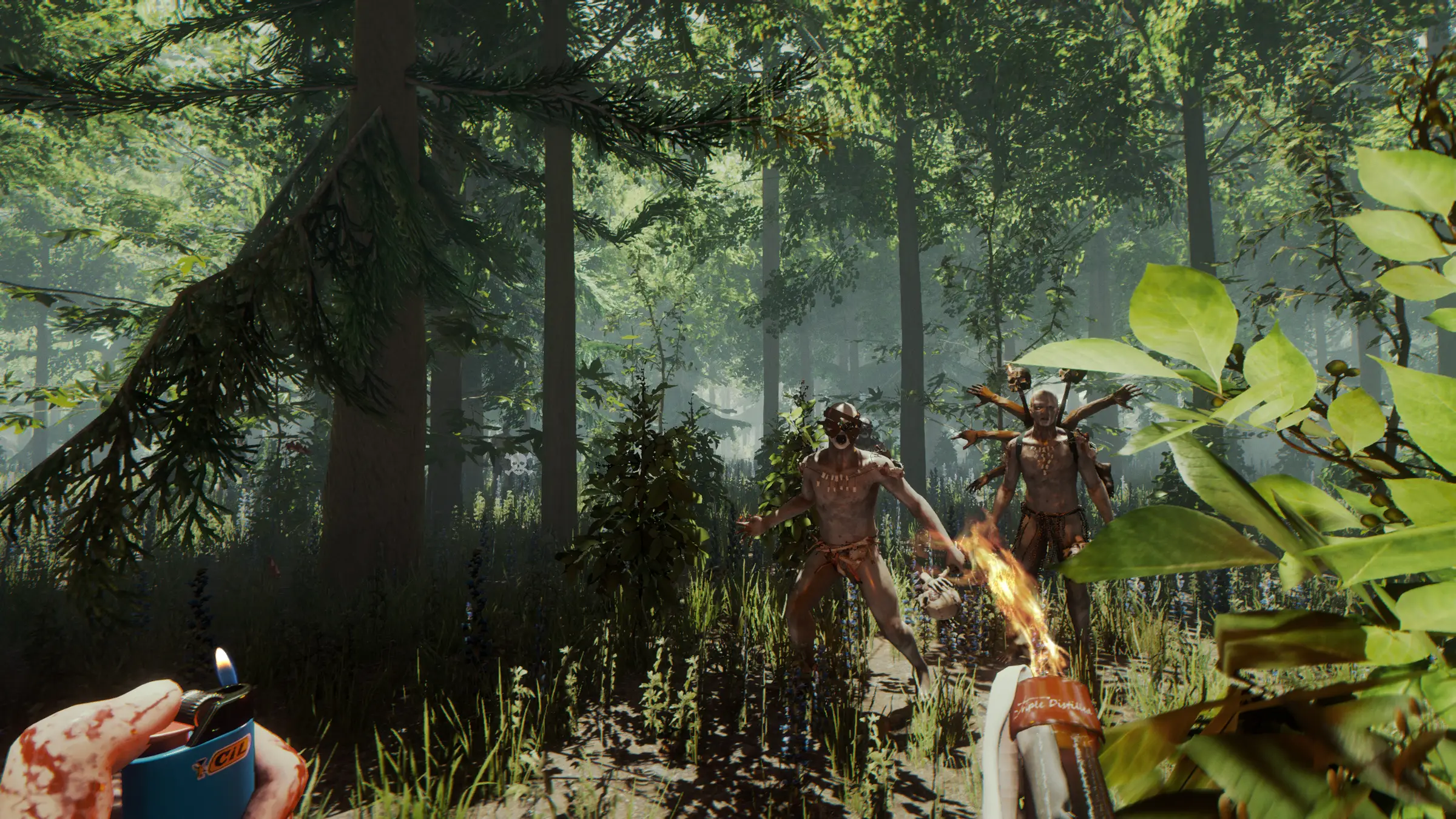
The Forest server hosting: a survivor lights a molotov as painted cannibals and a many-armed mutant charge through the woods

Keep the camp lit while you are away

The Forest Server Hosting

The Forest server hosting for groups who want their survival world to stay put. On a dedicated server the world, your base and your progress no longer depend on one friend's PC, so anyone in the group can log in to chop wood, check the traps or dive into the caves when it suits them.

Excellent on Trustpilot Hosting since 2004 9 locations 24/7 support in 9 languages

Pick your group size

The Forest Server Hosting Plans and Pricing

Our order form starts at 14 slots, which is already more than The Forest's default cap of 8 players. That gives a group room for friends who drop in, and the larger plans add memory for busier worlds with big bases. Longer billing terms lower the monthly price.

  1. 14player slots
    5GB RAM

    A regular group plus guestsBest for most groups

    • Lowest monthly price
    • Room above the default 8
    • 5GB RAM included
    €11.48/moMonthly, no contract
  2. 16player slots
    5GB RAM

    Two groups sharing one worldAbove 8 players*

    • Space for two crews
    • Separate camps across the map
    • 5GB RAM included
    €13.12/moMonthly, no contract
  3. 20player slots
    8GB RAM

    A small community serverAbove 8 players*

    • Many bases and lots of building
    • A public server with rules
    • 8GB RAM included
    €19.89/moMonthly, no contract
  4. 24player slots
    8GB RAM

    An experimental big serverAbove 8 players*

    • For adventurous groups
    • Busy worlds and big forts
    • 8GB RAM included
    €23.17/moMonthly, no contract

* The Forest's default player cap is 8. Endnight's patch notes allow raising it as far as 128, an option they describe as for adventurous players only. Our smallest plan on the order form is 14 slots.

Every plan: NVMe 7500MB/s · 5.0GHz · Up to 100GB. No setup fee. Upgrades and details

In short

Gaming Deluxe hosts The Forest dedicated servers from €11.48/mo, with 14 to 24 player slots and 5GB to 8GB of RAM depending on the plan. Every server runs Endnight's official dedicated server on 5.0GHz CPUs and NVMe storage in 9 locations in the UK, France, Germany, the US and Australia, and is set up automatically after payment.

Key facts checked against our order form, updated .

  • 14 to 24 player slotsAbove the game's default of 8
  • 5GB to 8GB RAMMore memory on the larger plans
  • 9 locationsSame price at all of them
  • Saves on the serverThe world waits for whoever logs in next
  • Server.cfg in the panelName, passwords, token and game options
  • Admin kick and banBuilt into the dedicated server
  • DDoS protectionAt every location
  • 24/7 support in 9 languagesGame server hosting since 2004

Camp control

The Forest Server Hosting Control Panel

The Forest's dedicated server is configured with a text file, Server.cfg, and command line options. Our web panel gives you both, plus the console, backups and restarts, from any browser.

Gaming Deluxe game server control panel with the server menu, connection details and Stop and Restart buttons

The Gaming Deluxe control panel, shown with a Windrose server. The Forest servers use the same panel and menu.

Configuration Files

Edit Server.cfg from the Configuration Files button: server name, passwords, the Steam token and your game options.

File Manager and SFTP

Upload a world you started elsewhere or download a copy of your save to keep at home.

Backup Manager

Take a backup before a risky boss attempt or a big building project, and restore it if things go wrong.

Scheduled Tasks

Set regular restarts and backups so the server looks after itself between sessions.

Web Console and Log Viewer

See who joins and read the log if a player cannot connect.

Where the game stands

The Forest Server Hosting: Game Versions and Updates

The Forest left Early Access with version 1.0 on 30 April 2018. Endnight released content and fixes until v1.11 in January 2019 and a VR update, v1.12, in September 2019. In October 2025 Endnight updated a Unity file in several of its titles for a security issue and said the base version of The Forest and its dedicated server were not affected.

Dedicated server toolv0.59, 18 April 2017Full release1.0, 30 April 2018Last updatev1.12 (VR), 10 September 2019

01

A finished game

With no regular patches since 2019, a world you start now will not be disrupted by a surprise update.

02

Server and game must match

Endnight's patch notes repeatedly told owners to restart the dedicated server on the latest version after each patch. Every player needs the current Steam version.

03

Admin tools since v0.67

Working ban, unban and kick options for dedicated server admins arrived in September 2017.

04

Sons of the Forest

Endnight's sequel is a separate game with its own dedicated server, and we host that too.

Options & rules

Game Options and Mods on The Forest Server Hosting

The Forest has no official mod support, and Endnight's patch notes say the dedicated server is not compatible with Oxide. What you can shape are the game options the server launches with.

Server options

Game options at launch

Since v0.62 the dedicated server can start with existing game options and cheats, such as vegetarian mode or tree regrowth.

Developer console

The allowcheats entry in the config, or -allowcheats on the command line, decides whether players may use the built-in debug console.

PvP damage

v1.11 added an option for increased player versus player damage in multiplayer games.

Save folder

saveFolderPath in the config, or -savefolderpath, sets where the server keeps its saves.

Players and Steam

Steam PC players

The dedicated server is a Steam tool for the Windows PC game. Players need The Forest on Steam to join.

Steam token

Add a game server token made with The Forest's App ID, 242760, so the server keeps a persistent identity.

Steam (Windows)

Memory, sorted

RAM for The Forest Server Hosting

Endnight does not publish memory requirements for the dedicated server. Memory use grows with the number of players, the size of the bases and how much of the world has been changed, so our plans add RAM as the slot count rises.

  • A group of friends

    Plan: 14 Slots
    RAM included: 5GB

    When to add more: Not needed for a normal playthrough.

  • Two groups, separate camps

    Plan: 16 Slots
    RAM included: 5GB

    When to add more: If big forts start to stutter.

  • A small community

    Plan: 20 Slots
    RAM included: 8GB

    When to add more: Only for very large bases.

  • A big, busy world

    Plan: 24 Slots
    RAM included: 8GB

    When to add more: 12GB if many players build at once.

RAM tiers on the order form: 5GB, 8GB, 12GB, 16GB, 20GB, 24GB and 32GB. Change the tier later from the client area with your save kept.

Low ping, worldwide

The Forest Server Hosting Locations

There are 9 locations to choose from in the UK, France, Germany, the United States and Australia. In a co-op game where players fight side by side, the lowest ping for the whole group matters more than for any one player, so test from each player's home.

LondonUnited Kingdom · Europe -
ParisFrance · Europe -
FrankfurtGermany · Europe -
New York (Buffalo)United States · North America -
DallasUnited States · North America -
Los AngelesUnited States · North America -
ChicagoUnited States · North America -
MiamiUnited States · North America No test
SydneyAustralia · Oceania -

Always-On Protection

The Forest Server Hosting with DDoS Protection

Watch how our multi-layered defence system filters malicious traffic while legitimate connections pass through uninterrupted.

Internet DDoS Protection Game Server

Malicious traffic is filtered at the edge, while legitimate traffic passes through uninterrupted.

Malicious Traffic (Blocked)Legitimate Traffic (Allowed)

At Every Location
Included
Full Protection
Layer 3/4/7
24/7 Active Filtering
Always-On
Added Latency
<1ms

Survival kit

Included with The Forest Server Hosting

No setup fee. Every plan comes with all of the following, as sold on our order form.

  • Game serverEndnight's official The Forest dedicated server
  • Player slots14, 16, 20 or 24 here; any count from 14 to 100 on the order form
  • Memory5GB on 14 and 16 slots, 8GB on 20 and 24; tiers up to 32GB
  • Storage100GB NVMe at 7,500MB/s, with 14,000MB/s drives and up to 200GB as upgrades
  • Processor5.0GHz included; 5.2GHz+ and 5.6GHz+ upgrades
  • Locations9, one price
  • Config and filesConfiguration Files editor, File Manager and SFTP
  • BackupsOffsite backups for the last 7 days and the Backup Manager
  • ProtectionDDoS protection at all locations
  • Support24/7 ticket support from a team hosting game servers since 2004

Optional upgrades

Added at checkout, billed with your plan.

  • Memory AllocationTiers up to 32GBtiered
  • Hard DiskNVMe 14,000Mb/sfrom €5.82
  • CPU Clock Speed5.2GHz+ - 5.6GHz+from €5.82
  • CPU PriorityHigh CPU Priority - Realtime CPU Priorityfrom €5.82
  • VIP Ticket Priority SupportPrioritise My Ticket Pleasefrom €2.32
  • Disk SpaceUp to 120GB - Up to 200GBfrom €8.16

The order form lets you choose any slot count from 14 to 100. RAM tiers up to 32GB can be added at checkout or later. All 9 locations are the same price. Pick the one nearest to most of your group. Prices read from our order form on 22 October 2026. Taxes, if any, are shown at checkout.

Built for co-op

The Forest Server Hosting Features

What a dedicated server changes for a co-op survival group.

No host to wait for

The world runs whether or not the friend who started it is online.

Safe saves

Backups on our side mean a crashed PC cannot take your base with it.

Admin control

Kick, ban and unban players with the dedicated server's admin options.

Private world

A server password keeps strangers out of your camp.

Steady performance

5.0GHz CPUs and NVMe storage keep saves quick and the world responsive.

DDoS protection

Attacks are filtered before they reach your server.

Before nightfall

The Forest Server Hosting Essentials

Five things to set before your first night in the forest.

  1. Add a Steam token

    Generate a token on Steam with App ID 242760 and paste it into the Server Steam Token field of Server.cfg.

  2. Sort out admin rights

    Make sure you and your trusted players have admin rights, so you can kick or ban anyone who causes trouble.

  3. Decide on cheats

    Turn allowcheats on or off before players join, so everyone plays by the same rules.

  4. Choose the game options

    Pick difficulty and options such as vegetarian mode or tree regrowth before the first session.

  5. Keep the player count sensible

    The default cap is 8. Raise it only as far as your group needs.

Answers

The Forest Server Hosting FAQ

Questions survival groups ask us about The Forest servers.

Ordering and setup

How quickly is my server ready?

Setup is automatic once payment clears, normally within 20 minutes, and the login details arrive by email.

Why does the smallest plan have 14 slots?

That is the smallest size on our order form. The Forest's default cap is 8 players, so 14 slots leaves room for guests; you can also keep the in-game limit lower.

Do I need a Steam token?

We recommend one. Create it with The Forest's App ID, 242760, stop the server, paste the token into the Server Steam Token field of Server.cfg and start the server again.

Which location should I choose?

The one with the lowest ping for your whole group. All 9 locations cost the same.

Playing on the server

How many players can The Forest have?

Endnight set the default player cap at 8 and added an option to go up to 128, which its patch notes describe as for adventurous players only. Most groups stay close to the default.

Can I use mods or Oxide?

No official mod support exists, and Endnight states that its dedicated servers are not compatible with Oxide. You can change the built-in game options.

Can I play with vegetarian mode or tree regrowth?

Yes. Since v0.62 the dedicated server can launch with existing game options and cheats, such as vegetarian mode and tree regrowth.

Why can a friend not join?

Usually a version mismatch. The server and every player must run the latest Steam version of The Forest.

Is this the Sons of the Forest server?

No. This page is for The Forest (2018). Sons of the Forest is Endnight's sequel with its own server, on its own page.

Admin and saves

Can I kick or ban players?

Yes. Since v0.67 the dedicated server has working ban, unban and kick options for admins.

Can I bring my existing save?

You can upload save files with the File Manager or SFTP. Ask our support team if you are not sure which files to move.

Billing

How much does The Forest server hosting cost?

The 14 slot plan starts at €11.48 a month. The plan table lists every size for 1, 3, 6 and 12 months, and longer terms cost less per month.

Can I upgrade later?

Yes. Add slots or RAM from the client area at any time; your save and config stay in place.

The complete guide · 5 min read

The Forest Server Hosting: The Complete Guide

Everything you need to run The Forest on a dedicated server: how the server came about, choosing a size, the settings worth knowing, admin and saves, and getting a group playing smoothly.

By , Owner, Gaming DeluxePublished · Updated

In this guide
  1. Why Play The Forest on a Dedicated Server
  2. Choosing the Right Size
  3. The Server Settings Worth Knowing
  4. Difficulty and Game Options for Groups
  5. Admin, Passwords and Security
  6. Saves and Backups
  7. Getting Everyone Connected
  8. The Forest or Sons of the Forest?
  9. What to Compare Before You Rent a The Forest Server
  10. The Forest Server Glossary
  11. The Forest Server Help

Why Play The Forest on a Dedicated Server

The Forest makes you the lone survivor of a passenger jet crash in a mysterious forest, with a society of cannibalistic mutants watching from the trees. You chop, build, scavenge and explore, from small shelters to ocean side fortresses, and below ground lies a network of caves and underground lakes. It is a game that rewards long sessions and shared effort.

In a normal co-op game one player hosts. Everyone else depends on that player being online, and the save lives on that PC. A dedicated server separates the world from any single player. The camp, the traps and the half-built fort stay on the server, and anyone with access can log in and carry on.

Endnight added the dedicated server tool in v0.59 on 18 April 2017, first as an experimental feature. It was a normal part of the game by the 1.0 release on 30 April 2018, and Endnight kept improving it afterwards, in v1.07 partly based on discussions with hosting companies.

Choosing the Right Size

The Forest was designed around small groups. Endnight's patch notes set the default player cap at 8 and added an option to go up to 128, explicitly for adventurous players only. Our order form starts at 14 slots, which already gives you room above the default.

GroupPlanWhy
Friends playing the story14 SlotsRoom for everyone plus guests
Two crews in one world16 SlotsSeparate camps without crowding
A small public server20 Slots8GB RAM for more building
An experimental big world24 SlotsFor groups who want to test the limits

The Server Settings Worth Knowing

Server.cfg holds the server's settings, and command line options can override them. You edit it from the Configuration Files button in the panel. Endnight's patch notes name several entries directly.

SettingAdded inWhat it does
Game options and cheats at launchv0.62Start with options such as vegetarian mode or tree regrowth
allowcheatsv1.06Allows or blocks the built-in debug console for players
saveFolderPathv1.07Sets a custom folder for the server's saves
targetFpsActivev1.07Frame rate target while players are connected
targetFpsIdlev1.07Frame rate target while the server is empty
Increased PvP damagev1.11An option for more player versus player damage

Change one setting at a time and restart, so you always know which change had which effect. Keep a backup of a Server.cfg that works.

Difficulty and Game Options for Groups

The Forest gives a group plenty of ways to tune the experience. Difficulty matters most: Endnight fixed a bug in patch 1.08 where hard survival multiplayer saves set clients back to normal, so on the current version everyone on the server plays at the chosen difficulty. The game also has a creative mode for building without the survival pressure.

  • Vegetarian mode and tree regrowth: options the dedicated server can launch with since v0.62.
  • Increased PvP damage: an option added in v1.11 for groups who want player fights to matter.
  • Debug console: allowed or blocked with allowcheats since v1.06.
  • Frame rate targets: targetFpsActive and targetFpsIdle, added in v1.07, let the server save resources when nobody is connected.

Agree the options before the first session and write them down for the group. Changing difficulty halfway through a playthrough is possible, but it changes the game everyone signed up for.

Admin, Passwords and Security

A join password keeps the world to your group, and admin rights give you control over it. Since v0.67 the dedicated server has had working ban, unban and kick options for admins, so you can deal with griefers without restarting.

  • Set a join password if you only want your group in the world.
  • Give admin rights only to players you trust.
  • Decide whether the debug console is allowed with allowcheats; leaving it on lets players spawn items.
  • Add a Steam token with App ID 242760, as our knowledge base article explains, so the server keeps its identity.

Saves and Backups

The world is only as safe as its save. Endnight worked on multiplayer save games in several updates, including v0.73 in February 2018, which changed how they work and improved the dedicated server along with it.

  1. Before a big change, such as moving to a new base or attempting the ending, take a backup in the Backup Manager.
  2. Schedule a regular backup in Scheduled Tasks, so you never lose more than a session.
  3. To keep a copy at home, download the save folder with SFTP.
  4. To restore, stop the server, restore the backup and start it again.

We also keep offsite backups for the last 7 days, so even a mistake you only notice later can be undone.

Getting Everyone Connected

Players join from the multiplayer menu in The Forest and look for your server by name. A clear name makes it easy to find. Endnight's 1.08 patch fixed an issue where some dedicated servers were not visible to all players, so on the current version visibility problems are rare.

ProblemWhat to check
A player cannot joinIs their game on the latest Steam version?
Server not in the listWait a minute after a restart and search by name
Password rejectedCheck the join password in Server.cfg
Lag in fightsCheck pings and consider a closer location or fewer players

The Forest or Sons of the Forest?

Endnight's sequel, Sons of the Forest, is a separate game with its own dedicated server. Groups who loved the first game often play both. The Forest still has a lot going for it: it is finished, its minimum requirements on Steam are modest, and its story is easy to play through with friends.

If your group is starting fresh and wants the newest game, look at our Sons of the Forest page. If you want the original forest and its caves, this is the right server.

What to Compare Before You Rent a The Forest Server

The things that make the difference for a co-op survival server.

  1. Config accessYou need Server.cfg to set passwords, the token and game options.
  2. BackupsAutomatic and manual backups protect a world you have spent weeks on.
  3. Ping for the groupChoose a location that suits everyone, not just the organiser.
  4. Honest slot countsThe game's default is 8; more slots are only worth it if you will use them.
  5. CPU speedFast cores keep enemy behaviour and building smooth.
  6. No lock-inMonthly billing without setup fees suits a group playing through the story.

The Forest Server Glossary

Dedicated server
A separate server program that runs the world without a player hosting it.
Server.cfg
The file holding the server's name, passwords, token and settings.
Steam token
A game server login token, made with App ID 242760, that keeps the server's identity.
allowcheats
The setting that allows or blocks the debug console for players.
Vegetarian mode
One of the gentler game options the dedicated server can launch with, since v0.62.
Tree regrowth
An option that lets cut trees grow back over time.
Oxide
A modding framework that Endnight says its dedicated servers do not support.
Slots
The number of players the server allows at the same time.

The Forest Server Help

Official pages and our own help for your server.