


The complete guide · 4 min read
Half-Life 2: Deathmatch Server Hosting: The Complete Guide
This guide covers running an HL2DM server after Valve's 2025 update: what changed, how big to go, server.cfg basics, maps and plugins, and keeping a server busy.
By Matthew Griffin, Owner, Gaming DeluxePublished · Updated
In this guide
What Makes HL2DM Different
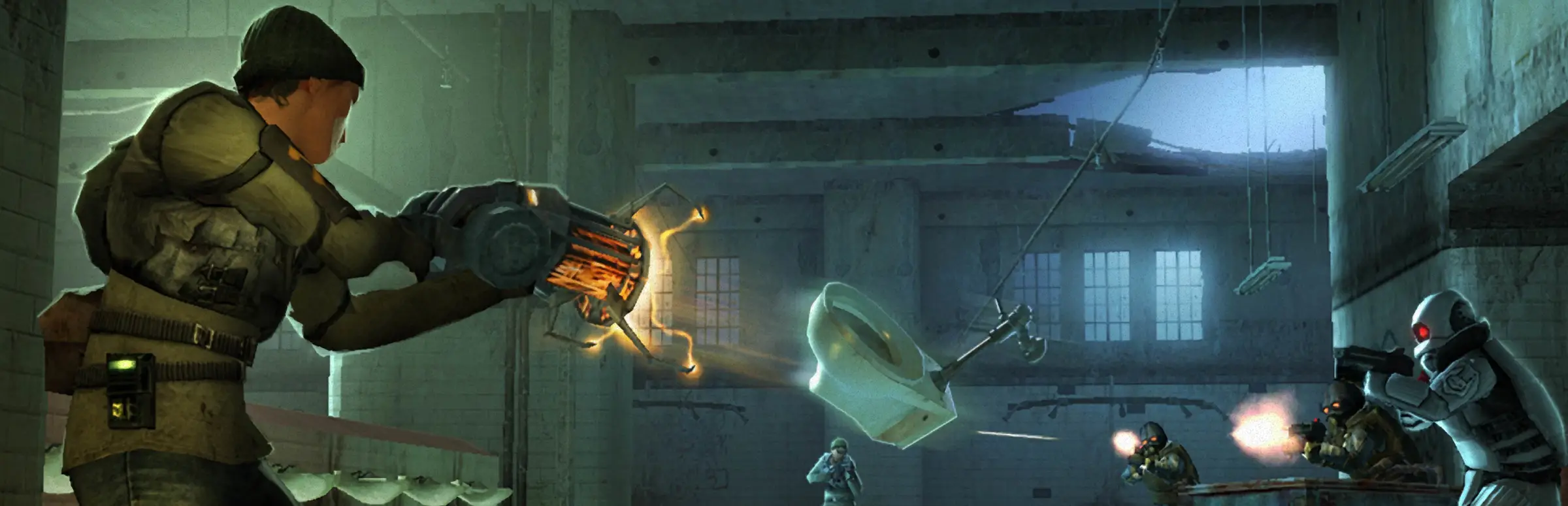
Half-Life 2: Deathmatch came out on 1 November 2004, Valve's multiplayer companion to Half-Life 2. It is fast arena deathmatch in Half-Life 2's world, with one twist that still has no real equal: the physics. The Gravity Gun turns furniture, barrels, saw blades and grenades into projectiles, and good players use the map as much as their weapons.
Valve's own description sums it up: play straight deathmatch or Combine vs Resistance teamplay, and toss a toilet at your friend. A server of your own lets your group choose the mode, the maps and the rules, and keeps a match running any time someone wants one.
What Valve's 2025 Update Changed
The Half-Life 2 20th Anniversary Update in November 2024 tidied HL2DM's maps: more spawn points, fewer places to escape the world, and fixes in maps such as dm_runoff and dm_resistance. Then, on 18 February 2025, Valve shipped an update aimed squarely at multiplayer.
- 64-bit support: 64-bit binaries launch automatically on 64-bit systems.
- Steam Networking: easier joining through Steam.
- Prediction: client-side prediction for the SMG1, AR2, Crossbow, sprinting, crouching, ladders and more, removing much of the old rubber-banding.
- Player counts: the hard-coded maximum rose to 100 and the default from 2 to 24.
- Quality of life: UI scaling, borderless window, avatars on the scoreboard and native resolution by default.
A smaller patch followed on 24 August 2026 with security and stability work and a fix for custom maps on Linux. The upshot for server owners: HL2DM is maintained again, and it plays better online than it ever has.
Choosing a Slot Count
Valve's new default of 24 players is a good hint for a public server. Most stock maps feel lively at 16 to 24, while a group of friends is happier on 10 where everyone keeps bumping into each other.
| Server | Suggested slots | Why |
|---|---|---|
| Friends and duels | 10 | Every fight is personal |
| Teamplay nights | 16 | 8v8 Combine vs Resistance |
| Public deathmatch | 24 | Valve's new default |
| Events on big maps | 32 | Our largest plan |
The order form sells any count from 10 to 32, one slot at a time, so you can pick an odd number if it suits your group. Upgrades keep the server's files.
server.cfg Basics
Like every Source game, HL2DM reads its settings from server.cfg in the cfg folder. That is where you set the server name, the rcon and join passwords, teamplay, frag and time limits, and options such as the new hl2mp_allow_pickup.
- Stop the server in the panel.
- Open cfg/server.cfg in the File Manager.
- Set the hostname and an rcon password.
- Choose teamplay on or off, and set the frag and time limits.
- Edit the map cycle file to list your maps in order.
- Start the server and watch the console as the first map loads.
Maps and Plugins
Because HL2DM includes the Source SDK, the community has built a large library of custom maps. Upload them to the maps folder over SFTP, add them to the map cycle, and make sure your players can get the same files. Valve's 2026 fix for map assets on Linux means custom maps behave properly on Linux servers too.
Plugins add admin menus, votes, stats and game rules. They are files like everything else, but they are tied to the game's binaries. After the 2025 move to 64-bit, older plugins built only for the 32-bit server may not load, so pick versions that state support for the current build and test them before a public night.
Keeping the Server Busy
Public deathmatch servers live or die by their first few players. A clear server name that says the mode and the map style helps, as does a rotation that avoids long stretches of unpopular maps. Teamplay nights at a fixed time each week give regulars a reason to come back.
SourceTV is useful for community events: Valve's 2025 update fixed a bug where the SourceTV client got stuck when spectators were disabled, so you can record or cast a match without workarounds.
Admins, Fair Play and Backups
HL2DM is protected by Valve Anti-Cheat, but admins still set the tone. Give each one a sub user login in the panel, share the rcon password only with people you trust, and change it when someone leaves. Post a short rule list in the server name or message of the day.
We keep offsite backups of the last 7 days, restorable from the panel. Take your own snapshot before plugin installs and big map packs. Moving from another host is simple: download the cfg folder, maps and addons there, upload them here and start the server.
What to Compare Before You Rent an HL2DM Server
These matter more than a few pence on the price.
- Per-slot pricingPay for the size you use, not a big fixed bundle.
- Prompt updatesValve patches HL2DM again; check the host updates when it does.
- File accessYou need server.cfg, maps and addons under your control.
- PingTest from your own PC before you pick a location.
- BackupsMake sure you can restore without waiting for a ticket.
- Billing termsCompare cycles, setup fees and minimum terms.
HL2DM Server Glossary
- Gravity Gun
- The weapon that picks up and launches physics objects, the heart of HL2DM.
- Teamplay
- The Combine vs Resistance team mode, switched on in the server config.
- server.cfg
- The Source settings file for name, passwords, limits and rules.
- rcon
- Remote console: admin access to server commands with a password.
- SourceTV
- Valve's spectator and recording system for Source servers.
- Prediction
- The client guessing movement ahead of the server; better prediction means less rubber-banding.
- hl2mp_allow_pickup
- A 2025 setting that allows picking up objects without the Gravity Gun.
HL2DM Server Help and Next Steps
Official notes and Gaming Deluxe help.
How this guide was made: researched from the game's Steam page and Valve's own update notes on Steam, drafted with AI assistance, checked against our live order form for every plan, price and location, and reviewed by Matthew Griffin before publishing. Spotted something out of date? Tell us.
Sources, checked 23 October 2026:
- Half-Life 2: Deathmatch on Steam (Valve, 1 November 2004; Windows and Linux; deathmatch and Combine vs Resistance teamplay; Valve Anti-Cheat; includes Source SDK; 512MB recommended RAM)
- Valve, Half-Life 2 20th Anniversary Update (HL2DM fixes and map changes), 15 November 2024
- Valve, Half-Life 2: Deathmatch Update Released (64-bit, Steam Networking, maxplayers 100 and default 24, prediction, hl2mp_allow_pickup, SourceTV fix), 18 February 2025
- Valve, Half-Life 2: Deathmatch Update Released (security and stability, Linux custom map assets, .357 view snapping), 24 August 2026
- Gaming Deluxe order form, Half-Life 2: Death Match (pid 133; slots slider 10 to 32, option 564; memory 5GB free to 32GB)