
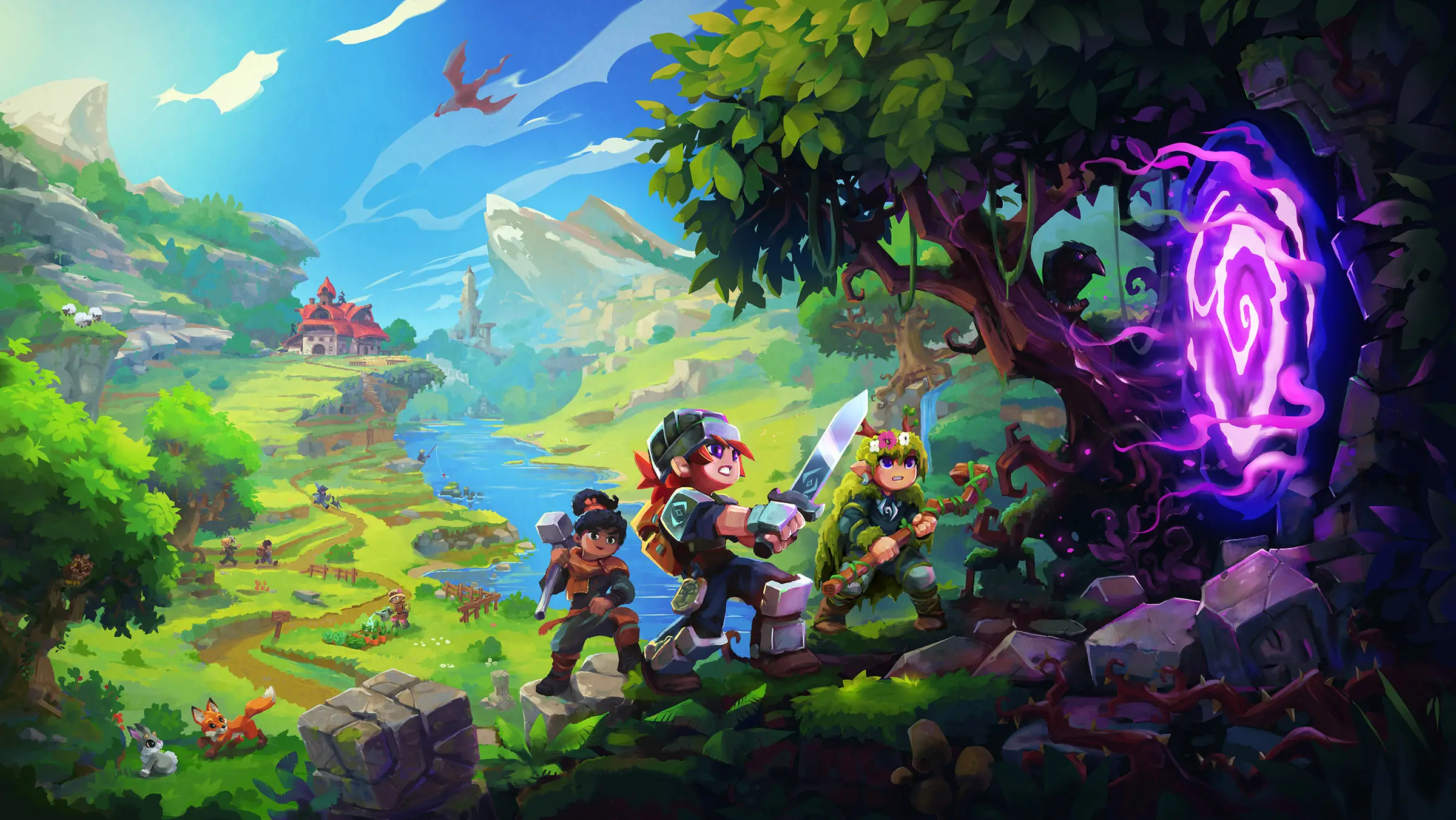
Hytale server hosting: three adventurers with swords and a bow stand beside a glowing purple portal above a green valley

Servers for the Early Access era

Hytale Server Hosting

Hytale server hosting for groups who want their world, their builds and their rules online all the time. Explore together, raid the Goblin Breach, or run a server packed with plugins and minigames that friends join without installing a single mod.

Excellent on Trustpilot Hosting since 2004 9 locations 24/7 support in 9 languages

Pick your memory

Hytale Server Hosting Plans by RAM

Hytale plans are sized by memory, because RAM is what the server's view distance, loaded worlds and plugins actually use up. Hypixel Studios gives 4GB as the minimum, so that is where our plans start. Processor, storage and locations are the same on every size, and 3, 6 or 12 month terms lower the monthly price.

  1. 4GB
    4GB RAM

    4GB RAM: Hypixel's minimum, a small group

    • Friends exploring one world
    • Lowest monthly price
    €9.25/moMonthly, no contract
  2. 6GB
    6GB RAM

    6GB RAM: a friends server with room to roamBest start

    • Players exploring far and wide
    • A few lightweight plugins
    €13.88/moMonthly, no contract
  3. 8GB
    8GB RAM

    8GB RAM: modded worlds and bigger groups

    • Asset packs and gameplay plugins
    • Comfortable view distance
    €18.50/moMonthly, no contract
  4. 12GB
    12GB RAM

    12GB RAM: a community server

    • Several worlds in one universe
    • Minigames and events
    €29.68/moMonthly, no contract

Every plan: NVMe 7500MB/s · 5.0GHz · Up to 100GB. No setup fee. Upgrades and details

In short

Gaming Deluxe hosts Hytale servers from €9.25/mo, sold by memory with 6 plans from 4GB to 24GB of RAM; Hypixel Studios asks for at least 4GB. Every server runs the official Hytale server on Java 25 with 5.0GHz CPUs and NVMe storage, in 9 locations across the UK, France, Germany, the US and Australia, ready within minutes of payment.

Key facts checked against our order form, updated .

  • 4GB to 24GB RAMStarts at Hypixel's 4GB minimum
  • Update 7 readyChapter I: Out of the Breach, 12 October 2026
  • Server-side modsPlugins and packs in the mods folder
  • No client modsPlayers join modded servers with the normal game
  • 9 locationsSame price in the UK, EU, US and Australia
  • Offsite backupsSeven days of copies, plus Hytale's own backups
  • DDoS protectionIncluded at every location
  • 24/7 support in 9 languagesRunning game servers since 2004

Run your universe

Your Hytale Server Hosting Control Panel

A Hytale server is a Java program with a folder of JSON files and mods beside it. The panel gives you the console, the files and the backups in a browser, so you never need to keep a PC running or work through a terminal.

Gaming Deluxe game server control panel with the server menu, connection details and Stop and Restart buttons

The Gaming Deluxe control panel, pictured with a Windrose server. Hytale servers use the same panel and menu.

Web Console

Run server commands, sign the server in with the device login if it asks, and watch players connect live.

Configuration Files

Edit config.json, permissions.json, whitelist.json and each world's own config with the server stopped.

File Manager and SFTP

Drop .jar plugins and .zip packs into the mods folder, or upload a whole universe from another machine.

Backups and Scheduled Tasks

Take a snapshot before installing a new plugin or a Hytale update, and schedule restarts for quiet hours.

Log Viewer

See exactly which plugin failed to load after an update, instead of guessing.

Connection Info

The address and port your friends enter in the Hytale server list, shown at the top of the panel.

Out of the Breach

Hytale Update 7 and Early Access on Your Server

Hytale entered Early Access on 13 January 2026 and Hypixel Studios has shipped big numbered updates since. The newest, Chapter I: Out of the Breach, arrived on 12 October 2026, and two hotfixes followed within days.

Update 712 October 2026Hotfix0.7.2 · 14 October 2026Early Access13 January 2026

01

What Chapter I added

The Goblin Breach, the Guttering Hollows biome, the first handcrafted dungeon (the Deepworks, with its Gobliterator boss), Runestone abilities and two new minigames.

02

Server changes in Update 7

View distance is now capped at 32 chunks, server rule changes apply without players rejoining, and portals can limit how many players enter.

03

Hotfix 0.7.2

Released on 14 October 2026, it fixes a world crash that disconnected every player. Hotfix 0.7.1 the day before fixed worlds hosted on Windows timing out.

04

Versions must match

Players and the server must be on the same protocol version. After an update, update and restart the server before the group logs in.

Server-side modding

Mods and Plugins for Hytale Server Hosting

Hytale was built to be modded from the server side. Hypixel Studios' stated goal is that players can join any modded server without downloading mods themselves, so a server owner decides what the world runs and friends just connect.

Mods

Three kinds of mod

Java plugins (.jar) add server logic, JSON data assets change blocks, items and creatures, and asset packs bring new models and textures.

Installing is a file copy

Download a .zip or .jar mod, for example from CurseForge, stop the server, put it in the mods folder and start again.

After an update

Update 6 moved the network protocol from hytale/2 to hytale/3, and plugins had to be rebuilt. Check each plugin supports the new version before you update.

How players join

No client mods

Hytale does not support client-side mods. What a player sees on your server comes from the server, which keeps everyone on the same content.

In-game Mod Browser

Update 6 added a Mod Browser to the game, with no paid mods. Server owners still choose what runs on their own server.

Moving between servers

The server can transfer players to another server natively, with referral, redirect and fallback, so small networks need no extra proxy.

WindowsmacOSLinux

Memory, sized for you

RAM for Hytale Server Hosting: How Much You Need

The official server manual asks for at least 4GB and names view distance as the main driver of memory use, followed by how much of the world is loaded. It gives no per-player figure, so the table below is our own sizing from hosting Hytale. If memory runs short, lowering the view distance is the first fix; the manual recommends no more than 12 chunks.

  • A few friends, vanilla

    Plan: 4GB
    RAM: 4GB

    When to go bigger: When players explore in different directions or you raise the view distance.

  • A friends group, light plugins

    Plan: 6GB
    RAM: 6GB

    When to go bigger: Once the world has many builds or you add asset packs.

  • Modded world, bigger group

    Plan: 8GB
    RAM: 8GB

    When to go bigger: Plugin-heavy servers and long sessions with many players online.

  • Community server, several worlds

    Plan: 12GB
    RAM: 12GB

    When to go bigger: Every world in the universe runs on its own thread and needs its own memory.

  • Busy public server

    Plan: 16GB
    RAM: 16GB

    When to go bigger: Large player counts loading the map at once.

  • Networks and heavy mods

    Plan: 24GB
    RAM: 24GB

    When to go bigger: The order form goes to 96GB for the biggest projects.

RAM sizes on the order form: 4GB, 6GB, 8GB, 10GB, 12GB, 14GB, 16GB, 18GB, 20GB, 24GB, 32GB, 48GB, 64GB, 72GB and 96GB. Move to a bigger size from the client area later and keep your worlds.

Low ping, worldwide

Hytale Server Hosting Locations and Ping Test

Choose from 9 locations in the UK, France, Germany, the United States and Australia. Hytale's combat is fast, so run the ping test from the PC you play on and pick the lowest result for most of your group.

LondonUnited Kingdom · Europe -
ParisFrance · Europe -
FrankfurtGermany · Europe -
New York (Buffalo)United States · North America -
DallasUnited States · North America -
Los AngelesUnited States · North America -
ChicagoUnited States · North America -
MiamiUnited States · North America No test
SydneyAustralia · Oceania -

Always-On Protection

Hytale Server Hosting with DDoS Protection

Watch how our multi-layered defence system filters malicious traffic while legitimate connections pass through uninterrupted.

Internet DDoS Protection Game Server

Malicious traffic is filtered at the edge, while legitimate traffic passes through uninterrupted.

Malicious Traffic (Blocked)Legitimate Traffic (Allowed)

At Every Location
Included
Full Protection
Layer 3/4/7
24/7 Active Filtering
Always-On
Added Latency
<1ms

In every plan

What Hytale Server Hosting Includes

No setup fee and nothing else to buy before your first login. Every Hytale plan includes the following, taken from our order form.

  • Game serverThe official Hytale server, HytaleServer.jar with its assets, on Java 25
  • MemoryPlans at 4GB, 6GB, 8GB, 12GB, 16GB and 24GB, with sizes up to 96GB on the order form
  • PlayersNo fixed slot count: memory and view distance decide how many players a world handles
  • Storage100GB NVMe at 7,500MB/s included, upgrades to 200GB and 14,000MB/s drives
  • Processor5.0GHz included, with 5.2GHz+ and 5.6GHz+ options
  • Locations9 to choose from, same price everywhere
  • ModsPlugins and packs in the mods folder through the File Manager or SFTP
  • BackupsOffsite copies for the last 7 days, panel snapshots and the server's own timed backups
  • ProtectionDDoS protection at every location
  • Support24/7 tickets from a team hosting game servers since 2004

Optional upgrades

Added at checkout, billed with your plan.

  • Hard DiskNVMe 14,000Mb/sfrom €5.82
  • CPU Clock Speed5.2GHz+ - 5.6GHz+from €5.82
  • CPU PriorityHigh CPU Priority - Realtime CPU Priorityfrom €5.82
  • VIP Ticket Priority SupportPrioritise My Ticket Pleasefrom €2.32
  • Disk SpaceUp to 120GB - Up to 200GBfrom €8.16

Each Hytale plan is a memory size. The order form also sells 10GB, 14GB, 18GB, 20GB, 32GB, 48GB, 64GB, 72GB and 96GB. All 9 locations cost the same, so choose the one closest to your players. Prices read from our order form on 21 October 2026. Taxes, if any, are shown at checkout.

Built for builders

Hytale Server Hosting Features

What makes the biggest difference when you run Hytale for a group or a community.

Plugins without client installs

Add Java plugins and packs on the server; friends join with the standard game.

Several worlds, one server

Run more than one world in the same universe, each with its own seed and rules.

Whitelist and permissions

Keep the server private and decide who can build, moderate or run commands.

Backups on a timer

Hytale's own backups every 30 minutes by default, plus our snapshots and offsite copies.

Bring your universe

Upload a universe folder from a home server and pick up where you stopped.

5.0GHz CPUs, NVMe drives

High clock speeds help as player and creature counts rise, which is what drives Hytale's CPU load.

Before your first session

Hytale Server Hosting Essentials Before You Order

Five things worth knowing before your first session on a Hytale server.

  1. UDP, not TCP

    Hytale uses the QUIC protocol over UDP, on port 5520 by default. Our network has it open; you just share the address from the panel.

  2. Server sign-in

    A Hytale server signs in to Hypixel's services with a game licence. If the console asks, run /auth login device and follow the link it shows.

  3. Edit files while stopped

    Config files are read at start-up and rewritten by in-game actions, so changes made while the server runs can be lost.

  4. Keep view distance sensible

    The manual recommends no more than 12 chunks. Higher values cost memory quickly, and Update 7 caps it at 32.

  5. Same version as players

    The client and server must match. Update the server as soon as Hytale updates, and update plugins with it.

Answers

Hytale Server Hosting Questions

Short answers to what new Hytale server owners ask us most.

Getting started

How quickly is my Hytale server ready?

The server is created automatically as soon as payment clears, and the panel login arrives by email. Most people are on their server within minutes.

How do my friends join?

They add the address and port shown in your panel to the server list in Hytale and connect. Everyone needs a Hytale licence and the same game version as the server.

Why does the console ask me to log in?

Hytale servers authenticate with Hypixel's services. Hypixel's manual uses /auth login device for this: run it in the Web Console, open the link, confirm, and the server is signed in.

Which location should I choose?

Run the ping test on this page from your own PC. All 9 locations cost the same, so the lowest ping for most of your group wins.

Players and memory

How many players can a Hytale server hold?

Hypixel Studios does not publish a fixed limit. What matters is memory, view distance and how spread out players are, which is why our plans are sold by RAM. Start at 6GB for a friends group and move up as the server grows.

How much RAM do I need?

At least 4GB, according to the official server manual. Our guide above sizes each plan; the biggest lever is view distance, so keep it at 12 chunks or less on smaller plans.

Can I run more than one world?

Yes. A Hytale universe can hold several worlds, each in its own folder with its own config.json for seed, PvP, fall damage and creature spawning. Each runs on its own thread, so give multi-world servers more memory.

Mods and updates

Do players need to install mods to join?

No. Hytale's modding is server-side, and Hypixel Studios' aim is that players join any modded server without downloading mods or packs themselves. Client mods are not supported.

How do I install a plugin?

Stop the server, upload the .jar or .zip into the mods folder with the File Manager or SFTP, and start it again. The log shows whether it loaded.

What happens when Hytale updates?

Players on the new version cannot join an older server. Take a backup, update the server, check your plugins support the new build, and restart. Early Access updates can change a lot, as the hytale/3 protocol change in Update 6 showed.

How are backups handled?

The server can make its own backups on a timer, every 30 minutes by default. On top of that you can snapshot from the panel whenever you like, and we keep offsite copies for 7 days.

Billing

How much does Hytale server hosting cost?

The 4GB plan is the cheapest at €9.25 a month. The plans table shows every size for 1, 3, 6 and 12 months, and the longer terms cost less per month.

Can I upgrade later?

Yes. Move to a bigger memory size, or add CPU and disk upgrades, from the client area. Your universe stays where it is.

The complete guide · 5 min read

Hytale Server Hosting Explained: A Complete Guide

This guide explains how a hosted Hytale server works during Early Access: what the server program is, how it signs in, which files control it, how memory and view distance relate, and how mods, worlds and updates fit together. It is written for whoever in the group ends up as the server owner.

By , Owner, Gaming DeluxePublished · Updated

In this guide
  1. What a Hytale Server Is
  2. Authentication, Ports and the QUIC Protocol
  3. The Files That Control Your Server
  4. Memory, View Distance and Player Counts
  5. Server-Side Mods, Plugins and Packs
  6. Updates, Backups and Moving a Universe
  7. What to Compare Before You Rent a Hytale Server
  8. Hytale Server Glossary
  9. Hytale Server Help and Next Steps

What a Hytale Server Is

Hytale is a block-based sandbox adventure game from Hypixel Studios. It entered Early Access on 13 January 2026 for Windows, and Hytale's download page now also lists Linux and Apple Silicon Macs. Any world can be shared with friends, but a world hosted from your own game closes when you stop playing.

A dedicated Hytale server is a separate Java program, HytaleServer.jar, that runs alongside the game's Assets.zip and keeps a universe online with nobody playing on the machine. Hypixel Studios documents it in its Hytale Server Manual. You can run it at home, but you need Java 25, a machine left on day and night, and a forwarded UDP port. Renting a server puts the same official software in a data centre with a fixed address and a panel to manage it.

Authentication, Ports and the QUIC Protocol

Two things about Hytale servers surprise people coming from other games. The first is the network: Hytale uses QUIC over UDP, on port 5520 by default, rather than TCP. Firewalls that only allow TCP will block it, which is a common reason home servers fail. On our network the port is already open.

The second is sign-in. A Hytale server authenticates with Hypixel's services under a game licence, and the manual allows up to 500 servers per licence. The standard method is the device flow: type /auth login device in the console, open the link it prints, approve the request, and the server is signed in. The code expires after 15 minutes, so complete it straight away.

The Files That Control Your Server

Everything that matters lives in a handful of folders and JSON files next to the server program.

File or folderWhat it holds
config.jsonServer-wide settings such as name, view distance and player options
permissions.jsonWho can do what, from moderators to command access
whitelist.jsonThe players allowed to join a private server
bans.jsonPlayers who are banned
universe/worlds/One folder per world, each with its own config.json for seed, PvP, fall damage and spawning
mods/Plugins, data assets and asset packs
logs/Start-up and runtime logs, the first place to look when something fails

Memory, View Distance and Player Counts

Hypixel Studios gives 4GB as the minimum for a server and is clear about what uses it: the size of the loaded world, with view distance as the main driver. CPU load, on the other hand, follows how many players and creatures are active. That is why Hytale plans make more sense by memory than by slot count.

  • View distance: the manual recommends at most 12 chunks, which is 384 blocks. Each step beyond that adds a ring of chunks around every player.
  • Spread-out players: ten people in one village load far less than ten people exploring in different directions.
  • Several worlds: each world in the universe runs on its own main thread with its own loaded chunks.
  • Plugins: some add little, others keep large amounts of data in memory.

Start a friends server on 6GB, keep an eye on the memory graph during your busiest evening, and move up a size if it sits near the limit. Lowering the view distance by a couple of chunks is often enough to stay on the smaller plan.

Server-Side Mods, Plugins and Packs

Hytale's modding is built around the server. In its modding strategy post, Hypixel Studios describes three kinds of content: Java plugins that add logic and commands, JSON data assets that define blocks, items and creatures, and asset packs with models, textures and sounds. Client-side mods are not supported, and the aim is that players can join any modded server without downloading anything extra.

  1. Find a mod built for your server's version, for example on CurseForge.
  2. Stop the server and take a quick backup.
  3. Upload the .jar or .zip into the mods folder with the File Manager or SFTP.
  4. Start the server and read the log to confirm it loaded.
  5. Join and test before you add the next one.

Early Access means plugins can break between updates. Update 6, released on 27 August 2026, moved the network protocol from hytale/2 to hytale/3, and server plugins had to be rebuilt for it. Before you update the server, check that the plugins you depend on have been updated too.

Updates, Backups and Moving a Universe

The client and server must run the same protocol version, so a Hytale update means updating the server the same day. The official server includes its own updater, which can take a backup before it applies a new build. Our panel snapshots give you a second safety net, and offsite copies cover the last 7 days.

The server's built-in backups run every 30 minutes by default and can be pointed at their own folder. To move a universe from a home server, stop both, copy the universe folder plus your config, permissions and whitelist files, upload them with SFTP, and start the server again. Players and builds come across together.

What to Compare Before You Rent a Hytale Server

Hytale hosting is new, and offers vary a lot. These are the details that decide whether the server still suits you a few updates from now.

  1. RAM, not vague slot countsHytale has no official slot limit. Compare the memory you actually get, starting from Hypixel's 4GB minimum.
  2. Full file accessYou need to edit config.json, permissions and each world's settings, and to upload plugins. Check the panel allows it.
  3. Fast updatesEarly Access updates arrive often and players cannot join until the server matches. Ask how quickly you can update.
  4. Backups you restore yourselfA plugin that breaks after an update is easier to undo when you can roll back without a ticket.
  5. UDP-friendly protectionHytale runs over QUIC on UDP. DDoS filtering must let that traffic through cleanly.
  6. Room to growCheck the largest memory size on offer, in case your server turns into a community.

Hytale Server Glossary

HytaleServer.jar
The official Hytale server program, which runs on Java 25.
Assets.zip
The game content the server loads alongside the jar.
Universe
The folder holding all of a server's worlds and player saves.
QUIC
The UDP-based network protocol Hytale servers use, on port 5520 by default.
Device login
The /auth login device flow that signs a server in to Hypixel's services.
View distance
How far around each player the server loads the world, measured in chunks.
Plugin
A Java .jar mod that adds server logic, commands or minigames.
Asset pack
A mod with models, textures or sounds, delivered by the server.
Hotfix
A small update that fixes bugs between the big numbered Hytale updates.

Hytale Server Help and Next Steps

Useful pages for setting up and running your Hytale server.

How this guide was made: researched from Hypixel Studios' Hytale Server Manual, modding posts and update notes, drafted with AI assistance, checked against our live order form for every plan, price and location, and reviewed by Matthew Griffin before publishing. Spotted something out of date? Tell us.