
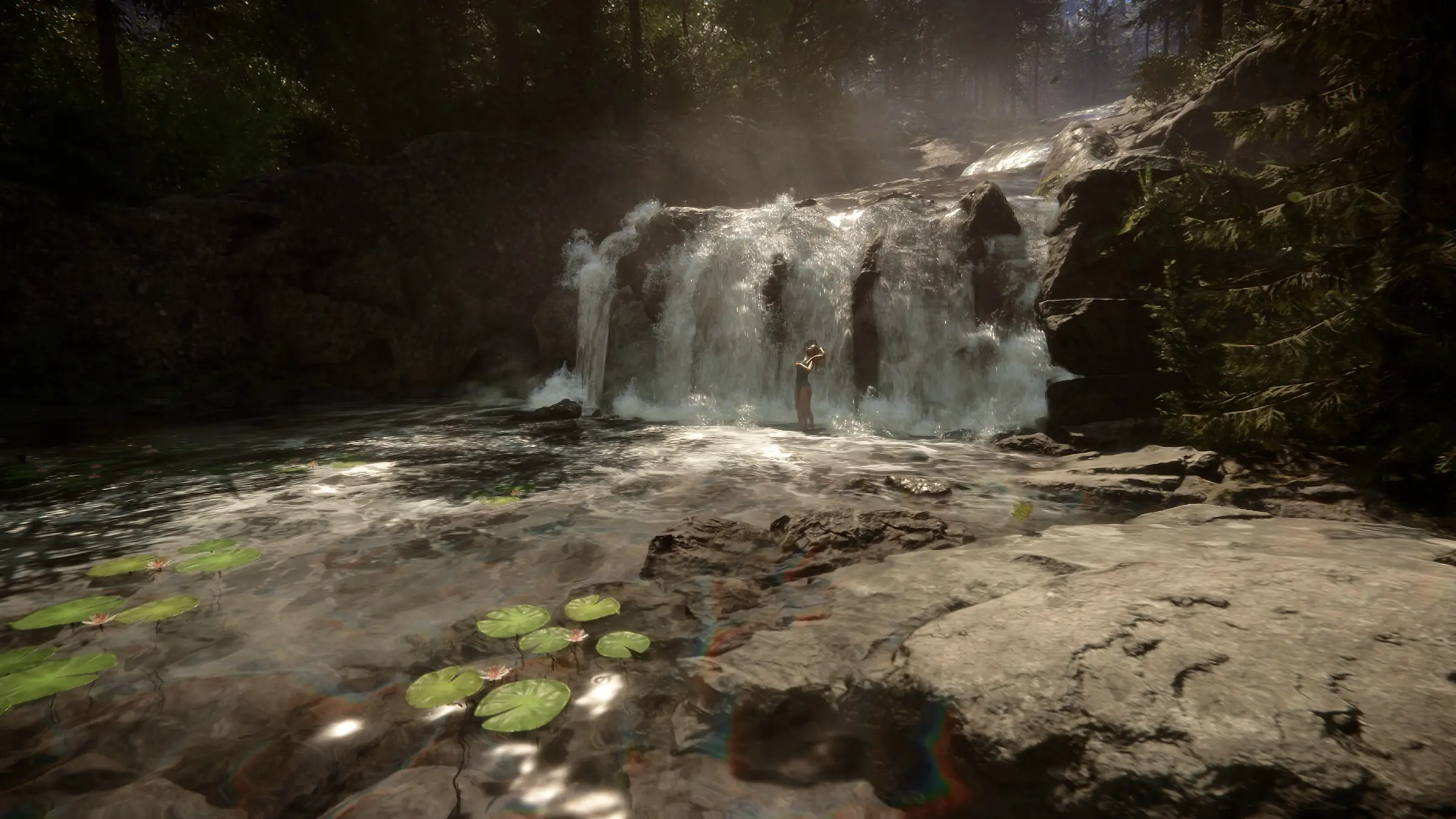
Sons of the Forest server hosting: a waterfall tumbles into a rocky lily-pad pool in a sunlit forest

Dedicated co-op servers for up to 8

Sons of the Forest Server Hosting

Sons of the Forest server hosting for groups who are tired of waiting for the host to log in. The island, the cave you mapped and the log cabin on the cliff stay online around the clock, so any of your crew can drop in, chop wood or hunt for the next shovel while the rest of you sleep.

Excellent on Trustpilot Hosting since 2004 9 locations 24/7 support in 9 languages

Choose your crew

Sons of the Forest Server Hosting Plans and Monthly Prices

Two plans, because the island takes at most 8 survivors. Both run on the same hardware in the same locations; the 8 slot plan adds memory for the extra bases and longer play sessions, and paying for 3, 6 or 12 months brings the monthly cost down.

  1. 4player slots
    10GB RAM

    A duo or a group of fourLowest price

    • 10GB of RAM included
    • Every game mode, including custom
    • Lowest monthly price
    €10.38/moMonthly, no contract
  2. 8player slots
    12GB RAM

    A full crew of 8, the game's maximumFull 8 player crew

    • 12GB of RAM included
    • Room for several bases on one save
    • Every seat the server allows
    €23.10/moMonthly, no contract

Every plan: NVMe 7500MB/s · 5.0GHz · Up to 100GB. No setup fee. Upgrades and details

In short

Gaming Deluxe hosts Sons of the Forest dedicated servers from €10.38/mo, with 4 or 8 player slots and 10GB to 12GB of RAM depending on the plan. Each server runs Endnight's official Sons of the Forest Dedicated Server on 5.0GHz CPUs and NVMe storage in 9 locations across the UK, France, Germany, the US and Australia, and it is set up automatically within minutes of payment.

Key facts checked against our order form, updated .

  • 4 or 8 player slots8 is the official dedicated server maximum
  • 10GB to 12GB RAMMore memory on the full 8 player plan
  • Every game modeNormal, hard, hard survival, peaceful, creative, custom
  • 9 locationsOne price in the UK, EU, US and Australia
  • Config file editordedicatedserver.cfg and the owners list in the panel
  • Offsite backupsSeven days of save copies, restore from the panel
  • DDoS protectionIncluded at every location
  • 24/7 support in 9 languagesHosting game servers since 2004

Run the island

The Sons of the Forest Server Hosting Control Panel

The dedicated server is driven by a JSON config file and a short owners list. Our web panel puts both a click away, next to the start button, the live console and your backups, so nobody has to touch a batch file or a remote desktop.

Gaming Deluxe game server control panel with the server menu, connection details and Stop and Restart buttons

The Gaming Deluxe control panel, pictured with a Windrose server. Sons of the Forest servers use the same panel and menu.

Config file editor

Change the server name, password, game mode, save slot and custom settings in dedicatedserver.cfg, then restart to apply.

File Manager and SFTP

Edit ownerswhitelist.txt, look inside the Saves folder or upload a save. SFTP is quicker for big folders.

Backup Manager

Snapshot the save before a risky boss fight or a mode change, and roll back in a few clicks if it goes wrong.

Scheduled Tasks

Restart the server in the early hours or run a backup every night without anyone remembering to do it.

Steam Update

Fetch the newest server build from Steam after an Endnight patch, so players on the updated game can connect.

Web Console and Log Viewer

Watch the start-up self-test, see who connects and read the log when something will not load.

Where the game is

Sons of the Forest 1.0 and Later Updates on Your Server

Endnight launched Sons of the Forest into Early Access on 23 February 2023 and released version 1.0 a year later, on 22 February 2024. Dedicated servers arrived during Early Access with Patch 07 in June 2023 and have been updated alongside the game since.

1.022 February 2024Rafts update15 January 2025Early Access23 February 2023

01

What 1.0 added

The 1.0 release brought an alternate ending, new cutscenes, proximity voice chat, raccoons, two new mutants, a sickness system and a creative mode that opens up after you finish the story.

02

Rafts and drawn walls

The January 2025 update added three rafts, a mooring post, holders for the KnightV and the glider, and defensive walls you can lay out with blueprints. It also fixed the dedicated server not saving in creative mode.

03

Security patch

The newest post at the time of writing is a Unity security update from 3 October 2025, which patched both the game and the dedicated server. Run Steam Update on your server after any such release.

04

Old saves after updates

Endnight kept older saves loading at 1.0 but recommended a fresh save for the full experience. On a hosted server you can keep both: back up the old save and start a new slot beside it.

Modes & platforms

Game Modes, Mods and Platforms for Sons of the Forest Server Hosting

Endnight offers no official mod tools or Steam Workshop for Sons of the Forest, but the dedicated server has a deep set of built-in settings. On the platform side the game is a Windows release on Steam, so every player joins from a PC.

Modes and mods

Six game modes

Pick normal, hard, hard survival, peaceful, creative or custom in the config. The mode is set when a new save is created, so choose it before the first session.

Custom mode settings

Custom mode unlocks dozens of switches: enemy spawns, health, damage and aggression, animal numbers, season and day length, survival penalties, building resistance, PvP damage and more.

No official mod support

There are no official mods or Workshop. Community mod loaders exist, but they are unsupported by Endnight and can break after any patch, so take a backup before you try one.

Platforms

Steam on Windows

Sons of the Forest is sold on Steam for 64-bit Windows. Your group joins from Steam, through the in-game dedicated server browser or by IP.

No crossplay to worry about

There are no console versions, so there is no crossplay setting. Everybody on the server plays the same Steam build.

Keep builds in step

Players who update first cannot join an older server. After a patch, run Steam Update in the panel and restart.

Steam (Windows)

Memory, sized for you

RAM for Sons of the Forest Server Hosting

Endnight does not publish memory figures for the dedicated server, so the RAM in each plan is our own sizing: 10GB with 4 slots and 12GB with 8. That covers a normal save comfortably; long games with lots of structures are the reason to pick more.

  • 2 to 4 players, story run

    Plan: 4 Slots
    RAM included: 10GB

    When to add more: Rarely needed. Consider more once the save has weeks of building.

  • 5 to 8 players, one shared base

    Plan: 8 Slots
    RAM included: 12GB

    When to add more: Usually enough for a full crew working near one camp.

  • 8 players, several big bases

    Plan: 8 Slots
    RAM included: 12GB

    When to add more: Step up to 14GB or 16GB if the memory graph sits near the limit on busy nights.

  • Creative or custom, huge builds

    Plan: 8 Slots
    RAM included: 12GB

    When to add more: Large creative builds with low building damage can grow the save; 16GB to 20GB gives headroom.

RAM tiers on the order form: 10GB, 12GB, 14GB, 16GB, 20GB, 24GB and 32GB. You can upgrade later from the client area and the save stays where it is.

Low ping, worldwide

Sons of the Forest Server Hosting Locations and Ping Test

9 locations across the UK, France, Germany, five US cities and Sydney. Run the ping test from the PC you play on and pick the lowest result for most of your crew.

LondonUnited Kingdom · Europe -
ParisFrance · Europe -
FrankfurtGermany · Europe -
New York (Buffalo)United States · North America -
DallasUnited States · North America -
Los AngelesUnited States · North America -
ChicagoUnited States · North America -
MiamiUnited States · North America No test
SydneyAustralia · Oceania -

Always-On Protection

Sons of the Forest Server Hosting with DDoS Protection

Watch how our multi-layered defence system filters malicious traffic while legitimate connections pass through uninterrupted.

Internet DDoS Protection Game Server

Malicious traffic is filtered at the edge, while legitimate traffic passes through uninterrupted.

Malicious Traffic (Blocked)Legitimate Traffic (Allowed)

At Every Location
Included
Full Protection
Layer 3/4/7
24/7 Active Filtering
Always-On
Added Latency
<1ms

In every plan

Included with Every Sons of the Forest Server Hosting Plan

No setup fee and nothing to add before your first night on the island. This is what each plan comes with, read from our order form.

  • Server softwareEndnight's official Sons of the Forest Dedicated Server, kept current with Steam Update
  • Player slots4 or 8, the second matching the game's 8 player maximum
  • Memory10GB on 4 slots and 12GB on 8 slots; tiers up to 32GB available
  • Storage100GB NVMe at 7,500MB/s, with 14,000MB/s drives and up to 200GB as upgrades
  • Processor5.0GHz included, 5.2GHz+ and 5.6GHz+ optional
  • Locations9 to pick from, same price everywhere
  • Configurationdedicatedserver.cfg, ownerswhitelist.txt and the game settings file editable in the panel
  • BackupsOffsite copies for the last 7 days, plus the panel's Backup Manager
  • ProtectionDDoS filtering at each location
  • Support24/7 tickets, answered by a team hosting game servers since 2004

Optional upgrades

Added at checkout, billed with your plan.

  • Memory AllocationTiers up to 32GBtiered
  • Hard DiskNVMe 14,000Mb/sfrom €5.82
  • CPU Clock Speed5.2GHz+ - 5.6GHz+from €5.82
  • CPU PriorityHigh CPU Priority - Realtime CPU Priorityfrom €5.82
  • VIP Ticket Priority SupportPrioritise My Ticket Pleasefrom €2.32
  • Disk SpaceUp to 120GB - Up to 200GBfrom €8.16

The RAM shown on each card is included in its price. Bigger tiers up to 32GB are on the order form. All 9 locations cost the same, so choose the one nearest most of your group. Prices read from our order form on 21 October 2026. Taxes, if any, are shown at checkout.

Built for survivors

Sons of the Forest Server Hosting Features

What makes the biggest difference once a crew settles on the island.

Always-on island

The world keeps running when the host logs off, and an idle frame rate setting keeps it light when nobody is on.

Custom difficulty

Tune enemies, animals, seasons and survival penalties until the island feels exactly as hard as your group wants.

Owners and admins

List owners by SteamID64; they promote admins and kick or ban from the pause menu in game.

Private by password

Set a password of up to 40 characters so only your crew can find their way in.

Snapshots on demand

Take a backup before a cave run or a mode switch and restore it if the night goes badly.

5.0GHz CPUs, NVMe drives

High clock speeds keep enemy AI and physics responsive when 8 players are spread across the map.

Before the first night

Sons of the Forest Server Hosting Essentials Before You Start

Five things that save a lot of head scratching on the first evening.

  1. Choose the mode first

    GameMode only applies when a new save is created. Set normal, hard, creative or custom before anyone joins, or plan to start a new save slot later.

  2. Add yourself as owner

    Put your SteamID64 on its own line in ownerswhitelist.txt and restart. Owners can then make other players admins from the pause menu.

  3. Three ports, already open

    The server uses a game port, a query port and a blob sync port (8766, 27016 and 9700 by default). Our network has them open, and the panel shows what to share.

  4. The start-up self-test

    On boot the server checks its own IP and ports and stops if they fail. If it will not start, the log in the Web Console tells you why.

  5. Save interval

    The server saves every 600 seconds by default. Shorten SaveInterval if your crew often logs off in a hurry.

Answers

Sons of the Forest Server Hosting FAQ

Straight answers to what new island owners ask us most.

Getting started

How quickly is my Sons of the Forest server ready?

It is created automatically as soon as your payment clears, and the panel login arrives by email. Most groups are playing within a few minutes.

How do my friends join the server?

Open Multiplayer, choose to join, and find the server by name in the dedicated server browser, using the filters if the list is long. Since Patch 09 players can also connect directly with the IP and game port shown in your panel.

How do I become an owner or admin?

Add your SteamID64 to ownerswhitelist.txt in the File Manager, one ID per line, and restart. As an owner you can promote or demote admins and kick, ban or unban players from Pause Menu, Players.

Which location should I pick?

Run the ping test on this page from the PC you play on. The lowest result for most of your group is the right choice, and all 9 locations cost the same.

Players and game modes

How many players can join a Sons of the Forest server?

Up to 8. Endnight's server guide limits MaxPlayers to a value from 1 to 8, which is why our plans offer 4 or 8 slots and no more.

Can I play creative mode on a dedicated server?

Yes. Set GameMode to creative before the save is created. Endnight fixed a bug in January 2025 where dedicated servers did not save in creative, so make sure the server is updated.

What can a custom game mode change?

Custom mode reads its own block of settings: cheats, PvP damage, enemy spawns, health, damage, armour and aggression, animal spawn rate, search parties, starting season, season and day length, precipitation, survival penalties, building resistance, immortal players and more.

Does Sons of the Forest have crossplay or mods?

Neither officially. The game is a Windows release on Steam with no console versions, and Endnight offers no mod tools or Workshop. Community mod loaders exist but are unsupported and can break after updates.

Saves and updates

Can I move my co-op save to the server?

Endnight's guide does not document a method, so we cannot promise every save will transfer. Our support team will try it with you: stop the server, take a backup, upload the save folder over SFTP and point SaveSlot at it.

How often does the server save?

Every 600 seconds unless you change SaveInterval in dedicatedserver.cfg. Since Patch 08 the server also saves before it shuts down, and our Backup Manager and 7 day offsite copies sit on top of that.

What do I do when Sons of the Forest updates?

Run Steam Update in the panel and restart the server. Until you do, players who already updated their game cannot connect.

Billing and plans

How much does Sons of the Forest server hosting cost?

The 4 slot plan is the cheapest, at €10.38 a month. The plans table shows both plans for 1, 3, 6 and 12 months, and longer cycles cost less per month.

Can I upgrade from 4 to 8 slots later?

Yes. Upgrade the plan or add RAM, CPU or disk options from the client area whenever your group grows. Your save stays on the server.

Is there a minimum contract?

No. Monthly billing renews month by month and you can cancel at any time. The 3, 6 and 12 month cycles are paid upfront for a lower monthly rate.

The complete guide · 6 min read

The Complete Guide to Sons of the Forest Server Hosting

Everything a group needs to know about running the island on a dedicated server: what the server does, how the config file works, the game modes, owners and admins, saves and updates. Written for the friend who always ends up hosting.

By , Owner, Gaming DeluxePublished · Updated

In this guide
  1. Why a Dedicated Server Beats Hosting from Your PC
  2. Inside dedicatedserver.cfg
  3. Picking a Game Mode That Suits Your Group
  4. Choosing 4 or 8 Slots
  5. Owners, Admins and Keeping the Island Private
  6. Saves, Backups and Updates
  7. Ports, Joining and the Start-up Check
  8. What to Compare Before You Rent a Sons of the Forest Server
  9. Sons of the Forest Server Glossary
  10. Sons of the Forest Server Help and Next Steps

Why a Dedicated Server Beats Hosting from Your PC

In a normal multiplayer game of Sons of the Forest, one player hosts and everyone else is a guest. When the host quits, the game ends for the whole group, and progress made while the host was away simply does not exist. That works for a weekend, but it falls apart as soon as your crew plays at different times.

Endnight answered that with the Sons of the Forest Dedicated Server, a free tool on Steam that runs the island without anyone playing on the host machine. You can run it at home, but it needs a PC switched on day and night, three open ports on your router and enough upload to carry every player. A hosted server moves all of that to a data centre: a fixed address, steady bandwidth, DDoS filtering, and a support team when something breaks at midnight.

The server tool does not need its own copy of the game, and it uses a smart trick while the island is empty: it drops to a low idle frame rate, five frames per second by default, and speeds back up to the active frame rate as soon as a player arrives.

Inside dedicatedserver.cfg

Almost everything about the server lives in one file, dedicatedserver.cfg, written in JSON. It is created the first time the server starts, together with ownerswhitelist.txt, a game settings file and the Saves folder. On our servers you edit it in the panel instead of hunting through AppData.

SettingWhat it doesDefault or range
ServerNameThe name shown in the server browserAny text
MaxPlayersHow many players can be online at once1 to 8
PasswordKeeps strangers outUp to 40 characters
SaveSlot and SaveModeWhich save is used, and whether to continue it or start newSlot 1 or higher; continue or new
SaveIntervalSeconds between automatic saves600
GameModeDifficulty for a new savenormal, hard, hardsurvival, peaceful, creative, custom
IdleTargetFramerateServer frame rate with nobody online5
ActiveTargetFramerateServer frame rate while players are on60

Picking a Game Mode That Suits Your Group

The dedicated server supports the same modes you see in the main menu, plus a fully custom option. The catch is timing: GameMode is only read when a new save is created. Changing it later does nothing to an existing save, so talk it over before the first session.

  • Normal: the intended balance for a first run through the story.
  • Hard and hard survival: tougher enemies, and in hard survival far harsher needs and resources.
  • Peaceful: no hostile enemies, ideal for building and exploring with friends who dislike horror.
  • Creative: build freely without gathering; in the game itself it unlocks after the story ends.
  • Custom: reads a separate block of settings so you can mix and match.

Custom mode is where a server becomes yours. You can change enemy spawn rate, health, damage, armour and aggression, animal numbers, search parties, the starting season and how long seasons and days last, precipitation, survival penalties and how resistant buildings are. There are switches for cheats, PvP damage, immortal players and one-hit tree cutting too. Tree regrowth and structure damage sit in their own game settings block and apply in any mode.

Choosing 4 or 8 Slots

Sons of the Forest is built for small groups. The dedicated server accepts between 1 and 8 players, so there is no point paying for more seats than that, and no mod in the official guide that raises the cap. That is why we sell exactly two plans.

The 4 slot plan suits a duo or a regular group of four. It includes 10GB of memory, which is plenty for a story run. The 8 slot plan fills every seat the game allows and includes 12GB, because eight players tend to spread out, build more and keep more of the island busy at once.

Memory grows with the save rather than with the clock. If you build a fortress on the beach, a treehouse village and a cave outpost on one save, check the memory graph in the panel on a busy night. If it sits close to the limit, step up a tier; the order form goes to 32GB and the change keeps your save.

Owners, Admins and Keeping the Island Private

Permissions start with ownerswhitelist.txt. Each line holds one SteamID64, the 17 digit number behind a Steam profile. Anyone on that list is an owner when they join.

  1. Find each owner's SteamID64 from their Steam profile.
  2. Open ownerswhitelist.txt in the File Manager and paste one ID per line.
  3. Restart the server so the list is loaded.
  4. In game, owners open Pause Menu, Players to promote admins and kick, ban or unban.

To keep strangers out, set a Password in the config. The server still appears in the browser, but only people with the password get in. LanOnly exists too, but it hides the server from the internet entirely, so leave it off on a hosted server.

Saves, Backups and Updates

The server saves to the slot set in SaveSlot every 600 seconds by default, and since Patch 08 it also saves before shutting down. SaveMode decides whether a restart continues that slot or starts a fresh one, so leave it on continue once your island is under way.

Our Backup Manager adds snapshots you take whenever you like, and offsite copies are kept for the last 7 days. Take one before you change game settings, try a community mod or switch save slots, and you can always go back.

Updates follow a simple rule: the server and every player must run the same build. When Endnight releases a patch, players who update first cannot join an older server. Run Steam Update in the panel, restart, and everyone is back together. The newest release at the time of writing, a security update from 3 October 2025, patched the dedicated server as well as the game.

Ports, Joining and the Start-up Check

The server listens on three UDP ports: a game port (8766 by default), a query port (27016) that answers the server browser, and a blob sync port (9700). At home you would forward all three; on our servers they are already open and the panel shows the address to share.

When it boots, the server tests whether its IP and ports can be reached and refuses to start if they cannot. That self-test is your friend: if the server will not come up after a change, the Web Console shows exactly which check failed. Endnight's guide only supports IPv4.

Players find the server in the in-game dedicated server browser, which has had filters and a ping column since Patch 08, or connect directly with the IP and game port, which arrived in Patch 09.

What to Compare Before You Rent a Sons of the Forest Server

Most offers for this game look the same on the surface. These details decide whether the island still runs smoothly a month in.

  1. Slots that match the capThe game takes 8 players at most. A plan selling more than 8 slots is charging for seats nobody can use.
  2. RAM in the base priceCheck how much memory the price includes and what more costs, so a large build does not catch you out.
  3. Config accessMake sure you can edit dedicatedserver.cfg and the owners list yourself, including the custom mode block.
  4. A nearby locationRun a ping test to a data centre near most of your group. Latency matters more in combat than raw CPU.
  5. Backups you restore yourselfFind out whether you can roll back without a ticket and how many days of offsite copies are kept.
  6. Billing termsCompare monthly and longer cycles and check for setup fees or minimum terms.

Sons of the Forest Server Glossary

Dedicated server
Endnight's separate program that runs the island without a player hosting it.
dedicatedserver.cfg
The JSON file that holds the server's name, password, player limit, save and game mode settings.
ownerswhitelist.txt
The list of SteamID64s that join as server owners.
SteamID64
The 17 digit number that identifies a Steam account.
Save slot
The numbered save the server loads and writes to.
Custom game mode
A mode that reads its own settings for enemies, animals, seasons and survival.
Blob sync port
The third UDP port the server uses to sync world data, 9700 by default.
Idle frame rate
The low frame rate the server runs at when nobody is online.
Slots
How many players can be online on the server at the same time.

Sons of the Forest Server Help and Next Steps

Useful pages for setting up and running your island.

How this guide was made: researched from Endnight's own dedicated server guide, patch notes and the Steam store page, drafted with AI assistance, checked against our live order form for every plan, price and location, and reviewed by Matthew Griffin before publishing. Spotted something out of date? Tell us.