
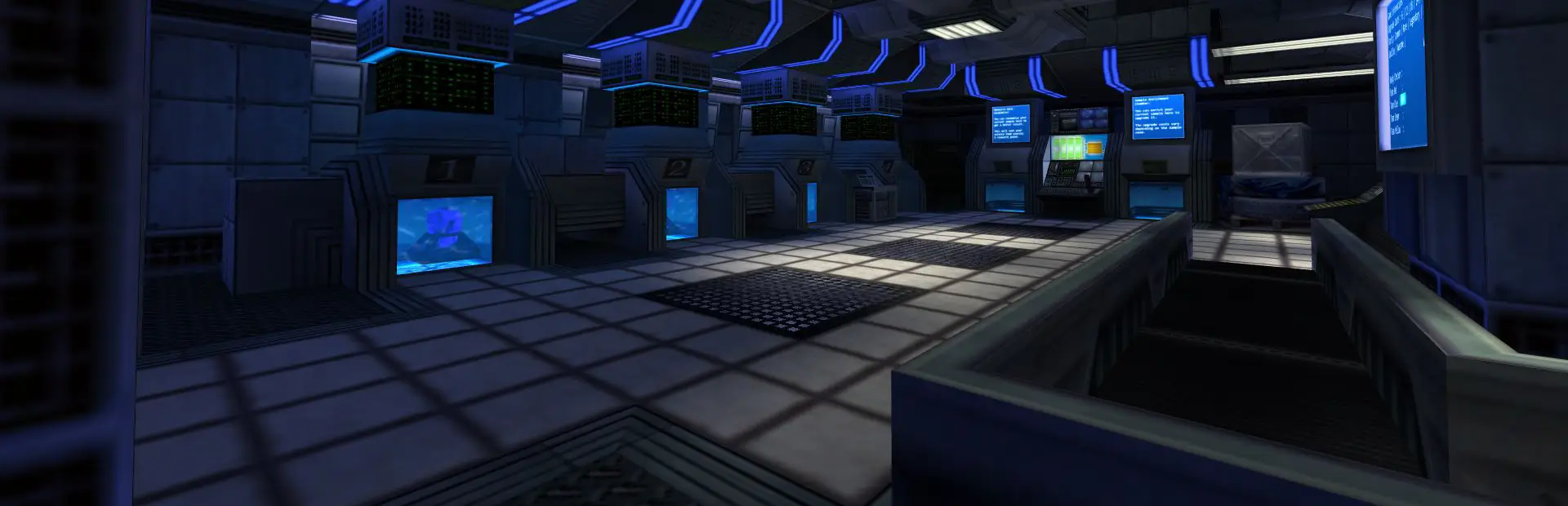
Sven Co-op server hosting: a blue-lit Black Mesa style research lab lined with computer terminals

Half-Life in co-op, on a server you run

Sven Co-op Server Hosting

Sven Co-op server hosting for groups who want to fight through Black Mesa together, then spend the rest of the night on custom maps nobody has finished yet. Your map list, your plugins, always online.

Excellent on Trustpilot Hosting since 2004 9 locations 24/7 support in 9 languages

Choose your squad size

Sven Co-op Server Hosting: Plans & Pricing

A Sven Co-op server barely notices its memory, so every plan includes the same 5GB and you choose by player count. The game allows up to 32, though its own manual warns that most maps get crowded past 12.

  1. 8player slots
    5GB RAM

    A friends group playing the campaigns

    • Half-Life with your regular crew
    • Lowest monthly price
    • Same 5GB as every plan
    €4.20/moMonthly, no contract
  2. 12player slots
    5GB RAM

    The sweet spot for most mapsBest for most maps

    • Matches the manual's crowding advice
    • Room for drop-in players
    • Our pick for most groups
    €6.30/moMonthly, no contract
  3. 20player slots
    5GB RAM

    A public server with a map vote

    • Busy evenings on bigger maps
    • Good for a custom map rotation
    • Survival mode with a crowd
    €10.50/moMonthly, no contract
  4. 32player slots
    5GB RAM

    The game's maximum

    • For large open maps and events
    • The most players Sven Co-op allows
    • Packed community nights
    €16.80/moMonthly, no contract

Every plan: NVMe 7500MB/s · 5.0GHz · Up to 100GB. No setup fee. Upgrades and details

In short

Gaming Deluxe hosts Sven Co-op dedicated servers from €4.20/mo, with 8 to 32 player slots and 5GB of RAM on every plan. Servers run on 5.0GHz CPUs with NVMe storage in 9 locations across the UK, France, Germany, the US and Australia, and are set up automatically within minutes of payment.

Key facts checked against our order form, updated .

  • 8 to 32 player slotsUp to the game's own limit of 32
  • 5GB RAM on every planPlenty for a GoldSrc-era server
  • 9 locationsSame price in the UK, EU, US and Australia
  • AngelScript pluginsLoad server plugins from a simple list file
  • Steam UpdatePull the latest release, 5.26 today
  • Offsite backups7 days of copies, restore from the panel
  • DDoS protectionIncluded at every location
  • 24/7 support in 9 languagesA team hosting game servers since 2004

Run it from the browser

Your Sven Co-op Server Hosting Control Panel

Sven Co-op is run from a handful of text files: the server config, the map cycle, the vote list, the admin list and the plugin list. The panel puts all of them in your browser, along with updates and restarts.

Gaming Deluxe game server control panel with the server menu, connection details and Stop and Restart buttons

The Gaming Deluxe control panel, pictured with a Windrose server. Sven Co-op servers use the same panel and menu.

File Manager and SFTP

Edit server.cfg, mapcycle.txt, mapvote.cfg and admins.txt, and upload custom maps and their resources.

Steam Update

The Sven Co-op team asks server owners to update through SteamCMD after each release. One button does that for you.

Scheduled restarts

Restart daily at a quiet hour, or update and restart together so the server is never left on an old build.

Log viewer

Sven Co-op logs events by default. Read who joined, which map loaded and any plugin errors.

Sub users

Give trusted admins a panel login with only the rights you pick, so they can restart or swap maps without your password.

Upgrades in place

Add slots, a faster CPU or more disk from the client area later. Your maps and configs stay put.

Release 5.26

Sven Co-op 5.26 and What Comes Next

Sven Co-op has been in development since 1999 and has been a free game on Steam since 22 January 2016. Its newest release is 5.26 from December 2024, which the team itself called the end of a three year wait. Work on 5.27 is under way, without a release date.

Release5.26 · December 2024On Steam22 January 2016Next5.27, no date yet

01

New and reworked maps

5.26 added The Mustard Factory, a co-op map built around running machines while fending off sabotage, and gave the classic Polar Rescue a visual timer and a facelift.

02

Campaign and survival fixes

It removed a blocker in the Half-Life campaign's Lambda Core chapter, fixed maps that could not be won in overload mode, and changed survival checkpoints so they can only be used when someone is dead.

03

For server operators

Spray uploads are now audited, telling operators which player uploaded each file. Players can also voice-mute someone without blocking their text chat.

04

5.27 in progress

In February 2025 the team previewed light-probe based dynamic lighting for 5.27. Until it ships, 5.26 is the build to run, and the panel's Steam Update fetches whatever is current.

Maps & plugins

Maps, Plugins and Campaigns for Sven Co-op Server Hosting

Sven Co-op is built for custom content. Beyond the Half-Life story lines it ships with, a server can run community maps, AngelScript plugins and its own rules, all from files you control.

The built-in campaigns

Sven Co-op supports the full Half-Life, Opposing Force, Blue Shift and Uplink story lines in co-op, so a new server has hours of play before you add a single map.

Custom maps

Upload community maps and their resources, then add them to mapcycle.txt and mapvote.cfg. The official manual points mappers and players to the Sven Co-op map database.

AngelScript plugins

Server plugins are loaded from a list file (default_plugins.txt). Anyone can write one, and the scripting platform can tell admins and owners apart from players.

Fast downloads

The sv_downloadurl setting lets players fetch your custom content over HTTP instead of through the game connection. The manual notes HTTPS is not supported yet.

Light as a crowbar

RAM for Sven Co-op Server Hosting: 5GB on Every Plan

The Sven Co-op team lists 512MB of RAM as the minimum to play the game, and a dedicated server is lighter still. Every plan therefore includes the same 5GB, which covers a full server, a plugin list and a long map rotation with room to spare.

  • Friends playing the campaigns

    Plan: 8 Slots
    RAM included: 5GB

    Would more help?: No. A small co-op group uses a fraction of it.

  • Regular group with drop-ins

    Plan: 12 Slots
    RAM included: 5GB

    Would more help?: No, even with a few plugins.

  • Public server with a map vote

    Plan: 20 Slots
    RAM included: 5GB

    Would more help?: Only with an unusually large plugin set.

  • Full 32 player events

    Plan: 32 Slots
    RAM included: 5GB

    Would more help?: Rarely. Larger tiers stay on the order form if you want them.

RAM tiers on the order form: 5GB, 8GB, 12GB, 16GB, 20GB, 24GB and 32GB. Change tier later from the client area.

Low ping, fewer deaths

Sven Co-op Server Hosting Locations and Ping Test

Choose from 9 locations in the UK, France, Germany, the United States and Australia. Co-op is forgiving, but dodging a garg or hitting a jump puzzle is easier on low ping: run the test from your PC and pick the best location for most of your group.

LondonUnited Kingdom · Europe -
ParisFrance · Europe -
FrankfurtGermany · Europe -
New York (Buffalo)United States · North America -
DallasUnited States · North America -
Los AngelesUnited States · North America -
ChicagoUnited States · North America -
MiamiUnited States · North America No test
SydneyAustralia · Oceania -

Always-On Protection

Sven Co-op Server Hosting with DDoS Protection

Watch how our multi-layered defence system filters malicious traffic while legitimate connections pass through uninterrupted.

Internet DDoS Protection Game Server

Malicious traffic is filtered at the edge, while legitimate traffic passes through uninterrupted.

Malicious Traffic (Blocked)Legitimate Traffic (Allowed)

At Every Location
Included
Full Protection
Layer 3/4/7
24/7 Active Filtering
Always-On
Added Latency
<1ms

In every plan

What Sven Co-op Server Hosting Includes

No setup fee and nothing extra to buy. This is what every plan comes with, as listed on our order form today.

  • Game serverThe Sven Co-op dedicated server, kept current with Steam Update
  • Player slots8, 12, 20 or 32
  • Memory5GB on every plan, larger tiers to 32GB on the order form
  • Storage100GB NVMe at 7,500MB/s, upgradable to 200GB and 14,000MB/s
  • Processor5.0GHz as standard, 5.2GHz+ and 5.6GHz+ upgrades
  • Locations9, one price at all of them
  • File accessFile Manager and SFTP for configs, maps and plugins
  • BackupsOffsite copies of the last 7 days, restorable from the panel
  • ProtectionDDoS protection on every server
  • Support24/7 tickets, with optional VIP ticket priority

Optional upgrades

Added at checkout, billed with your plan.

  • Memory AllocationTiers up to 32GBtiered
  • Hard DiskNVMe 14,000Mb/sfrom €5.82
  • CPU Clock Speed5.2GHz+ - 5.6GHz+from €5.82
  • CPU PriorityHigh CPU Priority - Realtime CPU Priorityfrom €5.82
  • VIP Ticket Priority SupportPrioritise My Ticket Pleasefrom €2.32
  • Disk SpaceUp to 120GB - Up to 200GBfrom €8.16

Every plan includes 5GB of RAM. Faster CPUs, more disk and bigger memory tiers are optional on the order form. All 9 locations cost the same. Prices read from our order form on 22 October 2026. Taxes, if any, are shown at checkout.

Built for co-op

Sven Co-op Server Hosting Features

What matters most when you run a co-op server for Half-Life fans.

Campaigns plus custom maps

Start with the Half-Life story lines, then add community maps and series as your group finishes them.

Plugins your way

Load AngelScript plugins from a list file and switch them on or off with a restart.

Admins by Steam ID

List admins and owners in admins.txt and they show up as such on the scoreboard.

One-click updates

Steam Update brings the server in line with each new Sven Co-op release.

DDoS protection

Attack traffic is filtered before it reaches the server, so a co-op night is not cut short.

5.0GHz CPUs

A fast core keeps busy maps smooth when 20 players and a room full of NPCs share one server.

Before the first map

Sven Co-op Server Hosting Essentials Before You Order

Five things that make the first night easier.

  1. Leave deathmatch at 1

    The manual is clear: deathmatch 1 is essential for Sven Co-op's intended play. Do not switch to the coop setting.

  2. Keep the vote list under 200 maps

    The manual warns that more than 200 maps in mapvote.cfg can stop players joining with a reliable channel overflow.

  3. Set an rcon password

    Without one, remote console access is off. With a weak one, anyone who guesses it controls your server.

  4. Cheats are for small servers

    On an internet server with more than 3 player slots, cheat commands only work for admins, with sv_cheats set to 2.

  5. Do not push the tick rate

    sys_ticrate defaults to 100. The manual warns that over 200 hurts physics and NPC movement.

Answers

Sven Co-op Server Hosting Questions

Short answers to what Sven Co-op server owners ask us most.

Getting started

How quickly is my Sven Co-op server ready?

It is set up automatically once your payment clears, and the panel login arrives by email. Most servers are ready for the first map within a few minutes.

Do players need to buy anything?

No. Sven Co-op is free on Steam, so anyone with a Steam account can download it and join your server.

How many players should I plan for?

The server allows 2 to 32 players, but the game's own manual says most maps become overcrowded above 12. That is why we suggest 12 slots for most groups and 20 or 32 for publics.

Which location should I choose?

Run the ping test on this page from your own PC. The lowest result for most of your group is the best pick, and all 9 locations cost the same.

Maps, plugins and admins

How do I add custom maps?

Upload the map and its resources with the File Manager or SFTP, then add it to mapcycle.txt and, if you use voting, mapvote.cfg. Keep the vote list under 200 maps.

How do I make myself an admin?

Add your Steam ID to admins.txt, one per line. Put an asterisk in front of it to mark yourself as the owner. Admins show on the scoreboard with their own icon.

Can I run AngelScript plugins?

Yes. List them in the plugin list file (default_plugins.txt unless you change it) and restart. Plugins can check whether a player is an admin or an owner.

Can I play the Half-Life campaigns?

Yes. Sven Co-op supports the Half-Life, Opposing Force, Blue Shift and Uplink story lines in co-op, alongside its own maps and community content.

Updates and settings

Which Sven Co-op version will my server run?

The current release, 5.26 from December 2024. When 5.27 arrives, run Steam Update in the panel and restart so the server matches your players.

Can I change the difficulty?

Yes. The skill setting picks a default difficulty, from easy to the realistic level 3 the server uses out of the box, and a value of 0 lets each map choose.

Are backups included?

Yes. We keep offsite copies of the last 7 days, which you can restore from the panel. Back up before you add a large map pack.

Plans and payment

How much does Sven Co-op server hosting cost?

The 8 slot plan is the cheapest, at €4.20 a month. The plans above show each size for 1, 3, 6 or 12 months, and the longer cycles cost less per month.

Why does every plan have the same RAM?

A Sven Co-op server needs very little memory, so every plan includes the free 5GB tier and you pay for the slots alone.

Can I cancel whenever I like?

Yes. The monthly cycle has no minimum term. Longer cycles are paid upfront in return for a lower monthly price.

The complete guide · 5 min read

Sven Co-op Server Hosting Explained: A Complete Guide

This guide explains running a Sven Co-op server in 2026: what the game is, how many slots make sense, the config files that matter, admins, plugins, custom maps and updates. It is written for whoever in the group keeps the server going.

By , Owner, Gaming DeluxePublished · Updated

In this guide
  1. What Sven Co-op Is
  2. How Many Slots a Sven Co-op Server Needs
  3. The Config Files That Matter
  4. Admins, Owners and Cheat Commands
  5. Custom Maps, Plugins and Fast Downloads
  6. Keeping the Server Updated
  7. What to Compare Before You Rent a Sven Co-op Server
  8. Sven Co-op Server Glossary
  9. Sven Co-op Server Help and Next Steps

What Sven Co-op Is

Sven Co-op is a co-operative shooter that started life around Valve's Half-Life and has been developed by its own team since 1999. Players work together against computer-controlled enemies and solve puzzles as a team. Levels are missions: many span several maps, some are grouped into a series, and the goal is to reach the end or complete an objective rather than chase a high score.

It is tougher than single player Half-Life on purpose, because a team should be able to carry each other. Players heal and revive one another with the medkit, share weapons and ammo, and fight alongside friendly NPCs. The arsenal goes beyond the original game too, with a sniper rifle, akimbo Uzis, an M16 and a minigun among the additions. Since January 2016 the whole thing has been free on Steam.

How Many Slots a Sven Co-op Server Needs

The dedicated server accepts between 2 and 32 players. The official manual adds a useful warning: most maps become overcrowded with more than 12. Co-op maps are built around rooms, corridors and puzzles, and twenty players in a lift shaft is chaos rather than fun.

PlanBest forWhy
8 SlotsA friends groupPlays the campaigns the way they were built
12 SlotsMost serversThe manual's own crowding threshold
20 SlotsA public with a map voteNot everyone is online at once, and bigger maps cope
32 SlotsEvents and large open mapsThe most the game allows

Memory is not a factor. Every plan includes the same 5GB, far more than the server uses, so the price follows the slot count alone.

The Config Files That Matter

Almost everything about a Sven Co-op server lives in plain text files you can edit in the File Manager. The manual documents each one and its default name.

File or settingWhat it holds
server.cfgThe main server settings, including the server name and passwords
mapcycle.txtThe order maps play in
mapvote.cfgThe maps players can vote for; keep it under 200
admins.txtSteam IDs of admins and owners
motd.txtThe welcome message players see on joining
banned.cfg and listip.cfgBanned Steam IDs and banned IP addresses
default_plugins.txtThe AngelScript plugins the server loads

A few settings deserve care. Keep hostname short (the manual suggests 40 characters or fewer) and put it first in the config so the server never appears with the default name. Leave deathmatch at 1, which the manual calls essential for the intended play. Set sv_password only if you want a private server, and always set a strong rcon_password.

Admins, Owners and Cheat Commands

Admin status comes from admins.txt. Each line holds one Steam ID, with optional comments to remind you who it is. Put an asterisk in front of an ID to mark that player as an owner. Admins and owners get their own icons on the scoreboard; the built-in powers are modest, but plugins can check those ranks and offer more.

  • kicksteamid removes a player by Steam ID, written in quotes.
  • mp_nextmap_cycle sets the next map, which players see on the scoreboard after they respawn.
  • sv_cheats 2 lets admins use cheat commands on a public server; with sv_cheats 1, cheats only work on internet servers capped at 3 players.

Custom Maps, Plugins and Fast Downloads

Custom content is where Sven Co-op servers find their identity. The manual links the community Sven Co-op map database for finding maps, and anything you add lives in the server's files like the stock content.

  1. Back up the server in the panel.
  2. Upload the map and all its resources (models, sounds, sprites) with the File Manager or SFTP.
  3. Add the map to mapcycle.txt and, if you use voting, to mapvote.cfg.
  4. Restart, join, and walk the map once before you open it to the public.

Players who do not have a custom map download it when they join. Large maps arrive much faster through sv_downloadurl, which points players at an HTTP copy of your content; the manual calls it essential for servers running non-standard maps. Plugins work the same way: upload the script, add it to the plugin list and restart.

Keeping the Server Updated

Sven Co-op releases are infrequent but substantial. 5.26 arrived in December 2024, three years after 5.25, and the release notes asked dedicated server owners to update with SteamCMD. In our panel that is the Steam Update button. Players on a new release cannot be expected to join a server on an old one, so update and restart on release day.

The team previewed 5.27 features in February 2025 without a release date. When it lands, take a backup first, update, then check that your custom maps and plugins still load before the evening crowd arrives.

What to Compare Before You Rent a Sven Co-op Server

These are the details that matter after the first week.

  1. Full file accessYou will edit configs, upload maps and add plugins. SFTP and a file manager are essential.
  2. Updates you controlCheck you can update the server yourself on release day, without waiting for the host.
  3. Slot counts that make senseThe game caps at 32 and most maps suit about 12. Do not pay for slots your maps cannot use.
  4. Locations you can testRun a ping test from where your group plays before you buy.
  5. BackupsMake sure you can restore a backup yourself after a map pack or plugin goes wrong.
  6. Billing termsCompare monthly and longer cycles, and check for setup fees and minimum terms.

Sven Co-op Server Glossary

SvenDS
The Sven Co-op dedicated server program.
SteamCMD
Valve's command-line tool that installs and updates the dedicated server.
admins.txt
The list of admin and owner Steam IDs.
AngelScript
The scripting language used for Sven Co-op server plugins.
mapvote.cfg
The list of maps players can vote for.
sv_downloadurl
The HTTP address players download custom content from.
Survival mode
A mode built around checkpoints that bring fallen players back; since 5.26 a checkpoint can only be used when someone is dead.
rcon
Remote console access to the server, protected by rcon_password.
Slots
How many players can be on the server at once.

Sven Co-op Server Help and Next Steps

Useful pages for setting up and running your server.

How this guide was made: researched from the official Sven Co-op manual, the Steam store and the team's release notes, drafted with AI assistance, checked against our live order form for every plan, price and location, and reviewed by Matthew Griffin before publishing. Spotted something out of date? Tell us.