
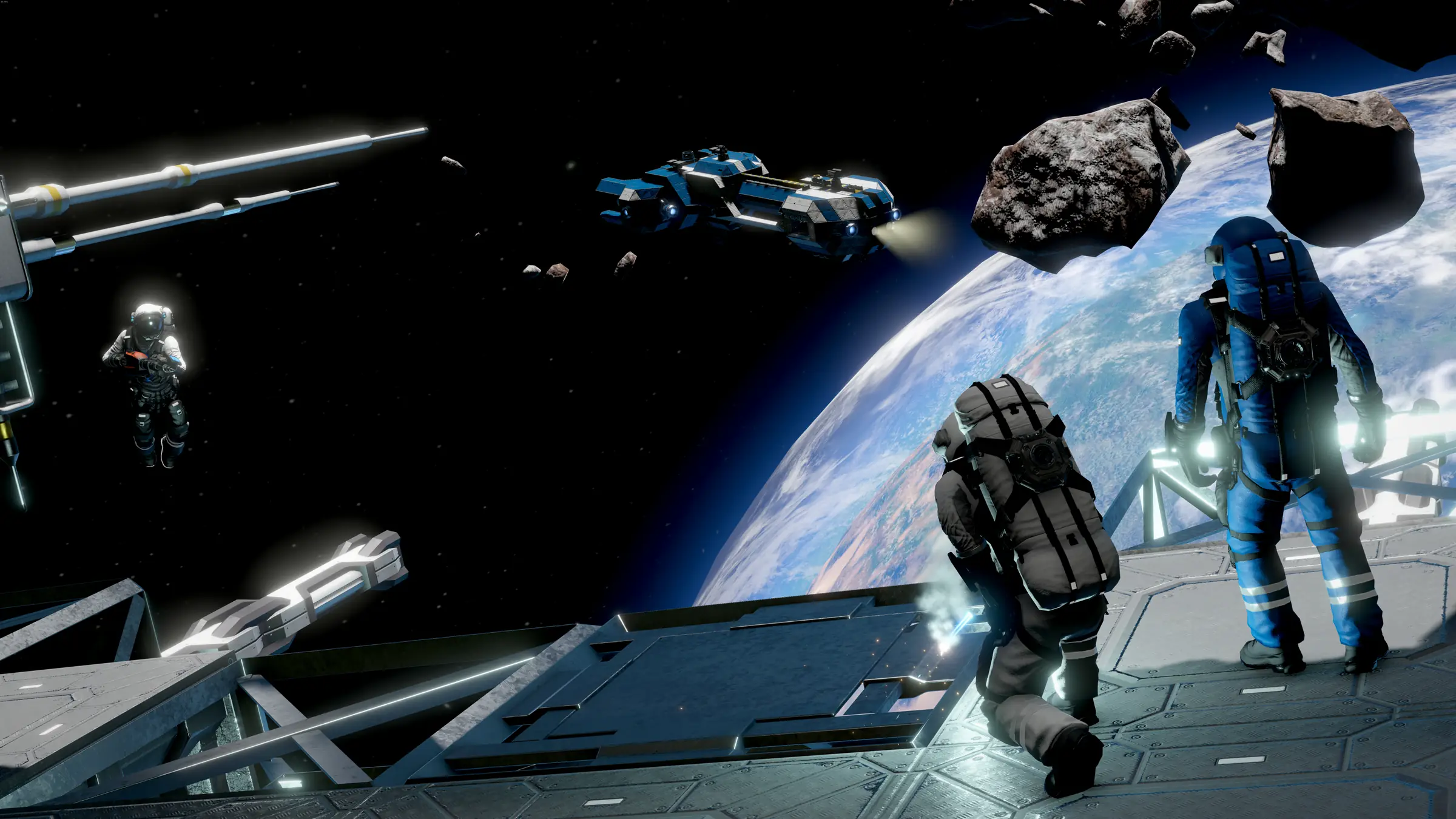
Space Engineers server hosting: two astronauts on a space station deck above a blue planet, with a ship and asteroids

PC and console crossplay

Space Engineers Server Hosting

Space Engineers server hosting for crews whose ships, stations and planetary bases are too big to leave on one player's PC. The world keeps orbiting when you log off, refineries keep turning and your faction can carry on building, whether they play on PC, Xbox or PlayStation.

Excellent on Trustpilot Hosting since 2004 9 locations 24/7 support in 9 languages

Size your crew

Space Engineers Server Hosting Plans and Prices

Choose a plan for the number of engineers online together. All plans share the same hardware and locations, memory grows with each step, and 3, 6 or 12 month billing lowers the monthly price.

  1. 10player slots
    10GB RAM

    A crew or a small faction

    • A persistent survival world for friends
    • Keen's recommended 10GB included
    • The lowest price for a 24/7 server
    €10.49/moMonthly, no contract
  2. 20player slots
    12GB RAM

    Up to 20, two or three factionsFits Keen's 16 player advice

    • Extra memory for bigger grids
    • Workshop or mod.io mods
    • Block limits keep it smooth
    €28.58/moMonthly, no contract
  3. 30player slots
    14GB RAM

    A community server, up to 30

    • Several factions and trade stations
    • Block limits keep the world healthy
    • Torch available for plugins
    €40.74/moMonthly, no contract
  4. 40player slots
    16GB RAM

    A busy public server, up to 40

    • Public survival or PvP worlds
    • Memory for large stations
    • More RAM available at checkout
    €52.86/moMonthly, no contract

Every plan: NVMe 7500MB/s · 5.0GHz · Up to 100GB. No setup fee. Upgrades and details

In short

Gaming Deluxe hosts Space Engineers dedicated servers from €10.49/mo, with 10 to 60 player slots and 10GB to 20GB of memory bundled by plan. Every server runs Keen's official dedicated server on 5.0GHz CPUs and NVMe drives, in 9 locations across the UK, Europe, the US and Australia, and can be set up for PC-only play with Steam Workshop mods or for crossplay with consoles.

Key facts checked against our order form, updated .

  • 10 to 60 player slotsKeen suggests 16 for default scenarios
  • 10GB to 20GB RAMStarts at Keen's recommended 10GB
  • CrossplayPC, Xbox and PlayStation on one server
  • Workshop and mod.ioSteam mods for PC, mod.io for crossplay
  • Block limitsSet PCU and grid limits for your server
  • 9 locationsThe same price in every data centre
  • Offsite backupsSeven days kept, plus the world's own backups
  • 24/7 support in 9 languagesHosting game servers since 2004

Mission control

Control Your Space Engineers Server Hosting

A web panel takes care of the routine: world settings, mods, admins, crossplay and backups. For live management there is also Keen's own VRage Remote Client, which connects to your server from your PC.

Gaming Deluxe game panel with the server menu, connection details and Start, Stop and Restart buttons

The game panel, pictured with a Windrose server. Space Engineers servers use the same panel and menu.

Easy configurator

Edit the dedicated server config in a form: world name, admins, game mode, multipliers, block limits and the option to generate a fresh world.

File Manager and SFTP

Upload a world from your PC, edit Sandbox_config.sbc or download a backup of the save.

Steam Workshop and Mod Manager

Install Steam Workshop mods for PC-only servers, or add Torch, the community-made server wrapper, from the Mod Manager.

Backups and Scheduled Tasks

Back up before a big build or a mod change and schedule restarts for quiet hours.

Steam Update

Pull the latest dedicated server build after a Keen update so the server and players match.

Web Console and logs

Check the server reached Game ready, follow loading errors and see who joins.

Still updating

Space Engineers Updates on a Dedicated Server

Keen still ships free updates for Space Engineers more than seven years after its full release on 28 February 2019. The latest are Economy 2 in May 2026 and Prosperity in July 2026, with hotfix 1.210.014 from 14 August 2026 the newest build.

1.210Prosperity · 27 July 2026Hotfix1.210.014 · 14 August 2026Full release28 February 2019

01

Prosperity (1.210)

Released on 27 July 2026 with a new Factorum encounter and a dedicated server option that stops players sending grids to distant locations.

02

Economy 2 (1.209)

The May 2026 update added grid storage, repair and salvage at the Services Terminal, bounties and NPCs at trade stations, with store timers that server owners can tune.

03

Apex Survival (1.207)

September 2025 brought food, farming, hazards and buffs. Every part is optional and configurable, so a server can stay classic or go fully hardcore.

04

Warfare 3 next

Keen has announced update 211, Warfare 3, with guided missiles, torpedoes, flares, EMP and an artillery turret, planned for the fourth quarter of 2026. No exact date has been given.

Mods & crossplay

Mods and Crossplay on Space Engineers Server Hosting

A Space Engineers server is set up for one of two audiences. A PC-only server can use the huge Steam Workshop; a crossplay server lets Xbox and PlayStation players in, but only with mods from mod.io.

Mods

Steam Workshop on PC servers

Install mods from the panel's Steam Workshop section. If you rename the world, generate it first so the mods attach to the right save.

mod.io for crossplay

Keen says Xbox players can only use mods hosted on mod.io, so a mixed server should use mod.io mods only. They are added to Sandbox_config.sbc as mod.io entries.

Torch and plugins

Torch is a community-made server tool, not a Keen product. Our Mod Manager installs it, and plugins are added by their download link and ID.

Crossplay

Crossplay since 2021

PC and Xbox crossplay arrived on 11 February 2021, and the PlayStation version has supported crossplay with PC and Xbox since it launched in 2023.

Console-friendly worlds

Crossplay worlds have limits: no more than three planet types, block limits switched on, and mods within the console size limit. A world that breaks them will not load for consoles.

A different server list

Crossplay servers are listed through Epic Online Services, so players find them on the EOS tab of the server browser rather than the Steam list.

Steam (PC)Microsoft StoreXboxPlayStation

Memory per plan

RAM for Space Engineers Server Hosting

Keen's dedicated server page gives 6GB as the minimum and 10GB as the recommended memory for a server machine. Our smallest plan starts at that recommended 10GB, and each larger plan steps up to 20GB on 60 slots, because big grids, many factions and mods all add to the load.

  • A crew of up to 10

    Plan: 10 Slots
    RAM included: 10GB

    When to add more: Matches Keen's recommendation. Add more once stations and ships fill the world.

  • Up to 20 players

    Plan: 20 Slots
    RAM included: 12GB

    When to add more: Several factions with large grids; a modded world may want 14GB.

  • Up to 30 players

    Plan: 30 Slots
    RAM included: 14GB

    When to add more: A community world with trade stations and a solid mod list.

  • Up to 40 players

    Plan: 40 Slots
    RAM included: 16GB

    When to add more: Busy public servers with many grids loaded at once; 20GB adds headroom.

  • Up to 60 players

    Plan: 60 Slots
    RAM included: 20GB

    When to add more: Large communities with strict block limits. 24GB or 32GB for the heaviest worlds.

Memory tiers on the Space Engineers order form: 10GB, 12GB, 14GB, 16GB, 20GB, 24GB and 32GB. Upgrade any time from the client area and your world stays in place.

Low ping, worldwide

Space Engineers Server Hosting Locations and Ping

Choose from 9 locations: the UK, France, Germany, five cities in the United States and Sydney. Run the ping test from the device you play on and pick the best location for most of your crew.

LondonUnited Kingdom · Europe -
ParisFrance · Europe -
FrankfurtGermany · Europe -
New York (Buffalo)United States · North America -
DallasUnited States · North America -
Los AngelesUnited States · North America -
ChicagoUnited States · North America -
MiamiUnited States · North America No test
SydneyAustralia · Oceania -

Always-On Protection

Space Engineers Server Hosting with DDoS Protection

Watch how our multi-layered defence system filters malicious traffic while legitimate connections pass through uninterrupted.

Internet DDoS Protection Game Server

Malicious traffic is filtered at the edge, while legitimate traffic passes through uninterrupted.

Malicious Traffic (Blocked)Legitimate Traffic (Allowed)

At Every Location
Included
Full Protection
Layer 3/4/7
24/7 Active Filtering
Always-On
Added Latency
<1ms

Standard equipment

Included with Every Space Engineers Server Hosting Plan

No setup fee and nothing more to buy before launch. Every Space Engineers plan includes the following, as listed on our order form.

  • Server softwareKeen's official Space Engineers dedicated server, updated from the panel
  • Player slots10 to 60 on this page, with 50 and 70 also on the order form
  • Memory10GB on 10 slots, rising to 20GB on 60 slots, with tiers to 32GB
  • StorageUp to 100GB of NVMe at 7,500MB/s, upgradeable to 200GB and 14,000MB/s
  • Processor5.0GHz included, with 5.2GHz+ and 5.6GHz+ options
  • CrossplayPC-only with Steam Workshop mods, or crossplay with Xbox and PlayStation
  • ModsSteam Workshop installer, mod.io support and Torch from the Mod Manager
  • BackupsOffsite copies for the last 7 days and panel backups you can restore
  • Locations9 to choose from, all at the same price
  • Protection and supportDDoS protection everywhere and 24/7 support from a team hosting since 2004

Optional upgrades

Added at checkout, billed with your plan.

  • Memory AllocationTiers up to 32GBtiered
  • Hard DiskNVMe 14,000Mb/sfrom €5.82
  • CPU Clock Speed5.2GHz+ - 5.6GHz+from €5.82
  • CPU PriorityHigh CPU Priority - Realtime CPU Priorityfrom €5.82
  • VIP Ticket Priority SupportPrioritise My Ticket Pleasefrom €2.32
  • Disk SpaceUp to 120GB - Up to 200GBfrom €8.16

The memory on each card is part of its price. The order form also sells 50 and 70 slots, and memory up to 32GB. Every location costs the same, so choose the one nearest your crew. Prices read from our order form on 14 October 2026. Taxes, if any, are shown at checkout.

Built for engineers

Space Engineers Server Hosting Features

The parts of the service that matter most to a long-running Space Engineers world.

Consoles welcome

Switch on crossplay and Xbox and PlayStation players can join your PC-hosted world.

Two mod sources

Use the Steam Workshop on PC-only servers or mod.io when consoles are joining.

Limits you control

Set PCU, block and grid limits per player or faction so one giant ship cannot slow everyone down.

Roll back a disaster

Restore a backup after a collision, a grief or a mod that misbehaves.

DDoS protection

Attack traffic is filtered before it reaches the server, keeping public worlds online.

5.0GHz CPUs, NVMe drives

Physics-heavy worlds benefit most from high clock speeds and fast storage.

Before you launch

Space Engineers Server Hosting Essentials

Five things to decide before the first ship leaves the hangar.

  1. PC-only or crossplay

    Decide early. Crossplay rules out Steam Workshop mods and some worlds, while PC-only gives you the whole Workshop.

  2. Pick a console-friendly world

    For crossplay, start from a scenario with no more than three planet types, or the server will not load for consoles.

  3. Set block limits

    PCU and grid limits keep performance steady and are required for console compatibility.

  4. Make yourself admin

    On a PC-only server add your Steam64 ID in the configurator. On crossplay, promote your player with the VRage Remote Client, or ask our support team to do it.

  5. Watch the sim speed

    Simulation speed is the best health check. If it drops below 1.0, look at grids, limits and mods before adding memory.

Answers

Space Engineers Server Hosting FAQ

Answers to what new Space Engineers server owners ask us most.

Getting started

How quickly is my Space Engineers server ready?

It is created automatically when your payment clears, and the panel login arrives by email. Most crews are in their world within a few minutes.

How many players should my server have?

Keen's FAQ recommends 16 players for default multiplayer scenarios because the physics are demanding. Our plans run from 10 to 60 slots; larger servers work best with block limits and tuned settings.

Can I upload my existing world?

Yes. Stop the server, upload the world's save folder with the File Manager or SFTP, set the world name in the config and start it again. For crossplay the world must also meet the console limits.

Which location should I choose?

Run the ping test on this page from your own device and choose the lowest result for most of your crew. Every location is the same price.

Crossplay and mods

Can Xbox and PlayStation players join?

Yes, once crossplay is enabled on the server. Console players find it on the EOS server list. The world must be console compatible and any mods must come from mod.io.

Why won't my world start with crossplay on?

Usually because it has too many planet types for consoles. Start from a scenario with no more than three planet types, or generate a new world.

How do I add mods?

On a PC-only server, install them from the panel's Steam Workshop section. On a crossplay server, add mod.io mod IDs to the mods section of Sandbox_config.sbc and restart.

Can I use Torch?

Yes. Torch is a community-made server tool, not part of Keen's software. Our Mod Manager installs it on both PC-only and crossplay servers.

Running the server

How do I become an admin?

On a PC-only server, add your Steam64 ID in the configurator's admin settings. On crossplay, promote your player from the VRage Remote Client while you are connected, or ask our support team to do it for you.

How are backups handled?

Space Engineers keeps its own backup copies of the world as it saves, and our panel adds backups you control plus offsite copies for the last 7 days.

What happens when Space Engineers updates?

Players on the new version need the server on the same version. Run Steam Update from the panel and restart, and check your mods have been updated first.

Billing

How much does Space Engineers server hosting cost?

The 10 slot plan is the cheapest at €10.49 a month. The plans table shows every plan on monthly, 3, 6 and 12 month billing, and longer terms cost less per month.

Can I upgrade later?

Yes. Add slots, memory, CPU speed or storage from the client area as your faction grows. Your world stays where it is.

Do I need a contract?

No. Monthly billing can be cancelled at any time. The 3, 6 and 12 month options are paid upfront for a lower monthly price.

The complete guide · 5 min read

Space Engineers Server Hosting Explained: A Complete Guide

Everything you need to run Space Engineers on a rented dedicated server: what the server does, choosing PC-only or crossplay, block limits and performance, the settings worth changing, mods, admins, memory and backups.

By , Owner, Gaming DeluxePublished · Updated

In this guide
  1. What a Dedicated Space Engineers Server Does
  2. PC-Only or Crossplay: Choosing a Setup
  3. Block Limits, PCU and Performance
  4. World Settings Worth Changing
  5. Mods, Scripts and Plugins
  6. Admins and the VRage Remote Client
  7. Memory, Saves and Backups
  8. What to Compare Before You Rent a Space Engineers Server
  9. Space Engineers Server Glossary
  10. Space Engineers Server Help and Next Steps

What a Dedicated Space Engineers Server Does

In Space Engineers a world is a working machine. Refineries process ore, assemblers build components, drones patrol and ships sit docked at stations, and all of it needs a host to keep running. When one player hosts from their PC, the universe stops when they do. A dedicated server is Keen's separate program that runs the world on its own, so the factory keeps humming and any crew member can log in to carry on.

Keen publishes the dedicated server for Windows and documents it on its website, including the command-line options and the VRage Remote Client for live administration. Running it at home means a capable PC left on, port 27016 forwarded and, as Keen notes, a static IP address for a public server. A rented server lives in a data centre with all of that in place.

PC-Only or Crossplay: Choosing a Setup

Every server is set up for one of two audiences, and the choice affects mods, worlds and how players find you.

QuestionPC-only serverCrossplay server
Who can joinPC playersPC, Xbox and PlayStation players
ModsSteam Workshopmod.io only
Server listSteamEOS tab
World limitsFewUp to three planet types, block limits on, mod size limit

If anyone in your group plays on console, crossplay is the only option, and it is worth starting with a world built for it rather than converting a sprawling PC save later. If everyone is on PC, a PC-only server gives you the entire Steam Workshop and fewer restrictions on worlds.

Block Limits, PCU and Performance

Space Engineers simulates physics for every block of every grid, and that is why Keen's FAQ recommends 16 players for default multiplayer scenarios. Bigger servers stay smooth by limiting what players can build. The key tool is PCU, a performance cost given to each block, with a total budget for the world.

  • TotalPCU sets the world's overall budget; the default is 600,000.
  • BlockLimitsEnabled decides how limits apply: none, globally, per faction or per player.
  • MaxGridSize caps how many blocks a single grid may have.
  • Per-block limits can cap individual block types, or groups of blocks by tag.

Since the Fieldwork update in April 2025, the game decides automatically whether a world needs experimental mode, based on its settings and the server hardware, and mods no longer force it on. Console compatibility, though, needs block limits switched on, which is one more reason to set them from day one.

World Settings Worth Changing

Our configurator shows the dedicated server's settings as a form, with the raw files a click away. These are the ones most crews adjust.

SettingWhat it changesOptions
GameModeCreative or Survival rulesCreative, Survival
Inventory, assembler and refinery multipliersHow much players carry and how fast production runsHigher values speed up the early game
EnvironmentHostilityMeteor showers and dangerSafe, Normal, Cataclysm, Cataclysm Unreal
ProceduralDensityHow many asteroids fill space0 for none, up to 1
EnableEconomyTrade stations, contracts and currencyOff by default
AutoSaveInMinutesHow often the world saves5 minutes by default
MaxBackupSavesBackup copies kept on each save5 by default

Apex Survival added optional food, farming and hazards, and Economy 2 expanded what trade stations can do, so look through the newer settings too if you want a harder or busier universe.

Mods, Scripts and Plugins

Space Engineers has one of the largest Workshops on Steam: blocks, ships, scripts and whole scenarios. On a PC-only server, install mods from the panel's Steam Workshop section. If you have renamed the world, generate it first with the configurator's new world option so the mods attach to the right save; if mods are missing afterwards, the Workshop section can reinstall them all.

On crossplay servers, mods must come from mod.io, which is where Keen hosts mods for console players. They are listed in the world's Sandbox_config.sbc, each with its mod.io ID, and download on the next start. In-game scripts run in Programmable Blocks; on consoles they only work on dedicated servers, which makes a hosted world the place to use them.

Torch is a popular community-made wrapper for the dedicated server that adds plugin support. Keen does not make or support it, but our Mod Manager installs it, and plugins are added by their download link and ID.

Admins and the VRage Remote Client

Keen's VRage Remote Client manages a server without joining it. It shows the simulation speed, chat, players and grids, and lets admins kick, ban and promote players. A standalone version comes with the dedicated server files.

  1. PC-only servers: add each admin's Steam64 ID in the configurator's admin settings, then restart.
  2. Crossplay servers: start the server, join it from the console, connect with the VRage Remote Client and press Promote on your player.
  3. No PC at hand? Our support team can promote a console player for you.

Once promoted, an admin uses the in-game admin menu for everything from spectating to removing abandoned grids, which matters a great deal on a server with block limits.

Memory, Saves and Backups

Keen recommends 10GB of memory for a dedicated server machine and gives 6GB as the minimum. Every plan here starts at that recommended 10GB and steps up: 12GB on 20 slots, 14GB on 30, 16GB on 40 and 20GB on 60. Big stations, many active ships and mods are what push memory up, and the panel's graph shows when to add a tier.

The world saves automatically every few minutes and keeps a set of backup copies, five by default. Our panel adds backups you can take before a risky build or a mod change, and offsite copies for the last 7 days. If a collision, a grief or a broken mod ruins an evening, restore the world and carry on.

What to Compare Before You Rent a Space Engineers Server

Space Engineers hosting offers look alike on paper. These details decide how the server copes with a growing universe.

  1. Crossplay supportIf anyone plays on console, check the host can run a crossplay server with mod.io mods.
  2. Memory in the priceKeen recommends 10GB. Check what each plan includes and what extra memory costs.
  3. CPU speedPhysics simulation leans on single-core speed. Look for high clock speeds, not just core counts.
  4. Config and file accessYou will want to edit Sandbox_config.sbc and upload worlds, so look for a file manager and SFTP.
  5. Backups you can restoreAsk how long backups are kept and whether you can restore one without a ticket.
  6. Billing termsCompare monthly with longer billing, and watch for setup fees or minimum terms.

Space Engineers Server Glossary

Dedicated server
Keen's standalone program that runs a Space Engineers world without a player hosting it.
PCU
Performance cost units: a cost given to each block, used to cap how much players can build.
Grid
Any ship, station or structure made of connected blocks.
Sim speed
How fast the server simulates the world compared with real time; 1.0 is full speed.
Sandbox_config.sbc
A world file holding its settings and mod list, used to add mod.io mods on crossplay servers.
mod.io
The mod platform Keen uses for console and crossplay servers.
EOS
Epic Online Services, the network crossplay servers are listed on.
VRage Remote Client
Keen's tool for watching and managing a dedicated server from your PC.
Torch
A community-made server wrapper that adds plugins; not made by Keen.
Programmable Block
An in-game block that runs player-written scripts to automate ships and bases.

Space Engineers Server Help and Next Steps

Official resources and our own pages.