


The complete guide · 5 min read
Stormworks: Build and Rescue Server Hosting Explained: A Complete Guide
This guide covers running a Stormworks: Build and Rescue world on a rented server: what a dedicated server adds to co-op, where the game stands in 2026, how to size a plan, and how to handle Workshop builds, DLC and updates. It is written for the crew member who looks after the world between sessions.
By Matthew Griffin, Owner, Gaming DeluxePublished · Updated
In this guide
- What a Dedicated Stormworks Server Adds
- Stormworks in 2026: Still Moving
- Choosing Slots and Memory
- Workshop Builds on a Shared World
- DLC, Missions and Planning a World
- Updates and the New Multiplayer Networking
- Saves, Backups and Moving a World
- What to Compare Before You Rent a Stormworks Server
- Stormworks Server Glossary
- Stormworks Server Help and Next Steps
What a Dedicated Stormworks Server Adds
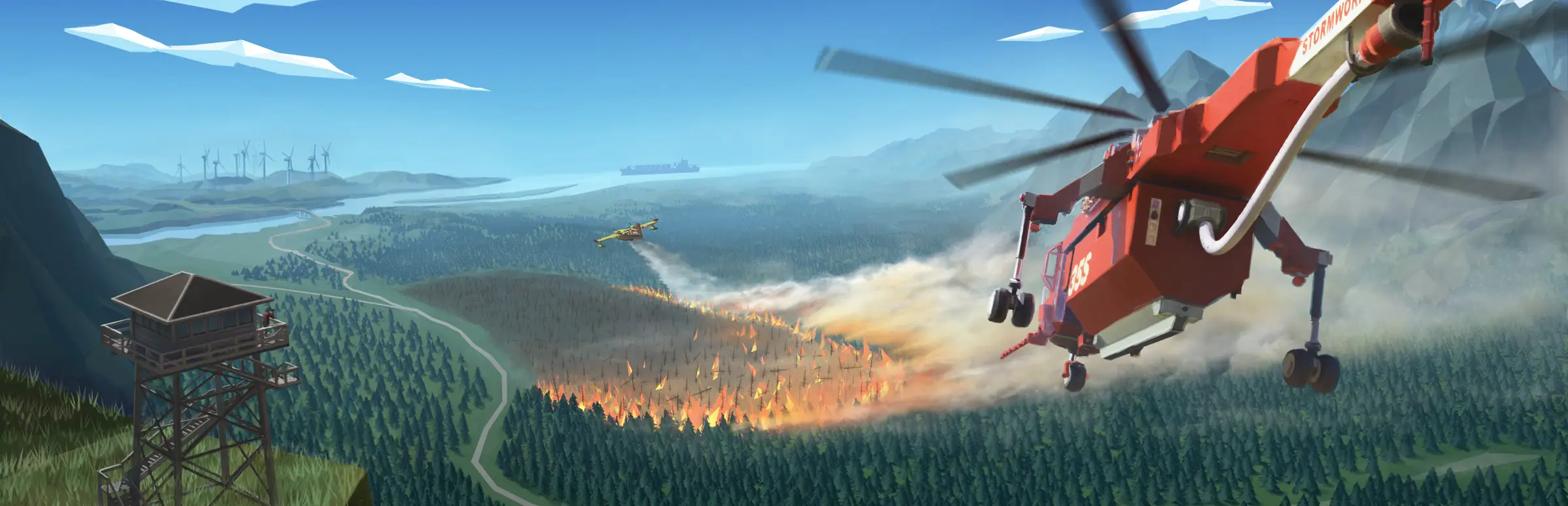
Geometa describes Stormworks as designing and piloting your own sea rescue service: block-based vehicles, a physics-driven world with buoyancy and waves, a day-night cycle, dynamic weather, and a logic system for programming what you build. Its co-op is built around multi-crew vehicles and missions, which is exactly where a shared server comes in.
Hosting from inside the game ties the world to one player's PC. When they log off, the harbour closes and the ship everyone spent the evening wiring sits unused. A dedicated server keeps the world running on its own, so crew members in different time zones can keep building, and the world is waiting whenever someone joins. Renting one puts it in a data centre with a fixed address, filtered traffic and a support desk.
Stormworks in 2026: Still Moving
Stormworks entered Early Access on 28 February 2018 and reached full release on 17 September 2020. Unlike many games of its age, it is still being updated. In 2026 alone, the v1.15 line brought airburst weapons for the Search and Destroy DLC in June, a small train wheel component in August, a hotfix for very large creations a few days later, and the Multiplayer API update in September.
On 18 September 2026 Geometa released a new game, Anymaker, and wrote to Stormworks players that it is a different game, not a replacement. The studio said Stormworks has passed a million players and that development will continue at the existing pace, with the focus on quality and improvements it began about a year earlier.
- v1.15.18, 24 June 2026: airburst weapons for Search and Destroy.
- v1.15.19, 13 August 2026: a small train wheel component for smaller trains.
- v1.15.20, 15 August 2026: a hotfix for spawning very large creations.
- v1.15.23, 9 September 2026: multiplayer rewritten on newer Steam P2P networking.
Choosing Slots and Memory
Stormworks is sold per slot, from 8 to 32. Start with the number of people who will be on the controls at the same time. A single crew sharing one large vessel fits in 8. Two crews running missions side by side, or a small fleet, suits 16. Twenty-four and 32 are for rescue services with several bases, or a public ocean that is busy most evenings.
| Plan | RAM included | Typical world |
|---|---|---|
| 8 Slots | 5GB | One crew, one main vessel |
| 16 Slots | 8GB | Two crews, a small fleet |
| 24 Slots | 12GB | Several bases and missions at once |
| 32 Slots | 16GB | A busy public ocean |
In Stormworks the load comes less from players than from what they build. Each active vehicle is simulated block by block, floating on simulated water, often running its own logic. One crew with an enormous ship can work a server harder than a dozen players in small boats. That is why the bigger plans carry more memory, and why the memory graph in the panel is the best guide to a later upgrade.
Workshop Builds on a Shared World
Stormworks supports the Steam Workshop, and for many players the Workshop is half the game: ships, helicopters, trains and rescue vehicles built by others, ready to spawn. On a shared server, those creations become part of everyone's evening, so a little care keeps the world running well.
- Take a snapshot in the Backup Manager before trying a very large creation for the first time.
- Spawn it on a quiet evening and watch the server's performance in the panel.
- Agree a rough limit on how many large builds can be active at once.
- Restore the snapshot if a build breaks the world, and tell its owner why.
DLC, Missions and Planning a World
Steam sells three Stormworks DLCs: Search and Destroy, Industrial Frontier and Space. Each widens what the crew can build and do, from weapons to industry to spacecraft. They are separate purchases, so before you plan a world around one, find out who in the crew owns it.
The base game's core is rescue work: missions that need a vessel, a crew and quick decisions in bad weather. A good shared world mixes the two. Keep a few reliable rescue vessels in the harbour for missions, and leave space for the long build projects that only come together over several evenings.
Updates and the New Multiplayer Networking
The Multiplayer API update, v1.15.23 on 9 September 2026, rewrote the game's multiplayer to use the newer Steam P2P networking, replacing the original Steam networking from launch more than eight years earlier. Geometa called the newer system generally much better and expected it to improve multiplayer for some players.
For a server owner, the routine after any update is the same. Players get the new build through Steam first, so run Steam Update in the panel and restart before the crew tries to join. If someone still cannot connect, check that Steam has finished updating the game on their PC, because a version mismatch on either side is the usual cause.
Saves, Backups and Moving a World
A Stormworks world is months of engineering. The Backup Manager takes a snapshot on request, Scheduled Tasks can take one before a nightly restart, and offsite copies cover the last 7 days. Take one before big Workshop tests, before an update and before changing server settings.
To move a world from your own PC, stop the server, upload the save over SFTP and start it again, having snapshotted the fresh server first. If the world does not load as expected, send our support team the time you tried and they will read the log with you.
What to Compare Before You Rent a Stormworks Server
Stormworks hosting offers look alike. These details show up when the crew starts spawning big builds.
- CPU speedPhysics and vehicle logic run on the server. Check the clock speed, not just the core count.
- Memory with your slotsPer-slot prices hide the memory. Ask what RAM comes with your crew size.
- Snapshots you controlMake sure you can back up and restore without waiting on a ticket.
- Updates on your scheduleGeometa patches often. You should be able to update the server yourself.
- Ping to the crewRun a ping test from your own PC before ordering.
- TermsCompare monthly and longer billing, and check for setup fees.
Stormworks Server Glossary
- Creation
- A vehicle or structure built in the game, often shared on the Workshop.
- Workshop
- Steam's library of player-made Stormworks creations.
- Logic system
- The in-game tools for programming how a vehicle behaves.
- Multi-crew vehicle
- A vessel or aircraft built to be run by several players at once.
- Search and Destroy
- A Stormworks DLC that adds weapons, including the 2026 airburst ammunition.
- Industrial Frontier
- A Stormworks DLC sold on Steam.
- Space
- A Stormworks DLC sold on Steam.
- Steam P2P networking
- The newer Steam networking that multiplayer has used since v1.15.23.
- Slots
- How many players can be on the server at once.
Stormworks Server Help and Next Steps
Further reading for the crew's server admin.
- Stormworks on SteamThe game, its DLCs and the Workshop.
- Stormworks news on SteamGeometa's update notes, including v1.15.23.
- Stormworks at GeometaThe developer's own page for the game.
- Gaming Deluxe control panelThe panel and how to sign in.
- Our server locations
- Contact supportHelp with saves, updates and big builds at any hour.
How this guide was made: researched from Geometa's Stormworks page, the Steam store page and Geometa's update notes on Steam, drafted with AI assistance, checked against our live order form for plans, add-ons and locations, and reviewed by Matthew Griffin before publishing. Spotted something out of date? Tell us.
Sources, checked 22 October 2026: