
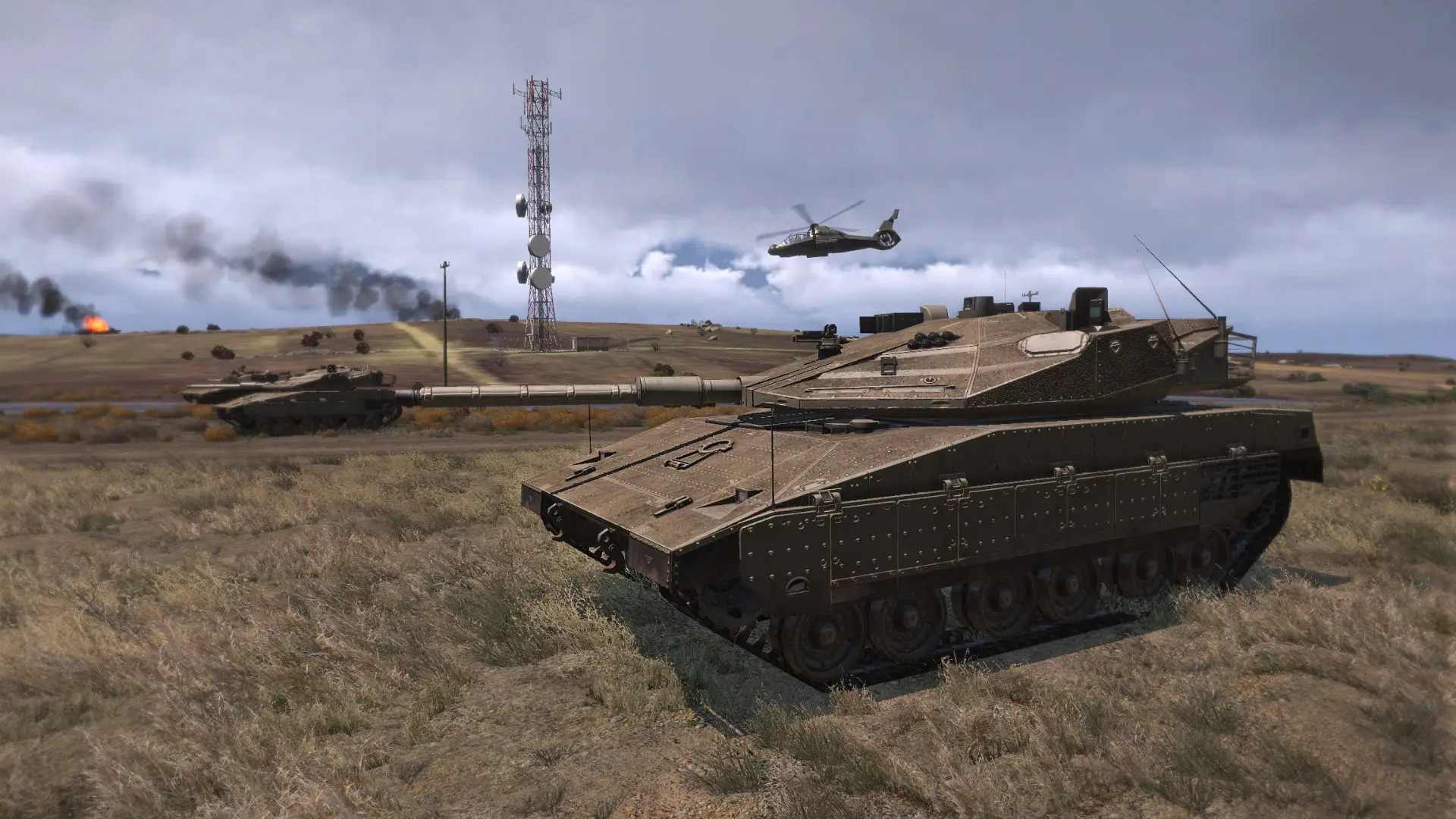
Arma 3 Wasteland server hosting: a desert tank rolls across a dry plain as a helicopter flies past burning wrecks

Scavenge, build and hold ground on your own island

Arma 3 Wasteland Server Hosting

Arma 3 Wasteland server hosting for groups who want the classic A3Wasteland loop on their own terms: spawn with almost nothing, loot towns and mission crates, lock a base together, and fight two rival factions and a crowd of independents for the territories on the map.

Excellent on Trustpilot Hosting since 2004 9 locations 24/7 support in 9 languages

Size your island

Arma 3 Wasteland Server Hosting Plans and Prices

Size the server by the busiest hour you expect. The A3Wasteland team say the mission is best with 50 or more players, so most public servers start around 40 to 60 slots. Each step up adds a RAM tier, every plan has the same hardware and locations, and longer terms cost less per month.

  1. 20player slots
    5GB RAM

    A clan or friends-only Wasteland

    • Private games and testing your config
    • Tune money, loot and saving first
    • 5GB RAM included
    €11.67/moMonthly, no contract
  2. 40player slots
    8GB RAM

    A new public server finding its players

    • Enough for three-way fights
    • Room for a growing regular crowd
    • 8GB RAM included
    €26.82/moMonthly, no contract
  3. 60player slots
    12GB RAM

    The size A3Wasteland is built forBest to start

    • Past the 50 player mark the team recommends
    • Busy towns and contested territories
    • 12GB RAM included
    €43.15/moMonthly, no contract
  4. 80player slots
    16GB RAM

    An established community server

    • More saved bases and parked vehicles
    • Large weekend peaks
    • 16GB RAM included
    €54.81/moMonthly, no contract

Every plan: NVMe 7500MB/s · 5.0GHz · Up to 100GB. No setup fee. Upgrades and details

In short

Gaming Deluxe hosts Arma 3 Wasteland servers from €11.67/mo, with 20 to 120 player slots and 5GB to 20GB of RAM depending on the plan. Each server runs Bohemia Interactive's Arma 3 dedicated server for the open source A3Wasteland mission, on 5.0GHz CPUs and NVMe storage in 9 locations across the UK, France, Germany, the US and Australia.

Key facts checked against our order form, updated .

  • 20 to 120 player slotsA3W plays best with 50 or more
  • 5GB to 20GB RAMRises with each bigger plan
  • Persistent bases and vehiclesSaved between restarts by default
  • Territory captureHold sectors for your side
  • Headless Client readyA3W can use up to two
  • Steam Workshop browserAdd optional mods from the panel
  • 9 locationsOne price in every region
  • 24/7 support in 9 languagesHosting game servers since 2004

Run it from a browser

Running Arma 3 Wasteland Server Hosting from the Panel

A Wasteland server is the Arma 3 server, the mission file, a settings folder and, if you want it, a database extension. The panel puts each of those a click away, so you can change the economy on your phone and restart before the next session.

Gaming Deluxe game server control panel with the server menu, connection details and Stop and Restart buttons

The Gaming Deluxe control panel, shown with a Windrose server. Arma 3 Wasteland servers use the same panel, with the Arma 3 Mod Manager and Steam Workshop buttons.

Configuration Files

Edit server.cfg and main_config.sqf in the browser. A3W reads its settings at start, so stop the server before saving.

File Manager and SFTP

Upload a recompiled mission PBO or the A3Wasteland_settings folder with WinSCP or FileZilla.

Steam Workshop browser

Install optional Workshop mods into their own folders, then add them to the startup line.

Scheduler

Restart and update on a timetable; A3W saves vehicles and objects every minute by default, so restarts lose very little.

Backup Manager

Back up before a big config change or a wipe, and roll back in a few clicks if it goes wrong.

Where the mission stands

Where A3Wasteland Stands and What It Means for Arma 3 Wasteland Server Hosting

A3Wasteland is a finished, stable mission rather than a project with a release schedule. The last change to its Altis repository was made on 24 September 2023, adding a railgun tank and fixing a pylon desync. Arma 3 itself is still patched by Bohemia Interactive.

Last Altis commit24 September 2023Arma 3 2.2211 August 2026MapsAltis, Stratis, Tanoa, Malden

01

Four maps, one codebase

Team A3W publishes the mission for Altis, Stratis, Tanoa and Malden, each in its own GitHub repository with the same dev branch.

02

No packaged releases

The repositories ship source, not a ready PBO. The team's Release_Files repository says the mission must be compiled with a tool such as Addon Builder or MakePBO.

03

Arma 3 keeps moving

Bohemia released Arma 3 update 2.22 on 11 August 2026. After a game update, check that the mission and any database extension still load.

04

Open source, AGPL v3

You are free to change the mission. The licence asks that changes you run publicly stay open, and the authors ask you to keep A3Wasteland.com in the credits.

Mission & mods

Mission, Mods and Players on Arma 3 Wasteland Server Hosting

A3Wasteland is a mission, so players download it from your server as they join and need only Arma 3 itself. Everything that makes your Wasteland different, from starting cash to how long a base survives, lives in one settings file on the server.

Mission and mods

Vanilla by default

The stock mission uses Arma 3's own weapons and vehicles, so nobody needs a mod pack to join a standard server.

main_config.sqf

A3Wasteland_settings in the Arma 3 folder overrides the mission's built-in defaults, so your changes survive a mission update.

Optional Workshop mods

Add mods from the panel if your community wants them; then every player must load the same set to connect.

Players and protection

Two factions and independents

Players join BLUFOR, OPFOR or play independent, alone or in small groups, and fight over the same towns and sectors.

Arma 3 on PC

Arma 3 is a PC game on Steam, so Wasteland is a PC community. Players join from the in-game server browser or the launcher.

BattlEye filters

Team A3W publishes BattlEye filters made for the mission, and recommends them over filters from other sources.

Steam (Windows)

Memory, sized for you

RAM for Arma 3 Wasteland Server Hosting

Neither Bohemia nor Team A3W publishes a memory figure for a Wasteland server, so the RAM on each plan is our own sizing. The mission spawns around 200 land vehicles by default, plus boats, aircraft and loot, and keeps saved bases and vehicles in the world, so each bigger plan carries one more tier: 5GB on 20 slots, up to 20GB on 120.

  • A private server for a clan

    Plan: 20 Slots
    RAM included: 5GB

    When to add more: When you add Workshop mods.

  • A new public server

    Plan: 40 Slots
    RAM included: 8GB

    When to add more: If saved bases pile up over weeks.

  • Busy most evenings

    Plan: 60 Slots
    RAM included: 12GB

    When to add more: When you raise the vehicle count.

  • A large community

    Plan: 80 Slots
    RAM included: 16GB

    When to add more: With long object lifetimes.

  • A full Altis server

    Plan: 120 Slots
    RAM included: 20GB

    When to add more: Move AI work to a headless client.

RAM tiers on the order form: 5GB, 8GB, 12GB, 16GB, 20GB, 24GB and 32GB. Change the tier later from the client area; your mission, settings and saves stay in place.

Low ping, worldwide

Arma 3 Wasteland Server Hosting Locations

Choose from 9 locations in the UK, France, Germany, the United States and Australia. Arma's combat rewards low ping, so put the server where most of your regulars live and run the ping test from a few of their homes first.

LondonUnited Kingdom · Europe -
ParisFrance · Europe -
FrankfurtGermany · Europe -
New York (Buffalo)United States · North America -
DallasUnited States · North America -
Los AngelesUnited States · North America -
ChicagoUnited States · North America -
MiamiUnited States · North America No test
SydneyAustralia · Oceania -

Always-On Protection

Arma 3 Wasteland Server Hosting with DDoS Protection

Watch how our multi-layered defence system filters malicious traffic while legitimate connections pass through uninterrupted.

Internet DDoS Protection Game Server

Malicious traffic is filtered at the edge, while legitimate traffic passes through uninterrupted.

Malicious Traffic (Blocked)Legitimate Traffic (Allowed)

At Every Location
Included
Full Protection
Layer 3/4/7
24/7 Active Filtering
Always-On
Added Latency
<1ms

On every server

What Is Included with Arma 3 Wasteland Server Hosting

No setup fee, no required add-ons. Every plan includes the following, as listed on our order form.

  • Game serverBohemia Interactive's Arma 3 dedicated server, sold for the A3Wasteland mission
  • Slots20 to 120 on the plans shown, 10 to 120 on the order form
  • MemoryFrom 5GB on 20 slots to 20GB on 120; up to 32GB on the order form
  • Storage100GB NVMe at 7,500MB/s; 14,000MB/s drives and up to 200GB as upgrades
  • Processor5.0GHz included; 5.2GHz+ and 5.6GHz+ upgrades
  • Locations9, same price
  • ModsArma 3 Mod Manager and Steam Workshop browser
  • BackupsOffsite backups for the last 7 days and the Backup Manager
  • ProtectionDDoS protection at all locations
  • Support24/7 tickets from a team hosting game servers since 2004

Optional upgrades

Added at checkout, billed with your plan.

  • Memory AllocationTiers up to 32GBtiered
  • Hard DiskNVMe 14,000Mb/sfrom €5.82
  • CPU Clock Speed5.2GHz+ - 5.6GHz+from €5.82
  • CPU PriorityHigh CPU Priority - Realtime CPU Priorityfrom €5.82
  • VIP Ticket Priority SupportPrioritise My Ticket Pleasefrom €2.32
  • Disk SpaceUp to 120GB - Up to 200GBfrom €8.16

Each card bundles the RAM shown, one tier more per plan. The order form also sells slot sizes from 10 to 120 in steps of 10 and RAM up to 32GB. All 9 locations cost the same, so choose the one nearest to the bulk of your players. Prices read from our order form on 23 October 2026. Taxes, if any, are shown at checkout.

Built for Wasteland

Arma 3 Wasteland Server Hosting Features

What your own Wasteland gives you that a random public server cannot.

Your economy

Set starting money, ATM limits, transfer fees and store cooldowns in one file.

Saves that last

Players, vehicles, locked base parts, crates and mines can all persist.

Day and night pace

Separate time multipliers make nights pass faster than days.

Lock and lockpick

Vehicle locking and private storage keep loot safe until someone breaks in.

5.0GHz CPUs

Arma's server leans on single-core speed, which keeps busy towns smoother.

DDoS protection

Attacks are filtered before they reach your island.

Before you go public

Arma 3 Wasteland Server Hosting Essentials

Five things to settle before you open the server to the public.

  1. Pick your map

    Altis is the big classic; Stratis, Tanoa and Malden suit smaller or more varied fights. Each has its own mission.

  2. Use the external settings

    Copy the A3Wasteland_settings folder next to the server and edit main_config.sqf there, not inside the mission.

  3. Choose a saving method

    Profile saving works out of the box. iniDB and extDB3 are options for groups that want more, such as private parking.

  4. Install the BattlEye filters

    Use the mission's own filters from Team A3W's Release_Files to avoid false kicks.

  5. Set object lifetimes

    Decide how long unused bases and parked vehicles survive, or the map slowly fills with clutter.

Answers

Arma 3 Wasteland Server Hosting FAQ

Questions server owners ask before and after launch.

Getting started

What is A3Wasteland?

A free, open source sandbox mission for Arma 3. Players scavenge weapons and vehicles, team up and fight over territories, mixing team deathmatch with sector control. It is built by Team A3W on top of earlier Wasteland missions.

How many slots do I need?

The A3Wasteland team say the mission is best with 50 or more players. A 40 or 60 slot plan suits most new public servers; 20 is fine for a private group.

Do players need any mods to join?

Not for a standard server. The mission uses Arma 3's own content and downloads from your server when players join. If you add Workshop mods, players need those too.

Which location should I choose?

The one closest to most of your regular players. All 9 cost the same, and the ping test on this page shows each one.

Saving and persistence

Do bases and vehicles survive restarts?

Yes, by default. A3W saves players, purchased and captured vehicles, locked base parts, crates, static weapons and more between restarts, using the server profile unless you choose iniDB or extDB3.

Does Wasteland need a MySQL database?

No. The default saving method is the server profile, with no database. extDB3 with MySQL is optional and adds features such as private parking; ask our support team if you want to move to it.

How long do saved objects last?

In the default config, saved base parts and crates last 120 hours and unused parked vehicles 48 hours. Both are settings in main_config.sqf, and 0 removes the limit.

Running the server

Can I use a headless client?

Yes. A3W supports up to two headless clients for object caching, cleanup and saving. We sell the Headless Client as a separate server; HC saving needs iniDB or extDB3.

Can I change the money and loot?

Yes. Starting money, ATM limits, building loot, vehicle loot and how many vehicles spawn are all lines in main_config.sqf. Stop the server, edit, then start it.

Which maps can I run?

Team A3W publishes the mission for Altis, Stratis, Tanoa and Malden. Altis is the classic for big public servers; tell our support team which map you want and we can help you switch.

Billing

How much does Arma 3 Wasteland server hosting cost?

Plans start at €11.67 a month for 20 slots with 5GB of RAM. The plan table shows every size for 1, 3, 6 and 12 months.

Can I move to more slots later?

Yes. Upgrade from the client area as your player count grows. Your mission, settings and saves stay where they are.

The complete guide · 5 min read

The Complete Guide to Arma 3 Wasteland Server Hosting

What A3Wasteland is and where it came from, how its server settings and saving work, how many slots and how much RAM a Wasteland really needs, and how to keep a long-running server healthy.

By , Owner, Gaming DeluxePublished · Updated

In this guide
  1. What A3Wasteland Is
  2. Maps and the Mission File
  3. The Settings That Shape Your Wasteland
  4. Saving: Profile, iniDB or extDB3
  5. Choosing Slots and RAM
  6. Headless Clients on a Busy Server
  7. Upkeep, Updates and Wipes
  8. What to Compare Before You Rent a Wasteland Server
  9. Arma 3 Wasteland Server Glossary
  10. Arma 3 Wasteland Server Help

What A3Wasteland Is

Wasteland is one of the oldest multiplayer modes in the Arma world. The A3Wasteland mission for Arma 3 describes itself as a survival-like combat sandbox that folds team deathmatch and sector control into one package. You spawn with very little, scavenge weapons and vehicles from towns and missions, team up and try to take control of the landscape.

Its family tree is long. A3Wasteland grew out of GoT Wasteland, which came from 404 Wasteland, which in turn built on Sa-Matra's Wasteland and, at the root, Tonic's Wasteland. Team A3W, credited as AgentRev, JoSchaap, MercyfulFate, His_Shadow, Bewilderbeest, Torndeco and Del1te among others, rewrote much of the code and added territory capture, player and vehicle saving, vehicle stores and new side missions.

Players pick one of two factions, BLUFOR or OPFOR, or play independent. The independents are the wild card: the mission briefing lets them engage anyone and team up with anyone, while team players must not shoot or rob their own side. That three-way tension is why the team recommends 50 or more players; with too few, the map feels empty between fights.

Maps and the Mission File

Team A3W maintains four versions of the mission, one per terrain: Altis, Stratis, Tanoa and Malden. Altis is the large classic island and the one most public servers run. Stratis is small and fast, Tanoa brings jungle and islands, and Malden sits in between.

The repositories hold source code rather than a ready mission file. The team's own Release_Files readme explains that the PBO has to be compiled with a tool such as Addon Builder, BinPBO or MakePBO. Once built, the PBO goes into the server's MPMissions folder and is named in the mission cycle of server.cfg.

The Settings That Shape Your Wasteland

A3W keeps its defaults inside the mission, but it looks for an external file first: A3Wasteland_settings\main_config.sqf in the Arma 3 folder. If that file is there, it wins. Edit it rather than the mission, so a recompiled or updated mission does not wipe your choices. The file is read at start, so stop the server before you change it.

SettingDefault and effect
A3W_startingMoney100: cash a new player spawns with
A3W_survivalSystem1: food and water are needed to stay alive
A3W_unlimitedStamina1: unlimited sprinting and jumping
A3W_startHour15: in-game hour when the mission starts
A3W_timeMultiplierNight4.0: nights pass four times faster
A3W_vehicleQuantity200: approximate land vehicles spawned in towns
A3W_atmMaxBalance1,000,000: most a bank account can hold
A3W_atmTransferFee5: percent charged on transfers
A3W_artilleryStrike1: the Artillery Strike item can be found
A3W_savingMethodprofile: also iniDB or extDB

Other lines decide whether weapons and supplies spawn in buildings, how much loot vehicles carry, how far from a store explosives may be placed, and whether the global voice channel is switched off for non-admins. Change a few at a time and watch how your players react.

Saving: Profile, iniDB or extDB3

Persistence is what turns Wasteland from a match into a server people come back to. By default A3W saves into the server's profile, which needs no database at all. It keeps player position, health, inventory and money, purchased and captured vehicles, locked base parts, crates, static weapons, mines, warchests and spawn beacons, and saves vehicles and objects every 60 seconds.

  • profile: the default. Nothing extra to install.
  • iniDB: file-based saving through the iniDBI addon, used automatically if it is installed.
  • extDB3: MySQL saving. Team A3W's instructions are to import the a3wasteland_db SQL script, put the MySQL details in the [A3W] section of extdb3-conf.ini, and start the server with -filePatching -serverMod=@extDB3 and allowedFilePatching = 1 in server.cfg. It needs extDB3 version 1025 or later.

extDB3 unlocks private parking, global player stats across servers, and saving on a headless client, and lets the save interval relax to 3 to 5 minutes. It is also more to look after. extDB3 is a DLL, which our SFTP service blocks for security, so our support team installs it and can tell you about a database for your server.

Choosing Slots and RAM

Start from how many players you expect at your busiest hour, not on a quiet morning. A clan running a private island can live on 20 slots. A public server needs room to grow into the 50 player mark the team recommends, so 40 or 60 slots is the sensible start, and 80 or 120 suits an established community.

Memory grows with the world rather than the player count alone. Every saved base part, parked vehicle and crate stays loaded, and long object lifetimes mean more of them. That is why each of our plans steps up one RAM tier: 5GB on 20 slots, 8GB on 40, 12GB on 60, 16GB on 80 and 20GB on 120. If you raise A3W_vehicleQuantity or set object lifetimes to 0, move up a tier.

Headless Clients on a Busy Server

Arma's server does most of its work on one CPU core. A headless client is a second Arma instance that takes jobs off it. A3W can hand two kinds of job to up to two headless clients: object caching, and cleanup and saving. The first headless client to connect gets ID 1 and the second ID 2, and both jobs can run on the same one.

Saving on a headless client only works with iniDB or extDB3, because profile saves live in a separate profile per machine. Our Arma 3 Headless Client is a separate server you add when your Wasteland is busy; the knowledge base explains how to connect it.

Upkeep, Updates and Wipes

Because the mission rarely changes, most upkeep comes from Arma 3 updates and from your own world filling up. After a Bohemia update, run Steam Update, start the server and check the log before players arrive. Keep a backup from the Backup Manager before any mission change.

Some owners wipe on a schedule, for example monthly, so new players are not shut out by years of fortified bases. A wipe on profile saving means clearing the saved data in the server profile; on extDB3 it means emptying the A3W tables. Announce it well in advance, and our support team can help with either.

What to Compare Before You Rent a Wasteland Server

A Wasteland lives for months, so look past the slot price.

  1. Single-core CPU speedArma servers lean on one core; a fast clock matters more than many cores.
  2. RAM that grows with slotsSaved bases and vehicles need memory as the world fills up.
  3. File accessYou will upload missions and settings, so SFTP and a file manager matter.
  4. Headless Client optionBusy servers benefit from moving work off the main server.
  5. BackupsMonths of player bases deserve offsite backups.
  6. Arma-aware supportDLL extensions and database setups need someone who knows Arma.

Arma 3 Wasteland Server Glossary

A3Wasteland (A3W)
The open source Wasteland sandbox mission for Arma 3 by Team A3W.
main_config.sqf
The external settings file in A3Wasteland_settings that overrides the mission defaults.
Territory
A map sector a side can capture and hold for rewards.
Independent
A player outside the two factions, alone or in a small group.
profileNamespace
Arma's per-profile storage, A3W's default way to save data.
extDB3
An Arma 3 extension that lets the mission save to a MySQL database.
Headless client
An extra Arma instance that takes AI and object work off the server.
PBO
Arma's packed file format; the compiled mission is one PBO.

Arma 3 Wasteland Server Help

The mission's own sources and our guides.