
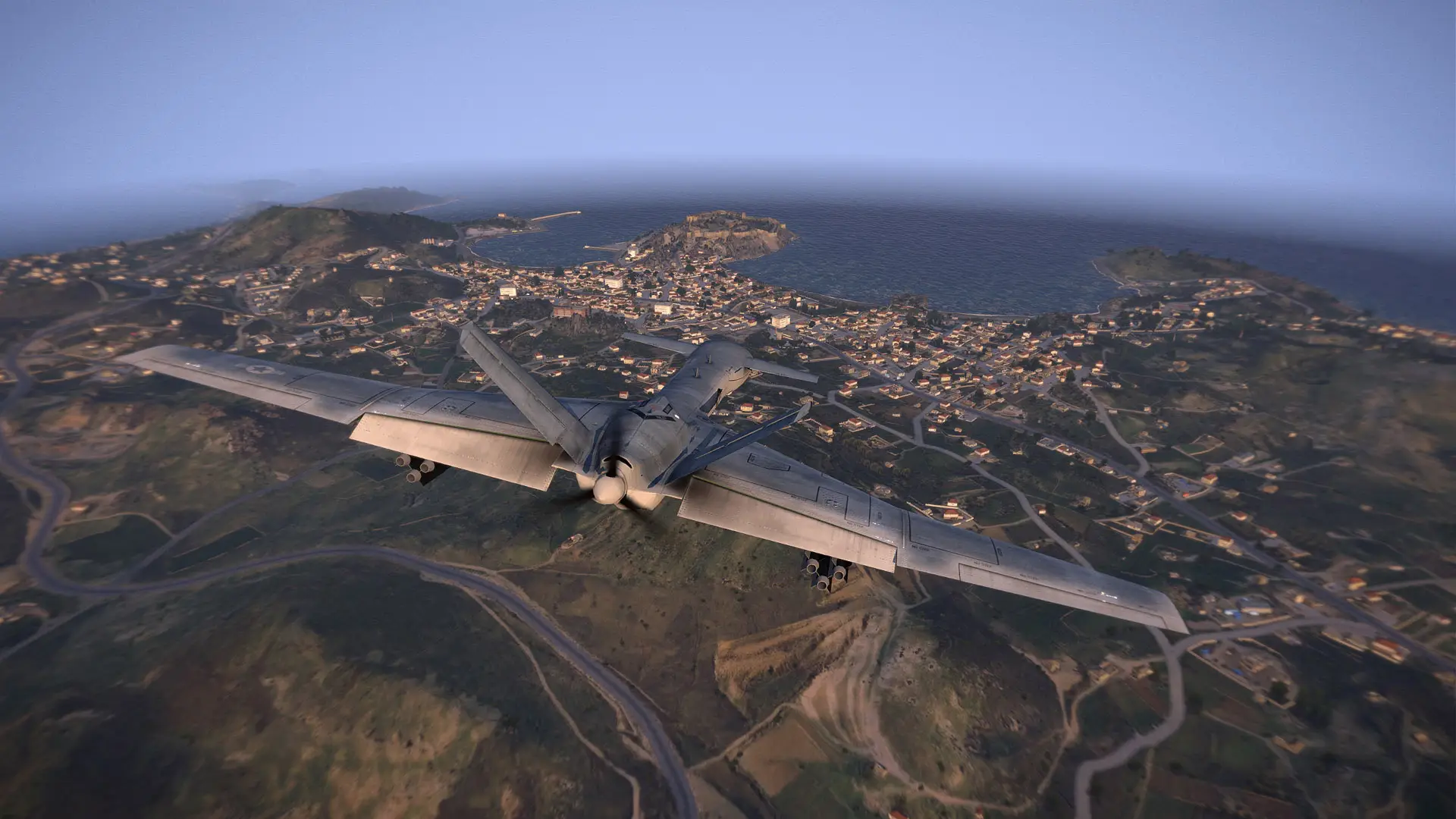
Arma 3 Altis Life server hosting: a drone flies over a seaside town on Altis, with a castle on the headland and the sea beyond

Police, medics and civilians on your own Altis

Arma 3 Altis Life Server Hosting

Arma 3 Altis Life server hosting for communities building a roleplay city: police, medics and civilians on Altis, a bank, houses and gangs that survive every restart, and a database you can open in the browser when someone needs their cop rank.

Excellent on Trustpilot Hosting since 2004 9 locations 24/7 support in 9 languages

Size your city

Arma 3 Altis Life Server Hosting Plans and Prices

Pick a plan by how many players your city has online at its busiest. Hardware and locations are the same on every plan, each bigger plan adds a RAM tier, and 3, 6 or 12 month terms cost less per month.

  1. 20player slots
    5GB RAM

    Build and test your city with a small team

    • Room for staff, a few cops and medics
    • Set up jobs and prices before launch
    • 5GB RAM included
    €11.67/moMonthly, no contract
  2. 40player slots
    8GB RAM

    A new roleplay communityBest to start

    • Police, medics and civilians on the same evening
    • 8GB RAM included
    • Move up later, database and all
    €26.82/moMonthly, no contract
  3. 60player slots
    12GB RAM

    An active city most nights

    • Busy evenings with every faction staffed
    • Room for gangs and a police force
    • 12GB RAM included
    €43.15/moMonthly, no contract
  4. 80player slots
    16GB RAM

    A large community server

    • Events and a long friends list
    • More vehicles and houses in the world
    • 16GB RAM included
    €54.81/moMonthly, no contract

Every plan: NVMe 7500MB/s · 5.0GHz · Up to 100GB. No setup fee. Upgrades and details

In short

Gaming Deluxe hosts Arma 3 Altis Life servers from €11.67/mo, with 20 to 120 player slots and 5GB to 20GB of RAM depending on the plan. Each server runs the Arma 3 dedicated server for the Altis Life roleplay framework, with a MySQL database you open in phpMyAdmin, on 5.0GHz CPUs and NVMe storage in 9 locations across the UK, France, Germany, the US and Australia.

Key facts checked against our order form, updated .

  • 20 to 120 player slotsThe stock Altis mission has 125 roles
  • 5GB to 20GB RAMOne tier more with each bigger plan
  • MySQL and phpMyAdminPlayers, cars, houses and gangs in one database
  • Police and medic whitelistsSet coplevel and mediclevel in the players table
  • Steam Workshop browserAdd vehicle and clothing mods from the panel
  • Headless Client supportBuilt into the framework, sold as a separate server
  • 9 locationsSame price in every region
  • 24/7 support in 9 languagesHosting game servers since 2004

Run the city from a browser

Your Arma 3 Altis Life Server Hosting Control Panel

An Altis Life city is a game server and a database working together, and the panel gives you both in one browser tab: configs, Workshop mods, restarts, backups and the MySQL tables.

Gaming Deluxe game server control panel with the server menu, connection details and Stop and Restart buttons

The Gaming Deluxe control panel, pictured with a Windrose server. Arma 3 Altis Life servers use the same panel, with Mod Manager, Steam Workshop and database buttons.

Configuration Files

Edit server.cfg and the files in your mission folder in the browser. Stop the server first, because changes saved while it runs are not applied.

File Manager and SFTP

Upload your mission and server addon with WinSCP or FileZilla. DLL, EXE and BAT files are blocked for security, so support adds those for you.

Database Details and phpMyAdmin

Install phpMyAdmin from the Mod Manager's Tools section, read the login from the Database Details button and open the altislife tables.

Steam Workshop browser

Search the Workshop and install vehicle, clothing or map mods into their own folders, then add them to the startup line.

Scheduler and restart messages

Restart and Steam update on a timetable, and warn the city before each restart with the Server Messages plugin.

Backup and restore

Back up the server before you change the mission and restore it in a few clicks if the change goes wrong.

Where the framework stands

Altis Life Versions and Arma 3 Altis Life Server Hosting Today

Altis Life is older than most of the cities that run it. The AsYetUntitled framework's latest release, v5.0.0, came out on 25 December 2019, and the last change to its main branch landed in November 2021. Arma 3 underneath it is still updated by Bohemia Interactive.

v5.0.025 December 2019Last commit17 November 2021Arma 3 2.2211 August 2026

01

v5.0.0 is the current release

Released on 25 December 2019 with a changelog that credits a long list of community contributors. The v5.X.X branch is the repository's default.

02

A stable base

The last commit on the main branch is from 17 November 2021. Nothing upstream will change your city, so any change you make is yours to keep and maintain.

03

Arma 3 keeps moving

Bohemia released Arma 3 update 2.22 on 11 August 2026. After an Arma update, check that the mission, life_server and extDB3 still load before you open the doors.

04

extDB3 is a separate piece

The framework reaches its database through extDB3, an Arma 3 extension that is not in the repository. It is a DLL, so it goes on through support rather than SFTP.

Mission & mods

Mods, Missions and Players on Arma 3 Altis Life Server Hosting

Altis Life is a mission, not a client mod: players load it from the server when they join. Workshop mods are optional extras on top, and the city's rules come from the framework's configs and its database.

Framework and mods

Mission and server addon

The mission (Altis_Life.Altis) runs jobs, shops, menus and the police and medic systems. The server addon (life_server) handles the database and never leaves the server.

Vanilla friendly

The stock mission is built from Arma 3's own units and vehicles, so players need nothing but the game. Add Workshop mods and every player must load the same set.

Workshop mods from the panel

The Steam Workshop browser installs a mod into its own folder. Add it to the startup line and to your mission's vehicle or clothing lists to use it.

Players and factions

Arma 3 on PC

Arma 3 is a PC game sold on Steam, so an Altis Life city is a PC community. Players join from the in-game server browser or the launcher.

Whitelisted factions

Police slots beyond the first four need a coplevel of 1 or more in the database, and medic slots need a mediclevel of 1 or more. Civilian slots are open to everyone.

Players by Steam ID

Every row in the players table is keyed on the player's 17 digit Steam ID, which is how you find someone in phpMyAdmin when their name changes.

Steam (Windows)

Memory, sized for you

RAM for Arma 3 Altis Life Server Hosting

Neither Bohemia nor the framework publishes memory figures for an Altis Life server, so the RAM on each plan is our own sizing. Altis Life keeps many player-owned vehicles in the world and runs scripts for jobs, shops and the economy, so each bigger plan gets one more tier: 5GB on 20 slots, up to 20GB on 120.

  • Building and testing with staff

    Plan: 20 Slots
    RAM included: 5GB

    When to add more: Fine while you test. Move up when public evenings start to fill the server.

  • A new community, up to 40 online

    Plan: 40 Slots
    RAM included: 8GB

    When to add more: Watch the memory graph once Workshop vehicle packs go in; 12GB gives headroom.

  • Busy evenings, up to 60 online

    Plan: 60 Slots
    RAM included: 12GB

    When to add more: A city with hundreds of stored cars and houses is happier on 16GB.

  • Large community, up to 80 online

    Plan: 80 Slots
    RAM included: 16GB

    When to add more: Step up to 20GB for big mod packs or a second map.

  • A full city, up to 120 online

    Plan: 120 Slots
    RAM included: 20GB

    When to add more: The busiest servers can go to 24GB or 32GB, and a headless client takes load off the server.

RAM tiers on the order form: 5GB, 8GB, 12GB, 16GB, 20GB, 24GB and 32GB. You can change tier later from the client area, and your files and database stay in place.

Low ping, worldwide

Arma 3 Altis Life Server Hosting Locations

Choose from 9 locations across the UK, France, Germany, the United States and Australia. Roleplay nights involve a lot of driving and chasing, so run the ping test and pick the location that is closest for most of your community.

LondonUnited Kingdom · Europe -
ParisFrance · Europe -
FrankfurtGermany · Europe -
New York (Buffalo)United States · North America -
DallasUnited States · North America -
Los AngelesUnited States · North America -
ChicagoUnited States · North America -
MiamiUnited States · North America No test
SydneyAustralia · Oceania -

Always-On Protection

Arma 3 Altis Life Server Hosting with DDoS Protection

Watch how our multi-layered defence system filters malicious traffic while legitimate connections pass through uninterrupted.

Internet DDoS Protection Game Server

Malicious traffic is filtered at the edge, while legitimate traffic passes through uninterrupted.

Malicious Traffic (Blocked)Legitimate Traffic (Allowed)

At Every Location
Included
Full Protection
Layer 3/4/7
24/7 Active Filtering
Always-On
Added Latency
<1ms

On every server

What Arma 3 Altis Life Server Hosting Includes

No setup fee, and everything below comes with every plan, as listed on our order form and in our knowledge base.

  • Game serverArma 3 dedicated server set up for the Altis Life roleplay framework, kept current with Steam Update
  • Player slots20, 40, 60, 80 or 120 here; 10 to 120 on the order form
  • Memory5GB on 20 slots, rising to 20GB on 120; tiers up to 32GB
  • DatabaseMySQL, opened with phpMyAdmin from the Mod Manager, login under Database Details
  • Storage100GB NVMe at 7,500MB/s, upgrades to 200GB and 14,000MB/s drives
  • Processor5.0GHz included, with 5.2GHz+ and 5.6GHz+ options
  • Mods and filesSteam Workshop browser, File Manager and SFTP
  • Locations9 to choose from, one price everywhere
  • BackupsBackup and restore in the panel, plus offsite copies of the last 7 days
  • Protection and supportDDoS protection at every location and 24/7 tickets from a team hosting since 2004

Optional upgrades

Added at checkout, billed with your plan.

  • Memory AllocationTiers up to 32GBtiered
  • Hard DiskNVMe 14,000Mb/sfrom €5.82
  • CPU Clock Speed5.2GHz+ - 5.6GHz+from €5.82
  • CPU PriorityHigh CPU Priority - Realtime CPU Priorityfrom €5.82
  • VIP Ticket Priority SupportPrioritise My Ticket Pleasefrom €2.32
  • Disk SpaceUp to 120GB - Up to 200GBfrom €8.16

Each card includes the RAM shown, one tier higher with each plan. Tiers up to 32GB and slot sizes from 10 to 120 are on the order form. All 9 locations cost the same, so pick the one closest to most of your players. Prices read from our order form on 22 October 2026. Taxes, if any, are shown at checkout.

Built for roleplay

Arma 3 Altis Life Server Hosting Features

The parts of the service that matter most to a roleplay city.

Your city in a database

Cash, bank balances, licences, gear, cars and houses are stored in MySQL and survive every restart.

Whitelists without scripts

Promote a cop or a medic by changing one number in phpMyAdmin.

Headless Client ready

The framework can hand work to a headless client, which we offer as a separate Arma 3 server.

Workshop mods from the panel

Add vehicle, clothing or map mods with the Steam Workshop browser, no remote desktop needed.

Backups before a wipe

Back up before an economy reset or a mission update and restore it if the change goes wrong.

DDoS protection

Attack traffic is filtered before it reaches the city, so a grudge does not end the evening.

Before the city opens

Arma 3 Altis Life Server Hosting Essentials

Five things to know before your city opens.

  1. Back up the database first

    Before any change to the mission or the tables, take a backup and export the database from phpMyAdmin. Players forgive a lost hour faster than a lost house.

  2. Whitelisting lives in the players table

    Police slots beyond the first four check coplevel, medic slots check mediclevel. A value of 0 sends the player back to the lobby.

  3. Admins come from the database too

    An adminlevel of 1 or more opens the framework's admin menu and the police and medic slots. Higher levels unlock more of the menu's buttons.

  4. DLL files go through support

    extDB3 is a DLL, and DLL, EXE and BAT files cannot be uploaded over SFTP for security. Open a ticket when one needs adding or replacing.

  5. Restart on a timetable

    Regular restarts keep a busy city smooth. We suggest at least two a day from the Scheduler, with a warning from the Server Messages plugin.

Answers

Arma 3 Altis Life Server Hosting FAQ

Short answers to what new Altis Life server owners ask us most.

Getting started

How quickly is my Altis Life server ready?

The server is created automatically once your payment clears, usually within 20 minutes, and the control panel login arrives by email.

Where do I find my database login?

In the panel. Press Database Details (or Server Details) and run it to see the login. Install phpMyAdmin from the Mod Manager's Tools section, then open it with the phpMyAdmin button and those details.

Which plan should I start with?

The one that fits your busiest evening. 40 slots with 8GB of RAM suit a new city with police, medics and civilians online together, and you can move up later from the client area without touching your database.

Can I move my existing Altis Life server to you?

Yes. Upload your mission and server files over SFTP, import your database through phpMyAdmin, and open a ticket for any DLL files such as extDB3, which cannot be uploaded over SFTP.

Whitelists and admins

How do I whitelist a police officer?

Open the players table in phpMyAdmin, find the player by name or Steam ID and set coplevel to 1 or higher; the column goes up to 7 and doubles as the officer's rank. Police slots beyond the first four check it when the player joins.

How do I add a medic?

Set mediclevel to 1 or higher (it goes up to 5) in the players table. Without it, the framework ends the session as soon as the player picks a medic slot.

How do I make someone an admin?

Set adminlevel to 1 or higher (up to 5). Admins get the framework's admin menu, with more buttons at higher levels, and can take police and medic slots without separate whitelisting.

Can I keep a player out of the police?

Yes. Set the blacklist column to 1 in the players table, and a blacklisted player who picks a police slot is sent back to the lobby.

Mods, performance and updates

Do players need mods to join?

Not for the stock framework, which uses Arma 3's own units and vehicles. If you add Workshop mods for vehicles or clothing, every player has to load the same mods.

Can I use a headless client with Altis Life?

Yes. The framework ships a life_hc addon and a HeadlessSupport switch in the mission's description.ext. We sell the Arma 3 Headless Client as a separate server, and our knowledge base explains how to configure it.

What happens when Arma 3 updates?

Run Steam Update in the panel or let the Scheduler do it, restart, and check the log that the mission, life_server and extDB3 all load. Back up the server and export the database before a big Arma update.

Billing

How much does Arma 3 Altis Life server hosting cost?

The 20 slot plan with 5GB of RAM is the cheapest, at €11.67 a month. The plans above show every size for 1, 3, 6 or 12 months, and longer terms cost less per month.

Can I upgrade my plan later?

Yes. Move to more slots or more RAM from the client area at any time. Your mission, files and database stay exactly where they are.

Is there a contract?

No. Monthly billing renews month by month and you can cancel whenever you like. The 3, 6 and 12 month terms are paid upfront for a lower monthly rate.

The complete guide · 7 min read

Arma 3 Altis Life Server Hosting: A Complete Guide

This guide explains how an Altis Life server is put together, what lives in its database, how whitelisting and admin levels work, and how to size, tune and look after a roleplay city on Arma 3. It is written for the server owner, not for the players.

By , Owner, Gaming DeluxePublished · Updated

In this guide
  1. What Altis Life Is
  2. The Parts of an Altis Life Server
  3. Inside the Altis Life Database
  4. Whitelisting Police and Medics
  5. Choosing Slots and RAM for a Roleplay City
  6. Tuning the Economy in Config_Master
  7. Headless Client and a Smooth City
  8. Updates, Backups and Wipes
  9. What to Compare Before You Rent an Arma 3 Altis Life Server
  10. Altis Life Server Glossary
  11. Altis Life Server Help and Next Steps

What Altis Life Is

Altis Life is a roleplay mission for Arma 3. It was first written by TAW_Tonic, whose name, Bryan 'Tonic' Boardwine, still heads many of its scripts, and it is maintained today on GitHub as the AsYetUntitled framework, formerly known as Altis Life RPG. Instead of a military operation, players live on the island of Altis as police officers, medics or civilians. Civilians earn money from legal jobs or from crime, the police chase them, medics revive the wounded, and money, licences, houses, gangs and cars all carry over from one session to the next.

That persistence is what sets Altis Life apart from an ordinary Arma 3 mission, and it shapes how you host it. The game server runs the mission, but everything a player owns lives in a MySQL database, which the server reads and writes through an extension called extDB3. A working city needs three parts to cooperate: the Arma 3 server, the database and the link between them.

If your community wants military operations rather than a city, our Arma 3 server hosting page covers missions, Zeus and Creator DLC. For persistent survival with bases and traders instead of roleplay, see Arma 3 Epoch server hosting. And if your city should live in Los Santos instead of on Altis, FiveM server hosting runs GTA V roleplay servers on the same network.

The Parts of an Altis Life Server

The framework's repository is laid out by job. Knowing which part does what saves a lot of guessing when something stops working.

PartWhere it runsWhat it does
Altis_Life.AltisThe mission, sent to every playerJobs, shops, menus, the HUD and the police and medic systems
life_serverA server-side addonDatabase work and server-only logic
life_hcA headless client addonTakes over part of the work when a headless client connects
altislife.sqlImported once into MySQLCreates the altislife database, its tables and clean-up procedures
extDB3An Arma 3 extension (a DLL)Connects the server to MySQL, using the database name set in the mission
BEFiltersBattlEye filter filesTune what BattlEye allows for this mission

The repository also ships ready-made mission.sqm files for Altis and Tanoa in its SQMs folder, and the mission folder includes SpyGlass, the framework's own anti-cheat scripts. The database name the server looks for is set in the mission's description.ext as DatabaseName, altislife by default.

Inside the Altis Life Database

The altislife.sql file creates a database called altislife, written for MySQL 5.5 or newer and the utf8mb4 character set. Six tables hold the city:

  • players: cash, bank balance, licences, gear and stats for each faction, the cop, medic, admin and donor levels, arrests, blacklisting and play time
  • vehicles: each owned vehicle with its side, class, plate, colour, inventory, fuel and damage, and whether it is out in the world or destroyed
  • houses: which player owns which house, and whether it has a garage
  • gangs: the gang's name, owner, members, member limit and gang bank
  • containers: storage players have placed, with its contents
  • wanted: the persistent wanted list the police work from

It also adds stored procedures that keep the city tidy: resetLifeVehicles, deleteDeadVehicles, deleteOldHouses, deleteOldGangs, deleteOldContainers and deleteOldWanted. On our servers you reach all of it in the browser. Install phpMyAdmin from the Mod Manager's Tools section, read the login from the Database Details button and log in with the phpMyAdmin button.

Whitelisting Police and Medics

Altis Life whitelists in the database rather than in a config file. When a player picks a police slot, the mission reads their coplevel. On any police slot except the first four, cop_1 to cop_4, a coplevel of 0 ends the session with a Not Whitelisted message unless the player is an admin. Medic slots work the same way with mediclevel, and a blacklisted player is turned away from police slots altogether.

ColumnValuesWhat it does
coplevel0 to 7Opens police slots beyond cop_1 to cop_4; the number is the officer's rank
mediclevel0 to 5Opens medic slots; 0 means not whitelisted
adminlevel0 to 5Opens the admin menu, more of it at higher levels, plus police and medic slots
donorlevel0 to 5A donor tier stored with the player
blacklist0 or 1Keeps the player out of police slots

To change a value, open the players table in phpMyAdmin, search for the player's name or 17 digit Steam ID, edit the column and save. The player gets the new level the next time they load in, so ask them to reconnect.

Choosing Slots and RAM for a Roleplay City

The stock Altis mission in the repository has 125 playable roles: 19 police, 100 civilians and 6 medics. Your server's slot count is how many players can be connected at once, so a 60 slot server fills 60 of those roles. Our plans run from 20 slots, enough to build and test the city with a small team, to 120, close to the whole mission.

Altis Life asks more of a server than a plain Arma 3 mission. It keeps many player-owned vehicles in the world, runs scripts for jobs, shops and the economy, and writes to the database as people play. That is why each bigger plan comes with more memory: 5GB on 20 slots, 8GB on 40, 12GB on 60, 16GB on 80 and 20GB on 120. If the memory graph sits near the limit on your busiest evening, move up a tier; the order form goes up to 32GB.

Tuning the Economy in Config_Master

Most of the city's rules live in the mission's config/Config_Master.hpp. A few of the stock values show how the economy is meant to start:

SettingStock valueWhat it controls
bank_civ, bank_cop, bank_med3,000, 7,000 and 6,500Starting bank balance for civilians, police and medics
paycheck_civ, paycheck_cop, paycheck_med350, 500 and 450Pay per paycheck for each faction
paycheck_period5Minutes between paychecks
bank_transferTax0.05Tax on ATM transfers
house_limit5Houses one player can own
gang_price75,000The cost of founding a gang

Other switches decide how forgiving the city is, for example whether civilians keep their weapons and position between sessions (save_civilian_weapons and save_civilian_position are off in the stock file) and whether Arma's fatigue system is on (enable_fatigue). Change one thing at a time, restart, and see how players react before you touch the next.

Headless Client and a Smooth City

The framework includes a life_hc addon and a HeadlessSupport switch in the mission's description.ext. With support enabled, the server runs normally when no headless client is connected and hands over part of its work when one is. We sell the Arma 3 Headless Client as a separate server, and our knowledge base explains how to configure it.

Even without one, a few habits keep a city running well. Restart at least twice a day from the Scheduler and warn players first with the Server Messages plugin. Use the framework's clean-up procedures so destroyed vehicles and abandoned houses do not pile up in the database. And keep your Workshop mod list short: every mod is something each player has to download and the server has to load.

Updates, Backups and Wipes

Two things update on their own schedules: Arma 3, which Bohemia still patches, and your copy of the framework, which only changes when you change it. After an Arma 3 update, run Steam Update, restart and read the log to confirm that the mission, life_server and extDB3 all load. If extDB3 needs a newer DLL, open a ticket, because DLL files cannot be uploaded over SFTP.

Back up before every change. A backup in the panel protects your files, and an export from phpMyAdmin protects the database. When a community wants a fresh start, a wipe is a database job: empty the tables you want to reset, keep the players table if ranks and whitelists should survive, and restart the server.

What to Compare Before You Rent an Arma 3 Altis Life Server

Altis Life hosting looks similar from host to host until the first database problem. These are the details that matter by month two.

  1. A database you can reachAltis Life cannot run without MySQL. Check that it comes with the server and that you can open it yourself.
  2. File access for the missionYou will edit the mission and its configs often, so look for a file manager and SFTP.
  3. How DLLs are handledextDB3 is a DLL. Ask how the host adds or replaces DLL files before you need one.
  4. RAM that grows with the cityCheck how much memory the base price includes and what each extra tier costs.
  5. A headless client optionBig cities benefit from moving work off the server; see whether the host offers one.
  6. Backups of files and dataFind out whether you can restore files yourself and how you export the database.
  7. Billing termsCompare monthly and longer cycles, and look for setup fees or minimum terms.

Altis Life Server Glossary

Altis Life
A roleplay mission framework for Arma 3, maintained on GitHub as AsYetUntitled.
extDB3
The Arma 3 extension the framework uses to talk to its MySQL database.
life_server
The framework's server-side addon, which does the database work.
Headless client
An extra Arma 3 client without graphics that takes over part of the server's work.
coplevel
The players-table column that whitelists and ranks police officers, from 0 to 7.
mediclevel
The players-table column that whitelists medics, from 0 to 5.
phpMyAdmin
A browser tool for viewing and editing a MySQL database, installed from our Mod Manager.
SpyGlass
The anti-cheat scripts that come with the framework's mission.
Wipe
Emptying some or all database tables to reset the city's economy.

Altis Life Server Help and Next Steps

Useful pages for setting up and running your city.