
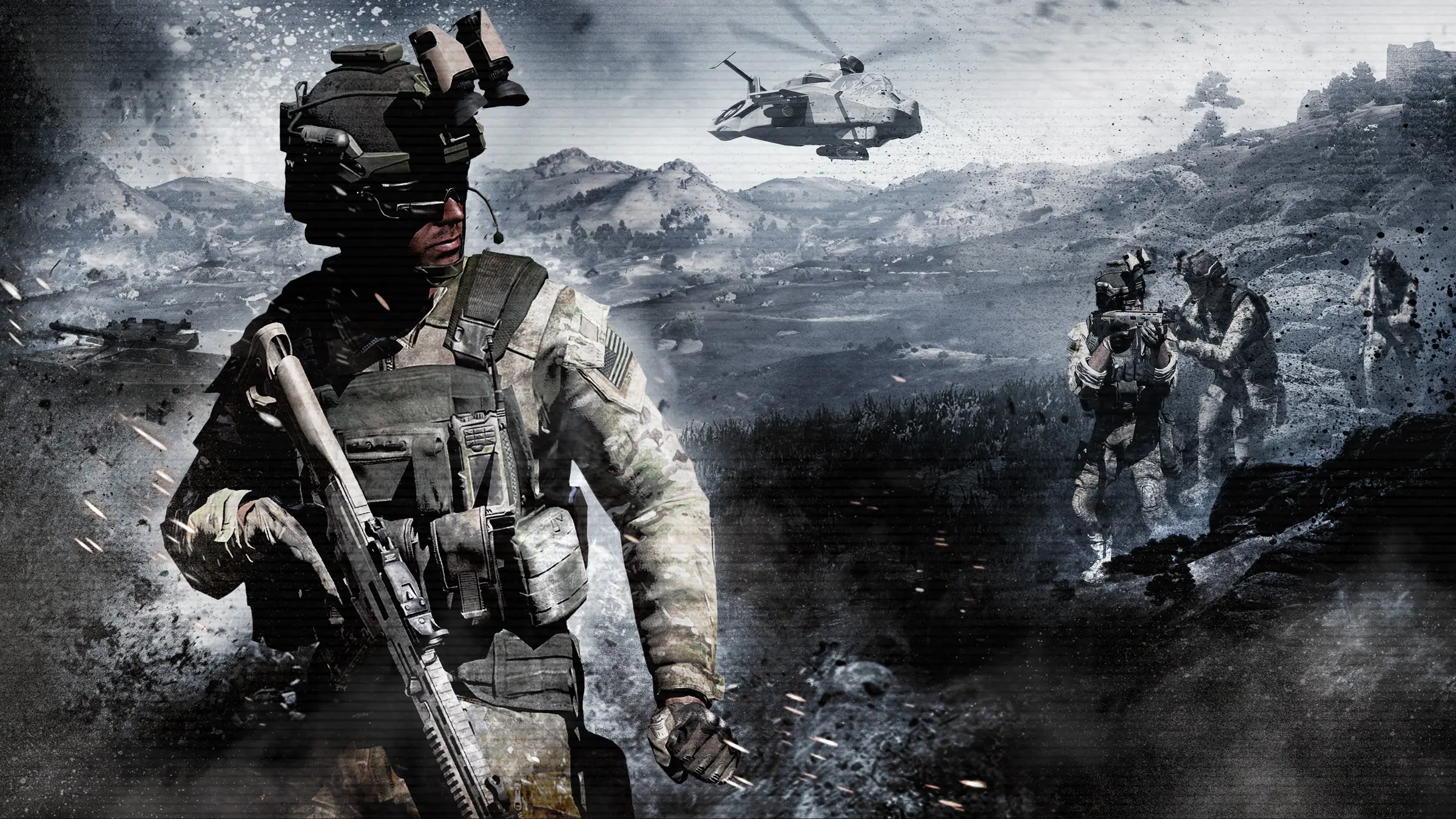
Arma 3 server hosting: a soldier with a rifle advances through smoke as helicopters fly over a hillside

Servers for ops and milsim

Arma 3 Server Hosting

Arma 3 server hosting for units, milsim groups and public communities. Your mission rotation, mod pack and rules stay online between operations, and Workshop mods and Creator DLC go on from the panel instead of a remote desktop.

Excellent on Trustpilot Hosting since 2004 9 locations 24/7 support in 9 languages

Size it for your unit

Arma 3 Server Hosting Plans and Pricing

Choose by the size of your biggest operation. Every plan uses the same hardware and locations, memory goes up a tier as slots go up, and 3, 6 or 12 month terms lower the monthly price.

  1. 10player slots
    8GB RAM

    A fireteam or a Zeus night with friendsBest to start

    • 8GB RAM, the free memory tier
    • Ideal for co-op missions
    • Workshop mods from the panel
    $12.02/moMonthly, no contract
  2. 20player slots
    12GB RAM

    A squad-sized unit with a mod packSized for a unit

    • 12GB for a typical mod set
    • Room for a weekly op
    • Server-side mods kept off clients
    $24.04/moMonthly, no contract
  3. 40player slots
    16GB RAM

    A platoon-sized community

    • 16GB for big terrains and packs
    • Suits PvE campaigns and Warlords
    • Pairs well with a Headless Client
    $43.84/moMonthly, no contract
  4. 60player slots
    20GB RAM

    Public PvP or a large milsim op

    • 20GB for heavy missions
    • Room for both sides of a fight
    • More RAM available at checkout
    $63.64/moMonthly, no contract

Every plan: NVMe 7500MB/s · 5.0GHz · Up to 100GB. No setup fee. Upgrades and details

In short

Gaming Deluxe hosts Arma 3 dedicated servers from $12.02/mo, with 10 to 100 player slots on the plans below (up to 120 on the order form) and 8GB to 24GB of RAM depending on the plan. Steam Workshop mods and Creator DLC install from the panel, a Headless Client is available as a separate server, and every server runs on 5.0GHz CPUs with NVMe storage in 9 locations across the UK, France, Germany, the US and Australia.

Key facts checked against our order form, updated .

  • 10 to 100 player slotsArma 3 has no hard player cap
  • 8GB to 24GB RAMEach bigger plan adds a memory tier
  • Steam Workshop buttonSearch, install, update on a schedule
  • Creator DLCInstalled from the Mod Manager
  • Headless ClientOffload AI to a second server
  • 9 locationsSame price in every region
  • BattlEye and DDoSAnti-cheat on the server, attacks filtered upstream
  • 24/7 support in 9 languagesHosting game servers since 2004

Command from the browser

Running Arma 3 Server Hosting from the Panel

Mods, DLC, missions and restart schedules are handled from a web panel, so the unit's server admin can get the next op ready from any browser.

Gaming Deluxe game server control panel with the server menu, connection details and Stop and Restart buttons

The game panel, pictured with a Windrose server. Arma 3 servers use the same panel, with Steam Workshop and Mod Manager buttons for mods and DLC.

Steam Workshop button

Search the Workshop, install a mod and it lands in its own @id folder. Update from the same screen or with a scheduled task.

workshop.mod editor

Keep the -mod= line for mods players need and move server-only mods to -servermod= so they are not sent to clients.

Mod Manager

Install the Creator DLC data, the Server Messages plugin for restart warnings, and phpMyAdmin for missions that use a database.

Config Editor

Edit server.cfg as a form: host name, passwords, BattlEye, the mission template and more.

Scheduled tasks

Restart the server on a timetable and update Workshop mods automatically, so players never join with the wrong version.

Logs and backups

Read the server RPT log when a mission fails, and back up before changing the mod pack.

Still updated in 2026

Arma 3 Version 2.22 and Your Server

Bohemia Interactive is still updating Arma 3 thirteen years after release. Update 2.22 arrived on 11 August 2026 and a Mini-Update followed on 30 September; this is what they mean for a dedicated server.

2.2211 August 2026Mini-Update30 September 2026Release12 September 2013

01

New server options in 2.22

The update added the -mpmissions= launch option for a custom missions folder and server.cfg settings for logging player connections, console timestamps and an idle FPS limit.

02

Mini-Update, 30 September

SPOTREP #00122 updated both the Windows and Linux dedicated servers to 2.22. A Legacy Build branch on 2.20 stays available for anyone who needs it.

03

32-bit is retired

Bohemia has deprecated 32-bit and Windows 7 and 8 support. Servers and players alike should be on 64-bit builds.

04

Arma 3 Pass

Since 30 April 2026 a monthly Arma 3 Pass on Steam covers the base game and all DLC, which makes DLC-based missions easier for a whole unit.

Mods & DLC

Mods, DLC and Platforms for Arma 3 Server Hosting

Arma 3 lives on its Steam Workshop and its DLC. The server has to load the same content as its players, check their files, and decide what players without a DLC can still do.

Mods

Workshop mods in @ folders

Each mod installs to an @id folder and joins the -mod= line. Players subscribe to the same mods on the Workshop and load them in the launcher.

Server-only mods

Mods listed in -serverMod= run on the server without being broadcast to clients, which suits admin tools and server scripts.

Keys and signatures

Put each mod's .bikey in the keys folder and set verifySignatures = 2, so players can only join with the files you approved.

DLC and platforms

Official DLC

Players who do not own a DLC can still play with those who do. They cannot drive, gun or command DLC vehicles, but can ride as passengers.

Creator DLC

Install the data from the Mod Manager and add the DLC's code, such as vn for S.O.G. Prairie Fire. Players without it join with free compatibility data from the Workshop.

PC only

Arma 3 is a PC game. The macOS port is experimental and can join Windows servers when both run the same version.

Steam (Windows)macOS (experimental)

Memory per plan

RAM for Arma 3 Server Hosting by Mod Pack

In Arma 3 the mod pack, the terrain and the amount of AI shape memory use more than the player count does. Each plan bundles a tier from our own sizing, 8GB on 10 slots rising to 24GB on 100.

  • Vanilla co-op or Zeus for up to 10

    Plan: 10 Slots
    RAM included: 8GB

    When to add more: Rarely, unless you add large terrain mods.

  • A unit of up to 20 with a mod pack

    Plan: 20 Slots
    RAM included: 12GB

    When to add more: Packs with many vehicles and weapons can grow; 16GB gives room.

  • Up to 40 on a custom terrain

    Plan: 40 Slots
    RAM included: 16GB

    When to add more: Big community terrains and AI-heavy missions benefit from 20GB.

  • Up to 60, public PvP or a large op

    Plan: 60 Slots
    RAM included: 20GB

    When to add more: Long-running persistent missions and full mod packs can need 24GB.

  • Up to 100 on a large public server

    Plan: 100 Slots
    RAM included: 24GB

    When to add more: 32GB for the heaviest scenarios; move AI to a Headless Client too.

RAM tiers on the order form: 8GB, 12GB, 16GB, 20GB, 24GB and 32GB. You can upgrade later from the client area without reinstalling.

Low ping, worldwide

Arma 3 Server Hosting Locations: Test Your Ping

9 locations in the UK, France, Germany, the United States and Australia. Run the ping test from your own PC and choose the location that gives most of your unit the lowest number.

LondonUnited Kingdom · Europe -
ParisFrance · Europe -
FrankfurtGermany · Europe -
New York (Buffalo)United States · North America -
DallasUnited States · North America -
Los AngelesUnited States · North America -
ChicagoUnited States · North America -
MiamiUnited States · North America No test
SydneyAustralia · Oceania -

In every plan

Included with Arma 3 Server Hosting

No setup fee and nothing else to buy before the first briefing. This list comes from our Arma 3 order form and knowledge base.

  • Game serverThe Arma 3 dedicated server, kept current with Steam Update
  • Player slots10, 20, 40, 60 or 100 on these plans, up to 120 on the order form
  • Memory8GB on 10 slots up to 24GB on 100, tiers to 32GB
  • Storage100GB NVMe at 7,500MB/s, upgrades to 200GB and 14,000MB/s drives
  • Processor5.0GHz included, 5.2GHz+ and 5.6GHz+ options
  • Locations9, all the same price
  • ModsSteam Workshop button, scheduled mod updates, File Manager and SFTP
  • DLCCreator DLC data and tools from the Mod Manager
  • BackupsOffsite copies for the last 7 days and on-demand backups
  • ProtectionDDoS protection at every location, BattlEye on the server
  • Support24/7 tickets from a team hosting game servers since 2004

Optional upgrades

Added at checkout, billed with your plan.

  • Memory AllocationTiers up to 32GBtiered
  • Hard DiskNVMe 14,000Mb/sfrom $7.06
  • CPU Clock Speed5.2GHz+ - 5.6GHz+from $7.06
  • CPU PriorityHigh CPU Priority - Realtime CPU Priorityfrom $7.06
  • VIP Ticket Priority SupportPrioritise My Ticket Pleasefrom $2.82
  • Disk SpaceUp to 120GB - Up to 200GBfrom $9.89

Each card includes the RAM shown, one tier higher with each plan. Tiers up to 32GB are on the order form. All 9 locations cost the same, so pick the one closest to your unit. Prices read from our order form on October 14, 2026. Taxes, if any, are shown at checkout.

Built for operations

Arma 3 Server Hosting Features

What helps most when a unit relies on its server.

Workshop mods

Install and update Workshop mods from the panel, and keep server-only mods off clients.

Creator DLC ready

Global Mobilization, S.O.G. Prairie Fire, Spearhead 1944 and the rest load with a short -mod= code.

Headless Client

Add a second server that runs the AI, so the main server can keep up with big missions.

Restart schedules

Timed restarts with in-game warnings keep long sessions smooth.

BattlEye and DDoS

Anti-cheat on the server and attack filtering in the network.

5.0GHz CPUs

High clock speeds and NVMe storage help when a mission fills the map with players and AI.

Before the first op

Arma 3 Server Hosting Essentials

Five things to set up before the first operation.

  1. Load a mission

    Upload the mission .pbo to MPMissions and name it in server.cfg's template field. The file name includes the terrain, as in mission.Altis.pbo.

  2. Lock down mods

    Copy every mod's .bikey into keys and set verifySignatures = 2, so only the approved files can join.

  3. Admins

    Set passwordAdmin and log in with #login in chat. Players listed in admins[] in server.cfg can log in without the password.

  4. BattlEye

    Keep BattlEye = 1 for public servers. Its RCon password and port live in beserver_x64.cfg.

  5. Ports are open

    Arma 3 uses the game port and the next four for Steam, voice and BattlEye. They are open on our network; share the address from the panel.

Answers

Arma 3 Server Hosting FAQ

Answers to what Arma 3 server owners ask us most.

Getting started

How quickly is my Arma 3 server ready?

It is set up automatically after payment, within 20 minutes, and the login details arrive by email. Give the first start a few minutes before you connect.

How do I load a mission?

Upload the mission .pbo to the MPMissions folder, then set its name in the template field of server.cfg using the Config Editor. Restart and the mission loads for players.

How do I become an admin?

Set passwordAdmin in server.cfg. In game, type #login followed by the password in chat. For trusted admins, add their IDs to admins[] so they can log in without it.

Which location should I choose?

Run the ping test on this page from your own PC. All 9 locations cost the same, so choose the one closest to most of your players.

Mods and DLC

How do I install Steam Workshop mods?

Stop the server, open the Steam Workshop button, search for the mod and install it. It is placed in an @id folder and added to the mod line. Update it later with the updates button or a scheduled task.

Do players need the same mods as the server?

Yes for anything on the -mod= line: players load the same Workshop mods. Mods on the -serverMod= line run only on the server and are not sent to players.

Can players without a DLC join a server that uses it?

Yes. With official DLC they can play alongside owners but cannot drive, gun or command DLC vehicles. With Creator DLC they subscribe to free compatibility data on the Workshop; DLC terrains stay for owners.

How do I enable a Creator DLC such as S.O.G. Prairie Fire?

Install the Creator DLC data from the Mod Manager, add its code to the -mod= line (vn for S.O.G. Prairie Fire, gm for Global Mobilization, spe for Spearhead 1944) and load a mission made for it.

Performance and players

What is a Headless Client, and do I need one?

It is an extra client with no screen that runs AI for the server. Missions with a lot of AI run smoother with one. It is a separate server on our side; the mission must support it, and its IP goes in headlessClients[] and localClient[].

How many players can an Arma 3 server hold?

Bohemia sets no hard limit; the real limit is hardware and bandwidth, and typical scenarios run with 2 to 64 players. Our plans go from 10 to 100 slots, with 120 on the order form.

Can Mac or Linux players join?

Mac players on the experimental macOS port can join when their version matches the server. The native Linux client has been discontinued; Bohemia points Linux players to Proton.

Billing

How much does Arma 3 server hosting cost?

The 10 slot plan costs $12.02 a month. Every plan is shown above for 1, 3, 6 and 12 months, and longer terms work out cheaper each month.

Can I upgrade later?

Yes. Add slots or memory from the client area. You pay the difference for the rest of the billing cycle and nothing on the server changes.

Is there a contract?

No. Monthly plans continue until you cancel. The 3, 6 and 12 month terms are paid in advance at a lower rate.

The complete guide · 5 min read

Arma 3 Server Hosting Explained

A guide for the person who keeps the unit's server running: what you can host, missions, mods and keys, DLC and Creator DLC, memory and the Headless Client, admins and BattlEye, and the routine that keeps it all working.

By , Owner, Gaming DeluxePublished · Updated

In this guide
  1. What You Can Run on an Arma 3 Server
  2. Missions and the MPMissions Folder
  3. Mods, Keys and Signatures
  4. Official DLC and Creator DLC
  5. Slots, Memory and the Headless Client
  6. Admins, BattlEye and Security
  7. Restarts, Messages and Updates
  8. What to Compare Before You Rent an Arma 3 Server
  9. Arma 3 Server Glossary
  10. Arma 3 Server Help and Next Steps

What You Can Run on an Arma 3 Server

An Arma 3 server runs whatever mission you give it, and that is the point. Bohemia's own multiplayer modes include Zeus, where one player directs the battle as game master, End Game, Seize and Defend, and Warlords, a team-against-team sector fight added in update 1.86. Community modes such as Wasteland and Domination grew up around the same tools, and any scenario built in the editor can be played in multiplayer.

Most units run a mix: a fixed mod pack, a rotation of co-op missions for training nights, and a big operation at the weekend. A dedicated server keeps all of that in one place with a fixed address. Some popular modes, such as Altis Life and Exile, have their own server pages with us because they need a database and extra setup.

Missions and the MPMissions Folder

Multiplayer missions are .pbo files in the server's MPMissions folder, named after the mission and the terrain, for example mission.Altis.pbo. server.cfg chooses which one loads through its mission class and template field, and the missionWhitelist setting can limit which missions players may vote for; left empty, it allows any.

  • persistent = 1 keeps the mission running after the last player leaves, which suits persistent campaigns.
  • voteThreshold sets the share of players needed for a vote to pass; a very high value effectively turns voting off.
  • motd[] lists messages shown to players, repeated at the motdInterval.
  • Since 2.22, -mpmissions= can point the server at a different missions folder.

Mods, Keys and Signatures

Mods load from the -mod= launch option, separated by semicolons, and players must run the same set. Mods in -serverMod= are loaded by the server but not broadcast to clients, which is the right place for admin tools and server-side scripts. Our Steam Workshop button handles the downloading and the @id folders; we recommend sticking to one Workshop installer rather than mixing methods.

Signatures stop players joining with modified files. Each mod ships a .bikey, which goes in the server's keys folder, and a .bisign next to each of its PBO files. With verifySignatures = 2, the recommended value, only files signed by a key in that folder are accepted. A vanilla server has just Bohemia's own key.

Official DLC and Creator DLC

Bohemia's DLC policy keeps groups together: players who do not own a DLC can still play with those who do. On official DLC content they cannot take the driver, gunner or commander seat of DLC vehicles, though passenger seats stay open. Creator DLC, made by outside studios, is not part of a normal installation; non-owners join by subscribing to free compatibility data on the Workshop, while the terrains and campaigns remain for owners. The server tool does not need to own any DLC.

Creator DLCStudioReleased-mod= code
Global MobilizationVertexmacht29 April 2019gm
S.O.G. Prairie FireSavage Game Design6 May 2021vn
CSLA Iron CurtainCSLA Studio16 June 2021csla
Western SaharaRotators Collective18 November 2021ws
Spearhead 1944Heavy Ordnance Works25 July 2023spe
Reaction ForcesRotators Collective26 March 2024rf
Expeditionary ForcesTiny Gecko Studios26 November 2024EF

Slots, Memory and the Headless Client

Bohemia's FAQ says Arma 3 has no technical player cap: hardware and bandwidth set the limit, and typical scenarios run with 2 to 64 players. Memory depends more on the mod pack and terrain than on headcount, so our plans step up a tier at a time: 8GB on 10 slots, 12GB on 20, 16GB on 40, 20GB on 60 and 24GB on 100.

AI is the other bottleneck. A Headless Client is a second Arma 3 client with no screen that connects to the server and takes over AI, freeing the server for players. You can run more than one.

  1. Order a Headless Client server alongside your main server.
  2. In the main server.cfg, add the Headless Client's IP to headlessClients[] and localClient[].
  3. In the Headless Client's start file, set -connect= to your main server's IP, plus -password= if it has one.
  4. Use a mission or AI script that supports Headless Clients; without that, it has nothing to do.

Admins, BattlEye and Security

Server admins log in during play with #login and the passwordAdmin from server.cfg. Players listed in admins[] can log in without a password, which is handy for a unit's officers. kickDuplicate = 1 removes a player who joins with the same ID as someone already on the server.

BattlEye is switched on with BattlEye = 1. Its RCon password and port go in beserver_x64.cfg, and the RCon port must sit outside the range the game already uses (the game port and the four after it). Bohemia's FAQ advises players to look for BattlEye servers, and the browser lets them filter for one.

Restarts, Messages and Updates

Long sessions run better with regular restarts. Set a restart task in the panel's scheduler, and install the Server Messages plugin from the Mod Manager to warn players before each one. A scheduled Workshop update keeps mods in step with what players download.

When Bohemia releases an update such as 2.22, run Steam Update on the server so players on the new build can join, and check your mods for updated versions. Back up first; a mod pack is far easier to roll back than to rebuild.

What to Compare Before You Rent an Arma 3 Server

Seven checks that matter more to a unit than the cheapest price.

  1. Workshop toolsInstalling and updating a large mod pack by hand takes hours. Look for one-click Workshop installs and scheduled updates.
  2. Memory for your mod packCompare the RAM included against your pack and terrain, not just the slot count.
  3. CPU clock speedBusy Arma missions keep the server's processor working hard, so check the clock speed on offer, not just the slot price.
  4. Headless Client optionIf you run AI-heavy missions, check you can add a Headless Client on the same network.
  5. Creator DLC supportMake sure the host can install Creator DLC data on the server.
  6. Ping to your unitTest from where your players are; a nearby location makes a difference to firefights.
  7. Backups and termsLook for backups you can restore yourself, no setup fee and no minimum term.

Arma 3 Server Glossary

server.cfg
The main server configuration file: name, passwords, missions, BattlEye and voting.
basic.cfg
Network tuning settings for the server, loaded with -cfg=.
MPMissions
The folder holding the multiplayer mission .pbo files.
PBO
Arma's packed file format for missions and mod data.
-mod=
The launch option listing mods that players also need.
-serverMod=
The launch option for mods that run only on the server.
.bikey
A mod's public key, placed in the keys folder to allow its signed files.
Headless Client
A screenless client that runs AI to take load off the server.
Zeus
The game master mode where one player controls the scenario live.
Creator DLC
Paid expansions made by outside studios through Bohemia's Creator DLC programme.
BattlEye
The anti-cheat Arma 3 servers can require.

Arma 3 Server Help and Next Steps

Bohemia's own pages and our guides.