
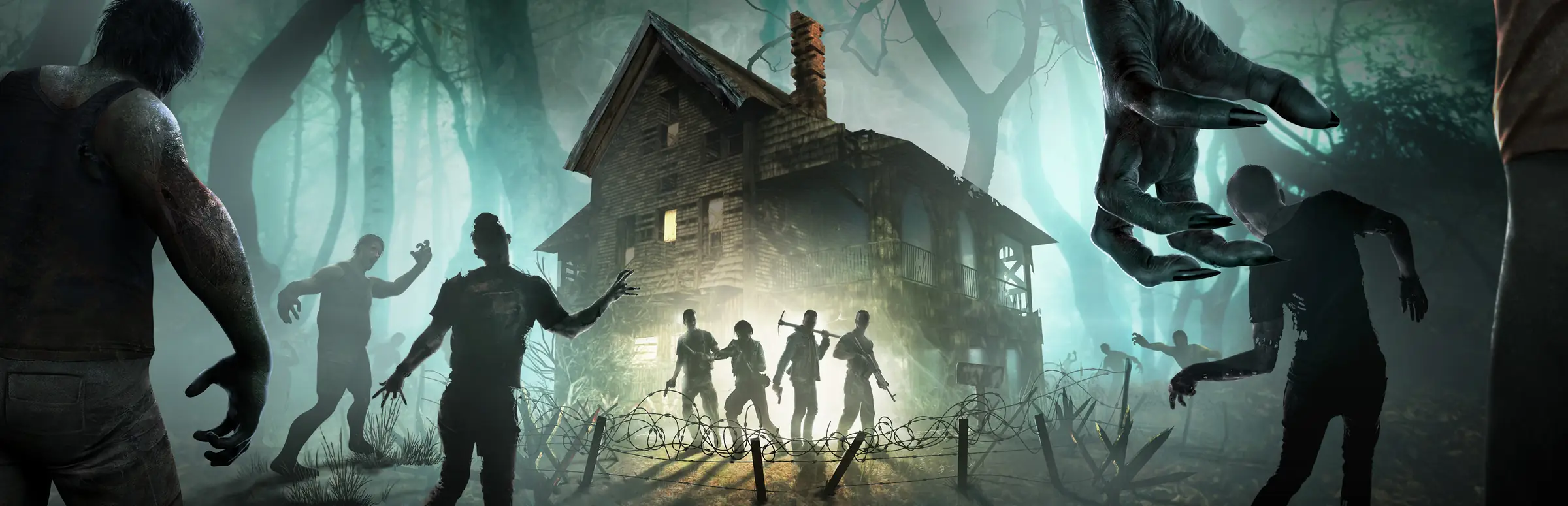
7 Days to Die server hosting: survivors with axes in front of a lit cabin as zombies close in through a dark forest

Horde-night ready servers

7 Days to Die Server Hosting

7 Days to Die server hosting for groups who want the base, the loot and the blood moon count to keep going between sessions. Set up for version 3.3, with an 8 slot crossplay plan for PS5 and Xbox friends and bigger PC plans for modded worlds.

Excellent on Trustpilot Hosting since 2004 9 locations 24/7 support in 9 languages

Choose your group size

7 Days to Die Server Hosting Plans and Prices

Pick 8 slots if anyone plays on console, or a bigger plan for a PC-only group. Hardware and locations match on every plan, memory climbs with the slot count, and 3, 6 or 12 month terms reduce the monthly price.

  1. 8player slots
    10GB RAM

    Crossplay with PS5 and Xbox, up to 8 survivorsCrossplay

    • The size console players are allowed to join
    • Crossplay and EAC on, no mods
    • Also the game's default player count
    $10.73/moMonthly, no contract
  2. 12player slots
    12GB RAM

    A PC group with room to growPC only*

    • Space for a bigger blood moon team
    • Enough memory for an 8K world
    • Mods allowed once crossplay is off
    $26.45/moMonthly, no contract
  3. 16player slots
    14GB RAM

    A PC community with light modsPC only*

    • Several bases on one map
    • Headroom for a 10K world
    • Modlets and custom XML welcome
    $31.64/moMonthly, no contract
  4. 24player slots
    16GB RAM

    A PC server running an overhaulPC only*

    • Built for bigger mod packs
    • Public or whitelisted community
    • More RAM available at checkout
    $40.88/moMonthly, no contract

* Console players can only join servers set to 8 players or fewer with crossplay and EAC switched on, so plans above 8 slots are for PC players.

Every plan: NVMe 7500MB/s · 5.0GHz · Up to 100GB. No setup fee. Upgrades and details

In short

Gaming Deluxe hosts 7 Days to Die dedicated servers from $10.73/mo, with 8 to 30 player slots on the plans below and 10GB to 20GB of RAM depending on the plan. The 8 slot plan meets The Fun Pimps' crossplay rules for PS5 and Xbox players; larger plans are for PC groups and mods. Every server runs on 5.0GHz CPUs and NVMe storage in 9 locations across the UK, France, Germany, the US and Australia.

Key facts checked against our order form, updated .

  • 8 to 30 player slotsUp to 100 slots on the order form
  • Crossplay plan8 slots for PC, PS5 and Xbox together
  • 10GB to 20GB RAMOne tier up with each bigger plan
  • Sandbox presetsOfficial presets loaded, custom codes accepted
  • 9 locationsThe same price in every region
  • Version switchingStable and Legacy builds in the Mod Manager
  • Offsite backupsThe last 7 days kept, plus panel backups
  • 24/7 support in 9 languagesHosting game servers since 2004

Your server, your rules

Managing 7 Days to Die Server Hosting from the Panel

serverconfig.xml, admin lists, game versions and world files are all reachable from a browser, so changing the world or adding an admin never means hunting through folders.

Gaming Deluxe game server control panel with the server menu, connection details and Stop and Restart buttons

The control panel, shown here running a Windrose server. A 7 Days to Die server has the same menu plus its own Config Editor fields.

Config Editor

Edit serverconfig.xml as a form: server name, password, world, slot count and the crossplay and EAC switches, then save and start.

Sandbox presets

The official presets are already on every server. Pick one, or paste a custom Sandbox Code you built in the game's menu.

Mod Manager versions

Install the current Stable build or switch to a Legacy version when a mod has not caught up yet.

Admins by Steam or EOS ID

Add admins to serveradmin.xml in the Config Editor. Console and Epic players' EOS IDs appear in the Web Console when they join.

Discord messages

Paste a Discord webhook into Service Settings and the server posts restarts, updates, starts and stops to your channel.

Restarts with warnings

Schedule restarts that warn players in game first, and backups that run on their own while you sleep.

Version 3.3 is live

7 Days to Die 3.3, Crossplay and the Sandbox Code

The Fun Pimps released 1.0 on 25 July 2024 and have kept numbered updates coming since. Version 2.0 opened dedicated servers to console players and 3.0 rebuilt how difficulty works. Version 3.3, released on 5 October 2026, is the current stable build.

3.3Stable, 5 October 20263.0Sandbox presets, June 20261.025 July 2024

01

Crossplay on dedicated servers

Storm's Brewing (2.0), stable from 30 June 2025, let PS5 and Xbox Series X|S players join dedicated servers, but only servers that meet strict settings: 8 players at most, crossplay and EAC on, no mods.

02

Sandbox Code replaces the old settings

Dead Hot Summer (3.0, June 2026) moved difficulty, blood moon frequency, day length, XP, loot and about 30 settings in all out of serverconfig.xml into one Sandbox Code. Adventurer is the default preset.

03

Some choices lock with the world

Several sandbox settings cannot be changed once a world exists, while others can still be adjusted with setgamepref in the console. Agree the rules before day one.

04

What comes next

The Fun Pimps say work on 4.0 continues alongside smaller 3.x updates, with no date announced. The studio joined Behaviour Interactive in March 2026.

Mods & crossplay

Mods and Crossplay for 7 Days to Die Server Hosting

Mods and crossplay pull in opposite directions in 7 Days to Die. Console players need an unmodded server with anti-cheat on, while PC groups can rebuild the game with modlets and overhauls. Decide which kind of server you are running first.

Mods

Modlets in the Mods folder

Each mod lives in its own folder under Mods with a ModInfo.xml file. XML changes reach players when they join, but mods that add icons, models or sounds also have to be installed on every player's PC.

Custom code needs EAC off

Mods with their own DLLs will not load while Easy Anti-Cheat is active. Set EACEnabled to false for those, which also closes the server to console players.

Overhauls and their worlds

Large overhauls such as Darkness Falls come with their own pre-generated worlds, and our knowledge base lists the names to enter in the Pregen/Custom world fields.

Crossplay

The crossplay checklist

Console players can join only when ServerMaxPlayerCount is 8 or lower, ServerAllowCrossplay and EACEnabled are true and IgnoreEOSSanctions is false.

Consoles and mods do not mix

PS5 and Xbox Series X|S players cannot join modded dedicated servers. The Fun Pimps' crossplay notes put it plainly: crossplay does not support mods of any kind.

PC players can join anything

PC players connect whatever the settings, so a PC-only group is free to raise the slot count and add mods.

SteamPlayStation 5Xbox Series X|S

Memory by world size

RAM for 7 Days to Die Server Hosting by World Size

World size drives memory more than anything else in 7 Days to Die. Our order form recommends 8GB or more for a 6K world, 8GB to 12GB for 8K and 12GB to 16GB for 10K, and each plan's included RAM is our own sizing on top of that: 10GB on 8 slots, rising to 20GB on 30.

  • Crossplay group of up to 8 on a 6K world

    Plan: 8 Slots
    RAM included: 10GB

    When to add more: Rarely. The Fun Pimps' crossplay notes also keep console players to worlds of 8K or smaller.

  • Up to 12 PC players on an 8K world

    Plan: 12 Slots
    RAM included: 12GB

    When to add more: Add a tier if you load a long list of modlets with new items and blocks.

  • Up to 16 players on 8K or 10K

    Plan: 16 Slots
    RAM included: 14GB

    When to add more: A busy 10K world can use 16GB, especially late in a long save.

  • Up to 24 players with an overhaul mod

    Plan: 24 Slots
    RAM included: 16GB

    When to add more: Overhauls add zombies, items and locations. Move to 20GB if the graph sits near the top on blood moon nights.

  • Up to 30 players on a big public world

    Plan: 30 Slots
    RAM included: 20GB

    When to add more: Players spread across a 10K map load many areas at once; 24GB or 32GB suits heavy mod packs.

RAM tiers on the order form: 10GB, 12GB, 14GB, 16GB, 20GB, 24GB and 32GB. Upgrade later from the client area; the world stays where it is.

Low ping, worldwide

Where We Run 7 Days to Die Server Hosting: Ping Test

9 locations in the UK, France, Germany, the United States and Australia. Run the ping test from the device you play on and choose the location that suits most of your group.

LondonUnited Kingdom · Europe -
ParisFrance · Europe -
FrankfurtGermany · Europe -
New York (Buffalo)United States · North America -
DallasUnited States · North America -
Los AngelesUnited States · North America -
ChicagoUnited States · North America -
MiamiUnited States · North America No test
SydneyAustralia · Oceania -

Always-On Protection

7 Days to Die Server Hosting with DDoS Protection

Watch how our multi-layered defence system filters malicious traffic while legitimate connections pass through uninterrupted.

Internet DDoS Protection Game Server

Malicious traffic is filtered at the edge, while legitimate traffic passes through uninterrupted.

Malicious Traffic (Blocked)Legitimate Traffic (Allowed)

At Every Location
Included
Full Protection
Layer 3/4/7
24/7 Active Filtering
Always-On
Added Latency
<1ms

In every plan

What You Get with 7 Days to Die Server Hosting

No setup fee and nothing extra to buy before the first night falls. Everything below comes from our 7 Days to Die order form and knowledge base.

  • Game serverThe 7 Days to Die dedicated server, current Stable build or a Legacy version
  • Player slots8, 12, 16, 24 or 30 here, up to 100 on the order form
  • Memory10GB on 8 slots up to 20GB on 30, tiers to 32GB
  • Storage100GB NVMe at 7,500MB/s, upgrades to 200GB and 14,000MB/s drives
  • Processor5.0GHz included, with 5.2GHz+ and 5.6GHz+ options
  • Locations9, same price at each
  • WorldsNavezgane, random generation or the game's pre-generated 4K to 10K maps
  • SettingsOfficial sandbox presets and custom Sandbox Codes
  • BackupsOffsite copies for the last 7 days and backups on demand or on a schedule
  • ProtectionDDoS protection at every location
  • Support24/7 help from a team running game servers since 2004

Optional upgrades

Added at checkout, billed with your plan.

  • Memory AllocationTiers up to 32GBtiered
  • Hard DiskNVMe 14,000Mb/sfrom $7.06
  • CPU Clock Speed5.2GHz+ - 5.6GHz+from $7.06
  • CPU PriorityHigh CPU Priority - Realtime CPU Priorityfrom $7.06
  • VIP Ticket Priority SupportPrioritise My Ticket Pleasefrom $2.82
  • Disk SpaceUp to 120GB - Up to 200GBfrom $9.89

The RAM on each card is included in its price and goes up a tier with each plan. Tiers up to 32GB, and up to 100 slots, are on the order form. Every one of the 9 locations costs the same. Prices read from our order form on October 14, 2026. Taxes, if any, are shown at checkout.

Built for horde nights

7 Days to Die Server Hosting Features

The parts that save the most time for a 7 Days to Die admin.

Console-ready plan

An 8 slot plan built around the official crossplay settings for PS5 and Xbox Series X|S.

Sandbox presets loaded

Switch between the official presets or apply your own Sandbox Code without editing XML by hand.

Pick your build

Stay on Stable or roll back to a Legacy version when a favourite mod is behind.

Bring your world

Upload a save and its generated world from your PC and carry on from the same day count.

Web Console

Watch joins, read EOS IDs and run admin commands from the browser.

DDoS filtering

Attacks are filtered before they reach the server, so blood moon night is about zombies, not lag.

Before day one

7 Days to Die Server Hosting Essentials

Five decisions to make before day one.

  1. Crossplay or PC only

    With console friends, stay on 8 slots, keep EAC and crossplay on and skip mods. A PC-only group can raise the slots and mod freely.

  2. Choose a world

    Navezgane, a random world or one of the game's pre-generated maps from 4K to 10K. The first generation of a new map can take up to an hour, so let it finish.

  3. Settle the sandbox

    Pick a preset or a custom Sandbox Code before the world is created, because some settings cannot change afterwards.

  4. Add admins

    Put each admin in serveradmin.xml with their Steam64 ID or EOS ID. Permission level 0 gives full rights.

  5. Ports are open

    Our network already allows the game's ports. Share the IP and port from the panel, or let players find the server in the browser.

Answers

7 Days to Die Server Hosting FAQ

Quick answers to the questions new 7 Days to Die server owners send us most.

Getting started

How quickly is my 7 Days to Die server ready?

It is created automatically after payment, within 20 minutes, and the panel login comes by email. If you choose a pre-generated map, its first generation can take up to an hour; follow it in the Web Console and do not stop the server midway.

Can I upload my single-player world?

Yes. Stop the server, zip your world folder from the Saves folder on your PC and upload it to the server's Saves folder. For a random-gen world, upload its folder from GeneratedWorlds as well, then set the world and game name in the Config Editor.

How do I make myself an admin?

Stop the server, open serveradmin.xml with the Config Editor, choose your platform and enter your Steam64 ID or EOS ID with your name. Level 0 is full admin. Start the server and the console commands are yours.

Which location should I choose?

Test from the device you play on with the ping test above. All 9 locations are the same price, so go with the lowest result for most of your group.

Crossplay and mods

Can PS5 and Xbox players join my server?

Yes, on the 8 slot plan with the right settings: ServerAllowCrossplay and EACEnabled on, IgnoreEOSSanctions off and no mods. PC players can join any server, console players only one that meets those rules.

Why is crossplay limited to 8 players?

It is The Fun Pimps' rule, not ours. Since version 2.0, console players can only see and join dedicated servers with a maximum player count of 8 or lower.

Can I run mods and crossplay together?

No. Console players cannot join modded dedicated servers. If your group wants mods, make the server PC only; if it includes console players, keep it vanilla.

Do my players need to install mods too?

It depends on the mod. Pure XML modlets are sent to players when they join. Mods that add new art, sounds or code must be installed on each player's PC, and code mods need EAC switched off.

World and settings

Where did the difficulty and blood moon settings go?

Version 3.0 moved them out of serverconfig.xml into the Sandbox Code. Choose a preset or paste a custom code in the Config Editor; Adventurer is the default.

Which world size should I use?

6K suits small groups and loads fastest, 8K is the usual middle ground, and 10K gives a big community room to spread out. Console players are limited to 8K or smaller, and bigger worlds need more memory.

Can I stay on an older version for a mod?

Yes. In the Mod Manager, uninstall the build you have and install the Legacy version the mod needs, then check serverconfig.xml and start the server.

Billing and plans

How much does 7 Days to Die server hosting cost?

The 8 slot crossplay plan costs $10.73 a month. Every plan is listed above for 1, 3, 6 and 12 months, and longer terms cost less per month.

Can I upgrade later?

Yes. Add slots or memory from the client area whenever you need to. You pay the difference for the rest of the billing cycle and the world is untouched.

Is there a minimum term?

No. Monthly plans renew month by month until you cancel. The 3, 6 and 12 month terms are paid upfront for a lower price.

The complete guide · 6 min read

7 Days to Die Server Hosting: The Complete Guide

Everything the person who runs the group's server needs to know in the 3.x era: crossplay rules, sandbox presets, worlds, memory, admins, mods and moving a save.

By , Owner, Gaming DeluxePublished · Updated

In this guide
  1. What a Dedicated 7 Days to Die Server Changes
  2. Crossplay Servers: The Official Requirements
  3. Sandbox Presets and the Sandbox Code
  4. Worlds: Navezgane, Random Gen and Pre-generated Maps
  5. Slots, World Size and Memory
  6. Admins and Permission Levels
  7. Mods, EAC and Overhauls on a PC Server
  8. Moving a Save and Keeping Backups
  9. What to Compare Before You Rent a 7 Days to Die Server
  10. 7 Days to Die Server Glossary
  11. 7 Days to Die Server Help and Next Steps

What a Dedicated 7 Days to Die Server Changes

In co-op hosted from your own game, the world closes when the host does. That is awkward in a game built around a seven day countdown, where the group wants to scavenge on Tuesday, fortify on Thursday and face the horde together at the weekend. A dedicated server keeps the world available to everyone, on their own schedule, without one player's PC acting as the doorway.

It also changes what you can do. A dedicated server can use a world generated at a size your laptop would struggle with, keep a long save running for months, load modlets for the whole group and, since version 2.0, accept console players too. Running it in a data centre gives it a fixed address, steady bandwidth and someone to call when something goes wrong.

Crossplay Servers: The Official Requirements

Crossplay reached 7 Days to Die in the 1.2 Winter Patch in December 2024, at first only for peer-to-peer games. Version 2.0, Storm's Brewing, brought it to dedicated servers in June 2025, along with a list of server requirements that still applies.

SettingRequired for console playersWhy
ServerMaxPlayerCount8 or lowerConsoles only see servers of this size
ServerAllowCrossplaytrueLists the server for console players
EACEnabledtrueAnti-cheat must run for every player
IgnoreEOSSanctionsfalsePlayers with an online ban stay out
ModsNoneConsoles cannot join modded servers

PC players can join regardless of these settings, so the rules only bite when someone in the group is on PS5 or Xbox Series X|S. The Fun Pimps also note that console players only see servers whose settings and region suit their console, and their earlier crossplay notes limited consoles to worlds of 8K or smaller. Our 8 slot plan exists for exactly this group.

Sandbox Presets and the Sandbox Code

Version 3.0, Dead Hot Summer, changed how a server's rules are stored. Difficulty, blood moon frequency, day and daylight length, XP multiplier, loot abundance, loot respawn, air drop frequency and roughly twenty more settings were removed from serverconfig.xml. They now live in a single SandboxCode property, a string you build in the game's Sandbox Options menu.

  • Presets: official bundles of settings, with Adventurer as the default. Every server from us has them ready to select.
  • Custom codes: build your own rules in the menu, copy the code and paste it into the Config Editor.
  • After creation: some settings are fixed once the world exists; others can still be changed with setgamepref in the console.

Worlds: Navezgane, Random Gen and Pre-generated Maps

The GameWorld setting chooses between Navezgane, the hand-made map, and a randomly generated world built from a seed and a size. Random worlds come in the officially supported sizes of 6K, 8K and 10K, and the game also ships with pre-generated maps from 4K to 10K, named Pregen04kA through Pregen10kD.

To use a pre-generated map, choose Pregen/Custom as the game world in the Config Editor and enter the map name in both the world name and game name fields. The first start on a new map can take up to an hour while it is prepared. Watch the Web Console, leave the server running until it reports a successful log on, and resist the urge to restart midway, because an interrupted generation has to start again.

Slots, World Size and Memory

Player count and world size together decide how much memory a server needs. Our order form recommends 8GB or more for a 6K world, 8GB to 12GB for 8K and 12GB to 16GB for 10K. Every plan includes a RAM tier that sits on or above those figures for the world size it is likely to run: 10GB on 8 slots, 12GB on 12, 14GB on 16, 16GB on 24 and 20GB on 30.

Mods and long saves push usage up over time. Use the memory graph in the panel on a blood moon night, when every player is active at once, and step up a tier from the client area if it sits close to the limit. Up to 100 slots and 32GB are available on the order form.

Admins and Permission Levels

Admin rights are kept in serveradmin.xml. Each entry names a player's platform and ID with a permission level, where 0 is full control and higher numbers grant less.

  1. Stop the server and open serveradmin.xml in the Config Editor.
  2. Choose the player's platform and enter their Steam64 ID, or their EOS ID if they play on console or Epic.
  3. Set the permission level, 0 for a full admin.
  4. Start the server; admins can now use the console commands in game.

Console players do not have a Steam ID. Ask them to join while you watch the Web Console: their EOS ID appears in the log, and you add it without the EOS_ prefix.

Mods, EAC and Overhauls on a PC Server

7 Days to Die mods go in a Mods folder, one folder per mod with a ModInfo.xml inside. XML-only modlets are pushed to players when they connect, which makes them easy to share. Mods that bring new icons, models or sounds must also be installed on each player's PC, and mods with custom code (DLL files) need Easy Anti-Cheat switched off on the server and the players' side.

  • Turn crossplay off before adding mods; consoles cannot join a modded server.
  • Upload mods to the Mods folder with the File Manager or SFTP.
  • Match the game version the mod was made for, using the Mod Manager to install a Legacy build if needed.
  • Start the server and read the log for errors before inviting players.

Overhaul mods replace large parts of the game and usually come with their own pre-generated worlds. Our knowledge base lists the world names for Darkness Falls, for example, which go into the same Pregen/Custom fields as the official maps.

Moving a Save and Keeping Backups

A single-player or home-hosted world moves across in two parts. The save itself is in your Saves folder (on Windows usually under AppData, Roaming, 7DaysToDie). A random-gen world also has a folder in GeneratedWorlds. Zip each one, upload it to the matching folder on the server, extract it and point the Config Editor at the same world and game name.

Once the world is live, protect it. Take a backup before a version change or a new mod, schedule automatic backups in the panel, and remember we keep offsite copies for the last 7 days as well. A Discord webhook in Service Settings will tell the group whenever the server restarts or updates.

What to Compare Before You Rent a 7 Days to Die Server

Seven things that separate a good 7 Days to Die host from a cheap one.

  1. A real crossplay optionIf console friends are involved, check the host offers an 8 slot server and lets you set the crossplay and EAC options.
  2. Memory for your world sizeCompare the RAM included against the world you plan to run, not just the slot count.
  3. Sandbox Code supportMake sure you can pick presets and paste a custom code without filing a ticket.
  4. Version controlMods lag behind updates. Being able to install an older build yourself saves a lot of waiting.
  5. World uploadsCheck you get file access, so an existing save and its generated world can move with you.
  6. Location and pingTest the latency from where your players live; it matters more than raw hardware when the horde arrives.
  7. Backups and termsLook for backups you can restore yourself, offsite copies, and no setup fees or minimum term.

7 Days to Die Server Glossary

Blood moon
The horde night the game is named for, on a cycle set by the sandbox settings.
Sandbox Code
A single string that holds a world's gameplay rules since version 3.0.
Preset
An official bundle of sandbox settings; Adventurer is the default.
RWG
Random World Generation, which builds a new map from a seed and a size.
Navezgane
The game's hand-made map.
Pregen map
A pre-generated world shipped with the game, from Pregen04kA to Pregen10kD.
EAC
Easy Anti-Cheat, required for crossplay and switched off for code mods.
EOS ID
The Epic Online Services ID that identifies console and Epic players in admin files.
Modlet
A small mod, usually XML only, that changes a few parts of the game.
serveradmin.xml
The file that lists admins, their IDs and permission levels.

7 Days to Die Server Help and Next Steps

Official pages and our own guides.

How we wrote this guide: from The Fun Pimps' own release notes and crossplay requirements, the official wiki and the Steam store page, drafted with AI assistance, checked against our 7 Days to Die order form and knowledge base for every plan, price, setting and location, and reviewed by Matthew Griffin before publishing. Found something outdated? Tell us.