


The complete guide · 5 min read
The Forest Server Hosting: The Complete Guide
Everything you need to run The Forest on a dedicated server: how the server came about, choosing a size, the settings worth knowing, admin and saves, and getting a group playing smoothly.
By Matthew Griffin, Owner, Gaming DeluxePublished · Updated
In this guide
- Why Play The Forest on a Dedicated Server
- Choosing the Right Size
- The Server Settings Worth Knowing
- Difficulty and Game Options for Groups
- Admin, Passwords and Security
- Saves and Backups
- Getting Everyone Connected
- The Forest or Sons of the Forest?
- What to Compare Before You Rent a The Forest Server
- The Forest Server Glossary
- The Forest Server Help
Why Play The Forest on a Dedicated Server
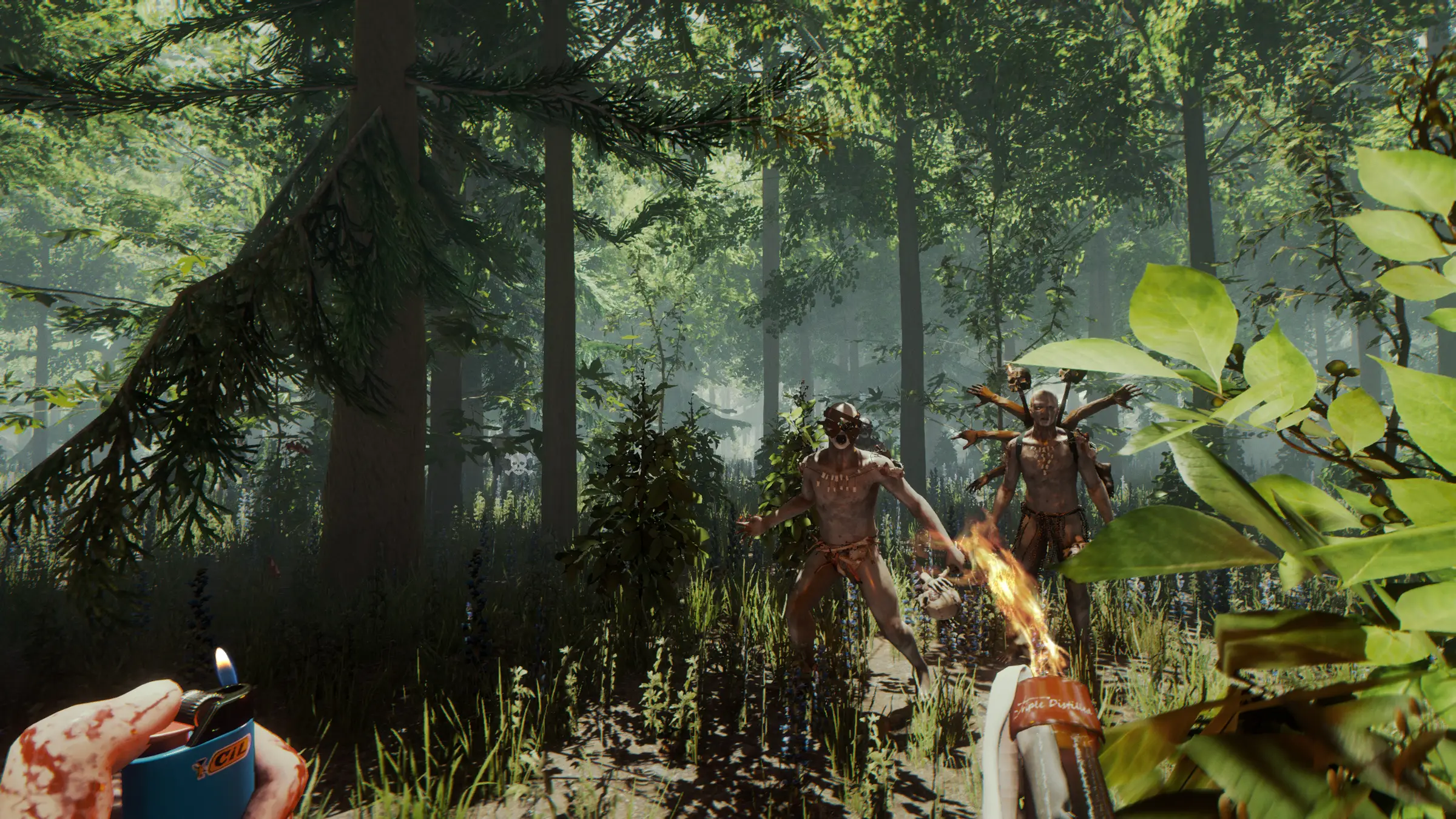
The Forest makes you the lone survivor of a passenger jet crash in a mysterious forest, with a society of cannibalistic mutants watching from the trees. You chop, build, scavenge and explore, from small shelters to ocean side fortresses, and below ground lies a network of caves and underground lakes. It is a game that rewards long sessions and shared effort.
In a normal co-op game one player hosts. Everyone else depends on that player being online, and the save lives on that PC. A dedicated server separates the world from any single player. The camp, the traps and the half-built fort stay on the server, and anyone with access can log in and carry on.
Endnight added the dedicated server tool in v0.59 on 18 April 2017, first as an experimental feature. It was a normal part of the game by the 1.0 release on 30 April 2018, and Endnight kept improving it afterwards, in v1.07 partly based on discussions with hosting companies.
Choosing the Right Size
The Forest was designed around small groups. Endnight's patch notes set the default player cap at 8 and added an option to go up to 128, explicitly for adventurous players only. Our order form starts at 14 slots, which already gives you room above the default.
| Group | Plan | Why |
|---|---|---|
| Friends playing the story | 14 Slots | Room for everyone plus guests |
| Two crews in one world | 16 Slots | Separate camps without crowding |
| A small public server | 20 Slots | 8GB RAM for more building |
| An experimental big world | 24 Slots | For groups who want to test the limits |
The Server Settings Worth Knowing
Server.cfg holds the server's settings, and command line options can override them. You edit it from the Configuration Files button in the panel. Endnight's patch notes name several entries directly.
| Setting | Added in | What it does |
|---|---|---|
| Game options and cheats at launch | v0.62 | Start with options such as vegetarian mode or tree regrowth |
| allowcheats | v1.06 | Allows or blocks the built-in debug console for players |
| saveFolderPath | v1.07 | Sets a custom folder for the server's saves |
| targetFpsActive | v1.07 | Frame rate target while players are connected |
| targetFpsIdle | v1.07 | Frame rate target while the server is empty |
| Increased PvP damage | v1.11 | An option for more player versus player damage |
Change one setting at a time and restart, so you always know which change had which effect. Keep a backup of a Server.cfg that works.
Difficulty and Game Options for Groups
The Forest gives a group plenty of ways to tune the experience. Difficulty matters most: Endnight fixed a bug in patch 1.08 where hard survival multiplayer saves set clients back to normal, so on the current version everyone on the server plays at the chosen difficulty. The game also has a creative mode for building without the survival pressure.
- Vegetarian mode and tree regrowth: options the dedicated server can launch with since v0.62.
- Increased PvP damage: an option added in v1.11 for groups who want player fights to matter.
- Debug console: allowed or blocked with allowcheats since v1.06.
- Frame rate targets: targetFpsActive and targetFpsIdle, added in v1.07, let the server save resources when nobody is connected.
Agree the options before the first session and write them down for the group. Changing difficulty halfway through a playthrough is possible, but it changes the game everyone signed up for.
Admin, Passwords and Security
A join password keeps the world to your group, and admin rights give you control over it. Since v0.67 the dedicated server has had working ban, unban and kick options for admins, so you can deal with griefers without restarting.
- Set a join password if you only want your group in the world.
- Give admin rights only to players you trust.
- Decide whether the debug console is allowed with allowcheats; leaving it on lets players spawn items.
- Add a Steam token with App ID 242760, as our knowledge base article explains, so the server keeps its identity.
Saves and Backups
The world is only as safe as its save. Endnight worked on multiplayer save games in several updates, including v0.73 in February 2018, which changed how they work and improved the dedicated server along with it.
- Before a big change, such as moving to a new base or attempting the ending, take a backup in the Backup Manager.
- Schedule a regular backup in Scheduled Tasks, so you never lose more than a session.
- To keep a copy at home, download the save folder with SFTP.
- To restore, stop the server, restore the backup and start it again.
We also keep offsite backups for the last 7 days, so even a mistake you only notice later can be undone.
Getting Everyone Connected
Players join from the multiplayer menu in The Forest and look for your server by name. A clear name makes it easy to find. Endnight's 1.08 patch fixed an issue where some dedicated servers were not visible to all players, so on the current version visibility problems are rare.
| Problem | What to check |
|---|---|
| A player cannot join | Is their game on the latest Steam version? |
| Server not in the list | Wait a minute after a restart and search by name |
| Password rejected | Check the join password in Server.cfg |
| Lag in fights | Check pings and consider a closer location or fewer players |
The Forest or Sons of the Forest?
Endnight's sequel, Sons of the Forest, is a separate game with its own dedicated server. Groups who loved the first game often play both. The Forest still has a lot going for it: it is finished, its minimum requirements on Steam are modest, and its story is easy to play through with friends.
If your group is starting fresh and wants the newest game, look at our Sons of the Forest page. If you want the original forest and its caves, this is the right server.
What to Compare Before You Rent a The Forest Server
The things that make the difference for a co-op survival server.
- Config accessYou need Server.cfg to set passwords, the token and game options.
- BackupsAutomatic and manual backups protect a world you have spent weeks on.
- Ping for the groupChoose a location that suits everyone, not just the organiser.
- Honest slot countsThe game's default is 8; more slots are only worth it if you will use them.
- CPU speedFast cores keep enemy behaviour and building smooth.
- No lock-inMonthly billing without setup fees suits a group playing through the story.
The Forest Server Glossary
- Dedicated server
- A separate server program that runs the world without a player hosting it.
- Server.cfg
- The file holding the server's name, passwords, token and settings.
- Steam token
- A game server login token, made with App ID 242760, that keeps the server's identity.
- allowcheats
- The setting that allows or blocks the debug console for players.
- Vegetarian mode
- One of the gentler game options the dedicated server can launch with, since v0.62.
- Tree regrowth
- An option that lets cut trees grow back over time.
- Oxide
- A modding framework that Endnight says its dedicated servers do not support.
- Slots
- The number of players the server allows at the same time.
The Forest Server Help
Official pages and our own help for your server.
How this guide was made: researched from the Steam store page and Endnight Games' own patch notes on Steam, plus our knowledge base, drafted with AI assistance, checked against our live order form for every plan, price and location, and reviewed by Matthew Griffin before publishing. Something out of date? Tell us.
Sources, checked October 22, 2026:
- The Forest on Steam (developer, release date, platforms, features)
- Endnight, v0.010 patch notes (default player cap 8, option up to 128) (Steam, 1 December 2014)
- Endnight, V0.59 (dedicated server tool, 18 April 2017) (Steam)
- Endnight, V0.67 (admin ban, unban and kick) (Steam, 22 September 2017)
- Endnight, V1.06 and V1.07 (allowcheats, saveFolderPath, targetFps settings) (Steam, May 2018)
- Endnight, Patch 1.08 (server visibility, not compatible with Oxide) (Steam, 8 June 2018)
- Endnight, Unity security update (base game and dedicated server not affected) (Steam, 3 October 2025)
- Gaming Deluxe knowledge base 116: How to add server Steam token
- Gaming Deluxe order form, The Forest


