
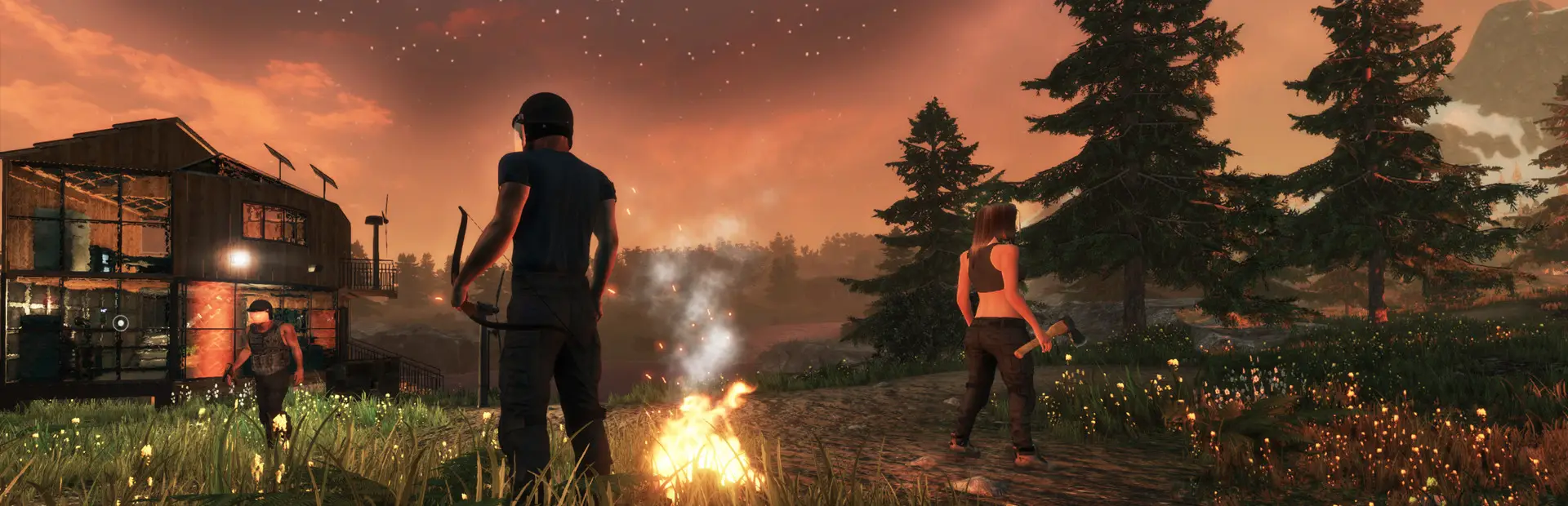
Subsistence server hosting: survivors with a bow and an axe stand round a campfire at dusk beside their wood and glass base

Hunt, build and outlast the hunters, together

Subsistence Server Hosting

Subsistence is slow, hard survival: you hunt, farm and mine to keep a powered base running, while AI hunters build camps of their own and come looking for what you have. Subsistence server hosting keeps that world going for your group around the clock, with your PvP rules, your decay timer and, since Alpha 68, your Workshop mods.

Excellent on Trustpilot Hosting since 2004 9 locations 24/7 support in 9 languages

Choose your group size

Subsistence Server Hosting Plans and Pricing

Choose by how many survivors will share the world. RAM steps up with the plan because more players means more bases loaded at once, and slots are sold one at a time if you need a size in between. Monthly billing has no minimum term.

  1. 10player slots
    5GB RAM

    A co-op group of friendsBest for co-op

    • The cheapest shared world
    • 5GB of RAM included
    • Room to invite a few more later
    €5.30/moMonthly, no contract
  2. 16player slots
    8GB RAM

    A small community world

    • 8GB of RAM for more bases
    • PvE or light PvP
    • Admin tools built into the game
    €11.97/moMonthly, no contract
  3. 24player slots
    8GB RAM

    Clans and busy PvP

    • 8GB of RAM included
    • Several clans on one map
    • Base decay keeps it tidy
    €16.21/moMonthly, no contract
  4. 32player slots
    12GB RAM

    A full 32 player world

    • 12GB of RAM included
    • The size dedicated servers launched with
    • Our largest Subsistence plan
    €25.12/moMonthly, no contract

Every plan: NVMe 7500MB/s · 5.0GHz · Up to 100GB. No setup fee. Upgrades and details

In short

Gaming Deluxe hosts Subsistence dedicated servers from €5.30/mo, with 10 to 32 player slots and 5GB to 12GB of RAM depending on the plan. Every server runs the official Subsistence dedicated server on 5.0GHz CPUs and NVMe storage in 9 locations across the UK, France, Germany, the US and Australia, and is set up automatically after payment.

Key facts checked against our order form, updated .

  • 10 to 32 player slots32 was the dedicated server's launch cap
  • 5GB to 12GB RAMSteps up with the plan
  • 9 locationsSame price in every region
  • Workshop modsList the IDs and the server fetches them
  • Your rulesPvP, base damage and decay per server
  • Offsite backups7 days of copies, restore in the panel
  • DDoS protectionIncluded at every location
  • 24/7 support in 9 languagesHosting game servers since 2004

Run your world

Your Subsistence Server Hosting Control Panel

A Subsistence server is mostly one settings file, UDKDedServerSettings.ini, plus the world it saves. The panel gives you both in a browser, alongside updates, restarts and backups.

Gaming Deluxe game server control panel with the server menu, connection details and Stop and Restart buttons

The Gaming Deluxe control panel, pictured with a Windrose server. Subsistence servers use the same panel and menu.

File Manager and SFTP

Edit UDKDedServerSettings.ini to set the PvP options, base decay, the admin password and the Mods list, or upload a world from your old host.

Steam Update

ColdGames ships the server files on SteamCMD. Pull the new build after an Alpha update so players on the latest version can connect.

Backup Manager

Snapshot the world before an update or a new mod, and roll back if a change goes badly.

Scheduled restarts

Restart at a quiet hour each day so the world starts the evening fresh.

Web Console

Watch players join and catch mod download problems while the server starts.

Sub users

Give a co-admin their own panel login with only the rights they need.

Alpha 68 is here

Subsistence in Early Access: Alpha 68 and Mod Support

Subsistence entered Steam Early Access on 25 October 2016 and is still there, with ColdGames shipping large numbered Alpha updates. Dedicated servers arrived with Alpha 54 on 18 September 2020, and Alpha 68 added mod support on 11 September 2026.

Early Access25 October 2016Dedicated serversAlpha 54 · 18 September 2020LatestAlpha 68 · 11 September 2026

01

Mods on the server

Alpha 68 lets a server load Workshop mods by ID and local mods by their uuid, both in the Mods setting of UDKDedServerSettings.ini. Joining players are asked to subscribe, or download a local mod from the server.

02

A new engine base

Alpha 67 (26 February 2026) moved the game from UDK to the full licensed engine source. Servers still ship a UDK.exe, so launch settings stayed the same, and profile saves migrate automatically.

03

Smarter hunters

Alpha 66 (26 September 2025) overhauled hunter combat AI: shooting on the move, strafing, better use of cover and squad awareness. Bases need real defences now.

04

Still Early Access

The Steam page says the game stays in Early Access until it has enough content and depth, and gives no full release date. Updates can change balance and building rules, so back up before each one.

Mods & rules

Mods and Multiplayer Rules for Subsistence Server Hosting

Two things shape a Subsistence server: the mods it loads and the rules it enforces. Both live in the same settings file, and players can see the rules in the server list before they join.

Mods

Workshop mods

Add each mod's Workshop ID to the Mods line. The server downloads it on first run, and players who join are asked to subscribe.

Local mods

Copy an unpublished mod folder to the same path on the server and add the uuid from its mod.json. Players download it from the server as they join.

Load order

Mods higher in the list win when two change the same value, so put the one that matters most first. Achievements are switched off while mods are active.

Server rules

PvP on or off

Toggle PvP damage, PvP base damage and whether players can use items in enemy bases. Doors, windows and hatches stay outside that last rule.

Hardcore deaths

Dedicated servers use a hardcore death penalty: your dropped kit lasts two minutes and there is no HUD beacon to lead you back to it.

Base decay

NumPlayerOfflineHoursBeforeBaseDecay sets how long an absent player's base survives. Zero turns decay off, and the developer suggested 120 hours.

Memory for every base

RAM for Subsistence Server Hosting: How Much Your World Needs

ColdGames publishes no memory figure for the dedicated server, so the RAM on each plan is our own sizing: 5GB on 10 slots, rising to 12GB on 32. The game moved to 64-bit in Alpha 57 to escape the old 32-bit memory limit and allow a larger world, so a busy server can use what it is given.

  • Up to 10 players, co-op

    Plan: 10 Slots
    RAM included: 5GB

    When to step up: Once the group runs several large bases with power networks.

  • 11 to 16 players

    Plan: 16 Slots
    RAM included: 8GB

    When to step up: If memory sits near the limit in the evenings, try 12GB.

  • 17 to 24 players, clans

    Plan: 24 Slots
    RAM included: 8GB

    When to step up: Long mod lists or many vehicle bays: 12GB gives headroom.

  • 25 to 32 players, a full world

    Plan: 32 Slots
    RAM included: 12GB

    When to step up: The busiest worlds can go to 16GB or 20GB.

RAM tiers on the order form: 5GB, 8GB, 12GB, 16GB, 20GB, 24GB and 32GB. Upgrade later from the client area and the world stays where it is.

Low ping, worldwide

Subsistence Server Hosting Locations and Ping Test

Pick from 9 locations across the UK, France, Germany, the United States and Australia. Run the test from the PC you play on and choose the lowest result for most of your group; every location costs the same.

LondonUnited Kingdom · Europe -
ParisFrance · Europe -
FrankfurtGermany · Europe -
New York (Buffalo)United States · North America -
DallasUnited States · North America -
Los AngelesUnited States · North America -
ChicagoUnited States · North America -
MiamiUnited States · North America No test
SydneyAustralia · Oceania -

Always-On Protection

Subsistence Server Hosting with DDoS Protection

Watch how our multi-layered defence system filters malicious traffic while legitimate connections pass through uninterrupted.

Internet DDoS Protection Game Server

Malicious traffic is filtered at the edge, while legitimate traffic passes through uninterrupted.

Malicious Traffic (Blocked)Legitimate Traffic (Allowed)

At Every Location
Included
Full Protection
Layer 3/4/7
24/7 Active Filtering
Always-On
Added Latency
<1ms

In every plan

What Subsistence Server Hosting Includes

No setup fee and no required extras. Every Subsistence plan includes the following, as the order form shows today. The form also asks for your server's hostname and an RCON password, so the server starts with your details.

  • Game serverThe official Subsistence dedicated server, updated through Steam
  • Player slots10 to 32, sold one at a time
  • Memory5GB on 10 slots, rising to 12GB on 32; tiers up to 32GB
  • Storage100GB NVMe at 7,500MB/s, with 200GB and 14,000MB/s upgrades
  • Processor5.0GHz included, with 5.2GHz+ and 5.6GHz+ options
  • Locations9, one price everywhere
  • ModsWorkshop and local mods through the Mods setting, with File Manager and SFTP
  • BackupsOffsite copies of the last 7 days, restorable in the panel
  • ProtectionDDoS protection at every location
  • Support24/7 tickets from a team hosting game servers since 2004

Optional upgrades

Added at checkout, billed with your plan.

  • Memory AllocationTiers up to 32GBtiered
  • Hard DiskNVMe 14,000Mb/sfrom €5.82
  • CPU Clock Speed5.2GHz+ - 5.6GHz+from €5.82
  • CPU PriorityHigh CPU Priority - Realtime CPU Priorityfrom €5.82
  • VIP Ticket Priority SupportPrioritise My Ticket Pleasefrom €2.32
  • Disk SpaceUp to 120GB - Up to 200GBfrom €8.16

Each plan bundles the RAM shown on its card. Bigger memory tiers up to 32GB are on the order form. Slots are sold one at a time from 10 to 32, and all 9 locations cost the same. Prices read from our order form on 22 October 2026. Taxes, if any, are shown at checkout.

Built for survivors

Subsistence Server Hosting Features

The parts of the service that matter most for a long-running survival world.

PvE, PvP or both

Switch PvP damage and base damage on or off, and let players read the rules in the server list before they join.

Workshop mods

List mod IDs in one setting and the server fetches them itself on its first run.

Decay you control

Decide how many offline hours pass before an absent player's base begins to decay, or turn decay off.

Undo a bad update

Snapshot the world before an Alpha update or a new mod and restore it in a few clicks.

Bring your world

Moving from another host? Upload your world files and carry on where you left off.

DDoS protection

Attack traffic is filtered before it reaches the server, so a raid is decided in the game.

Before your first night

Subsistence Server Hosting Essentials Before You Order

Five things worth knowing before your first night in the woods.

  1. Set the admin password

    Put an AdminPassword in the server config. Logged-in admins get an icon in the player list, can kick or ban from the stats screen and unban from the banned tab.

  2. Use the admin console

    Admins also get console commands; type help in the console to list them.

  3. Agree the PvP rules first

    Decide on PvP damage, base damage and access to enemy base items before anyone builds. Changing them halfway through a season upsets people.

  4. Decay keeps it tidy

    With decay on, the bases of players who have left eventually go. The developer's suggested setting is 120 hours offline.

  5. Back up before updates

    Alpha updates can change the rules. Alpha 68, for example, stopped pieces being placed while clipping through others, with a server option to keep the old behaviour.

Answers

Subsistence Server Hosting Questions

Short answers to what new Subsistence server owners ask us most.

Getting started

How quickly is my Subsistence server ready?

It is created automatically once your payment clears, and the panel login arrives by email. The order form asks for a hostname and RCON password up front, so the server starts with your details.

Do players need to own Subsistence to join?

Yes, everyone needs the game on Steam. The dedicated server files themselves are free for owners, which is what we install and run for you.

Which location should I choose?

Run the ping test on this page and pick the lowest result for most of your group. All 9 locations cost the same.

Players, PvP and mods

How many players can join a Subsistence server?

Dedicated servers launched in Alpha 54 with a 32 player cap, and our plans go from 10 to 32 slots. The developer said at the time that the number might change once servers had been tested.

Can I run a PvE-only server?

Yes. Turn PvP damage and PvP base damage off in the server settings, and the server list shows those rules to everyone before they join.

How do I add mods?

Since Alpha 68, add Workshop IDs, or the uuid of a local mod, to the Mods line in UDKDedServerSettings.ini and restart. Joining players are asked to subscribe, or download a local mod from the server.

Why did achievements stop counting?

Subsistence disables achievements in modded games. Remove the mods and they count again.

Settings and updates

How do I stop abandoned bases cluttering the map?

Set NumPlayerOfflineHoursBeforeBaseDecay. Once a player has been offline that long, their base starts to decay, and 0 switches decay off.

What happens when Subsistence updates?

Run Steam Update in the panel and restart, so the server matches the version your players have. Take a backup first, because Early Access updates can change balance.

Are backups included?

Yes. We keep offsite copies of the last 7 days that you can restore from the panel.

Billing and plans

How much does Subsistence server hosting cost?

The 10 slot plan is the cheapest at €5.30 a month, RAM included. The bigger plans add slots and step up the memory.

Can I add slots later?

Yes. Upgrade from the client area; slots are sold one at a time and your world stays on the server.

Is there a contract?

No. Monthly billing has no minimum term, and terms of 3, 6 and 12 months are also on the order form.

The complete guide · 5 min read

Subsistence Server Hosting: The Complete Guide

This guide covers running a Subsistence world on a dedicated server: what the game asks of a group, choosing PvE or PvP, sizing slots and RAM, mods after Alpha 68, admin tools, and keeping a world safe through Early Access updates.

By , Owner, Gaming DeluxePublished · Updated

In this guide
  1. What a Dedicated Subsistence Server Gives Your Group
  2. Hunters, Bases and Why the World Matters
  3. PvE or PvP: Setting the Rules
  4. Choosing Slots and RAM
  5. Running Mods After Alpha 68
  6. Admin Tools: Passwords, Kicks and Bans
  7. Updates, Saves and Backups in Early Access
  8. What to Compare Before You Rent a Subsistence Server
  9. Subsistence Server Glossary
  10. Subsistence Server Help and Next Steps

What a Dedicated Subsistence Server Gives Your Group

Subsistence is a survival game about the long haul. You hunt and harvest wild animals, farm, raise livestock, mine and refine ores, and build a base that needs power before its machines will work. Seasons and weather change what you can do, and hunger, thirst and strength never stop ticking. Progress is measured in weeks, not evenings.

That makes a shared world awkward to run from one player's PC. If the host is offline, nobody else can tend the farm or repair the walls. A dedicated server keeps the world available to everyone with access, so the group can play on their own schedules and still share one map, one economy and one set of enemies.

Hunters, Bases and Why the World Matters

The AI hunters are what make Subsistence different. They build bases of their own and come after yours, and Alpha 66 in September 2025 made them far more dangerous: they shoot on the move, strafe, use cover and act as a squad. Alpha 67 then fixed several exploits that let players into hunter bases in ways the developer did not intend.

Because the world keeps a record of every wall and generator, a server's character builds up over time. Large bases, power networks and Alpha 60's Vehicle Construction Bay, where the ATV is built, all live in the save. Treat that save like the valuable thing it is: back it up before updates and before you try new rules.

PvE or PvP: Setting the Rules

The Steam page describes Subsistence as a single-player and co-op PvE sandbox, but dedicated servers give you PvP switches as well. Since Alpha 54 these rules are shown in the server list, so players know what kind of world they are joining before they spawn.

Settings from ColdGames' Alpha 54 dedicated server notes
SettingWhat it controlsCommon choice
PvP damageWhether players can hurt each otherOff for co-op, on for PvP
PvP base damageWhether players can damage each other's buildingsOff unless raiding is the point
Access enemy player base itemsWhether players can use items in other bases (doors, windows and hatches excluded)Off for friendly worlds
NumPlayerOfflineHoursBeforeBaseDecayHours offline before a player's base starts to decay (0 disables decay)120, the developer's suggestion
AdminPasswordThe password admins log in withLong and private

Choosing Slots and RAM

When dedicated servers launched in Alpha 54, ColdGames set the maximum at 32 players and said the number might change after testing. Our plans run from 10 to 32, with slots sold one at a time in between, so pick the size of your real group plus a little room for friends who join later.

Memory follows the world more than the player list. Each active player tends to mean another base with its own buildables, storage and power, and hunters build bases too. That is why the RAM steps up from 5GB on 10 slots to 12GB on 32. The 64-bit move in Alpha 57 removed the old 32-bit memory ceiling and the out of memory crashes that came with it, so extra RAM is genuinely usable if your world grows.

Running Mods After Alpha 68

Alpha 68 brought an in-game Mod Manager and Steam Workshop publishing. Mods can change recipes, crafting lists, loot tables, hunter damage and loot, weapon durability, power output, building health and food nutrition, among much else. On a dedicated server, everything runs through one parameter.

  1. Stop the server from the panel.
  2. For a Workshop mod, copy its Workshop ID. For a local mod, upload its folder to the same path on the server and copy the uuid from its mod.json.
  3. Add the IDs and uuids to the Mods line in UDKDedServerSettings.ini, separated by commas, in the order you want them to take priority.
  4. Start the server. It downloads Workshop mods on the first run.
  5. Join and check: players are asked to subscribe to Workshop mods, and receive local mods from the server.

Two side effects are worth telling your players about: achievements are disabled while mods are active, and a Modded badge appears in the inventory. Remove the mods and achievements count again.

Admin Tools: Passwords, Kicks and Bans

Admin rights come from the AdminPassword in the server config. Once logged in, an admin shows an icon in the player list, can kick or kick and ban from the stats screen, and can unban from the banned players tab. Bans apply across every profile the server hosts.

There is also an unbound key that deletes the buildable an admin is looking at, which is handy for clearing griefed structures, and a set of console commands that typing help will list. Keep the password to a small group and change it if someone leaves.

Updates, Saves and Backups in Early Access

Subsistence has been in Early Access since 25 October 2016, and the Steam page says it will stay there until the developer is confident it has enough content and depth. Updates arrive as numbered Alphas, and they are not small: Alpha 67 changed the engine underneath the game, and Alpha 68 added mods, a large optimisation pass and new building placement rules.

Our routine for a healthy world: take a snapshot, run Steam Update in the panel, restart, then join and look around before inviting everyone back. We also keep offsite backups of the last 7 days, restorable from the panel. When an update needs settings you prefer the old way, check the notes: Alpha 68, for instance, added a server option to keep the previous building placement behaviour.

What to Compare Before You Rent a Subsistence Server

Survival worlds are long projects. These are the details that decide whether yours survives month three.

  1. RAM that grows with the planMore players means more bases. Check how much memory the bigger plans include, not just the smallest.
  2. Access to the settings filePvP rules, decay and mods all live in UDKDedServerSettings.ini. You need to be able to edit it yourself.
  3. Restorable backupsEarly Access updates change things. Make sure you can roll back without waiting on a ticket.
  4. Prompt updatesPlayers cannot use a server that lags behind their game version. Look for one-click updates.
  5. Locations you can testRun a ping test before you buy, and pick a location close to most of the group.
  6. Billing termsCompare monthly and longer cycles, and check for setup fees and minimum terms.

Subsistence Server Glossary

Hunters
AI enemies who build bases of their own and raid players; their combat AI was overhauled in Alpha 66.
BCU
The Base Command Unit at the heart of a base. Items such as water tanks are crafted from it and need to sit within its radius for power, and a BCU Cracker destroys a hunter BCU.
Base decay
The slow loss of an absent player's base, set by NumPlayerOfflineHoursBeforeBaseDecay.
UDKDedServerSettings.ini
The dedicated server's settings file, holding decay, PvP options and the Mods list.
Mods line
The Mods parameter that lists Workshop IDs and local mod uuids for a server to load.
uuid
The unique ID in a local mod's mod.json, used to load an unpublished mod on a server.
Hardcore death penalty
The dedicated server rule that dropped kit lasts two minutes with no HUD beacon.
Verified server
A server flagged through the developer's backend; verified servers appear at the top of the list.

Subsistence Server Help and Next Steps

Useful pages for setting up and running your world.