
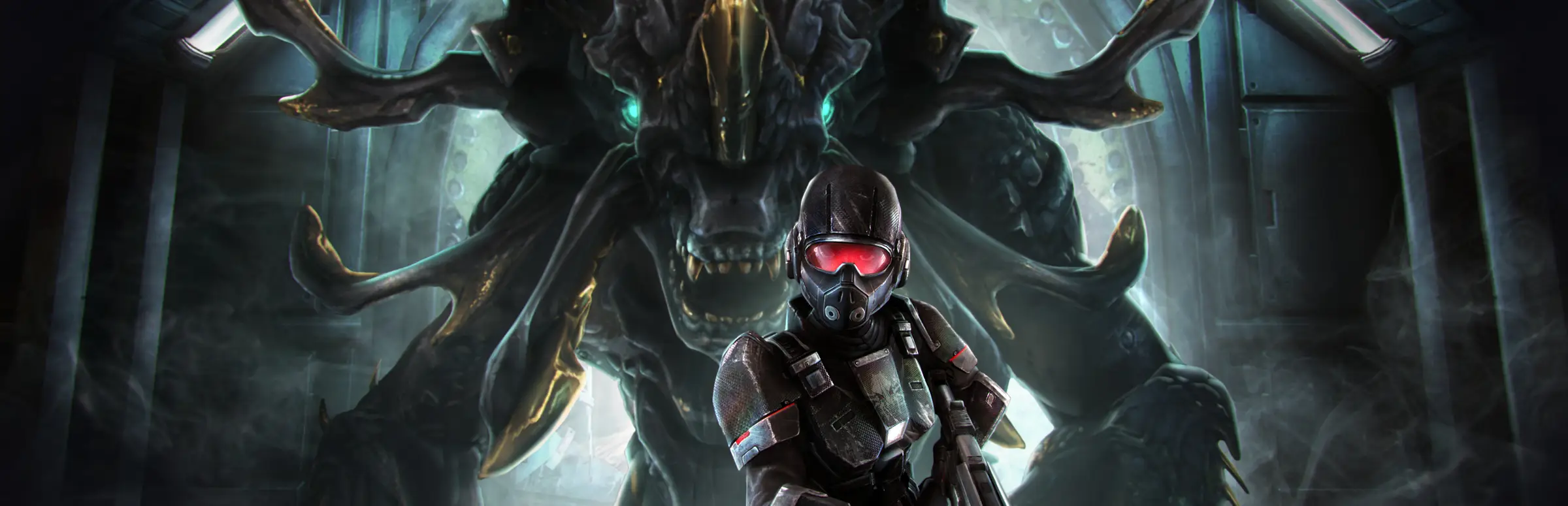
Natural Selection 2 server hosting: a marine with red goggles and a rifle stands in front of a giant tentacled Kharaa alien in a dark station

Marines, Kharaa and a Commander on each side

Natural Selection 2 Server Hosting

Natural Selection 2 server hosting for communities that still want rookie nights, competitive scrims and modded rounds of the aliens against humans classic. The NS2 server leans on one fast core, so we run it on 5.0GHz CPUs with Workshop mods, web admin and your own JSON configs.

Excellent on Trustpilot Hosting since 2004 9 locations 24/7 support in 9 languages

Size your round

Natural Selection 2 Server Hosting: Plans & Pricing

Pick a size by how many players you want in a round. Twelve slots covers six against six, 24 is the server's ceiling, and paying for 3, 6 or 12 months brings the monthly price down.

  1. 12player slots
    8GB RAM

    Six against six, scrims and trainingLowest price

    • Room for two full competitive teams
    • Lock it with a server password
    • Free 8GB memory tier
    £9.00/moMonthly, no contract
  2. 18player slots
    8GB RAM

    A clan server with a few guests

    • Nine a side with a Commander each
    • Space for casters or spectators
    • Free 8GB memory tier
    £13.50/moMonthly, no contract
  3. 20player slots
    12GB RAM

    A busy community evening

    • Ten a side on the stock maps
    • 12GB for a list of Workshop mods
    • Upgrade slots later from the client area
    £20.99/moMonthly, no contract
  4. 24player slots
    12GB RAM

    Full public roundsFull 24-player rounds

    • The highest limit the server allows
    • 12GB for big mod lists and custom maps
    • Twelve a side on public nights
    £22.59/moMonthly, no contract

Every plan: NVMe 7500MB/s · 5.0GHz · Up to 100GB. No setup fee. Upgrades and details

In short

Gaming Deluxe hosts Natural Selection 2 servers from £9.00/mo, with 12 to 24 player slots, the game's documented maximum, and 8GB to 12GB of RAM depending on the plan. Every server runs Unknown Worlds' dedicated server on 5.0GHz CPUs and NVMe storage in 9 locations across the UK, France, Germany, the US and Australia, and is set up automatically once payment clears.

Key facts checked against our order form, updated .

  • 12 to 24 player slotsUp to the server's 24-player limit
  • 5.0GHz CPUsThe NS2 server runs its game logic on one core
  • Steam Workshop modsPlayers download them when they join
  • Built-in web adminPerformance graph, RCON and map changes
  • Admin groupsServerAdmin.json for your moderators
  • 9 locationsOne price in the UK, EU, US and Australia
  • 24/7 support in 9 languagesGame server hosting since 2004

Run it from the browser

Your Natural Selection 2 Server Hosting Control Panel

The panel starts, stops and updates the server and gives you every file it writes. The game's own web admin then takes care of the round in progress.

Gaming Deluxe game server control panel with the server menu, connection details and Stop and Restart buttons

The Gaming Deluxe control panel, shown with a Windrose server. Natural Selection 2 servers use the same panel and menu.

Configuration Files

ServerConfig.json, MapCycle.json, ServerAdmin.json and BannedPlayers.json open in the browser. Stop the server before you save a change.

Steam Update

Pulls the current dedicated server build from Steam in one click, so the server matches what players run.

Scheduled Tasks

Automatic restarts, updates and backups at the hours your server is empty.

File Manager and SFTP

Edit a JSON file on the spot, or move logs and larger files over SFTP.

Log Viewer

Watch the server log live, which is where a broken mod or a typo in a JSON file shows up first.

Sub-users

Give clan officers their own panel login without handing over your password.

Finished, still played

Natural Selection 2 Server Hosting in 2026: Where the Game Stands

Natural Selection 2 came out on 30 October 2012. On 14 February 2023 Unknown Worlds announced that active development had ended after more than 117 updates, and said it would keep hosting matched play servers.

Release30 October 2012Development ended14 February 2023Max players24

01

The game is finished, not closed

Unknown Worlds stopped adding features in 2023, but the game is still sold on Steam and community servers still appear in the browser.

02

Matched Play stays online

Matched Play left beta with v1.0 on 9 December 2022. Unknown Worlds said in 2023 it would keep those servers running for on-demand games.

03

A stable build to host

The last update Unknown Worlds posted was hotfix 344 on 30 December 2022. With no new patches, a server stays compatible with players for a long time.

04

The open code keeps it alive

Steam notes that all NS2 game code is open and the mod tools ship with the game, so communities can keep making maps and mods.

Workshop & maps

Workshop Mods and Custom Maps for Natural Selection 2 Server Hosting

Unknown Worlds shipped NS2 with the tools it used to build the game, and the dedicated server reads mods straight from the Steam Workshop. Players who join a modded server download what it runs automatically.

Mods and maps

Mods by ID

List Workshop mod IDs with the -mods start option, separated by spaces. The server fetches them and keeps them in its Workshop folder.

Custom maps in the cycle

MapCycle.json can tie a mod ID to a map entry, so a Workshop map joins the rotation like any stock map.

Load a map once first

The official wiki notes a custom map must have been loaded once through the start options before the map cycle can use it.

Server identity

Players download for you

Steam says players automatically download the mods of a modded server as they join, so nobody installs anything by hand.

Rookie friendly or not

ServerConfig.json flags the server as rookie friendly by default. Remove the rookie tag and set rookie_friendly to false for a veterans' server.

Steam only

Natural Selection 2 is a Windows game sold on Steam, and the server lists in Steam's server browser. There is no console version to cross play with.

Steam

Memory by plan

RAM for Natural Selection 2 Server Hosting by Plan Size

The official wiki says a stock NS2 server takes 500 to 700MB when it starts and that 2GB per server is a good amount, so memory is rarely the limit. Our plans include the free 8GB tier on 12 and 18 slots and 12GB on 20 and 24, which leaves room for long Workshop mod lists.

  • Scrims and six against six

    Plan: 12 Slots
    RAM included: 8GB

    When to add more: Not needed for a stock server.

  • Clan server

    Plan: 18 Slots
    RAM included: 8GB

    When to add more: Only if you stack many large mods.

  • Community evenings

    Plan: 20 Slots
    RAM included: 12GB

    When to add more: Rarely; watch the memory graph after adding mods.

  • Full public rounds

    Plan: 24 Slots
    RAM included: 12GB

    When to add more: If a heavy mod pack runs close to the limit, 16GB gives room.

Memory tiers on the order form: 8GB (free), 12GB, 16GB, 20GB, 24GB and 32GB. For NS2, a faster CPU tier usually helps more than extra memory.

Low ping, worldwide

Natural Selection 2 Server Hosting Locations and Ping Test

Choose from 9 locations across the UK, France, Germany, the United States and Australia. Skulk bites and Fade blinks are decided in milliseconds, so test from your own PC and pick what suits most of your players.

LondonUnited Kingdom · Europe -
ParisFrance · Europe -
FrankfurtGermany · Europe -
New York (Buffalo)United States · North America -
DallasUnited States · North America -
Los AngelesUnited States · North America -
ChicagoUnited States · North America -
MiamiUnited States · North America No test
SydneyAustralia · Oceania -

Always-On Protection

Natural Selection 2 Server Hosting with DDoS Protection

Watch how our multi-layered defence system filters malicious traffic while legitimate connections pass through uninterrupted.

Internet DDoS Protection Game Server

Malicious traffic is filtered at the edge, while legitimate traffic passes through uninterrupted.

Malicious Traffic (Blocked)Legitimate Traffic (Allowed)

At Every Location
Included
Full Protection
Layer 3/4/7
24/7 Active Filtering
Always-On
Added Latency
<1ms

In every plan

What Natural Selection 2 Server Hosting Includes

No setup fee and nothing else to buy before the first round. Every plan comes with this, as listed on our order form.

  • Game serverUnknown Worlds' Natural Selection 2 dedicated server
  • Player slots12, 18, 20 or 24
  • Memory8GB on 12 and 18 slots, 12GB on 20 and 24; tiers up to 32GB
  • Processor5.0GHz included, with 5.2GHz+ and 5.6GHz+ options
  • Storage100GB NVMe at 7,500MB/s, upgradable to 200GB and 14,000MB/s
  • ConfigurationEvery JSON config file and the start options, from the panel
  • Locations9, all at one price
  • BackupsOffsite copies of the last 7 days, plus backups whenever you want them
  • ProtectionDDoS protection at every location
  • Support24/7 tickets from a team that has hosted game servers since 2004

Optional upgrades

Added at checkout, billed with your plan.

  • Memory AllocationTiers up to 32GBtiered
  • Hard DiskNVMe 14,000Mb/sfrom £4.99
  • CPU Clock Speed5.2GHz+ - 5.6GHz+from £4.99
  • CPU PriorityHigh CPU Priority - Realtime CPU Priorityfrom £4.99
  • VIP Ticket Priority SupportPrioritise My Ticket Pleasefrom £1.99
  • Disk SpaceUp to 120GB - Up to 200GBfrom £6.99

Each plan includes the RAM shown on its card: the free 8GB tier on 12 and 18 slots and 12GB on 20 and 24. Tiers up to 32GB are on the order form. All 9 locations cost the same, so choose the one nearest most of your players. Prices read from our order form on 23 October 2026. Taxes, if any, are shown at checkout.

Built for NS2

Natural Selection 2 Server Hosting Features

The things that decide whether an NS2 server feels sharp or sluggish.

Clock speed first

5.0GHz cores as standard, with 5.2GHz+ and 5.6GHz+ tiers for packed late-game fights.

Workshop on the server

List the mod IDs once and the server fetches them; players download on join.

Web admin and RCON

The game's own web interface shows performance and runs commands from a browser.

Moderators with limits

ServerAdmin.json groups decide exactly which commands each admin may use.

DDoS protection

Attack traffic is filtered before it can stall a round.

Updates on a schedule

Steam Update and scheduled tasks keep the build current without you logging in.

Before the first round

Natural Selection 2 Server Hosting Essentials Before You Order

Five choices that save a messy first week.

  1. Decide who the server is for

    Rookie friendly is the default. Competitive and veteran servers should turn it off and drop the rookie tag.

  2. Size it to your rounds

    Twelve slots fits six against six. Public servers usually want the full 24, which is the server's limit.

  3. Collect your mod IDs

    Write down the Workshop IDs of the mods and maps you want so one start option covers them.

  4. Plan your admins

    Sketch the groups you need, such as full admins, moderators and clan officers, before you fill ServerAdmin.json.

  5. Test the ping

    Run the ping test from the PCs your players use and choose the lowest location for most of them.

Answers

Natural Selection 2 Server Hosting Questions

What NS2 server owners ask us most.

Getting started

How soon is my Natural Selection 2 server online?

It is built automatically once payment clears, and your login arrives by email. Game servers are usually ready within 20 minutes.

Do I need to own Natural Selection 2 to run a server?

To join it and play, yes: players need the game on Steam. The server itself is ours to install and run, so you do not have to set up SteamCMD or a server account.

Where do I set the server name and password?

Both are start options, -name and -password. Change them in the panel's start settings, or ask support to do it for you. The official wiki notes many owners put the CPU speed in the name because players care about it.

Which location should I choose?

Run the ping test on this page from the PC you play on and pick the lowest result for most of your players. All 9 locations cost the same.

Players, mods and performance

Can I run more than 24 players?

No. The official wiki lists 24 as the maximum for the -limit option, which is why our largest plan is 24 slots.

How do I add Workshop mods?

Add the mod IDs to the -mods start option, separated by spaces, and restart. Players who join download the same mods automatically from Steam.

Can I run custom maps?

Yes. Add the map to MapCycle.json with its Workshop mod ID. Load it once through the start options first, as the official wiki advises.

Why does CPU speed matter so much for NS2?

The official wiki explains that the server uses two threads at most, with one doing the main work, so a fast single core keeps the tickrate up. Ours run at 5.0GHz, with faster tiers on the order form.

Admin and settings

How do I give someone admin rights?

Add a group and a user to ServerAdmin.json. Each group either allows a list of commands or allows everything except a list, and each user is matched by their NS2 Steam ID.

How do I set up a map rotation?

MapCycle.json holds the minutes between map changes, the order or random mode and the list of maps. The server only changes map after a round ends.

Is Natural Selection 2 still updated?

Unknown Worlds ended active development on 14 February 2023 and said it would keep hosting Matched Play servers. The game remains on sale on Steam.

Billing and plans

How much does Natural Selection 2 server hosting cost?

The 12 slot plan is the cheapest, at £9.00 a month. The plan table shows every size for 1, 3, 6 or 12 months, and longer terms cost less per month.

Can I move to a bigger plan later?

Yes. Raise the slots, memory or CPU tier from the client area, pay the difference and restart. Your configs and mods stay where they are.

Is there a contract?

No. Monthly billing renews month by month and can be cancelled any time. The 3, 6 and 12 month terms are paid upfront for a lower monthly rate.

The complete guide · 6 min read

Natural Selection 2 Server Hosting Explained: A Complete Guide

This guide covers running a Natural Selection 2 server in 2026: what the game asks of the hardware, the start options, the four JSON files that hold your rules, web admin, admin groups, Workshop mods and maps, and what the end of active development means for a server owner.

By , Owner, Gaming DeluxePublished · Updated

In this guide
  1. Why NS2 Communities Still Run Their Own Servers
  2. CPU, Tickrate and Why Clock Speed Wins
  3. The Start Options That Define Your Server
  4. ServerConfig, MapCycle, ServerAdmin and BannedPlayers
  5. Admin Groups Without Handing Out Full Control
  6. Web Admin, Performance and RCON
  7. Workshop Mods and Custom Maps
  8. Hosting a Game That Is No Longer in Development
  9. What to Compare Before You Rent an NS2 Server
  10. Natural Selection 2 Server Glossary
  11. Natural Selection 2 Server Help and Next Steps

Why NS2 Communities Still Run Their Own Servers

Natural Selection 2 is a first person shooter and a real time strategy game at once. Each team has a Commander who looks down on the map, drops structures, gathers resources and researches upgrades, while everyone else fights on the ground. The marines bring rifles, shotguns, flamethrowers, jetpacks and Exosuits; the Kharaa evolve into Skulks, Lerks, Gorges, Fades and the huge Onos.

That mix of roles is why a good server matters more than in most shooters. A round only works when both Commanders are willing, teams are roughly even and the server keeps up when a dozen players fight at a Hive. Communities run their own servers to keep rookie nights friendly, host scrims with fixed rules, try new mods and keep a crowd of regulars who know each other.

CPU, Tickrate and Why Clock Speed Wins

The official NS2 wiki is unusually direct about hardware. It says the server does not make full use of many cores: at best it uses two threads, and one of them does the main processing. Hosts therefore favour high clock speeds over large core counts. The community figures the wiki prints look like this:

Max playersMinimum clock speed in the wikiRAM in the wiki
123.0GHz2GB
163.6GHz2GB
204.0GHz2GB
244.4GHz2GB

Our NS2 servers start at 5.0GHz, above the wiki's figure for a full 24-player server, and the order form adds 5.2GHz+ and 5.6GHz+ tiers. The wiki also notes that the tickrate shown in web admin does not go above 30, and that a reading above 30 is a calculation error, so judge performance by how steady it stays during big fights rather than by its peak.

The Start Options That Define Your Server

Most NS2 settings are start options rather than lines in an ini file. The panel fills in the ones that tie the server to our network; these are the ones owners change:

OptionWhat it does
-nameThe name shown in the server browser
-passwordA join password; leave it out for a public server
-limitThe player limit, up to 24
-mapThe first map, ns2_summit if not set
-modsWorkshop mod IDs to load, separated by spaces
-webadmin, -webuser, -webpasswordTurn on the web interface and set its login

ServerConfig, MapCycle, ServerAdmin and BannedPlayers

Since build 220 the rest of the configuration lives in JSON files, which the server creates on its first start. Each has one job:

  • ServerConfig.json holds gameplay settings: rookie_friendly, the server tags, auto team balance, and end_round_on_team_unbalance, which ends a round when teams are too uneven (0.4, or 40 percent, by default).
  • MapCycle.json sets the minutes between map changes, order or random mode, and the maps, including Workshop maps tied to their mod IDs.
  • ServerAdmin.json defines admin groups and users.
  • BannedPlayers.json lists bans with a name, ID, reason and expiry time, where 0 means permanent.

Auto team balance in NS2 does not swap players between teams. As the wiki explains, it holds a player from the bigger team in a special spectator mode until the numbers on the field even out, and that player may switch teams without penalty. Two settings control it: how many players over even it takes to start, and how many seconds to wait first.

Admin Groups Without Handing Out Full Control

The admin system in ServerAdmin.json is one of NS2's best features for a community. A group is either an allow list, where members may only run the commands named, or a block list, where they may run everything except the commands named. You might give moderators sv_kick and sv_say, and keep sv_ban and sv_reset for senior admins.

Users are listed by name with their ID and the groups they belong to. NS2 uses its own Steam ID format, so the wiki gives the conversion: for an ID written STEAM_0:0:X, use X times 2; for STEAM_0:1:X, use X times 2 plus 1. The 32-bit Steam community ID shown by common Steam ID converters is the same number.

Web Admin, Performance and RCON

The dedicated server includes a small web server. Started with the web admin options, it serves a page where you can watch the performance graph, see players and run console commands. For remote access it needs a login, either a single user set by -webuser and -webpassword, or several users from an .htpasswd file named with -webusers.

The same web server answers simple requests with JSON about the server, and it can run RCON commands sent as web requests, with the reply shown on the server console. Web admin listens on a port of its own (80 unless -webport sets another), so ask support which port to use on your server before you switch it on.

Workshop Mods and Custom Maps

  1. Find each mod's ID on its Steam Workshop page.
  2. Add the IDs to the -mods start option, separated by spaces, and restart the server.
  3. For a custom map, add an entry to MapCycle.json with the map name and its mod ID.
  4. Make sure the map has been loaded once through -mods before the cycle uses it.
  5. Check the log after the restart for mods that failed to load.

Avoid listing the same map twice when the cycle runs in order mode, as the wiki advises, and use the cyclemap console command when you want to move to the next map early. Because joining players download mods automatically, a long mod list mainly costs connection time for newcomers, so keep it to what your players actually use.

Hosting a Game That Is No Longer in Development

When Unknown Worlds ended active development in February 2023, it said it would keep hosting Matched Play servers so players can still find on-demand games. For a community server owner the end of development has a quiet upside: the build no longer changes, so mods and configs that work today keep working, and you are not caught out by surprise patches on a Friday night.

Keep a scheduled Steam Update task anyway. It costs nothing when there is no new build, and it means the server follows straight away if a fix ever does arrive.

What to Compare Before You Rent an NS2 Server

Natural Selection 2 is pickier about hosting than most shooters. Check these before you buy.

  1. Single-core clock speedNS2 runs its game logic on one thread, so ask for the clock speed, not the core count.
  2. Access to the JSON filesYour rules live in ServerConfig, MapCycle and ServerAdmin. You need to edit all of them.
  3. Start optionsMods, the player limit and web admin are start options. Make sure you can change them.
  4. Slots up to 24The server stops at 24 players. Offers above that are not more players.
  5. BackupsConfigs and admin lists take time to build. Check how long backups are kept.
  6. LocationTest the ping before you buy; it matters more than any spec sheet.

Natural Selection 2 Server Glossary

Commander
The player on each team who builds, researches and gives orders from above.
Kharaa
The alien team: Skulk, Lerk, Gorge, Fade and Onos.
Hive
The alien base structure that spreads infestation and spawns new aliens.
Tickrate
How many times a second the server updates the game; NS2 tops out at 30.
ServerConfig.json
Gameplay settings: rookie mode, tags, team balance and round end rules.
MapCycle.json
The map rotation, including Workshop maps.
ServerAdmin.json
Admin groups, their commands and the users in them.
Rookie friendly
A server flag and tag that marks a server as welcoming to new players.
Matched Play
Unknown Worlds' on-demand matchmaking servers.

Natural Selection 2 Server Help and Next Steps

Official sources and our own pages.