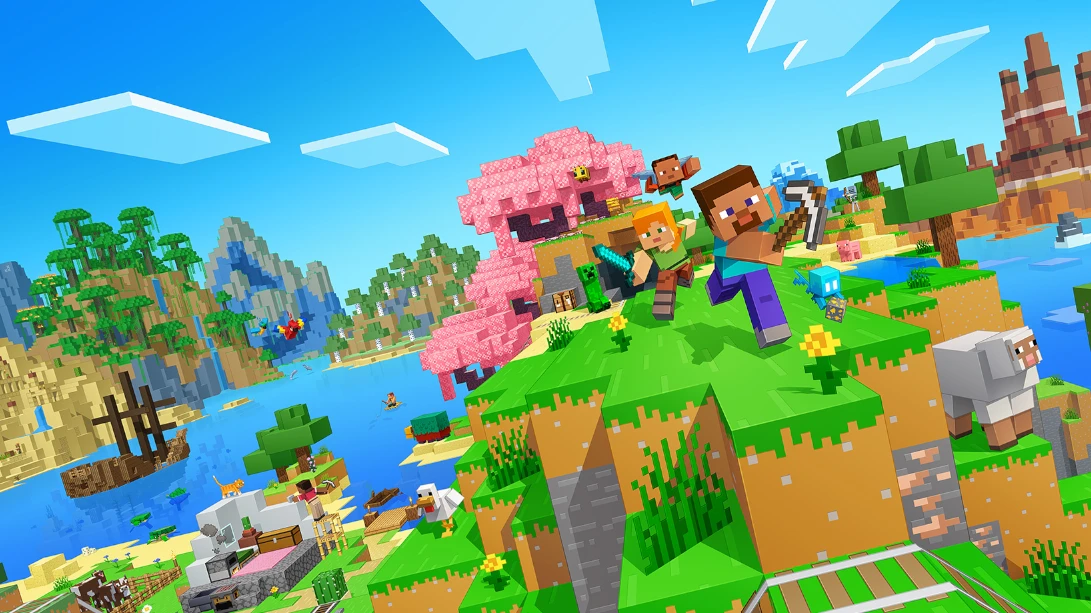
Minecraft server hosting: Steve and Alex with pickaxes racing through a mineshaft full of ores

Java Edition servers

Minecraft Server Hosting

Minecraft server hosting for Java Edition: a world that is online whenever your friends are, from a first night in a dirt hut to a sprawling modded base with automated farms. Ready for 26.3 Wilderness Bound, or any older version your modpack needs.

Excellent on Trustpilot Hosting since 2004 9 locations 24/7 support in 9 languages

Pick your memory

Minecraft Server Hosting Plans by RAM

Minecraft Java plans are sized by memory, not player slots, because RAM is what decides how many players, plugins and mods a server can carry. Processor, storage and locations are the same on every size, and longer billing terms lower the monthly price on most of them.

  1. 2GB
    2GB RAM

    2GB RAM: a small vanilla world

    • Two or three friends, modest view distance
    £3.90/moMonthly, no contract
  2. 3GB
    3GB RAM

    3GB RAM: vanilla survival for a friend groupRecommended

    • Our recommended starting point
    • Room for a few lightweight plugins
    £5.80/moMonthly, no contract
  3. 4GB
    4GB RAM

    4GB RAM: a plugin server or a busier world

    • Matches the 4GB in Mojang's own example start command
    £7.80/moMonthly, no contract
  4. 8GB
    8GB RAM

    8GB RAM: light to mid-sized modpacks

    • A common size for Forge packs
    £15.60/moMonthly, no contract

Every plan: NVMe 7500MB/s · 5.0GHz · Up to 100GB. No setup fee. Upgrades and details

In short

Gaming Deluxe hosts Minecraft: Java Edition servers from £3.90/mo, priced by memory with 6 plans from 2GB to 32GB of RAM, and the 3GB plan recommended for most new servers. Each server runs on 5.0GHz CPUs and NVMe storage in 9 locations across the UK, France, Germany, the US and Australia, with vanilla versions and mod installers in the control panel.

Key facts checked against our order form, updated .

  • 2GB to 32GB RAM6 plans, 3GB recommended to start
  • Java Edition 26.3Or pick an older version from the panel
  • Mod installersForge and Spigot in the Mod Manager, free install help
  • 9 locationsSame price in Europe, the US and Australia
  • Java version switchJava 25 for 26.x, older Java for older packs
  • Offsite backupsSeven days of copies, plus backups on demand
  • DDoS protectionIncluded at every location
  • 24/7 support in 9 languagesHosting game servers since 2004

Run your world

Your Minecraft Server Hosting Control Panel

Version changes, Java versions, server types, whitelists and backups all live in one web panel, so running a Java server never means remote desktop or a command line on your own PC.

Gaming Deluxe game server control panel with the server menu, connection details and Stop and Restart buttons

The Gaming Deluxe control panel, pictured with a Windrose server. Minecraft Java servers use the same panel and menu.

Web Console

Run commands such as /op, /whitelist add and /say on the live server, and watch players join as it happens.

File Manager and SFTP

Upload a world folder, data packs or a modpack's files. Large uploads are fastest over SFTP.

Mod Manager

Install any vanilla release from the Minecraft Vanilla section, or use the installers for server types such as Forge and Spigot.

Backups and Scheduled Tasks

Back up before a version jump or a new modpack, and schedule restarts and backups for the quiet hours.

Java version selector

Switch the Java runtime to suit the game version: Java 25 for the 26.x releases, older Java for older modpacks.

Configuration Files and Log Viewer

Edit server.properties with the server stopped, then read the start-up log to see exactly why a pack will not boot.

Wilderness Bound

Minecraft Java 26.3 Wilderness Bound and New Version Numbers

Mojang released Java Edition 26.3, Wilderness Bound, on 15 September 2026. It is the third game drop under the year-based version numbers Mojang introduced for 2026, and it changes one server default worth knowing about.

26.315 September 2026JavaJava 25 since 26.1NextHoliday Drop in testing

01

What 26.3 added

The Dappled Forest biome with Poplar trees and a Poplar wood set, Shelf Mushrooms, Abandoned Camp structures, Cushions and Straw Beds, and Wool and Concrete stairs and slabs.

02

Whitelist on by default

From 26.3 the white-list property in a fresh server.properties is true. A brand-new server only lets in players you add, until you switch it off.

03

Year-based versions and Java 25

Versions now read year, drop, hotfix: 26.1 was the first drop of 2026. Since 26.1 the game requires Java 25, which you pick in the panel's Java selector.

04

What comes next

The Holiday Drop, with ice caves and a new frostbite mob, has been in snapshot testing since 30 September without a release date. Mojang has also announced a new dimension, the Sift, for next year.

Mods & editions

Plugins, Mods and Java vs Bedrock for Minecraft Server Hosting

Java Edition is the version built for customisation: Mojang's EULA allows mods, and data packs and resource packs are part of the game. What Java does not do is play with Bedrock.

Mods & plugins

Server types from the Mod Manager

Install vanilla releases straight from the panel, or use the installers for server types such as Forge and Spigot. Anything else, including a full modpack, uploads over SFTP.

Free help installing mods

Stuck on a pack? Open a ticket with a public link to the server files and our team installs it on your server, with no fee.

Data packs and resource packs

Data packs change rules, loot and recipes without any loader. A server resource pack is set with the resource-pack line in server.properties, and players get it when they join.

Java and Bedrock

No crossplay with Bedrock

Mojang states that Java and Bedrock use different servers, so their players cannot play together. A Java server is for Java players on Windows, macOS and Linux.

Bedrock has its own plan

Friends on consoles, phones or Windows Bedrock need a Bedrock server instead. We host those too, on our Minecraft Bedrock server page.

Modded clients must match

Forge and similar packs need the same mods on every player's PC. Plugin servers such as Spigot run on the server only, so players join with the normal game.

WindowsmacOSLinux

Memory, sized for you

RAM for Minecraft Server Hosting: Choosing a Size

Mojang does not publish memory figures for the server; the example start command on its download page simply gives the server 4GB. The guide below is our own sizing from running Java servers. What you run matters more than the head count: a modpack can need four times the memory of a vanilla world with the same players.

  • Vanilla, two or three friends

    Plan: 2GB
    RAM: 2GB

    When to go bigger: As soon as more friends join or you raise the view distance.

  • Vanilla survival, a friend group

    Plan: 3GB
    RAM: 3GB

    When to go bigger: When the world grows large or more than a handful play at once.

  • Plugins or a small community

    Plan: 4GB
    RAM: 4GB

    When to go bigger: Many plugins, big farms and lots of loaded chunks all add up.

  • Light to mid-sized modpack

    Plan: 8GB
    RAM: 8GB

    When to go bigger: Check the pack's own recommendation, then add a little for each extra player.

  • Large modpack or community

    Plan: 16GB
    RAM: 16GB

    When to go bigger: Packs with hundreds of mods and many automated bases.

  • Big public or heavily modded server

    Plan: 32GB
    RAM: 32GB

    When to go bigger: Our largest plan, for very large player counts or kitchen-sink packs.

Memory sizes on the order form: 1GB, 2GB, 3GB, 4GB, 6GB, 8GB, 10GB, 12GB, 14GB, 16GB, 20GB, 24GB and 32GB, so the sizes between our plans are available too. You can move to a bigger size later from the client area and keep your world.

Low ping, worldwide

Minecraft Server Hosting Locations and Ping Test

Host in any of 9 locations across the UK, France, Germany, the United States and Australia. Test your ping from the PC you play on, then choose the location that suits most of your players.

LondonUnited Kingdom · Europe -
ParisFrance · Europe -
FrankfurtGermany · Europe -
New York (Buffalo)United States · North America -
DallasUnited States · North America -
Los AngelesUnited States · North America -
ChicagoUnited States · North America -
MiamiUnited States · North America No test
SydneyAustralia · Oceania -

In every plan

What Every Minecraft Server Hosting Plan Includes

No setup fee and nothing extra to buy before the first login. This is what comes with every Minecraft Java plan, as listed on our order form.

  • Game serverMinecraft: Java Edition server, any vanilla release from the panel
  • MemoryPlans at 2GB, 3GB, 4GB, 8GB, 16GB and 32GB, with the sizes in between on the order form
  • Server typesMod Manager installers for Forge, Spigot and more, plus SFTP for any pack
  • Java runtimeSelectable Java version, including Java 25 for the 26.x releases
  • Storage100GB NVMe at 7,500MB/s included, upgrades to 200GB and 14,000MB/s drives
  • Processor5.0GHz included, with 5.2GHz+ and 5.6GHz+ options
  • Locations9 to choose from, one price everywhere
  • BackupsOffsite copies for the last 7 days, panel backups and scheduled backup tasks
  • ProtectionDDoS protection at every location
  • Support24/7 tickets and free mod install help from a team hosting since 2004

Optional upgrades

Added at checkout, billed with your plan.

  • Hard DiskNVMe 14,000Mb/sfrom £4.99
  • CPU Clock Speed5.2GHz+ - 5.6GHz+from £4.99
  • CPU PriorityHigh CPU Priority - Realtime CPU Priorityfrom £4.99
  • VIP Ticket Priority SupportPrioritise My Ticket Pleasefrom £1.99
  • Disk SpaceUp to 120GB - Up to 200GBfrom £6.99

Every Minecraft plan is a memory size; you set the player limit yourself in server.properties. The order form also has 1GB, 6GB, 10GB, 12GB, 14GB, 20GB and 24GB. All 9 locations cost the same, so choose the one closest to your players. Prices read from our order form on 14 October 2026. Taxes, if any, are shown at checkout.

Built for builders

Minecraft Server Hosting Features

What makes the biggest difference once your Java world has players in it.

Any version

Run 26.3, or roll back to the release a modpack or minigame was built for, from the Mod Manager.

Modpacks without the pain

Installers for common server types, SFTP for the rest, and free install help if a pack fights back.

Bring your world

Upload the world folder from your single-player saves and carry on building where you left off.

Backups before big changes

Take a backup before a version jump and restore it in minutes if a chunk or a mod goes wrong.

DDoS protection

Attack traffic is filtered before it reaches your server, which matters most on public worlds.

5.0GHz CPUs, NVMe drives

Minecraft's main game loop leans on single-thread speed, and NVMe keeps chunk saving and loading quick.

Before your first login

Minecraft Server Hosting Essentials Before You Order

Five things that make the first evening go smoothly.

  1. Java, not Bedrock

    This plan is for Java Edition on PC and Mac. If anyone plays on console or phone, they need a Bedrock server.

  2. Add your friends to the whitelist

    New servers since 26.3 start with the whitelist on. Use /whitelist add with each player's name in the Web Console, or switch it off in server.properties.

  3. Make yourself an operator

    Type /op followed by your player name in the Web Console. Operators can then run admin commands from inside the game.

  4. Match the version

    Players must run the same version as the server, or a matching modpack. Change version from the Mod Manager rather than replacing files by hand.

  5. Stop before editing

    Stop the server before changing server.properties or other config files, otherwise your edits can be overwritten on shutdown.

Answers

Minecraft Server Hosting Questions

Short answers to what new Minecraft server owners ask us most.

Getting started

How quickly is my Minecraft server ready?

It is set up automatically once your payment clears, usually within a few minutes and at most about 20. The panel login arrives by email.

How do players connect?

In Minecraft: Java Edition they open Multiplayer, choose Add Server and enter the address and port shown in your panel. If the whitelist is on, add them first.

Can I upload my single-player world?

Yes. Stop the server, upload the world folder with the File Manager or SFTP, make sure level-name in server.properties matches the folder name, then start it again.

Which location should I choose?

Run the ping test on this page from the PC you play on and pick the lowest result for most of your group. All 9 locations cost the same.

Plans, players and memory

How many players can my Minecraft server hold?

Our Minecraft plans are sold by memory, not slots, and you set the player limit with max-players in server.properties. How many players run smoothly depends on the RAM and what you run: vanilla needs far less than a large modpack.

How much RAM do I need?

For vanilla with a few friends, 3GB is our recommended start. Plugin servers usually want 4GB to 6GB, and modpacks 8GB or more depending on the pack. The RAM guide above has more detail.

Can I upgrade later?

Yes. Move to a bigger memory size, or add CPU and disk upgrades, from the client area. Your world stays where it is.

Versions and mods

Can I run an older Minecraft version?

Yes. Choose the version in the Minecraft Vanilla section of the Mod Manager and install it, and set the matching Java version in the panel. Take a backup before switching an existing world.

Can Bedrock players join a Java server?

Not officially. Mojang states that Java and Bedrock use different servers and their players cannot play together. For console and mobile friends, use a Bedrock server.

Do you install modpacks?

The Mod Manager has installers for server types such as Forge and Spigot, and you can upload any pack over SFTP. If you get stuck, send us a public link to the server files in a ticket and we install it free.

Why will my modpack not start?

The most common cause is the wrong Java version for that Minecraft release. Switch Java in the panel, then check the log for the first error. A reinstall from the More menu gives you a clean start.

Billing

How much does Minecraft server hosting cost?

The 2GB plan is the cheapest at £3.90 a month, and the recommended 3GB plan is shown in the table above. Every plan is available for 1, 3, 6 or 12 months, and the order form has more sizes between them.

Is there a contract?

No. Monthly billing renews month by month and you can cancel any time. Longer terms are paid upfront.

The complete guide · 6 min read

Minecraft Server Hosting Explained: A Java Edition Guide

This guide covers what goes into running a Minecraft: Java Edition server in 2026: Java or Bedrock, how much memory to pick, versions and Java runtimes, whitelists and operators, plugins and modpacks, Mojang's rules for public servers, and looking after the world. It is written for whoever in the group has volunteered to be the admin.

By , Owner, Gaming DeluxePublished · Updated

In this guide
  1. Java Server or Bedrock Server?
  2. Choosing Memory for Vanilla, Plugins and Modpacks
  3. Versions, Game Drops and Java 25
  4. Whitelist, Operators and Bans
  5. Plugins, Modpacks and Data Packs
  6. Running a Public Server Within Mojang's Rules
  7. Worlds, Backups and Starting Over
  8. What to Compare Before You Rent a Minecraft Server
  9. Minecraft Server Glossary
  10. Minecraft Server Help and Next Steps

Java Server or Bedrock Server?

Minecraft comes in two editions that cannot share a world. Mojang's own comparison says Java and Bedrock use different servers, so their players cannot play together. The choice of server therefore follows the devices your group plays on.

CompareJava Edition serverBedrock server
Players onWindows, macOS and LinuxWindows, Xbox, PlayStation, Switch and mobile
ModsLarge modding scene, plugins and modpacksAdd-ons and behaviour packs
Our planThis pageMinecraft Bedrock server hosting

If everyone is on a computer and you want mods, plugins or a specific older version, Java is the answer. If even one friend plays on a console or phone, a Bedrock server keeps everyone together.

Choosing Memory for Vanilla, Plugins and Modpacks

Minecraft plans are sold by RAM because memory, more than anything else, decides what a Java server can carry. Every loaded chunk, entity, plugin and mod sits in memory. Two servers with ten players can need very different amounts: ten friends on vanilla survival are a light load, while ten players spread across a 300-mod pack, each with an automated base, are a heavy one.

Mojang does not publish server memory figures, but its own example start command on the server download page gives the server 4GB. Our recommendation is 3GB for a new vanilla world with friends, 4GB to 6GB for plugin servers, and 8GB or more for modpacks, guided by the pack author's own advice. Watch the memory graph in the panel during your busiest evening: if it sits near the top, move up a size from the client area.

Versions, Game Drops and Java 25

In December 2025 Mojang switched Java Edition to year-based version numbers: the year, the drop and then any hotfix. 26.1 was the first drop of 2026, and 26.3 Wilderness Bound followed on 15 September 2026. The same change of era raised the requirement to Java 25, starting with 26.1.

  1. Stop the server and take a backup.
  2. Open the Mod Manager and choose the version in the Minecraft Vanilla section, then install it.
  3. Set the Java version to match: Java 25 for 26.x, an older Java for older releases and packs.
  4. Start the server and read the log to confirm the version and world loaded.

Treat every upgrade as one-way. A world saved in a newer release should not be opened in an older one, so a backup taken before the change is your only clean way back.

Whitelist, Operators and Bans

Since 26.3 a fresh server.properties has white-list set to true, so a new server only admits players you add. That is a sensible default for a friends server. Add each player in the Web Console with /whitelist add and their name, check the list with /whitelist list, and remove someone with /whitelist remove. The names are stored in whitelist.json.

Operators are players allowed to use admin commands in game. Make yourself one with /op and your name in the Web Console, and take the role away again with /deop. Operators are kept in ops.json. Banned players and banned IP addresses have their own files, and /ban and /pardon manage them from the console or in game.

Plugins, Modpacks and Data Packs

Java servers come in a few broad flavours. A vanilla server runs Mojang's server exactly as released. Plugin servers such as Spigot keep the game vanilla for players, so anyone can join with the normal client, while plugins add commands, protection and minigames on the server side. Mod loaders such as Forge change the game itself, which means every player needs the same mods installed.

  • Vanilla: install any release from the Mod Manager's Minecraft Vanilla section.
  • Plugin server: use the Spigot installer, then drop plugin files into the plugins folder.
  • Modded: use the Forge installer or upload a modpack's server files over SFTP.
  • Data packs: place them in the world's datapacks folder; they work on any server type.
  • Resource pack: host the file online and add its link to the resource-pack line in server.properties.

Modpacks often bundle their own server files and a recommended Java version, so read the pack's notes first. If a pack still refuses to start, open a ticket with a public link to the server files and our team installs it for you at no charge.

Running a Public Server Within Mojang's Rules

Mojang's EULA lets you install the Java server and host online play, and its Minecraft Usage Guidelines set out what a server may charge for. They matter as soon as a server takes donations or sells anything.

  • You may charge for access, as long as the price is the same for everyone.
  • Donations are fine, but donors must not receive anything only they can use.
  • Cosmetics may be sold, except capes or anything that looks like one.
  • Paid items must not ruin other players' experience or give a competitive advantage.
  • Only players with a genuine copy of the game may join, and content must suit all ages.
  • Show prices before players join, give buyers a purchase history, and never imply you are an official Minecraft service.

Mods are allowed under the EULA, but modified versions of the game or server must not be distributed. Read the Usage Guidelines in full before opening a store.

Worlds, Backups and Starting Over

A Minecraft world is a folder. To move one onto the server, stop it, upload the folder with the File Manager or SFTP, and set level-name in server.properties to the folder's name. To start a new world beside the old one, change level-name to a new name and restart: the old folder stays untouched for later.

Take a backup from the panel before every version change, modpack update or big plugin install, and set a scheduled backup task for everyday protection. We also keep offsite copies for the last 7 days. If you want a clean slate, the Wipe Server tool removes the world while leaving your settings in place.

What to Compare Before You Rent a Minecraft Server

Minecraft hosting is a crowded market, and the headline price hides most of the differences. Check these before you pay.

  1. Real memory, not slot countsMemory decides what a Java server can run. Compare the RAM included, not a player number on the box.
  2. Version and Java controlMake sure you can install older releases and change the Java version yourself, or older modpacks will not start.
  3. Modpack supportLook for installers for common server types, SFTP access, and real people who will help when a pack will not boot.
  4. Location and pingTest latency from where your players live; a nearby data centre does more for block breaking and PvP than extra hardware.
  5. Backups you can restoreCheck you can back up and restore without a ticket, and how many days of offsite copies are kept.
  6. Upgrade pathFind out whether you can move to a bigger size later without losing the world.
  7. Billing termsCompare monthly against longer terms and look out for setup fees and minimum contracts.

Minecraft Server Glossary

Java Edition
The version of Minecraft for Windows, macOS and Linux, with the largest modding scene.
Bedrock
The version for consoles, mobile and Windows; it cannot play with Java.
server.properties
The main settings file: player limit, whitelist, difficulty, view distance, world name and more.
Whitelist
A list of players allowed to join; on by default for new servers since 26.3.
Operator (op)
A player allowed to use admin commands, kept in ops.json.
Game drop
Mojang's name for its regular content updates, numbered by year since 2026.
Plugin server
A server type such as Spigot that adds server-side features while players use the normal game.
Mod loader
Software such as Forge that loads mods into the game; every player needs the same mods.
Modpack
A curated bundle of mods and configs, often with its own server files.
Data pack
A built-in way to change rules, loot, recipes and more without a mod loader.
View distance
How far the server sends terrain to players; a big factor in memory use.

Minecraft Server Help and Next Steps

Useful pages for setting up and running your Java server.

How this guide was made: researched from minecraft.net articles, Mojang's EULA and Usage Guidelines, and the official server download page, drafted with AI assistance, checked against our live order form for every plan, price and location, and reviewed by Matthew Griffin before publishing. Not an official Minecraft service. Not approved by or associated with Mojang or Microsoft. Spotted something out of date? Tell us.

New to running a Minecraft server? Read Minecraft Server Setup first.