
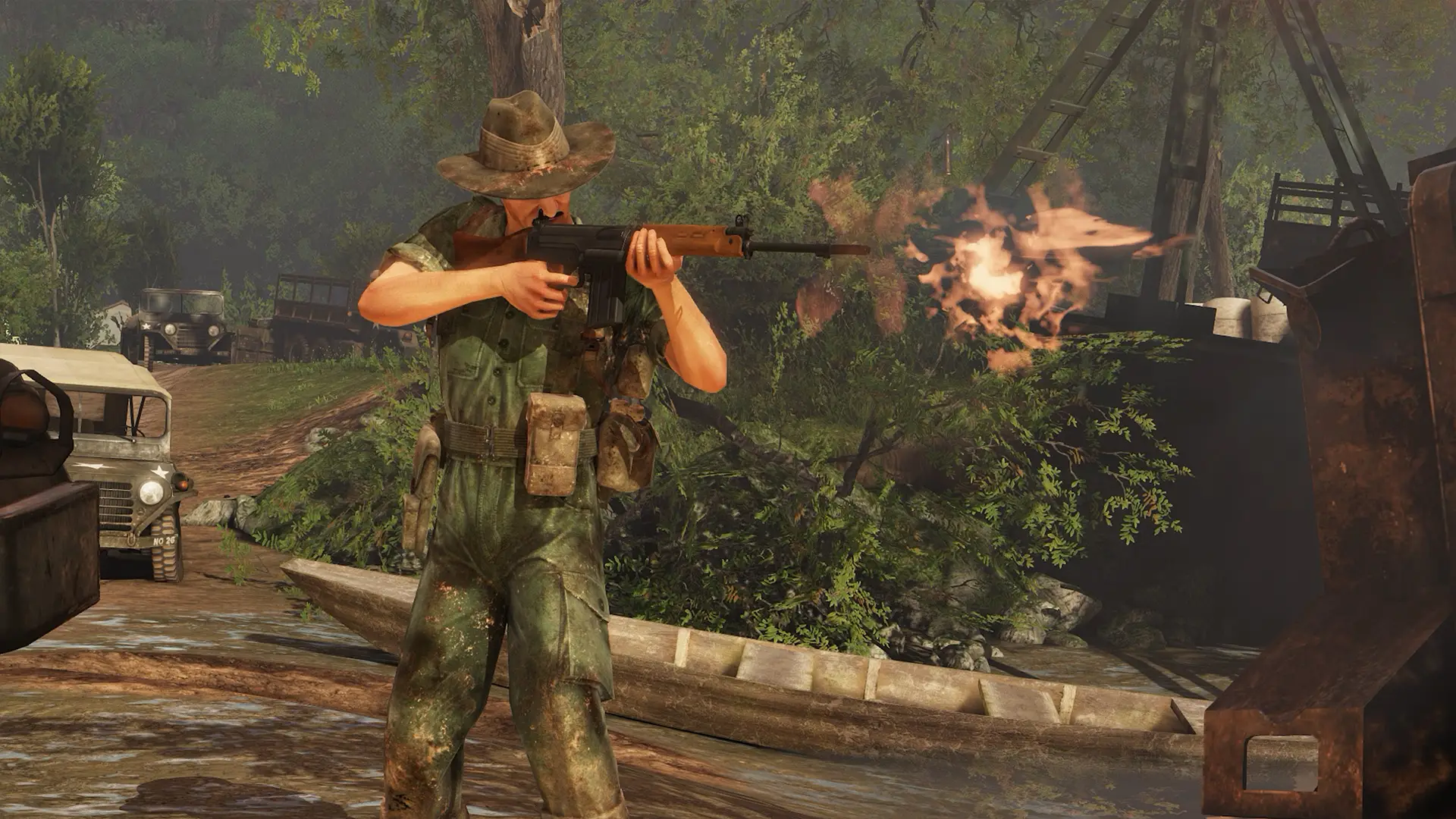
Rising Storm 2: Vietnam server hosting: a soldier in a bush hat fires his rifle from a muddy jungle riverbank beside a jeep and a wooden boat

Ranked servers for 64-player Vietnam battles

Rising Storm 2: Vietnam Server Hosting

Rising Storm 2: Vietnam server hosting for clans, realism units and communities that want their own jungle, paddy fields and firebases. A ranked server with WebAdmin, Workshop maps and Tripwire's 2026 updates, on 5.0GHz hardware.

Excellent on Trustpilot Hosting since 2004 9 locations 24/7 support in 9 languages

Size your battle

Rising Storm 2: Vietnam Server Hosting: Plans & Pricing

Choose a plan by how many players you want in the fight. RAM steps up on the larger plans, where big Workshop maps and long map cycles live, and paying for 3, 6 or 12 months lowers the monthly price.

  1. 12player slots
    5GB RAM

    Squad practice and private trainingLowest price

    • The lowest price for RS2
    • Lock it with a game password
    • Free 5GB memory tier
    €6.77/moMonthly, no contract
  2. 24player slots
    5GB RAM

    Clan nights and the smaller maps

    • Room for two clans
    • Fits the 16-player Skirmish maps with spares
    • Free 5GB memory tier
    €13.53/moMonthly, no contract
  3. 36player slots
    8GB RAM

    A growing community server

    • Busy evenings without a queue
    • 8GB for Workshop content
    • Upgrade slots later from the client area
    €19.82/moMonthly, no contract
  4. 64player slots
    12GB RAM

    Full 64-player battlesFull 64-player battles

    • The game's full player count
    • Built for the 64-player maps
    • 12GB for big Workshop rotations
    €29.16/moMonthly, no contract

Every plan: NVMe 7500MB/s · 5.0GHz · Up to 100GB. No setup fee. Upgrades and details

In short

Gaming Deluxe hosts Rising Storm 2: Vietnam servers from €6.77/mo, with 12 to 64 player slots and 5GB to 12GB of RAM depending on the plan. Every server runs Tripwire's dedicated server on 5.0GHz CPUs and NVMe storage in 9 locations across the UK, France, Germany, the US and Australia, includes WebAdmin access from the panel, and is set up automatically once payment clears.

Key facts checked against our order form, updated .

  • 12 to 64 player slotsUp to the game's full 64-player battles
  • 5GB to 12GB RAMMore memory on the bigger plans
  • Ranked serverSold as an official ranked server
  • WebAdminChange maps, kick and ban from your browser
  • Steam WorkshopThe server downloads maps and mods itself
  • Steam and Epic crossplayBuilt into the dedicated server since 2020
  • 9 locationsOne price in the UK, EU, US and Australia
  • DDoS protectionIncluded at every location
  • 24/7 support in 9 languagesGame server hosting since 2004

Run it from the browser

Your Rising Storm 2: Vietnam Server Hosting Control Panel

The panel looks after the server itself, and WebAdmin looks after the match. Between them you can update, configure and moderate without remote desktop or a command prompt.

Gaming Deluxe game server control panel with the server menu, connection details and Stop and Restart buttons

The Gaming Deluxe control panel, shown with a Windrose server. Rising Storm 2: Vietnam servers use the same panel and menu.

WebAdmin link

Resave ROWeb.ini once in the config editor, restart, then open WebAdmin from the panel and sign in as Admin with the AdminPassword from ROGame.ini.

Configuration Files

ROGame.ini, ROEngine.ini and ROWeb.ini open in the browser. Stop the server before saving, so your edits are not overwritten.

Steam Update

Tripwire marked its May and June 2026 stability updates as required for clients and servers. One click puts the server on the current build.

Scheduled Tasks

Automatic updates, restarts and backups at the hours your players are asleep.

File Manager and SFTP

Edit a config on the spot, or move larger files and logs over SFTP.

Log Viewer and sub-users

Read the server log live, and give officers their own panel login without sharing yours.

Still patched in 2026

Tripwire's 2026 Updates on a Rising Storm 2 Server

Rising Storm 2: Vietnam launched on 30 May 2017, and Tripwire is still working on it. Between May and August 2026 a run of stability, voice and exploit fixes went live, several of them required for servers as well as players.

Release30 May 2017Latest hotfix1.7.4 · 27 August 2026Max players64

01

Player caps that hold

Update 1.6.9 (18 June 2026) made servers respect their player cap. Extra players now wait in a queue for the next open slot instead of joining over the limit.

02

Less load on the server

Update 1.6.8 (5 June 2026) reduced server load and fixed player counts that could drift out of step over time.

03

Voice chat repairs

Updates 1.7.0 to 1.7.4 (July and August 2026) let players mute each other, stopped teams hearing the enemy, and kept voice working between rounds and map changes.

04

Exploits closed

1.7.0 ended an infinite ammo trick, and 1.7.1 fixed a weapon duplication crash and a trap that could be placed during the round start countdown.

Workshop & crossplay

Workshop Maps, Mods and Crossplay for Rising Storm 2: Vietnam Server Hosting

Rising Storm 2 ships with its own SDK and Steam Workshop support, and the dedicated server can fetch Workshop content by itself. Crossplay between the Steam and Epic Games Store versions has been part of the server since 2020.

Workshop content

The server downloads Workshop items

With the server stopped, add a ServerSubscribedWorkshopItems line for each item ID under the TWWorkshopSteamworks section of ROEngine.ini. The server downloads them on its next start.

Players fetch them from Steam

Add the TWWorkshopSteamworks download manager as the first DownloadManagers line in the TcpNetDriver section, and joining players pull the same items from the Workshop.

Custom maps in WebAdmin

WebAdmin only lists a custom map once ROGame.ini has a data store entry for it. Tripwire's wiki asks for map names in lower case there and in the map cycle.

Ranked and crossplay

Ranked status and whitelisted mods

Tripwire whitelists some community content. When it added Green Army Men and GOM in 2019, it said servers running the latest versions stay ranked and players earn XP normally.

Steam and Epic players together

Update 1.5 (October 2020) built Epic Online Services into the dedicated server so Steam and Epic Games Store players can share it. Tripwire's beta notes described this for stock, unmodded servers.

Easy Anti-Cheat

Tripwire re-enabled Easy Anti-Cheat for clients and servers in update 1.5.4, so protection is part of the standard setup.

SteamEpic Games Store

Memory by plan

RAM for Rising Storm 2: Vietnam Server Hosting by Plan Size

Tripwire publishes no memory figures for the dedicated server, so these tiers are our own sizing for an Unreal Engine 3 server: the free 5GB tier on 12 and 24 slots, 8GB on 36 and 48, and 12GB on the full 64-player plan, where large Workshop maps and long cycles usually live.

  • Squad practice

    Plan: 12 Slots
    RAM included: 5GB

    When to add more: Rarely needed.

  • Clan nights, smaller maps

    Plan: 24 Slots
    RAM included: 5GB

    When to add more: If you add several large Workshop maps, 8GB gives room.

  • Community server

    Plan: 36 Slots
    RAM included: 8GB

    When to add more: Step up if the memory graph runs close to the limit at peak.

  • Large public or clan server

    Plan: 48 Slots
    RAM included: 8GB

    When to add more: A long cycle of custom maps may want 12GB.

  • Full 64-player battles

    Plan: 64 Slots
    RAM included: 12GB

    When to add more: Heavy mod lists can go to 16GB or more.

Memory tiers on the order form: 5GB (free), 8GB, 12GB, 16GB, 20GB, 24GB and 32GB. You can change tier later from the client area and the server keeps its files.

Low ping, worldwide

Rising Storm 2: Vietnam Server Hosting Locations and Ping Test

Choose from 9 locations across the UK, France, Germany, the United States and Australia. Rifle fights and helicopter door guns both feel better on low latency, so run the test from your own PC and pick what suits most of your unit.

LondonUnited Kingdom · Europe -
ParisFrance · Europe -
FrankfurtGermany · Europe -
New York (Buffalo)United States · North America -
DallasUnited States · North America -
Los AngelesUnited States · North America -
ChicagoUnited States · North America -
MiamiUnited States · North America No test
SydneyAustralia · Oceania -

Always-On Protection

Rising Storm 2: Vietnam Server Hosting with DDoS Protection

Watch how our multi-layered defence system filters malicious traffic while legitimate connections pass through uninterrupted.

Internet DDoS Protection Game Server

Malicious traffic is filtered at the edge, while legitimate traffic passes through uninterrupted.

Malicious Traffic (Blocked)Legitimate Traffic (Allowed)

At Every Location
Included
Full Protection
Layer 3/4/7
24/7 Active Filtering
Always-On
Added Latency
<1ms

In every plan

What Rising Storm 2: Vietnam Server Hosting Includes

No setup fee and nothing else to buy before your first round. Every plan comes with this, as listed on our order form.

  • Game serverTripwire's Rising Storm 2: Vietnam dedicated server, sold as official ranked
  • Player slots12, 24, 36, 48 or 64
  • Memory5GB on 12 and 24 slots, 8GB on 36 and 48, 12GB on 64; tiers up to 32GB
  • AdministrationWebAdmin access from the panel, plus the config editor for every .ini file
  • Storage100GB NVMe at 7,500MB/s, upgradable to 200GB and 14,000MB/s
  • Processor5.0GHz included, with 5.2GHz+ and 5.6GHz+ options
  • Locations9, all at one price
  • BackupsOffsite copies of the last 7 days, plus backups whenever you want them
  • ProtectionDDoS protection at every location
  • Support24/7 tickets from a team that has hosted game servers since 2004

Optional upgrades

Added at checkout, billed with your plan.

  • Memory AllocationTiers up to 32GBtiered
  • Hard DiskNVMe 14,000Mb/sfrom €5.82
  • CPU Clock Speed5.2GHz+ - 5.6GHz+from €5.82
  • CPU PriorityHigh CPU Priority - Realtime CPU Priorityfrom €5.82
  • VIP Ticket Priority SupportPrioritise My Ticket Pleasefrom €2.32
  • Disk SpaceUp to 120GB - Up to 200GBfrom €8.16

Each plan includes the RAM shown on its card: the free 5GB tier on 12 and 24 slots, 8GB on 36 and 48, and 12GB on 64. Tiers up to 32GB are on the order form. All 9 locations cost the same, so choose the one nearest most of your players. Prices read from our order form on 22 October 2026. Taxes, if any, are shown at checkout.

Built for RS2

Rising Storm 2: Vietnam Server Hosting Features

What matters most once your RS2 server has a regular crowd.

WebAdmin in a click

Open WebAdmin from the panel to change map, kick, ban or message players mid-round.

Workshop on the server

List item IDs once and the server keeps your Workshop maps and mods downloaded.

Required updates handled

Steam Update and scheduled tasks keep the server on Tripwire's current build.

Officers without your password

Panel sub-users and separate WebAdmin accounts give each admin their own login.

DDoS protection

Attack traffic is filtered before it can drop a 64-player round.

5.0GHz CPUs, NVMe drives

Fast cores for full servers, fast storage for map changes.

Before the first round

Rising Storm 2: Vietnam Server Hosting Essentials Before You Order

Five decisions that make the first week easier.

  1. Ranked or heavily modded

    Decide early whether the server should stay ranked. Whitelisted content such as Green Army Men keeps XP flowing; other mods may not.

  2. Write your rules into ROGame.ini

    Friendly fire, team balance, ready-up and the minimum players for a round all live there.

  3. List your Workshop items

    Collect the Workshop IDs of the maps and mods you want, so one config edit covers them all.

  4. Plan your WebAdmin users

    Tripwire's wiki shows how to switch WebAdmin to multiple admin accounts, so each admin has a login.

  5. Test your ping

    Run the ping test from your players' PCs and pick the lowest location for most of them.

Answers

Rising Storm 2: Vietnam Server Hosting Questions

Answers to the questions RS2 server owners ask us most.

Getting started

How soon is my Rising Storm 2 server online?

The server is built automatically once payment clears and your login arrives by email. Game servers are usually ready within 20 minutes.

How do I log in to WebAdmin?

Open ROWeb.ini in the config editor, save it once and restart. Then click the Web Admin link in the panel and sign in as Admin, using the AdminPassword set under Engine.AccessControl in ROGame.ini.

Where do I set the server name and password?

Both live in ROGame.ini: ServerName under Engine.GameReplicationInfo, and GamePassword under Engine.AccessControl. Stop the server, edit the file, then start it again.

Which location should I choose?

Run the ping test on this page from the PC you play on and pick the lowest result for most of your players. All 9 locations cost the same.

Ranked, mods and crossplay

What does an official ranked server mean?

Ranked servers are where players earn XP normally. Tripwire keeps a whitelist of community content that a ranked server may run, and named Green Army Men and GOM when it added them in 2019.

Can I add Workshop maps and mods?

Yes. Add each item's Workshop ID as a ServerSubscribedWorkshopItems line in ROEngine.ini with the server stopped. Check a mod's whitelist status first if you want the server to stay ranked.

Can Epic Games Store players join?

Yes. Since update 1.5 in October 2020 the dedicated server includes Epic Online Services, so Steam and Epic players can play together. Tripwire described this crossplay for stock, unmodded servers.

Can I run more than 64 players?

No. Rising Storm 2 is built for up to 64 players, and since update 1.6.9 the server holds its cap and queues anyone extra.

Settings and updates

How do I set up a map cycle?

Set bUseMapList to True in ROGame.ini and list your maps in GameMapCycles, with a matching round limit for each map. Write custom map names in lower case.

What happens when Tripwire releases an update?

Tripwire's 2026 stability updates, 1.6.7 to 1.6.9, were required for clients and servers, so run Steam Update in the panel or schedule it. The scheduled task stops, updates and restarts the server for you.

Can I stop team killers?

Yes. ROGame.ini sets a friendly fire kill limit and damage limit, how damage scales, and the punishment: kick, session ban or permanent ban.

Billing and plans

How much does Rising Storm 2: Vietnam server hosting cost?

The 12 slot plan is the cheapest, at €6.77 a month. The plan table shows every size for 1, 3, 6 or 12 months, and longer terms cost less per month.

Can I move to a bigger plan later?

Yes. Raise the slots or memory from the client area, pay the difference, and restart. Your configs, maps and Workshop list stay where they are.

Is there a contract?

No. Monthly billing renews month by month and can be cancelled any time. The 3, 6 and 12 month terms are paid upfront for a lower monthly rate.

The complete guide · 5 min read

Rising Storm 2: Vietnam Server Hosting Explained: A Complete Guide

This guide covers running a Rising Storm 2: Vietnam server in 2026: what the game asks of a server, how the modes and maps fit together, the settings in ROGame.ini, WebAdmin, Workshop content, ranked status and keeping up with Tripwire's updates.

By , Owner, Gaming DeluxePublished · Updated

In this guide
  1. What Your Own RS2 Server Gives a Unit
  2. Game Modes and the Maps Built for Them
  3. ROGame.ini: The Settings That Shape a Match
  4. WebAdmin: Running the Match From a Browser
  5. Workshop Maps and Mods on the Server
  6. Ranked Status, Whitelisted Mods and XP
  7. Keeping Up With Tripwire's Patches
  8. What to Compare Before You Rent an RS2 Server
  9. Rising Storm 2: Vietnam Server Glossary
  10. Rising Storm 2: Vietnam Server Help and Next Steps

What Your Own RS2 Server Gives a Unit

Rising Storm 2: Vietnam is Tripwire and Antimatter Games' take on the Vietnam War for the Red Orchestra series: battles of up to 64 players, six armies from the US Army and Marines to the North Vietnamese Army, the Viet Cong, the Australian Army and the ARVN, and four flyable helicopters. Steam describes it as asymmetric warfare, with traps and tunnels on one side and napalm and choppers on the other.

That scale is why communities run their own servers. A unit can lock the server for training, pick the maps it plays, set friendly fire and team balance rules, and keep a WebAdmin account for every officer. Public communities get a place regulars return to, with a known map cycle and admins who enforce the rules.

Game Modes and the Maps Built for Them

Steam lists three distinct game modes. Map file names start with a prefix for their mode, which matters when you write a map cycle or a custom map entry. Tripwire's wiki groups its examples like this:

PrefixModeDesigned player count in the wiki's examples
VNTETerritories64 on Cu Chi and Hill 937, 16 on Firebase and Compound
VNSUSupremacy64 on An Lao Valley and Song Be
VNSKSkirmish16 on Jungle Camp, Compound and Firebase

Those examples come from the wiki's server page, so newer maps are not all listed. The lesson still holds: a 64-player map feels empty with a dozen players, and a 16-player map gets crowded with 40. Match your slot count to the maps you plan to run, and use separate cycles for small and large nights if you need both.

ROGame.ini: The Settings That Shape a Match

Almost every rule of an RS2 server lives in ROGame.ini, in the ROGame Config folder. Tripwire notes that configuring it is much like any Unreal Engine 3 server, and quite unlike Source or id Tech servers. These are the settings most owners change first:

SettingWhat it controls
ServerName, AdminContactThe name in the server browser and the contact players see
GamePassword, AdminPasswordThe join password, and the master admin password used by WebAdmin
bBalanceTeams, MaxTeamDifferenceAutomatic team balance and how uneven teams may get
FriendlyFireKillLimit, FriendlyFirePunishmentHow many team kills are allowed, and kick, session ban or permanent ban after that
MinNetPlayersHow many players must be on before a round starts
bUseReadySystemWhether players must ready up before the first round
MinimumHonor, MaximumHonorThe range of player honor allowed to join
ServerMOTD, BannerLinkThe welcome screen text and banner image

WebAdmin: Running the Match From a Browser

WebAdmin is the server's built-in web interface for changing maps, managing players and reading chat. It is switched on in ROWeb.ini and listens on port 8080 by default, according to Tripwire's wiki. On our servers the steps are shorter:

  1. Open Configuration Files in the panel and resave ROWeb.ini in the easy config editor.
  2. Save and restart the server.
  3. Click the Web Admin link in the panel.
  4. Sign in as Admin, with the AdminPassword from ROGame.ini.

For more than one admin, Tripwire's wiki describes switching WebAdmin to its multi-admin authentication in ROWebAdmin.ini. After one start, a ROMultiAdmin.ini file appears and admins can be added from WebAdmin itself, each with their own name and password. Our guide notes that some browsers struggle with WebAdmin's older pages; Microsoft Edge is confirmed working.

Workshop Maps and Mods on the Server

Rising Storm 2 includes a level editor and Steam Workshop support, and the server can subscribe to Workshop items by itself. Do this with the server stopped, or the next start overwrites your edit.

  1. Find the item's ID: the number after id= in its Workshop address.
  2. In ROEngine.ini, add a TWWorkshopSteamworks section with one ServerSubscribedWorkshopItems line per item.
  3. In the TcpNetDriver section, add the TWWorkshopSteamworks download manager as the first DownloadManagers line, so players fetch the files from Steam.
  4. Start the server and let it download everything, which can take several minutes.
  5. Give each custom map a data store entry in ROGame.ini so it appears in WebAdmin, writing the name in lower case.

Update 1.5 added one more piece: Epic Games Store players can download custom maps too, as long as admins have set up the redirect. Tripwire's wiki also warns that moving straight from one custom map to another can leave players stuck connecting, so a stock map between two custom ones is a sensible cycle design.

Ranked Status, Whitelisted Mods and XP

Our Rising Storm 2 product is sold as an official ranked server. On a ranked server players earn XP as normal, which is what most public players expect. Tripwire manages a whitelist of community content: when it added the GOM mod and Green Army Men in January 2019, it said servers running their latest versions would be ranked and players would earn XP normally.

Before you add a mod or mutator to a public server, check whether it is whitelisted. Tripwire's own update notes over the years mention servers going unranked unexpectedly and whitelist updates for new mods, so it pays to confirm the ranked status in the server browser after any change.

Keeping Up With Tripwire's Patches

Three of the 2026 updates, 1.6.7 to 1.6.9, were labelled required for clients and servers. When players update and the server does not, they cannot play together, so the server has to move with them. Steam Update in the panel does it on demand, and a scheduled Steam Update task can check twice a day and restart the server only when needed.

  • Take a backup before big updates if you run several Workshop items.
  • After an update, start the server and watch the log for Workshop or config errors.
  • Check the server still shows as ranked if that matters to your players.

What to Compare Before You Rent an RS2 Server

Hosting offers for Rising Storm 2 look alike at first. These are the things that decide how the server runs month after month.

  1. WebAdmin accessMake sure WebAdmin is reachable from the panel, so you can moderate without asking support.
  2. Full .ini accessEvery rule sits in ROGame.ini, ROEngine.ini and ROWeb.ini. You need to be able to edit all three.
  3. Ranked statusIf your players care about XP, check the server is sold and set up as ranked.
  4. RAM on the large plansA 64-player server with Workshop maps needs more than a 12-player one. Check what each plan includes.
  5. Update schedulingSeveral of Tripwire's 2026 updates were required for servers, so automatic updates save missed evenings.
  6. Locations near your playersTest the ping before you buy; it matters more than the hardware list.

Rising Storm 2: Vietnam Server Glossary

ROGame.ini
The main server config: names, passwords, rules, map cycle and mode settings.
ROEngine.ini
Engine settings, including the Workshop items the server downloads.
ROWeb.ini
The file that switches WebAdmin on and sets its port.
WebAdmin
The server's web interface for maps, players and chat.
Ranked server
A server where players earn XP normally.
Whitelist
Tripwire's list of community content a ranked server may run.
Territories
A mode played on VNTE maps.
Supremacy
A mode played on VNSU maps.
Skirmish
A mode played on VNSK maps.
Commander
The role that gives orders and calls in support for a team.

Rising Storm 2: Vietnam Server Help and Next Steps

Official documentation and our own guides.