
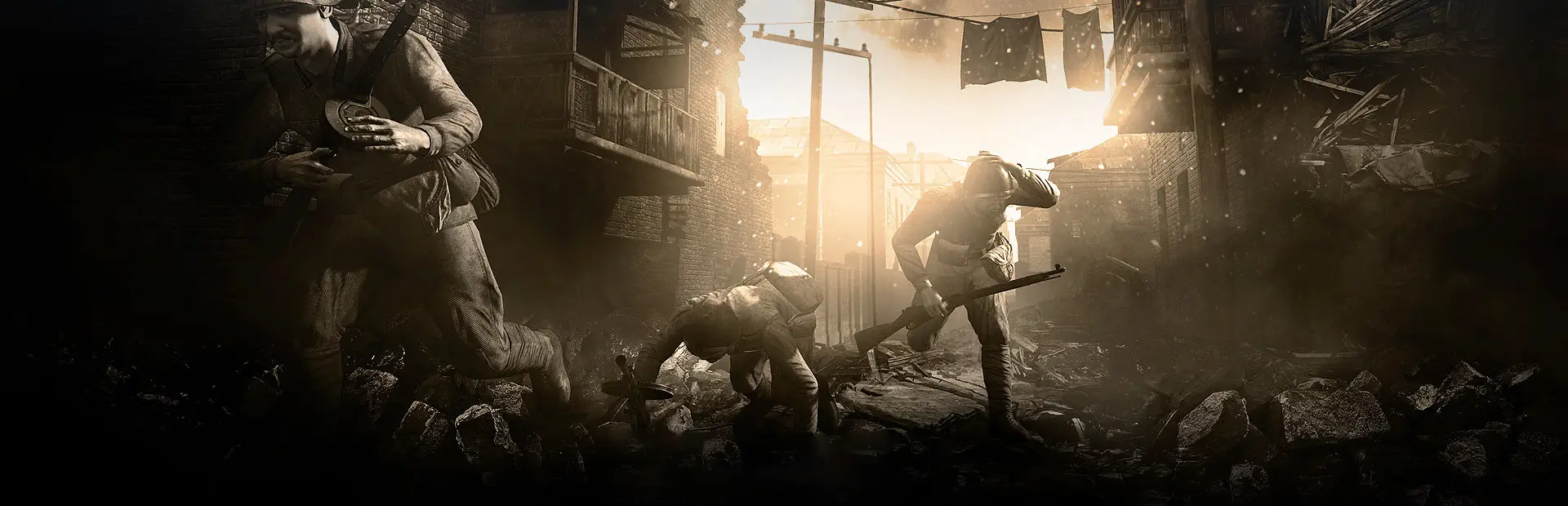
Red Orchestra 2 server hosting: sepia key art of Soviet and German soldiers fighting through a sunlit, ruined Stalingrad street

Stalingrad, the Pacific and the Western Front

Red Orchestra 2 Server Hosting

Red Orchestra 2 server hosting for squads who still want the slow, punishing kind of WWII shooter: one bolt-action shot, cover that matters and tanks crewed from the inside. Run the Stalingrad maps, the Rising Storm Pacific content and the free Heroes of the West mod on a server your clan controls.

Excellent on Trustpilot Hosting since 2004 9 locations 24/7 support in 9 languages

Pick your battle size

Red Orchestra 2 Server Hosting Plans and Prices

Five plans, sized by how many soldiers you want on the map at once. Memory steps up with the bigger plans because large Territory battles keep more of the map, the vehicles and the players busy at the same time. Paying for 3, 6 or 12 months lowers the monthly price.

  1. 12player slots
    5GB RAM

    A clan practice or a six-a-sideClan practice

    • Free 5GB memory tier
    • Countdown and Firefight nights
    • The lowest RO2 price
    €7.00/moMonthly, no contract
  2. 24player slots
    5GB RAM

    Regulars and a few visitors

    • Free 5GB memory tier
    • Room for two full squads a side
    • Good for Search & Destroy
    €14.00/moMonthly, no contract
  3. 32player slots
    8GB RAM

    A lively public serverMost popular

    • 8GB of memory
    • Territory with tanks in play
    • Our pick for most communities
    €22.16/moMonthly, no contract
  4. 48player slots
    8GB RAM

    Busy evenings and event nights

    • 8GB of memory
    • Large Stalingrad and Pacific maps
    • Space for squad leaders and crews
    €26.82/moMonthly, no contract

Every plan: NVMe 7500MB/s · 5.0GHz · Up to 100GB. No setup fee. Upgrades and details

In short

Gaming Deluxe hosts Red Orchestra 2 servers from €7.00/mo, with 12 to 64 player slots and 5GB to 12GB of RAM depending on the plan. Each server runs Tripwire's Red Orchestra 2 / Rising Storm dedicated server on 5.0GHz CPUs and NVMe storage in 9 locations across the UK, France, Germany, the United States and Australia, and is set up automatically once payment clears.

Key facts checked against our order form, updated .

  • 12 to 64 player slotsFrom a clan practice to a full Stalingrad battle
  • 5GB to 12GB RAMBundled with each plan, rising with the slot count
  • Rising Storm includedUS and Japanese maps in the same game
  • Heroes of the WestTripwire-backed free mod for the Western Front
  • Config editorEdit the server's ini files in the browser
  • 9 locationsOne price in the UK, EU, US and Australia
  • DDoS protectionFiltering in front of every server
  • 24/7 support in 9 languagesHosting game servers since 2004

Server control

The Red Orchestra 2 Server Hosting Control Panel

Everything a server admin needs between matches sits in one browser panel: start and stop, the configuration files, Steam updates, scheduled tasks, logs and file access. Nothing has to be installed on your own PC except an SFTP client for larger uploads.

Gaming Deluxe game server control panel with the server menu, connection details and Stop and Restart buttons

The Gaming Deluxe control panel, shown here with a Windrose server. Red Orchestra 2 servers use the same panel.

Configuration Files

Open the server's ini files in the browser editor. RO2 keeps its game rules, map list and admin password in ROGame.ini. Stop the server before you save so it cannot write the old values back.

Steam Update

Pull Tripwire's current build of the dedicated server in one click, or let a scheduled task check for you overnight.

SFTP and File Manager

Small edits in the browser, big map files and logs over SFTP with the login from the panel.

Scheduled Tasks

Daily restarts, update checks and backups at times when the server is empty.

Log Viewer

Read the server log as it is written, which is the quickest way to see why a map or mutator did not load.

Sub-users

Give a clan officer a panel login with only the rights they need, without handing over your account.

Where the game stands

Red Orchestra 2 Today: Rising Storm, Heroes of the West and the Last Updates

Red Orchestra 2: Heroes of Stalingrad launched on Steam on 13 September 2011, and today's Steam edition bundles the Rising Storm Pacific content in the same game. Tripwire's development has since moved on to Rising Storm 2: Vietnam, so the game is finished rather than growing. These are the milestones that still shape a server in 2026.

Release13 September 2011Heroes of the West23 March 2016Last content update14 December 2016

01

Rising Storm in the same install

The Steam edition is sold as Red Orchestra 2: Heroes of Stalingrad with Rising Storm. The US Marines and Imperial Japanese Army maps, such as Otori Shima and Phosphate Plant, sit next to the Stalingrad maps on one server.

02

Reinforcement Update 2.0.0.20

Released on 20 October 2015 with kick vote, team selection and reload sync fixes, heavier machine gun recoil and the Barrikady Factory map as an opt-in beta. Tripwire told server admins to download that map through its own Steam app id.

03

Heroes of the West

A community mod released free on Steam on 23 March 2016 with support from Tripwire and Antimatter Games. It moves the fighting to Western Europe, adds the British, and launched with four maps, five character sets and ten weapons.

04

Winter 2016 update

On 14 December 2016 Heroes of the West added three maps, including Foy and Elsenborn Ridge from the Battle of the Bulge, winter uniforms and a Jeep with a mounted .50 cal.

Maps & modes

Maps, Modes and Mods for Red Orchestra 2 Server Hosting

Red Orchestra 2 ships with a level editor and Steam Workshop support, and Tripwire has a long habit of promoting community content. That gives an RO2 server three sources of maps: the base game, the Rising Storm content and what the community has built since.

Game modes

Territory

The signature mode: attackers push through a chain of objectives while defenders try to hold the line. This is where large slot counts and tanks matter most.

Firefight, Countdown and Search & Destroy

Firefight is Tripwire's team deathmatch, Countdown is single life, and Search & Destroy, added with the Rising Storm Game of the Year update, has teams take turns trying to plant explosives on objectives.

Extra content

Rising Storm maps

Pacific maps such as Otori Shima and Phosphate Plant pit the US against Japan with their own weapons and tactics.

Heroes of the West

Free for owners of the game, with Omaha Beach, Carentan, Port Brest, Oosterbeek and the later winter maps. Players need the mod installed too.

Workshop and custom maps

The game includes the level editor and a Steam Workshop. Custom maps are uploaded to the server over SFTP and added to the map list in the server's ini files.

Valve Anti-Cheat

Steam lists RO2 as Valve Anti-Cheat enabled, so your server keeps the same protection players get on any other VAC server.

Windows

Memory per plan

RAM for Red Orchestra 2 Server Hosting by Slot Count

Tripwire publishes no memory figure for the RO2 dedicated server, so this table is our own sizing for an Unreal Engine 3 server of this age. Memory follows the number of players, vehicles and the size of the map in rotation, which is why the plans step up from the free 5GB tier to 12GB.

  • Clan practice, small maps

    Plan: 12 Slots
    RAM included: 5GB

    When to add more: Not needed for practice and scrims.

  • Regulars on mixed maps

    Plan: 24 Slots
    RAM included: 5GB

    When to add more: Only if you add a lot of custom maps.

  • Public Territory server

    Plan: 32 Slots
    RAM included: 8GB

    When to add more: Rarely. Watch the graph on tank-heavy maps.

  • Busy nights, big maps

    Plan: 48 Slots
    RAM included: 8GB

    When to add more: If Heroes of the West and custom maps share the rotation.

  • Full battles

    Plan: 64 Slots
    RAM included: 12GB

    When to add more: For long event nights with a large map list.

Memory tiers on the order form: 5GB (free), 8GB, 12GB, 16GB, 20GB, 24GB and 32GB. You can change tier later from the client area and keep your files.

Ping matters

Red Orchestra 2 Server Hosting Locations and Ping Test

Pick from 9 locations across the UK, France, Germany, the United States and Australia. With bullet travel and one-shot kills, a low ping makes the game feel fair, so run the test from your own PC and choose the lowest result for most of your players.

LondonUnited Kingdom · Europe -
ParisFrance · Europe -
FrankfurtGermany · Europe -
New York (Buffalo)United States · North America -
DallasUnited States · North America -
Los AngelesUnited States · North America -
ChicagoUnited States · North America -
MiamiUnited States · North America No test
SydneyAustralia · Oceania -

Always-On Protection

Red Orchestra 2 Server Hosting with DDoS Protection

Watch how our multi-layered defence system filters malicious traffic while legitimate connections pass through uninterrupted.

Internet DDoS Protection Game Server

Malicious traffic is filtered at the edge, while legitimate traffic passes through uninterrupted.

Malicious Traffic (Blocked)Legitimate Traffic (Allowed)

At Every Location
Included
Full Protection
Layer 3/4/7
24/7 Active Filtering
Always-On
Added Latency
<1ms

In every plan

What Red Orchestra 2 Server Hosting Includes

No setup fee and no hidden extras. Every plan comes with the following, checked against our order form.

  • Game serverTripwire's Red Orchestra 2 / Rising Storm dedicated server, updated through Steam
  • Player slots12, 24, 32, 48 or 64 here, with other sizes between 12 and 64 on the order form
  • Memory5GB to 12GB bundled with the plans, options up to 32GB
  • Config accessBrowser editor for the server's ini files, plus SFTP
  • Storage100GB NVMe at 7,500MB/s, upgradable to 200GB and 14,000MB/s drives
  • Processor5.0GHz included, 5.2GHz+ and 5.6GHz+ available
  • Locations9, all at the same price
  • Backups7 days of offsite backups, plus your own
  • ProtectionDDoS filtering at every location
  • Support24/7 tickets from a team hosting games since 2004

Optional upgrades

Added at checkout, billed with your plan.

  • Memory AllocationTiers up to 32GBtiered
  • Hard DiskNVMe 14,000Mb/sfrom €5.82
  • CPU Clock Speed5.2GHz+ - 5.6GHz+from €5.82
  • CPU PriorityHigh CPU Priority - Realtime CPU Priorityfrom €5.82
  • VIP Ticket Priority SupportPrioritise My Ticket Pleasefrom €2.32
  • Disk SpaceUp to 120GB - Up to 200GBfrom €8.16

Each plan includes the memory shown on its card. Other slot sizes between 12 and 64, RAM up to 32GB, faster CPUs and bigger drives are on the order form. Every one of the 9 locations costs the same, and longer billing terms bring the monthly price down. Prices read from our order form on 23 October 2026. Taxes, if any, are shown at checkout.

Built for RO2

Red Orchestra 2 Server Hosting Features

The parts of the service RO2 admins use every week.

Ini files in the browser

Change the map list, team balance and passwords without downloading a single file.

One-click Steam updates

Keep the server on the same build as your players, by hand or on a schedule.

Scheduled restarts

A fresh start every day keeps a long-running Unreal Engine 3 server tidy.

Sub-users for officers

Clan admins get their own panel login with limited rights.

DDoS protection

Attack traffic is filtered before it reaches your server.

5.0GHz CPUs, NVMe drives

Fast cores for a steady tick in a 64-player Territory fight, and quick map loads.

Before launch night

Red Orchestra 2 Server Hosting Essentials Before You Order

A few decisions make the first night far smoother.

  1. Decide on the theatre

    Stalingrad, the Pacific, the Western Front or a mix. Your map list decides which content your players need installed.

  2. Tell players about Heroes of the West

    If you run its maps, regulars need the free mod from Steam before they can join those rounds.

  3. Size for your real crowd

    A clan of twenty does not need 64 slots. Start where you are and upgrade when the server fills.

  4. Keep the ini files backed up

    Download your tuned ROGame.ini once it works, so a reinstall never costs you the setup.

  5. Choose by ping

    Test from your players' PCs and pick the closest location. All of them cost the same.

Answers

Red Orchestra 2 Server Hosting Questions

Short answers to what RO2 server owners ask us most.

Getting started

How quickly is my Red Orchestra 2 server ready?

It is created automatically once payment clears, and the login details arrive by email. Most game servers are ready within 20 minutes.

Does the server include the Rising Storm content?

Yes. The Steam edition is Red Orchestra 2: Heroes of Stalingrad with Rising Storm, so the Pacific maps sit beside the Stalingrad maps and you choose which go into the rotation.

Can I run Heroes of the West maps?

Heroes of the West is a free community mod for Red Orchestra 2 / Rising Storm, released on Steam with Tripwire's support. Ask our support team to help you set the server up for it; players need the mod installed to join those maps.

How do I password the server?

Set a game password in the server's ini files from Configuration Files, save with the server stopped, and start it again. Share the password with your clan only.

Maps and settings

Can I add custom maps?

Yes. Upload the map files over SFTP, add them to the map list in the ini files and restart. The game includes a level editor and Steam Workshop support, so there is plenty to choose from.

Which game modes can I run?

Territory, Firefight, Countdown and Search & Destroy are the modes Tripwire lists for the game. Many communities mix Territory with a few Countdown rounds.

Is my server ranked?

Our product is listed on the order form as Red Orchestra 2 (Ranked). Big changes to the rules can affect how a server is listed, so check with our support team before you rework the settings.

Performance

How many players can a Red Orchestra 2 server hold?

Our plans run from 12 to 64 slots, and other sizes in between are on the order form. 64 is the largest we sell for RO2.

How much RAM does an RO2 server need?

Less than modern games. The smaller plans run on the free 5GB tier, the middle plans on 8GB and the 64 slot plan on 12GB, which covers large maps and full teams.

Which location should I choose?

Run the ping test on this page from a few of your players' PCs and pick the lowest common result. All 9 locations are priced the same.

Billing

How much does Red Orchestra 2 server hosting cost?

The 12 slot plan is the cheapest at €7.00 a month. 3, 6 and 12 month terms lower the monthly cost, as the plan table shows.

Can I change plan later?

Yes. Upgrade slots, memory, CPU or disk from the client area at any time. You pay the difference and your files stay where they are.

Is there a minimum term?

No. Monthly plans can be cancelled whenever you like. Longer terms are paid up front at a lower monthly rate.

The complete guide · 5 min read

Red Orchestra 2 Server Hosting: The Complete Guide

Red Orchestra 2 is now well over a decade old, and the servers still running it are kept alive by clans and veterans who like their WWII hard. This guide covers what a hosted RO2 server involves today: the content it carries, the modes, sizing, configuration, community maps and how to keep a small but loyal player base coming back.

By , Owner, Gaming DeluxePublished · Updated

In this guide
  1. Why Run a Red Orchestra 2 Server in 2026
  2. What One RO2 Server Can Carry
  3. Choosing Game Modes for Your Community
  4. Picking a Plan Size
  5. Configuration: Ini Files, Passwords and the Map List
  6. Community Maps and Heroes of the West
  7. Running a Healthy RO2 Community
  8. What to Compare Before You Rent an RO2 Server
  9. Red Orchestra 2 Server Glossary
  10. Red Orchestra 2 Server Help and Next Steps

Why Run a Red Orchestra 2 Server in 2026

Tripwire set Red Orchestra 2 in the Battle of Stalingrad, from July 1942 to February 1943, and built it around things most shooters skip: a first person cover system with peeking and blind fire, ballistics and bullet penetration, morale, and tanks fought from fully modelled interiors with an AI crew. The result is a game where a single rifle round decides a fight and a careless sprint across an open square ends your life.

That style never had a true replacement. Rising Storm 2: Vietnam carried the ideas forward to another war, but players who want Stalingrad, Pacific islands or the Western Front still come back here. Because the player base is smaller than at launch, a server with a stable name, a good map rotation and an active admin team is what keeps a community together. That is the main reason to rent your own rather than hope a public server is still up.

What One RO2 Server Can Carry

The Steam edition of the game is Red Orchestra 2: Heroes of Stalingrad with Rising Storm. On the server side, that means one installation covers several theatres:

  • Heroes of Stalingrad: German and Soviet forces in the city and the operations around it.
  • Rising Storm: the US against Japan on Pacific maps such as Otori Shima and Phosphate Plant.
  • Heroes of the West: a free community mod, released on Steam in March 2016 with Tripwire's support, that adds the Western Front, the British and maps from Omaha Beach to the Battle of the Bulge.
  • Community maps: made with the game's level editor and shared through the Steam Workshop.

Most communities pick a focus. A Stalingrad server feels different from a Pacific one, and a server that switches theatre every round can confuse new players. Whatever you choose, list it in the server name so people know what they are joining.

Choosing Game Modes for Your Community

ModeHow it playsGood for
TerritoryAttackers take objectives in order, defenders holdLarge publics and event nights
FirefightTripwire's team deathmatchWarm-ups and quiet hours
CountdownSingle life per roundClan matches and tense small games
Search & DestroyTeams take turns planting explosives on objectivesCompetitive groups and scrims

Territory is the mode most people picture when they think of Red Orchestra, and it is the one that benefits most from a high slot count. Countdown and Search & Destroy work well on the smaller plans, where every player knows the others by name.

Picking a Plan Size

Slots decide the plan, and memory follows. Our plans start at 12 slots on the free 5GB tier and climb to 64 slots with 12GB, which is the largest RO2 server on our order form. A rough way to choose:

  • 12 slots: a clan training server or six-a-side Countdown.
  • 24 slots: a regular group with room for visitors.
  • 32 slots: the sweet spot for a public Territory server, with 8GB of memory.
  • 48 slots: busy evenings, larger maps and vehicles in play.
  • 64 slots: organised events and the biggest publics.

An empty large server looks dead in the browser, and players skip it. It is usually better to start one size smaller, fill it, and upgrade from the client area once it is full most nights. Your files and settings stay in place when you change plan.

Configuration: Ini Files, Passwords and the Map List

Like other Tripwire games on Unreal Engine 3, RO2 is configured through ini files rather than a single config script. ROGame.ini holds most of what an admin changes: the server name, game and admin passwords, the map rotation and the rules for each mode. Our Configuration Files page opens these files in the browser.

  1. Stop the server first. A running server can write its own values back on shutdown and undo your edit.
  2. Open the ini file, change one group of settings at a time and save.
  3. Start the server and check the log viewer for errors before you announce the change.
  4. Download a copy of the working file, so you have a known good version to go back to.

Community Maps and Heroes of the West

Tripwire has a long history of showcasing community work, and Heroes of the West is the clearest example. It started as a community project, was released free on Steam for owners of Red Orchestra 2 / Rising Storm, and received further maps in its Winter 2016 update, including Foy and Elsenborn Ridge. On a server, it gives you a whole new front without anyone buying anything.

For other custom maps, upload the files over SFTP and add each map to the rotation in the ini files. When Tripwire released the Barrikady Factory beta map in 2015, it asked server admins to download it through a separate Steam app id, a reminder that some extra content needs its own download step on the server. If a map does not appear after a restart, the log viewer usually says why, and our support team can help.

Running a Healthy RO2 Community

  • Keep the name stable: returning players search for it. Add the theatre or mode to the name, not a new slogan every week.
  • Schedule restarts: a daily restart at an empty hour keeps long sessions smooth.
  • Plan event nights: a fixed weekly time fills a server far better than hoping people turn up.
  • Back up before changes: take a backup before a new map pack, on top of the 7 days of offsite copies we keep.
  • Share the load: sub-users let officers restart the server or edit settings without your password.

Tripwire's later releases have gone to Rising Storm 2: Vietnam, and RO2's last content update arrived in December 2016. That makes the game stable: what works today will keep working, and an admin's job is mostly community building rather than chasing patches.

What to Compare Before You Rent an RO2 Server

Many hosts list Red Orchestra 2. These are the questions that separate them.

  1. Ini file accessYou should be able to edit the server's own configuration files, not just a few fields in a form.
  2. Slot sizesCheck the host sells the sizes you need, from a small clan server to a 64-player battle.
  3. SFTP for mapsCustom maps and mod content are far easier to manage with real file access.
  4. Location and pingLook for a data centre near your players and a ping test you can run first.
  5. BackupsAsk how long offsite backups are kept and whether you can restore them yourself.
  6. Monthly cost per slotCompare like for like on monthly and longer terms, including any setup fee.

Red Orchestra 2 Server Glossary

Territory
RO2's objective mode, where attackers capture areas in sequence.
Countdown
A single-life mode: die and you wait for the next round.
Rising Storm
The Pacific War content, US against Japan, included in the Steam edition.
Heroes of the West
A free community mod for RO2 / Rising Storm set on the Western Front.
ROGame.ini
The main configuration file for game rules, passwords and maps.
Ranked server
How our order form lists the RO2 product, as opposed to a heavily customised server.
VAC
Valve Anti-Cheat, which Steam lists as enabled for RO2.
Workshop
Steam's library of community maps and content for the game.

Red Orchestra 2 Server Help and Next Steps

Guides for the jobs you will do most.