


The complete guide · 4 min read
Red Orchestra Server Hosting Explained: A Complete Guide
This guide covers running a Red Orchestra: Ostfront 41-45 server in 2026: why the game still has a following, how infantry and armour shape a server, choosing a size, custom maps, the official mods and how to keep an old community healthy.
By Matthew Griffin, Owner, Gaming DeluxePublished · Updated
In this guide
- Why Ostfront 41-45 Still Has a Following
- Infantry, Tanks and Artillery: What Shapes a Round
- Choosing a Server Size
- Custom Maps and the Map Contest Legacy
- Mare Nostrum, Darkest Hour and Other Official Mods
- Keeping an Old Community Healthy
- What to Compare Before You Rent a Red Orchestra Server
- Red Orchestra Server Glossary
- Red Orchestra Server Help and Next Steps
Why Ostfront 41-45 Still Has a Following
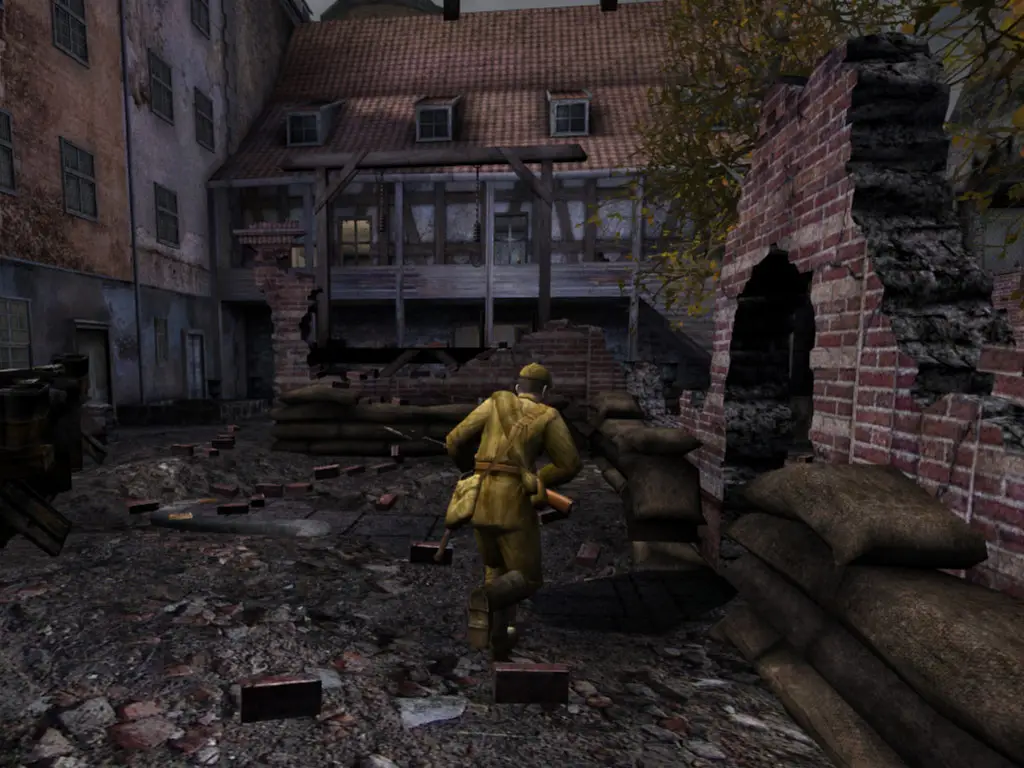
When Red Orchestra: Ostfront 41-45 reached Steam in March 2006, its pitch was realism. Steam's store page still lists the features that made it stand out: realistic bullet and projectile ballistics, 3D iron sights and scopes, resting rifles on cover, leaning and diving over obstacles, a historically accurate artillery system and a distance-based sound system that builds the noise of a battle around you.
It is also the only shooter of its era to focus entirely on the Russian Front. Players fight as infantry with one of 30 authentic weapons, or crew one of 16 vehicles, from half-tracks to the famous German and Soviet heavy tanks, with full interiors. Many of today's Red Orchestra 2 and Rising Storm veterans started here, and some communities simply prefer the original's pace.
Infantry, Tanks and Artillery: What Shapes a Round
Ostfront rounds are combined arms. Tank crews engage each other at 800 metres and more, according to Steam, while infantry fight for objectives through villages, trenches and city ruins. An officer with a radio can call in artillery, and the Soviet IS-2's 122mm gun is one of the heaviest weapons in the game.
- Infantry maps such as Leningrad, with fighting in the streets, the buildings and the sewers below, play well on 24 to 32 slots.
- Armour maps such as Krivoi Rog, 16 square kilometres with a 3,000 metre view, were built for up to 50 players.
- Mixed rotations keep both crowds happy and suit a 32 or 48 slot server.
Voice over IP is built into the game, which Steam highlights for coordinating strategy. On a unit server, that often matters as much as the map: a tank commander talking to his crew and an officer calling the barrage.
Choosing a Server Size
Red Orchestra servers have always run large. Steam lists 50+ player online multiplayer, and in 2009 Tripwire announced two new 60-player servers in Europe to celebrate an update. Our plan suggestions:
| Plan | Typical use |
|---|---|
| 12 Slots | Training, tank crew drills, testing maps |
| 24 Slots | Clan matches on infantry maps |
| 32 Slots | A regular community server with a mixed cycle |
| 48 Slots | Big armour maps at close to their design size |
| 64 Slots | The largest public battles |
The order form also sells the sizes in between, from 14 to 28 slots in steps of two, so you can match the server exactly to your unit. You can raise the slots later from the client area without losing anything.
Custom Maps and the Map Contest Legacy
Tripwire has always leaned on its mappers. The Spring 2007 update added ten winners of its Custom Map Competition, which Tripwire polished and balanced with the authors. Smolensk Stalemate, the contest winner, offers to-and-fro infantry combat through villages and trenches in August 1943. Berezina introduced the BT-7 light tank and the game's first working anti-tank gun.
- Stop the server from the panel.
- Upload the map files to the server's map folder with the file manager or SFTP.
- Add the map to the map list in the server config.
- Start the server and check the log to make sure the map loads.
- Keep a stock map in the list as a safe fallback.
Players who join need the same map files, so tell your community before a new map goes into the cycle, and keep the list short enough that newcomers are not put off.
Mare Nostrum, Darkest Hour and Other Official Mods
In October 2008 Tripwire announced that Red Orchestra mods would come to Steam, free to every owner and updated through Steam like the game. Mare Nostrum was first. Darkest Hour followed in June 2009 as an official mod that brought the Americans into Red Orchestra, with Normandy, Operation Market Garden, the Battle of the Bulge, airborne drops and late war tanks.
Darkest Hour kept going long after the base game's last update. Darklight Games released version 6.0 in January 2016, and Tripwire's March 2019 anniversary post promoted the Darkest Hour: Europe '44-'45 update with squads, rally points, constructions such as hedgehogs and sandbags, and logistics trucks. These mods are separate Steam apps with their own server files, so ask support before ordering if you want to host one.
Keeping an Old Community Healthy
A game from 2006 lives on its regulars. The servers that stay busy tend to share a few habits: a fixed event night each week, a map cycle that changes slowly, clear rules on team killing and vehicle use, and admins who are around when the server is full. A scheduled restart each morning and backups of your config mean the server is always in the same state when people arrive.
If your community also plays the sequels, our Rising Storm server hosting and Rising Storm 2: Vietnam server hosting pages cover the later Tripwire games.
What to Compare Before You Rent a Red Orchestra Server
Few hosts still sell Ostfront 41-45. If you are comparing, these are the points that matter.
- Ostfront, not RO2Red Orchestra 2 is a different game and server. Make sure the offer is the 2006 original.
- Real file accessCustom maps go in as files. A settings page alone is not enough.
- Big sizes and small stepsArmour maps want 48 or more players; training wants a handful. Look for both.
- ModsDarkest Hour and Mare Nostrum have their own server files. Ask before buying.
- Backup historyYears of config tuning should survive a bad edit. Ask how many days are kept.
- Ping from your PCTank gunnery at range rewards low latency. Test it first.
Red Orchestra Server Glossary
- Ostfront 41-45
- The 2006 Red Orchestra game set on the Eastern Front.
- Combined arms
- Infantry and armour fighting together on the same map.
- Iron sights
- Aiming down a weapon's own sights, modelled in 3D in Red Orchestra.
- Weapon deployment
- Resting a rifle or machine gun on cover for a steadier aim.
- Artillery strike
- A barrage called in by an officer with a radio.
- Krivoi Rog
- The large 2007 tank map built for up to 50 players.
- Darkest Hour
- The free official mod that brought the Western Front to Red Orchestra.
- Mare Nostrum
- The first Red Orchestra mod published through Steam.
Red Orchestra Server Help and Next Steps
Official pages and our own guides.
How this guide was made: researched from the Steam store and Tripwire's announcements on Steam (Tripwire's own wiki blocks automated reads), drafted with AI assistance, checked against our live order form for every plan, price and location, and reviewed by Matthew Griffin before publishing. Spotted something out of date? Tell us.
Sources, checked 23 October 2026:
- Red Orchestra: Ostfront 41-45 on Steam (Tripwire, 14 March 2006, Windows, Mac and Linux, 16 vehicles, 30 weapons, 50+ players, 800 metre tank combat, Spring and Summer 2007 updates, Krivoi Rog, 512MB minimum RAM)
- Red Orchestra news on Steam, Tripwire (mods on Steam and Mare Nostrum, October 2008; achievements and Fallen Heroes, March 2009; 60-player servers; player count fix, April 2009; Darkest Hour, June 2009; Mod Hall of Fame, December 2010; Darkest Hour 6.0, January 2016; 13th anniversary, March 2019)
- Tripwire Interactive wiki (blocks automated reads, not used)
- Gaming Deluxe order form, Red Orchestra