
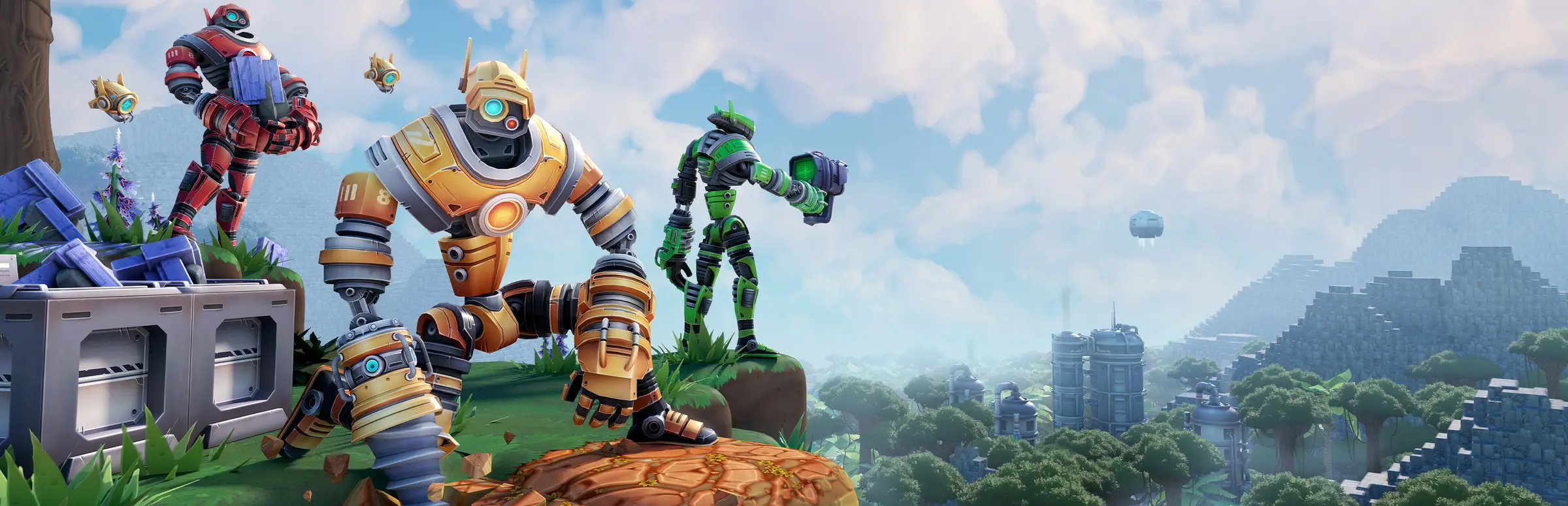
Foundry server hosting: worker robots stand on a cliff above a voxel valley with a factory town in the distance

Keep the conveyors turning around the clock

Foundry Server Hosting

Foundry server hosting for co-op engineers whose production lines should not freeze the moment the founder closes the game. Your voxel world, the smelter rows and the train network stay reachable day and night, so whoever logs in first can pick up the next research goal.

Excellent on Trustpilot Hosting since 2004 9 locations 24/7 support in 9 languages

Size your team

Foundry Server Hosting Plans and Prices

Foundry is sold by the slot, so the order form has a slider from 8 to 32. These four cards are handy stopping points, each paired with a memory size that grows as the team does. Longer billing cycles lower the monthly figure.

  1. 8player slots
    5GB RAM

    A small co-op team sharing one baseBest for small teams

    • 5GB of memory at no extra cost
    • Room for the 2 to 4 players the game is tuned for
    • Cheapest way to start a world
    €7.92/moMonthly, no contract
  2. 16player slots
    8GB RAM

    A community group with several outpostsGrowing group

    • 8GB of memory bundled
    • Space for friends of friends
    • Comfortable for long-running saves
    €19.33/moMonthly, no contract
  3. 24player slots
    12GB RAM

    A busy public worldCommunity size

    • 12GB of memory bundled
    • Headroom for big rail networks
    • Good for open community servers
    €31.92/moMonthly, no contract
  4. 32player slots
    16GB RAM

    The top of the sliderLargest plan

    • 16GB of memory bundled
    • Matches the 32 in the official app.cfg example
    • For large groups and megabases
    €44.50/moMonthly, no contract

Every plan: NVMe 7500MB/s · 5.0GHz · Up to 100GB. No setup fee. Upgrades and details

At a glance

Gaming Deluxe runs Foundry dedicated servers from €7.92/mo, with 8 to 32 player slots set on an order form slider and 5GB to 16GB of memory across our four suggested plans. Every server uses Channel 3's official FOUNDRY Dedicated Server on 5.0GHz processors and NVMe drives in 9 locations in the UK, France, Germany, the US and Australia, and it is built for you automatically minutes after payment.

Key facts checked against our order form, updated .

  • 8 to 32 slotsPick any count on the slider
  • 5GB to 16GB RAMMemory steps up with each plan
  • app.cfg in the panelName, password, world, seed, autosave
  • Steam Workshop gameOfficial Mod Kit since Update 1
  • 9 locationsUK, EU, US and Sydney, one price
  • 7 days of offsite copiesRestore a world from the panel
  • DDoS filteringAt every data centre we use
  • 24/7 support in 9 languagesGame server hosts since 2004

Run the factory

Managing Your Foundry Server Hosting from the Web Panel

At home the FOUNDRY dedicated server is a Windows program you configure by writing an app.cfg file beside the exe. On our servers that file, the save folders and the start and stop buttons all sit in one browser tab.

Gaming Deluxe game server control panel with the server menu, connection details and Stop and Restart buttons

The Gaming Deluxe control panel, pictured with a Windrose server. Foundry servers use the same panel and menu.

Config file editor

Open app.cfg and set server_name, server_password, autosave_interval or server_is_public without downloading anything. A restart loads the new values.

File Manager and SFTP

Browse the world folders the server writes, or push a large save across with an SFTP client when the browser upload feels slow.

Backup Manager

Freeze a copy of the factory before you tear down a production line or try a new layout, then roll back if the rebuild goes sideways.

Scheduled Tasks

Queue a nightly restart, an automatic backup or a console command at a time that suits your group.

Steam Update

Pull the latest FOUNDRY: Dedicated Server build from Steam when Channel 3 ships a patch, so the server matches the game your team runs.

Web Console, Log Viewer and Server Details

Watch the server boot, read the log if a world refuses to load, and copy the address and ports to share.

Early Access timeline

Foundry Server Hosting Through Early Access Updates

FOUNDRY entered Early Access on Steam on 2 May 2024 and is still in Early Access. Channel 3's DevBlog #112 from 18 September 2026 describes the studio as on its way to version 1.0, without a date, so expect more big updates before then.

Early Access2 May 2024Foundry 4.028 April 2026Version 1.0Announced, no date yet

01

Foundry 4.0: Rails and Reactors

Released on 28 April 2026 with Hotfix #2 following on 4 May. It brought trains, the Xeno Power Plant, an info overlay, a construction drone, new assembly line robots, neon decor and a modular casting machine.

02

Announced next

DevBlog #113 on 2 October 2026 previewed blueprints, new loaders, conveyor lifts and train improvements. No release date has been given, so treat the timing as open.

03

Update 1: Cable and Creations

On 13 August 2024 the first major update added Steam Workshop support, a Workshop uploader and the Foundry Mod Kit.

04

Versions must match

The official dedicated server page is clear that server and game versions have to be the same. After any patch, run Steam Update in the panel and restart before your team reconnects.

Workshop & platforms

Mods, Workshop and Platforms for Foundry Server Hosting

Channel 3 added official modding in the first major update, with Steam Workshop and a Unity based Mod Kit. FOUNDRY itself is a Windows game on Steam, so everyone on your server plays from a PC.

Mods

Steam Workshop

Update 1 switched on Workshop support, so players can browse and subscribe to community creations from Steam.

Foundry Mod Kit

Modders build content in a Unity project released by the developer and publish it with the official Workshop uploader.

Mods on a server

Official notes do not spell out how each mod behaves on a dedicated server. Check the mod's own page, keep everyone on the same set, and take a backup before adding one. Our support team will help.

Platforms

Windows on Steam

FOUNDRY is sold on Steam for Windows. The official FAQ also mentions Steam Deck and GeForce NOW.

No crossplay question

There are no console editions, so there is no crossplay setting to manage. Every player connects through Steam.

Steam (Windows)Steam DeckGeForce NOW

Memory for machines

How Much RAM Foundry Server Hosting Needs

Neither Channel 3 nor Paradox publishes memory or CPU figures for the dedicated server, so the RAM in each plan is our own sizing: 5GB on the 8 slot plan rising to 16GB on 32. A world's needs grow with how much you have built, not just with who is online.

  • 2 to 4 friends, early research

    Plan: 8 Slots
    RAM included: 5GB

    When to go higher: Seldom needed while the base is compact.

  • Up to 16 players, several outposts

    Plan: 16 Slots
    RAM included: 8GB

    When to go higher: Move up a tier if the panel's memory graph runs close to the line in long sessions.

  • Public world, trains across the map

    Plan: 24 Slots
    RAM included: 12GB

    When to go higher: Large rail networks and many machines are the usual reason to add more.

  • Up to 32 players, megabase

    Plan: 32 Slots
    RAM included: 16GB

    When to go higher: Try 20GB or 24GB for sprawling worlds, and 32GB is the top tier.

Memory tiers on the order form: 5GB, 8GB, 12GB, 16GB, 20GB, 24GB and 32GB. Upgrading later from the client area leaves your world untouched.

Close to your team

Foundry Server Hosting Locations and Ping Test

9 data centres: the UK, France, Germany, New York Buffalo, Dallas, Los Angeles, Chicago, Miami and Sydney. Test from the PC you play on, and choose the result that is lowest for most of the team.

LondonUnited Kingdom · Europe -
ParisFrance · Europe -
FrankfurtGermany · Europe -
New York (Buffalo)United States · North America -
DallasUnited States · North America -
Los AngelesUnited States · North America -
ChicagoUnited States · North America -
MiamiUnited States · North America No test
SydneyAustralia · Oceania -

Always-On Protection

Foundry Server Hosting with DDoS Protection

Watch how our multi-layered defence system filters malicious traffic while legitimate connections pass through uninterrupted.

Internet DDoS Protection Game Server

Malicious traffic is filtered at the edge, while legitimate traffic passes through uninterrupted.

Malicious Traffic (Blocked)Legitimate Traffic (Allowed)

At Every Location
Included
Full Protection
Layer 3/4/7
24/7 Active Filtering
Always-On
Added Latency
<1ms

Every plan has

What Comes with Every Foundry Server Hosting Plan

There is no setup charge and nothing extra to buy before you lay the first conveyor. Every item below comes from our order form.

  • Server programThe official FOUNDRY: Dedicated Server from Steam, updated with one click
  • SlotsAny number from 8 to 32, chosen on the order slider
  • RAM5GB to 16GB across our suggested plans, with tiers up to 32GB
  • Disk100GB of NVMe at 7,500MB/s; 14,000MB/s drives and up to 200GB as add-ons
  • CPU5.0GHz as standard, with 5.2GHz+ and 5.6GHz+ options
  • Data centres9 worldwide, each at the same price
  • Settingsapp.cfg editable in the browser, plus full file access over SFTP
  • BackupsOffsite copies kept for 7 days and on-demand snapshots in the panel
  • NetworkDDoS protection at every site
  • HelpTickets answered 24/7 by a team that has hosted game servers since 2004

Optional upgrades

Added at checkout, billed with your plan.

  • Memory AllocationTiers up to 32GBtiered
  • Hard DiskNVMe 14,000Mb/sfrom €5.82
  • CPU Clock Speed5.2GHz+ - 5.6GHz+from €5.82
  • CPU PriorityHigh CPU Priority - Realtime CPU Priorityfrom €5.82
  • VIP Ticket Priority SupportPrioritise My Ticket Pleasefrom €2.32
  • Disk SpaceUp to 120GB - Up to 200GBfrom €8.16

Each card's price already covers the memory listed on it. You can set any slot count between 8 and 32 on the order form, and choose RAM tiers up to 32GB. Prices are identical in all 9 locations, so choose by ping, not by cost. Prices read from our order form on 21 October 2026. Taxes, if any, are shown at checkout.

Made for engineers

Foundry Server Hosting Features

The parts that matter most once your factory starts to sprawl.

A world that waits for nobody

Teammates in different time zones can log in whenever they like, without the founder online.

Pause when empty, or not

Flip pause_server_when_empty to decide whether production stops while nobody is connected.

Password or public

Use server_password for a private crew, or server_is_public to list the world for anyone.

Seeded worlds

Set mapseed before generating a fresh world to share a map you liked.

Snapshots before big rebuilds

Capture the save before reworking a smelter wing and restore it in minutes if needed.

High clock CPUs

5.0GHz cores and NVMe drives help a world full of machines and trains keep pace.

First shift checklist

Foundry Server Hosting Essentials for Day One

A short checklist that avoids the usual first evening snags.

  1. Name the world folder

    server_world_name is the name of the save folder the server loads. Set it before the first start, and keep it unchanged to stay on the same world.

  2. Pick the seed early

    mapseed shapes a newly generated world. Decide on it before the world is created, because changing it later is not documented as affecting a world that already exists.

  3. Choose an autosave interval

    autosave_interval is in seconds, and the official example uses 300. A shorter gap means less lost work after a crash.

  4. Two ports, already open

    The game port defaults to 3724 and the query port to 27015. Our network has them open, and Server Details shows what to hand out.

  5. Match versions after patches

    If players cannot connect after an update, run Steam Update and restart. Mismatched builds are the most common cause.

Questions

Foundry Server Hosting FAQ

Quick answers to what new factory owners ask us.

Setting up

How soon can we play after ordering?

Your Foundry server is created automatically once payment goes through, and the login details are emailed straight away. A few minutes is typical.

How do my teammates connect?

They can find the server in the Steam server browser if it is public, or use Multiplayer, then IP Direct Connect, with the address and port from Server Details in the panel.

Where do I change the server name and password?

In app.cfg, using server_name and server_password. Edit it in the panel's config editor and restart the server.

Which data centre should we choose?

Use the ping test on this page from the computer you play on. All 9 locations cost the same, so the lowest ping for most of your team wins.

Players and worlds

How many players can a Foundry server hold?

The official FAQ says the game is designed around 2 to 4 players on a server but has no hard limit, and the official app.cfg example sets server_max_players to 32. Our slider sells 8 to 32 slots. As the game is in Early Access, how well very large groups play depends on the current build.

Can I bring my single-player world to the server?

The official server page does not document a transfer method, so we cannot promise it works for every save. Our support team will try it with you: upload the world folder, then point server_world_name at that folder name.

Does the factory keep running when nobody is online?

That is your choice. Set pause_server_when_empty to true to stop the world while it is empty, or false to keep it running.

Does Foundry support mods or crossplay?

Mods yes: Steam Workshop and an official Mod Kit arrived in Update 1. Crossplay is not a topic, because the game is PC only on Steam.

Updates and backups

What should I do when Foundry updates?

Run Steam Update in the panel and restart. The server and the game must be on the same version, so players on the new build cannot join an older server.

How are backups handled?

The server autosaves at the interval in app.cfg. On top of that we keep offsite copies for the last 7 days, and you can take your own snapshots in Backup Manager at any time.

When does Foundry reach version 1.0?

Channel 3 has said it is working towards 1.0 but has not given a date. We will keep the server software current through Early Access and beyond.

Plans and payment

What does Foundry server hosting cost?

The 8 slot plan starts at €7.92 a month. The plans table lists every card for 1, 3, 6 and 12 month cycles, and the longer cycles work out cheaper per month.

Can I add slots or RAM later?

Yes, from the client area at any time. Move the slot count, pick a bigger memory tier or add a faster CPU, and your world stays where it is.

Do I have to sign a contract?

No contract and no setup fee. Monthly plans roll on until you cancel, while 3, 6 and 12 month terms are paid in advance at a reduced rate.

The complete guide · 6 min read

The Complete Guide to Foundry Server Hosting

A practical walk through running a FOUNDRY world on a dedicated server: why it helps a co-op team, the app.cfg file key by key, slot and memory choices, worlds and seeds, updates through Early Access, Workshop mods and how players connect. Written for whoever ends up being the team's server admin.

By , Owner, Gaming DeluxePublished · Updated

In this guide
  1. Why a Factory Game Benefits from a Dedicated Server
  2. Configuring the Server with app.cfg
  3. Choosing a Slot Count and Memory Size
  4. Worlds, Seeds and Save Folders
  5. Updates Through Early Access
  6. Workshop Content and the Mod Kit
  7. Ports and How Players Join
  8. What to Compare Before Renting a Foundry Server
  9. Foundry Server Glossary
  10. Foundry Server Help and Further Reading

Why a Factory Game Benefits from a Dedicated Server

Automation games reward patience. You plan a smelting line, wait for ore to flow, then spend the next session expanding it. In a hosted co-op game that rhythm breaks whenever the person who owns the save is away, because the world only exists while their copy of FOUNDRY is running. Everyone else has to wait, or play on a separate world that never joins up with the shared one.

Channel 3 Entertainment publishes a separate program for this, listed in the Steam Tools library as FOUNDRY: Dedicated Server. It runs the world on its own, without anyone playing on that machine. You can run it on a home PC, but that PC then has to stay switched on, keep two ports open on your router and push every player's traffic through your home upload. A hosted server moves that job to a data centre with a fixed address, DDoS filtering and staff on hand at any hour.

The other benefit is fairness. When the world lives on a neutral server, nobody's PC carries the extra load of hosting while also playing, and the night owl in the team can tidy the logistics while the early risers are asleep.

Configuring the Server with app.cfg

The official dedicated server page explains that settings go in a file called app.cfg, created in the same folder as FoundryDedicatedServer.exe. At home you would then start the server with FoundryDedicatedServerLauncher.bat. On Gaming Deluxe the panel starts the server for you, and app.cfg opens in the browser config editor. These are the keys the official page lists:

KeyPurposeDefault or example
server_nameName players see in the server browserYour choice
server_passwordKeeps the world privateOptional
server_world_nameName of the save folder to loadYour choice
pause_server_when_emptyStops the simulation with nobody onlinetrue or false
autosave_intervalSeconds between automatic saves300 in the example
server_is_publicLists the server publiclytrue or false
server_portGame connection port3724
server_query_portPort the browser queries27015
mapseedSeed for a newly generated worldAny seed
server_max_playersHow many can be connected at once32 in the example
server_persistent_data_override_folderMoves where saves are storedLeave as set by us

Choosing a Slot Count and Memory Size

Paradox's FAQ describes FOUNDRY as designed towards 2 to 4 players on one server, while stating there is no hard limit. The example app.cfg on the official server page uses 32 for server_max_players, and our order form slider runs from 8 to 32. Any whole number in between can be chosen.

For a regular group of friends, the 8 slot card is the obvious start: it leaves spare seats for guests and bundles 5GB of RAM. Bigger communities can step to 16, 24 or 32 slots, which come with 8GB, 12GB and 16GB. Those memory sizes are our own judgement, because no official RAM or CPU figures are published for the server.

Memory use in factory games tends to follow the size of the build. A world with long conveyor runs, dozens of assemblers and a train network spanning the map simply has more to keep track of. Watch the memory graph in the panel during a busy evening. If it hovers near the ceiling, move up a tier from the client area; the order form offers up to 32GB, and the change keeps your save.

Remember too that FOUNDRY is in Early Access. Performance with very large groups depends on the build of the day, so if you plan a big public world, start sensibly and grow the plan once you see how the server copes.

Worlds, Seeds and Save Folders

Two keys decide which world the server runs. server_world_name holds the name of the save folder the server works with, so keep it the same to stay on the same world. mapseed only matters when a fresh world is generated, so settle on it before the first start.

On a Windows PC running the dedicated server, saves land under C:\Users\%USER_NAME%\AppData\LocalLow\Channel 3 Entertainment\FoundryDedicatedServer\save. On our servers the panel's File Manager shows the equivalent folder, and SFTP is the quickest way to pull a copy down to your own machine.

  1. Stop the server from the panel.
  2. Take a snapshot in Backup Manager.
  3. Upload the world folder you want into the save directory.
  4. Set server_world_name to that folder's name in app.cfg.
  5. Start the server and check the Web Console as it loads.

Those steps are a general approach, not an official procedure. The official page does not document moving a single-player save to a server, so we cannot guarantee it for every world. Our team is happy to try it with you.

Updates Through Early Access

FOUNDRY has been in Early Access since 2 May 2024 and receives large numbered updates. The most recent, Foundry 4.0 Rails and Reactors on 28 April 2026, brought trains, the Xeno Power Plant, an info overlay, a construction drone, new robots for assembly lines, neon decor and a modular casting machine. Hotfix #2 followed on 4 May 2026.

Channel 3's DevBlog #113 on 2 October 2026 previewed what comes next: blueprints, new loaders, conveyor lifts and train improvements. There is no date for that update, nor for version 1.0, which DevBlog #112 says the team is heading towards.

Whatever the patch, one rule holds: the official server page says the server and the game must run the same version. When Steam updates the game on your PC, run Steam Update in our panel and restart. Snapshot the world first if the patch notes mention big changes, so you have a way back if something behaves oddly.

Workshop Content and the Mod Kit

Update 1, Cable and Creations, released on 13 August 2024, opened FOUNDRY to modding with three things: Steam Workshop support, a Workshop uploader and the Foundry Mod Kit, which is a Unity project modders use to build new content.

  • Keep the whole team on the same mod list, just as everyone must share the game version.
  • Read each mod's Workshop page for notes on multiplayer or dedicated servers, since official notes do not cover every case.
  • Back up before adding or removing a mod, so you can return to a clean copy if the world misbehaves.

Ports and How Players Join

The dedicated server listens on a game port, 3724 by default, and a query port, 27015 by default, which answers the Steam server browser. At home both would need forwarding; on our servers they are open already and Server Details shows the address.

Players can join in two ways. With server_is_public enabled, the world appears in the Steam server browser. Otherwise, or as a shortcut, they open Multiplayer, pick IP Direct Connect and type the address and port. Add server_password if you want only your team inside.

What to Compare Before Renting a Foundry Server

A few checks that show whether an offer will still suit you once the factory grows.

  1. Flexible slot countsThe game has no hard player cap, so a slider that lets you pick the exact size saves paying for empty seats.
  2. Bundled memorySee how much RAM the base price covers and what each extra tier costs once your world gets big.
  3. Direct app.cfg accessYou should be able to edit every key yourself, including the pause, autosave and visibility settings.
  4. Quick version updatesCheck that you can update the server yourself the moment a patch lands, since mismatched versions block joins.
  5. Self-service restoresAsk how many days of offsite backups are kept and whether you can restore without waiting on a ticket.
  6. Terms and feesCompare cycle discounts and look for setup charges or minimum periods.

Foundry Server Glossary

FOUNDRY: Dedicated Server
Channel 3's standalone program, in the Steam Tools library, that hosts a world without a player.
app.cfg
The plain settings file beside the server exe that holds name, password, world, ports and more.
server_world_name
The save folder name the server loads or creates.
mapseed
The value used to generate a new world's terrain.
Autosave interval
Seconds between automatic saves, set with autosave_interval.
Query port
The port the Steam server browser asks for server info, 27015 by default.
IP Direct Connect
The Multiplayer menu option for joining a server by address and port.
Foundry Mod Kit
The official Unity project used to make Workshop mods.

Foundry Server Help and Further Reading

Official pages and our own guides for running your world.

About this guide: built from Channel 3's official dedicated server page, Paradox's FOUNDRY FAQ, Steam patch notes and DevBlogs, written with AI help, matched against our live order form for slots, prices and locations, and reviewed by Matthew Griffin. Notice something outdated? Let us know.