


The complete guide · 4 min read
Colony Survival Server Hosting: The Complete Guide
A guide for whoever runs the group's Colony Survival world: how multiplayer works in the game, what changed for servers in 2026, choosing a plan, setting up rules and mods, moving a world in and looking after it over a long campaign.
By Matthew Griffin, Owner, Gaming DeluxePublished · Updated
In this guide
- How Colony Survival Plays
- Multiplayer and Why a Dedicated Server Helps
- What Changed for Servers in 2026
- Choosing Slots and Memory
- Rules, Settings and Difficulty
- Mods, Workshop Worlds and Blueprints
- Looking After a Long Campaign
- What to Compare Before You Rent a Colony Survival Server
- Colony Survival Server Glossary
- Colony Survival Server Help and Next Steps
How Colony Survival Plays
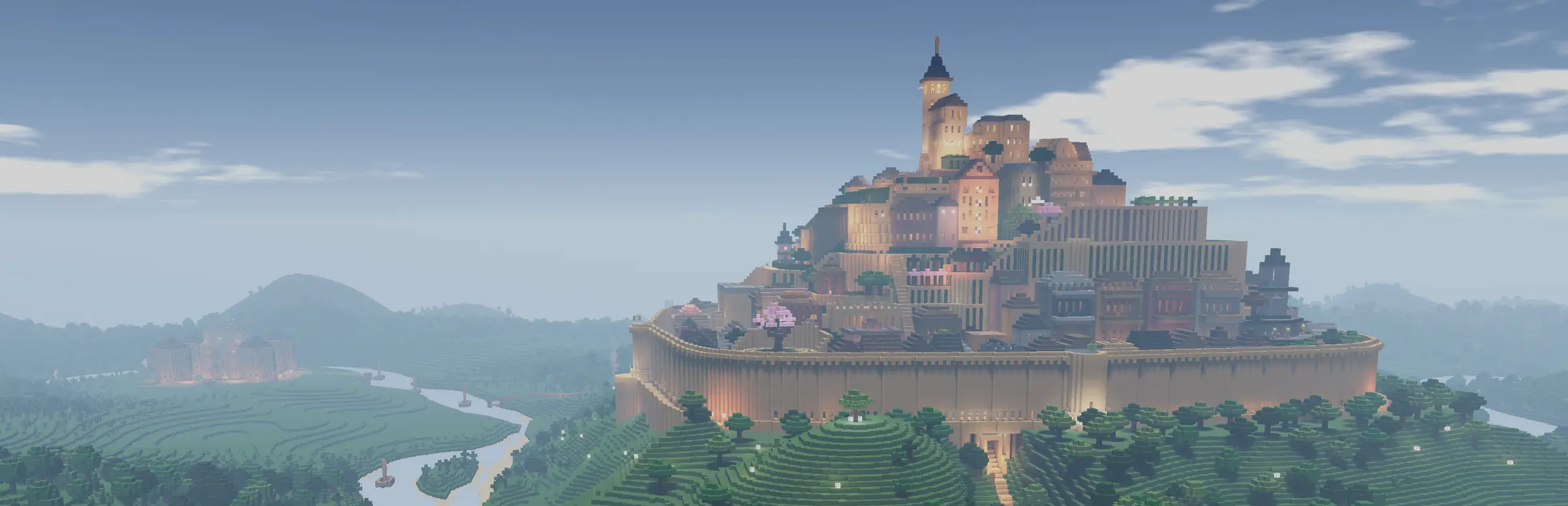
Colony Survival is a first-person strategy game made by a two-person team. You plant a banner in a voxel world, recruit colonists and give them jobs: farmers, miners, guards and many more as your science advances. Every night monsters attack, and the more colonists you have, the more come for you. Walls, moats, forts and guards keep them out.
Progress runs through an extensive science system that starts in the Stone Age with slingers and ends with gunpowder weapons, gliders, printing presses and rails. Resources for the later stages sit in special locations, so colonies grow outposts on mountaintops and in swamps, connected by gliders and rail lines.
Multiplayer and Why a Dedicated Server Helps
Colony Survival lets you launch a co-op game from the main menu, and its developers built the game so that even single-player runs on a server and client split. That makes it well suited to a dedicated server, which Steam describes as the advanced option for more complex setups.
- The world never sleeps: colonists keep the same world whenever any of you log in.
- One colony or many: share ownership of a single colony, or build separate ones and trade.
- No single host: nobody has to keep their PC on for the others.
- Backups off your PC: the world lives on our servers with offsite copies.
What Changed for Servers in 2026
Hosting used to be the tricky part of Colony Survival. Pipliz said as much in May 2026, before update 0.17 changed it: the developers now run a cloud service that talks to every server people host, feeds the server browser and lets players connect without being Steam friends or setting up port forwarding. 0.17 shipped on 25 June 2026 with that change and a new quests tab.
Update 0.18 on 21 August 2026 added split screen for two players on one PC, and Remote Play Together lets a friend take part without owning the game. Small patches followed, bringing the build to 0.18.0.9 by mid-September. Because the game updates often, keep your server on the same version as your players; if a beta branch is involved, agree it as a group first.
Choosing Slots and Memory
Most groups are a few friends, and the 10 slot plan covers them. Choose 20 if everyone wants their own colony, 40 for a community world and 60 for a large public server with mods.
| Plan | Memory | Best for |
|---|---|---|
| 10 Slots | 5GB | One shared colony |
| 20 Slots | 5GB | Several colonies trading |
| 40 Slots | 8GB | Community worlds with outposts |
| 60 Slots | 12GB | Large modded publics |
The load on a Colony Survival server grows with what is happening in the world: colonists working, monsters pathfinding around your walls, trains on the rails. If a server feels slow late in a campaign, move up a memory tier from the client area; the world keeps its progress.
Rules, Settings and Difficulty
Colony Survival comes with lots of settings. Turn monsters off if your group wants to build in peace, or let them spawn during the day for a hard challenge. Cheats exist for quick colonists, blocks or research, which some build servers enable and most survival servers leave off.
- Open the server settings in the panel's File Manager.
- Set the server name, a password if it is private, and the player limit.
- Choose the monster and difficulty settings your group agreed on.
- Save and restart, then have one player join to check everything looks right.
Mods, Workshop Worlds and Blueprints
Pipliz built Colony Survival to be as moddable as possible and works with mod authors directly. Mods can add items and jobs, and even render their own buttons and menus. The game's Mod Manager publishes worlds and mods to the Steam Workshop, and the developers run regular contests for worlds and blueprints.
To run mods on your server, upload them with SFTP and restart; every player needs the same mods installed. To play a Workshop world together, download it, upload it to the server's world folder and restart. Blueprints, added in update 0.15, are shared by the community on the developers' Discord.
Looking After a Long Campaign
Colony Survival worlds can run for months. Take a snapshot before every game update and every new mod, so a broken world is one restore away. We keep offsite backups of the last 7 days as a second safety net.
Restart the server at a quiet hour each day, give co-admins their own sub user login rather than your account, and keep a copy of your world on your own PC now and then. If you are moving from another host, download the world and settings there, upload them here, and the server carries on from where you left off.
What to Compare Before You Rent a Colony Survival Server
The details that decide how the server feels after a month.
- File access for modsMods and Workshop worlds need SFTP and a file manager.
- Memory that scalesBigger worlds and more players need more RAM.
- Version supportAsk how quickly the host handles new Colony Survival builds.
- Restorable backupsYou should be able to roll back without a ticket.
- Location and pingTest from your own PC before you buy.
- Billing termsCheck setup fees and minimum terms.
Colony Survival Server Glossary
- Banner
- The marker you plant to found a colony.
- Colonist
- A worker you recruit and give a job, from farmer to guard.
- Science
- The tech tree that unlocks jobs, blocks, upgrades and weapons.
- Outpost
- A smaller settlement near special resources, linked to your colony.
- Overseer's Desk
- The building that unlocks the top-down view, added in 0.15.
- Mod Manager
- The in-game menu for mods and for publishing worlds to the Workshop.
- Split Screen
- Two players on one PC, added in update 0.18.
Colony Survival Server Help and Next Steps
Links worth keeping.
How this guide was made: researched from Colony Survival's Steam store page and Pipliz's Friday blogs and update posts on Steam, drafted with AI assistance, checked against our live order form for every plan, price and location, and reviewed by Matthew Griffin before publishing. Pipliz publishes no official player limit for dedicated servers, so we do not claim one. Spotted something out of date? Tell us.
Sources, checked 23 October 2026:
- Colony Survival on Steam (Pipliz; Early Access since 16 June 2017; Windows, macOS, Linux; cross-platform multiplayer; co-op, shared colonies, advanced server tool, mod support; 2GB RAM minimum)
- Pipliz, Friday Blog 268 (29 May 2026: cloud server, server browser, no port forwarding) and Update 0.17 Quests and Counters (25 June 2026)
- Pipliz, Friday Blog 270, Split Screen Update 0.18.0 (21 August 2026) and Friday Blog 271 (11 September 2026, 0.18.0.9)
- Pipliz, Friday Blog 267, Update 0.16 (17 April 2026), Friday Blog 262, Update 0.15 (28 November 2025) and Friday Blog 260 (25 September 2025, server-client split and mod menus)
- Gaming Deluxe order form, Colony Survival (slots 10 to 100)