
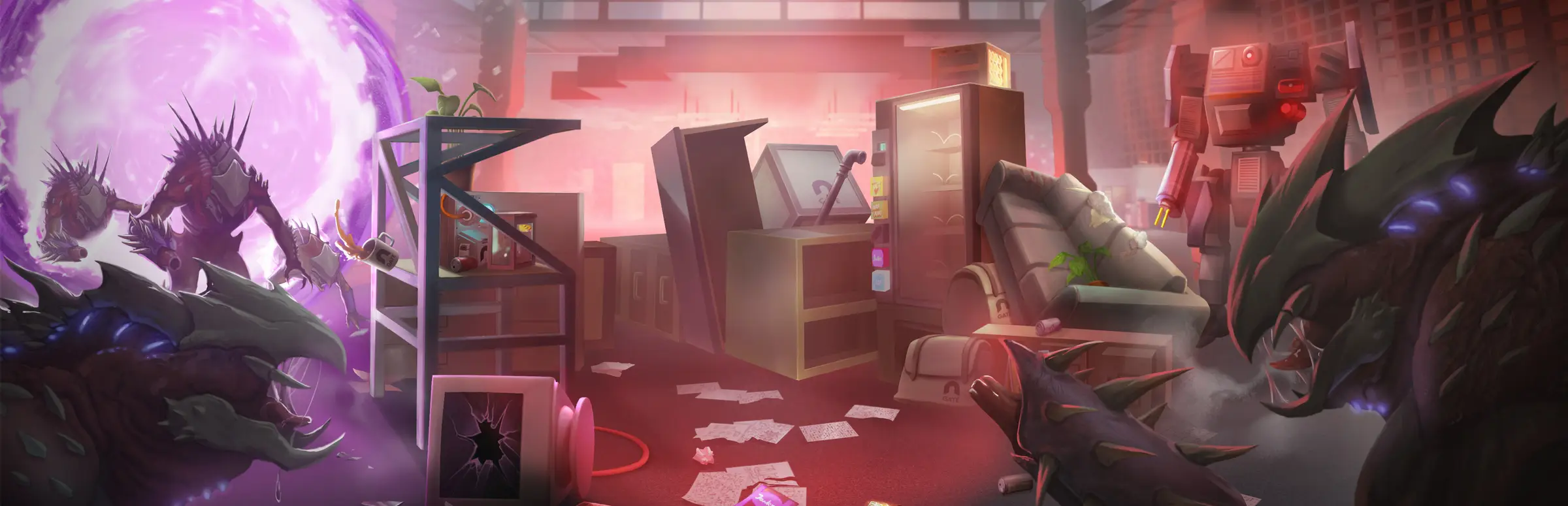
Abiotic Factor server hosting: spiky alien creatures pour out of a purple portal into a wrecked research lab office

Dedicated servers for the GATE facility

Abiotic Factor Server Hosting

Abiotic Factor server hosting for research teams who refuse to wait for the host. The facility, your labs, your benches and that suspicious fridge stay online around the clock, so any scientist on the team can log in, scavenge a sector and keep the base running.

Excellent on Trustpilot Hosting since 2004 9 locations 24/7 support in 9 languages

Size your research team

Abiotic Factor Server Hosting: Plans & Pricing

Choose by the size of your research team. Abiotic Factor is built for up to 6 players, so the 4 and 8 slot plans suit most groups; the larger plans are for communities who raise the player limit on purpose. RAM grows with every plan, and 3, 6 or 12 month terms lower the monthly price.

  1. 4player slots
    5GB RAM

    A small team of up to 4 scientistsLowest price

    • Lowest monthly price
    • Room for a full campaign
    • Easy to grow later
    €4.66/moMonthly, no contract
  2. 8player slots
    8GB RAM

    A full 6 player team, with spare seatsBest for a full team

    • Covers the designed 6 player team
    • 8GB for a well-built base
    • Spare slots for guests
    €11.89/moMonthly, no contract
  3. 12player slots
    12GB RAM

    Two teams sharing one facilityAbove 6 players*

    • Rotating crews across time zones
    • 12GB for a sprawling base
    • Above the designed team size
    €20.06/moMonthly, no contract
  4. 18player slots
    16GB RAM

    A community research stationAbove 6 players*

    • Events and drop-in players
    • 16GB of memory
    • Above the designed team size
    €28.57/moMonthly, no contract

* Deep Field Games designs Abiotic Factor for 1 to 6 players. The dedicated server accepts up to 24 with its MaxServerPlayers setting, but the developer does not recommend more than 6 and players see a warning before they join.

Every plan: NVMe 7500MB/s · 5.0GHz · Up to 100GB. No setup fee. Upgrades and details

In short

Gaming Deluxe hosts Abiotic Factor dedicated servers from €4.66/mo, with 4 to 24 player slots and 5GB to 20GB of RAM depending on the plan. Each server runs Deep Field Games' official Abiotic Factor Dedicated Server on 5.0GHz CPUs and NVMe storage in 9 locations across the UK, France, Germany, the US and Australia, and is set up automatically once payment clears.

Key facts checked against our order form, updated .

  • 4 to 24 player slots6 is the designed team size, the server allows up to 24
  • 5GB to 20GB RAMMore memory on each bigger plan
  • Sandbox settingsDifficulty, spawns, hunger and death penalties
  • Bring your worldCopy a Steam save across and carry on
  • PAK and UE4SS modsUE4SS from the Mod Manager, PAK files by upload
  • 9 locationsSame price in the UK, EU, US and Australia
  • DDoS protectionIncluded at every location
  • 24/7 support in 9 languagesHosting game servers since 2004

Run the facility

Your Abiotic Factor Server Hosting Control Panel

Abiotic Factor's dedicated server is configured with launch parameters and a few ini files. The panel puts all of them in one place, so changing the password, the world or the player limit is a quick edit instead of a batch file hunt.

Gaming Deluxe game server control panel with the server menu, connection details and Stop and Restart buttons

The Gaming Deluxe control panel, pictured with a Windrose server. Abiotic Factor servers use the same panel and menu.

Commandline Manager

Set the server name, password, admin password, world save name and player limit without editing RunServer.bat.

Configuration Files

Edit SandboxSettings.ini for difficulty and survival rules, and Admin.ini to name your moderators.

Mod Manager

Install the UE4SS loader in one click before you upload script mods.

File Manager and SFTP

Upload a world from your PC, or drop .pak, .utoc and .ucas files into the Paks folder.

Backups and Scheduled Tasks

Snapshot the world before a risky expedition or a patch, and schedule restarts for the quiet hours.

Steam Update

Bring the server up to the newest build after a hotfix, so updated players can connect again.

1.0 and beyond

Abiotic Factor 1.0 and the Updates Since

Abiotic Factor left Early Access with version 1.0 on 22 July 2025, after launching into Early Access on 2 May 2024. Deep Field Games has kept adding free content since, and a modding update is next on its list.

1.022 July 2025Hotfix1.4.0.28206 · 27 July 2026Early Access2 May 2024

01

Cosmic Companions

Update 1.3.0, released on 4 May 2026, added a chemistry system, pet evolutions and new weapons and vehicles.

02

Anniversary update

Community Update #4 arrived on 13 July 2026. The newest patch at the time of writing is hotfix 1.4.0.28206 from 27 July 2026.

03

Official mods are coming

Deep Field Games has announced Community Update #5, the Modding Update, with mod.io support and an in-game mod browser. It has no release date yet, and the developer warns that today's mods will likely break.

04

Story DLC later

The story expansion Entropic Break was moved to the first quarter of 2027, according to the developer's September 2026 update. Dates like these can still change.

Mods & platforms

Mods and Crossplay for Abiotic Factor Server Hosting

Abiotic Factor mods today come from the community as PAK files or UE4SS scripts, and official mod support is on the way. Steam lists the game with cross-platform multiplayer, and the dedicated server has its own setting for which platforms may join.

Mods

PAK mods

The simplest kind: upload the .pak, .utoc and .ucas files to AbioticFactor/Content/Paks and restart. No loader is needed. Our knowledge base has a worked example.

UE4SS script mods

Mods with a Scripts folder need the UE4SS loader. Install it from the Mod Manager, then upload the mod folder to the ue4ss Mods directory. Players need UE4SS on their own PC too.

Server, client or both

Each mod's page says where it must be installed. Read it first, and take a backup before you add anything, because mods can break after a game update.

Crossplay

Platforms on one server

The dedicated server's PlatformLimited option can restrict a server to PC, PlayStation or Xbox players. Leave it unset and the server is open to every platform.

Console players and admin

Steam ID lists do not cover Xbox or PlayStation players, so Deep Field Games recommends the admin password route for giving console players admin rights.

Console saves stay put

Only Steam saves can be moved to a dedicated server. The developer notes that PS5, Xbox and Windows Game Pass saves are not supported there.

SteamPlayStation 5Xbox

Memory, sized for you

RAM for Abiotic Factor Server Hosting

Deep Field Games publishes PC requirements for playing (8GB minimum, 16GB recommended) but no memory figures for the dedicated server. The RAM bundled with each plan is our own sizing from hosting Abiotic Factor: 5GB on 4 slots, rising to 20GB on 24 slots, because more players exploring different sectors keeps more of the facility loaded.

  • Up to 4 players

    Plan: 4 Slots
    RAM included: 5GB

    When to add more: Late in the campaign, with a large base and many stored items, 8GB adds headroom.

  • A full team of 6

    Plan: 8 Slots
    RAM included: 8GB

    When to add more: If the memory graph nears the limit when everyone splits up across sectors, try 12GB.

  • Two teams, up to 12

    Plan: 12 Slots
    RAM included: 12GB

    When to add more: Mod packs and busy evenings can justify 16GB.

  • Community server, up to 18

    Plan: 18 Slots
    RAM included: 16GB

    When to add more: Many players in different parts of the map at once; 20GB gives room to breathe.

  • Up to the 24 player maximum

    Plan: 24 Slots
    RAM included: 20GB

    When to add more: The biggest worlds can go to 24GB or 32GB.

RAM tiers on the order form: 5GB, 8GB, 12GB, 16GB, 20GB, 24GB and 32GB. Upgrade later from the client area and the world stays where it is.

Low ping, worldwide

Abiotic Factor Server Hosting Locations and Ping Test

Choose from 9 locations in the UK, France, Germany, the United States and Australia. Run the ping test from the PC or console you play on and pick the location that is lowest for most of your team.

LondonUnited Kingdom · Europe -
ParisFrance · Europe -
FrankfurtGermany · Europe -
New York (Buffalo)United States · North America -
DallasUnited States · North America -
Los AngelesUnited States · North America -
ChicagoUnited States · North America -
MiamiUnited States · North America No test
SydneyAustralia · Oceania -

Always-On Protection

Abiotic Factor Server Hosting with DDoS Protection

Watch how our multi-layered defence system filters malicious traffic while legitimate connections pass through uninterrupted.

Internet DDoS Protection Game Server

Malicious traffic is filtered at the edge, while legitimate traffic passes through uninterrupted.

Malicious Traffic (Blocked)Legitimate Traffic (Allowed)

At Every Location
Included
Full Protection
Layer 3/4/7
24/7 Active Filtering
Always-On
Added Latency
<1ms

In every plan

What Abiotic Factor Server Hosting Includes

No setup fee and no extras needed before the first shift. Every Abiotic Factor plan includes the following, taken from our order form.

  • Game serverThe official Abiotic Factor Dedicated Server, updated through Steam
  • Player slots4, 8, 12, 18 or 24 (6 is the designed team size)
  • Memory5GB on 4 slots, rising to 20GB on 24 slots; tiers up to 32GB available
  • Storage100GB NVMe at 7,500MB/s included, upgrades to 200GB and 14,000MB/s drives
  • Processor5.0GHz included, with 5.2GHz+ and 5.6GHz+ options
  • Locations9 to choose from, same price everywhere
  • ModsUE4SS from the Mod Manager, plus File Manager and SFTP for PAK mods
  • BackupsOffsite backups for the last 7 days and the panel's Backup Manager
  • ProtectionDDoS protection at every location
  • Support24/7 ticket support from a team hosting game servers since 2004

Optional upgrades

Added at checkout, billed with your plan.

  • Memory AllocationTiers up to 32GBtiered
  • Hard DiskNVMe 14,000Mb/sfrom €5.82
  • CPU Clock Speed5.2GHz+ - 5.6GHz+from €5.82
  • CPU PriorityHigh CPU Priority - Realtime CPU Priorityfrom €5.82
  • VIP Ticket Priority SupportPrioritise My Ticket Pleasefrom €2.32
  • Disk SpaceUp to 120GB - Up to 200GBfrom €8.16

Each plan includes the RAM shown on its card, rising with the slot count. RAM tiers up to 32GB are on the order form, which also sells a 20 slot option. All 9 locations cost the same, so choose the one nearest your team. Prices read from our order form on 21 October 2026. Taxes, if any, are shown at checkout.

Built for scientists

Abiotic Factor Server Hosting Features

The parts of the service that matter most when a whole research team shares one facility.

The facility never closes

Teammates log in and out on their own schedule, and nobody waits for the host to be online.

Your own rules

Tune difficulty, enemy spawns, hunger and death penalties, or switch on hardcore, in SandboxSettings.ini.

Keep your progress

Upload the world you started on your own PC and continue from the same lab bench.

Password and moderators

Lock the server with a password and give trusted players moderator rights in Admin.ini.

Undo a disaster

Roll back a snapshot after a failed expedition or a mod that does not agree with a patch.

5.0GHz CPUs, NVMe drives

Fast cores matter more as the team grows, because the server does more work for each extra player.

Before your first shift

Abiotic Factor Server Hosting Essentials Before You Order

Five details worth knowing before the first shift on your own server.

  1. Six is the sweet spot

    The game is balanced for 1 to 6 players. You can raise MaxServerPlayers up to 24, but players are warned above 6, so only go higher on purpose.

  2. Two passwords

    ServerPassword keeps strangers out. AdminPassword gives in-game admin access to whoever knows it, which is also the way to make a console player an admin.

  3. World name

    The server loads the world named by WorldSaveName, Cascade by default. Rename an uploaded world to match, or change the setting.

  4. Ports are open

    The server uses a game port and a Steam query port. Both are open on our network, so you only share the address from the panel.

  5. Steam saves only

    A world from the Steam version can be moved to the server. Console and Game Pass saves cannot, according to the developer.

Answers

Abiotic Factor Server Hosting Questions

Short answers to what new Abiotic Factor server owners ask us most.

Getting started

How quickly is my Abiotic Factor server ready?

The server is created automatically as soon as the payment clears, and the panel login arrives by email. Most teams are in the facility within a few minutes.

How do players find the server?

Players search for the server name in the in-game server browser, or connect with the address from your panel. Share the server password with the team if you set one.

Can I move my existing world to the server?

Yes, if it is a Steam save. Copy the world folder from %LocalAppData%\AbioticFactor\Saved\SaveGames\ on your PC into the server's Worlds folder, then rename it to Cascade or set WorldSaveName to match, and restart.

Which location should I choose?

Run the ping test on this page from the device you play on. All 9 locations cost the same, so the lowest result for most of your team is the right one.

Players and platforms

How many players can join an Abiotic Factor server?

Deep Field Games designs the game for 1 to 6 players. The dedicated server's MaxServerPlayers setting goes from 1 to 24, and players see a warning before joining a server set above 6. Our plans run from 4 to 24 slots.

Can PlayStation and Xbox players join?

Steam lists Abiotic Factor with cross-platform multiplayer, and the dedicated server can be open to all platforms or limited to one with its PlatformLimited setting. Console saves cannot be uploaded to the server, though.

How do I make someone a moderator?

Add a line Moderator= followed by their Steam ID under [Moderators] in Admin.ini, then restart. For console players, share the admin password instead, because Steam ID lists do not apply to them.

Settings, mods and updates

Can I change the difficulty on a dedicated server?

Yes. Each world has a SandboxSettings.ini with options such as game difficulty, enemy spawn rate, hunger speed, XP gain, death penalties and hardcore mode. Stop the server, edit the file and start it again.

Can I install mods?

Yes. PAK mods go straight into the Paks folder. Script mods need UE4SS, which you install from the Mod Manager. Check each mod's page for whether players need it too.

What happens when Abiotic Factor updates?

Run Steam Update in the panel and restart, so the server matches the new build. If you use mods, remove or update them first, as the developer advises in its patch notes, and take a backup.

How are backups handled?

Take a snapshot whenever you like with the Backup Manager, and restore it in a few clicks. We also keep offsite copies for the last 7 days.

Billing and plans

How much does Abiotic Factor server hosting cost?

The 4 slot plan is the cheapest, at €4.66 a month. The plans table shows every plan for 1, 3, 6 and 12 months, and the longer terms cost less per month.

Can I upgrade my plan later?

Yes. Move to more slots or add RAM, CPU or disk upgrades from the client area whenever your team grows. Your world stays where it is.

The complete guide · 5 min read

Abiotic Factor Server Hosting Explained: A Complete Guide

This guide explains how a hosted Abiotic Factor server works, from the player limit and launch parameters to sandbox settings, moderators, moving a world and mods. It is written for the scientist who always ends up keeping the lights on for everyone else.

By , Owner, Gaming DeluxePublished · Updated

In this guide
  1. Why Run a Dedicated Abiotic Factor Server
  2. The Player Limit: 6 by Design, 24 at Most
  3. Launch Parameters That Shape Your Server
  4. Sandbox Settings and Difficulty
  5. Admins, Moderators and Console Players
  6. Moving a World onto the Server
  7. Mods Today and Official Mod Support
  8. What to Compare Before You Rent an Abiotic Factor Server
  9. Abiotic Factor Server Glossary
  10. Abiotic Factor Server Help and Next Steps

Why Run a Dedicated Abiotic Factor Server

Abiotic Factor is a survival crafting game for 1 to 6 players set deep inside a sprawling underground research facility. In a normal co-op game one player hosts, and the world only exists while that player is in it. If the host is busy, the whole team waits; if the host's connection struggles, everyone feels it.

A dedicated server separates the world from any one player. Deep Field Games publishes the Abiotic Factor Dedicated Server as a free Steam tool, and its own documentation covers how to run it. Hosting it with us means the facility is online all day and night, the server has a fixed address and data-centre bandwidth, and settings are a panel edit away. Teammates in different time zones can work on the base, research and scavenging runs whenever they are free.

The Player Limit: 6 by Design, 24 at Most

The Steam store page describes Abiotic Factor as a game for 1 to 6 players, and that is the team size it is balanced around. The dedicated server is more flexible. Its MaxServerPlayers launch parameter accepts any value from 1 to 24, but the developer's documentation says values above 6 are not recommended, and players get a warning popup before they join a server set that high.

Team sizePlanWhat to expect
Up to 44 SlotsComfortable, the cheapest way to keep a world online
5 or 68 SlotsThe full designed team, with spare seats for guests
7 to 1212 SlotsWorks, but beyond what the game is balanced for
13 to 2418 or 24 SlotsFor communities that accept the warning and the extra load

Slots set the most people who can be online at the same time, not the size of the team overall. A group of ten who rarely all play together is often happy on an 8 slot plan.

Launch Parameters That Shape Your Server

Most of the server's identity lives in its launch parameters. In our panel you change them in the Commandline Manager rather than in RunServer.bat.

ParameterWhat it does
-SteamServerNameThe name shown in the server browser
-ServerPasswordThe password players need to join
-AdminPasswordGrants in-game admin access to whoever enters it
-MaxServerPlayersHow many players can be online, from 1 to 24
-WorldSaveNameWhich world folder to load, Cascade by default
-PlatformLimitedLimits joining to PC, PlayStation or Xbox players
-PORT and -QUERYPORTThe game port and the Steam query port

Sandbox Settings and Difficulty

Each world on the server gets its own SandboxSettings.ini in its save folder. It holds the options you would see when creating a custom world, split into world, enemy and player sections. A few that groups change most often:

  • GameDifficulty sets the overall challenge.
  • EnemySpawnRate makes the facility busier or quieter.
  • HungerSpeedMultiplier controls how fast everyone needs food.
  • PlayerXPGainMultiplier speeds up or slows down skill progress.
  • DeathPenalties and HardcoreMode decide how much a death costs.

Stop the server before editing the file, save your changes and start it again. If you run more than one world, make sure you are editing the file inside the world you actually load.

Admins, Moderators and Console Players

There are two ways to give someone power over the server. The first is the admin password: anyone who enters it in game gets admin access. The second is Admin.ini, in the server's SaveGames folder, where you list moderators by Steam ID.

  1. Open Admin.ini through Configuration Files or the File Manager.
  2. Under the [Moderators] heading, add one line per person: Moderator= followed by their Steam ID.
  3. Restart the server so the list is read again.

Steam IDs only identify Steam players. Deep Field Games notes that this kind of list does not work for Xbox or PlayStation players, so for them the admin password is the recommended route. Keep that password to people you trust, and change it if it leaks.

Moving a World onto the Server

A world you started on your own PC can carry on on the server. The developer's migration guide describes it, and it only takes a few minutes.

  1. On your PC, open %LocalAppData%\AbioticFactor\Saved\SaveGames\, then your Steam ID folder and Worlds.
  2. Copy the folder of the world you want to keep.
  3. Stop the server and upload the folder into the server's SaveGames\Server\Worlds folder with the File Manager or SFTP.
  4. Rename it to Cascade, or set WorldSaveName to the folder's name.
  5. Start the server and join.

Mods Today and Official Mod Support

Right now Abiotic Factor mods are community made and come in two kinds. PAK mods are content files you upload to the Paks folder. UE4SS mods are scripts that need the UE4SS loader on the server, which our Mod Manager installs, and usually on each player's PC as well.

Deep Field Games has announced an official Modding Update with mod.io support, an in-game mod browser and automatic downloads when players join a modded server. It has no date yet, and the developer expects many existing mods to stop working when it lands, so plan for a clean-up when it arrives. Until then, the safest routine is the same as with any patch: back up, update the mods together with the server, and add mods one at a time.

What to Compare Before You Rent an Abiotic Factor Server

Most Abiotic Factor hosting offers look alike on paper. These are the details that decide how the server behaves once your team is deep in the facility.

  1. Honest player countsThe game is built for 6. A host advertising more slots should explain the MaxServerPlayers limit and the warning players will see.
  2. RAM included in the priceCheck how much memory the base price includes, and what the next tier costs, before you compare monthly prices.
  3. Access to the ini filesSandboxSettings.ini and Admin.ini are where the real control lives. Make sure you can edit them yourself.
  4. World uploadsMoving a Steam save should be a file upload, not a support ticket.
  5. Backups you can restoreAsk whether you can roll back without help, and how many days of offsite copies are kept.
  6. Mod toolsA one-click UE4SS install and SFTP access save time once your mod list grows.

Abiotic Factor Server Glossary

Dedicated server
The standalone Abiotic Factor server program, which runs the world without a player hosting it.
MaxServerPlayers
The launch parameter that sets the player limit, from 1 to 24.
WorldSaveName
The launch parameter naming the world folder the server loads, Cascade by default.
SandboxSettings.ini
The per-world file holding difficulty, spawn, hunger, XP and death penalty settings.
Admin.ini
The file listing moderators by Steam ID.
PlatformLimited
A launch option that restricts a server to PC, PlayStation or Xbox players.
PAK mod
A mod made of .pak, .utoc and .ucas files, uploaded to the Paks folder.
UE4SS
A script loader that some Abiotic Factor mods depend on.
Slots
How many players can be online on the server at the same time.

Abiotic Factor Server Help and Next Steps

Useful pages for setting up and running your facility.

How this guide was made: researched from Deep Field Games' dedicated server documentation and the official Steam store page and news, drafted with AI assistance, checked against our live order form for every plan, price and location, and reviewed by Matthew Griffin before publishing. Spotted something out of date? Tell us.