


The complete guide · 4 min read
Black Mesa Server Hosting: The Complete Guide
Everything a group needs to run a good Black Mesa deathmatch server: what the game's multiplayer is, how many slots to buy, setting the rules, adding Workshop maps, staying on the right build and keeping the server tidy over time.
By Matthew Griffin, Owner, Gaming DeluxePublished · Updated
In this guide
- Black Mesa Multiplayer in a Nutshell
- Why Host Your Own Deathmatch Server
- Choosing Slots and Memory
- Setting the Rules: Configs and the Map Cycle
- Adding Workshop and Custom Maps
- Updates and the Public Beta Branch
- Admins, Backups and Day-to-Day Care
- What to Compare Before You Rent a Black Mesa Server
- Black Mesa Server Glossary
- Black Mesa Server Help and Next Steps
Black Mesa Multiplayer in a Nutshell
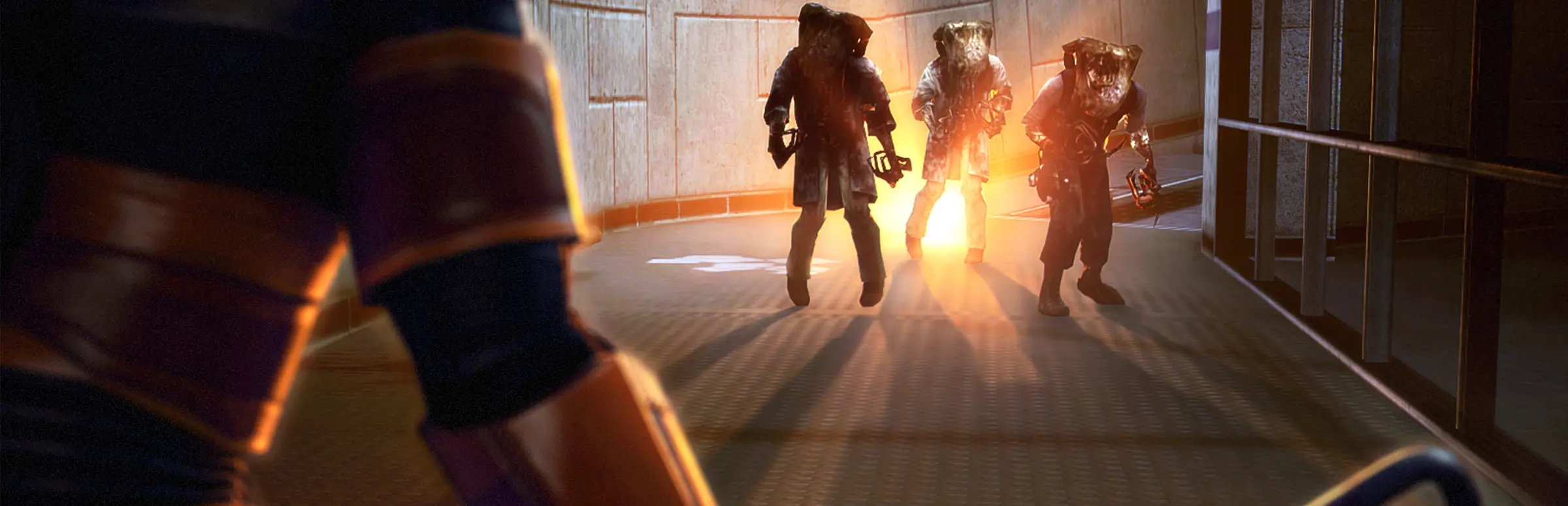
Black Mesa began as a fan project to rebuild Valve's Half-Life in the Source engine and grew, over 15 years of development, into a full commercial release from Crowbar Collective on 6 March 2020. Most players know it for the campaign and its expanded Xen chapters, but the game also has a multiplayer side: deathmatch on remade maps from the Half-Life universe.
That is what a Black Mesa dedicated server hosts. Steam lists ten maps, including Bounce, Gasworks, Stalkyard, Undertow, Crossfire and Workshop, all rebuilt with modern lighting and physics. If you grew up on Half-Life Deathmatch, the layouts will feel familiar; the weapons, the movement and the look are Black Mesa's own.
Why Host Your Own Deathmatch Server
Public servers come and go, so the reliable way to get a good match at a time that suits your group is a server you own. You decide the maps, the limits and who gets in, and the server stays up when the person who usually hosts from their own PC is offline.
- A fixed address your friends can save and rejoin.
- Your map cycle, including Workshop maps the official rotation never had.
- Admin control over passwords, kicks and bans.
- No host advantage: everyone plays on the same remote server.
Choosing Slots and Memory
Deathmatch maps are compact, so more players is not always better. Most stock maps feel busy at 8 to 16 players, while 24 and 32 suit team play and the larger custom maps. Slots are sold one at a time from 10 to 32.
| Group | Suggested slots | Memory on that plan |
|---|---|---|
| Duels and a few friends | 10 | 5GB |
| Regular free-for-all nights | 16 | 5GB |
| Team deathmatch, Workshop maps | 24 | 8GB |
| Public server or event | 32 | 8GB |
Memory steps up with the plan size because more players means more physics objects and bigger maps in memory at once. If you start small and grow, upgrade slots or RAM from the client area; your files stay where they are.
Setting the Rules: Configs and the Map Cycle
Like other Source games, a Black Mesa server is configured in text files. The server config holds the hostname, the passwords and the match rules such as frag and time limits. The map cycle file lists the maps the server plays in order.
- Open the server config in the panel's File Manager.
- Set the hostname, an rcon password and, for a private server, a join password.
- Set the frag and time limits your group prefers.
- Edit the map cycle with the maps you want, in the order you want.
- Save both files and restart the server.
Adding Workshop and Custom Maps
Black Mesa supports the Steam Workshop and ships with its own Source SDK, so there is a steady supply of custom maps. To run one on your server, upload the map and any files it depends on, such as materials and models, into the matching folders over SFTP, then add the map's name to the cycle.
Players must have the same map to join. Linking the Workshop items next to the server address is the easiest way to get everyone ready. Test each new map on the server yourself before match night, so a missing texture does not stop the whole evening.
Updates and the Public Beta Branch
Crowbar Collective still works on the game. The Necro Patch follow-up in April 2024 fixed a build problem that crashed dedicated servers; the Resonance Decade update in May 2025 added multiplayer hit sounds and better Linux support; and a June 2025 hotfix tidied up several multiplayer bugs.
On 2 October 2026 the team opened a public beta for a major performance and visual update with a new UI, rolled out in chapter bundles. A beta is optional, and a server and its players need to be on the same build to connect. Keep your group on the default branch unless everyone agrees to switch, and ask our support team before moving the server.
Admins, Backups and Day-to-Day Care
Give the rcon password only to people you would trust with the whole server and change it when someone leaves the admin team. For restarts and file edits, a sub user login in the panel is safer than sharing your own account.
Take a snapshot before every new map pack or config change. We also keep offsite backups of the last 7 days, restorable from the panel. A nightly restart at a quiet hour keeps a long-running public server fresh, and if you are moving from another host, upload your configs and custom maps and the server picks them up on its next start.
What to Compare Before You Rent a Black Mesa Server
A few checks before you pay anyone.
- Per-slot pricingA small group should not pay for 32 slots it never fills.
- SFTP accessWorkshop maps need proper file access, not just a settings form.
- RAM that grows with the planBigger servers and custom maps need more memory.
- Help with updatesAsk how the host handles a new Black Mesa build.
- Location and pingTest from your own PC before you buy.
- Billing termsCheck for setup fees and minimum terms.
Black Mesa Server Glossary
- Crowbar Collective
- The studio that developed and publishes Black Mesa.
- Deathmatch
- Black Mesa's multiplayer mode: every player for themselves, scored by frags.
- Map cycle
- The file listing the maps a Source server plays in order.
- rcon
- The password-protected remote console admins use to control the server.
- Black Mesa Source SDK
- The game's own toolkit for building maps, models and mods.
- Steam Workshop
- Steam's library of community-made maps and content for the game.
- Public beta branch
- An optional Steam build for testing updates before they go to everyone.
Black Mesa Server Help and Next Steps
Pages worth bookmarking.
How this guide was made: researched from Black Mesa's Steam store page and Crowbar Collective's update announcements on Steam, drafted with AI assistance, checked against our live order form for every plan, price and location, and reviewed by Matthew Griffin before publishing. Crowbar Collective publishes no official player limit for dedicated servers, so we do not claim one. Spotted something out of date? Tell us.
Sources, checked 23 October 2026:
- Black Mesa on Steam (Crowbar Collective, 6 March 2020; Windows and Linux; cross-platform multiplayer; 10 deathmatch maps; Source SDK and Workshop; 6GB RAM minimum)
- Crowbar Collective, Necro Patch Follow Up (18 April 2024, dedicated server build fix)
- Crowbar Collective, Resonance Decade Update (12 May 2025) and Hotfix 2 (30 June 2025)
- Crowbar Collective, Beta Test For Major Update (2 October 2026, public beta branch)
- Gaming Deluxe order form, Black Mesa Deathmatch (slots 10 to 32, one at a time)