
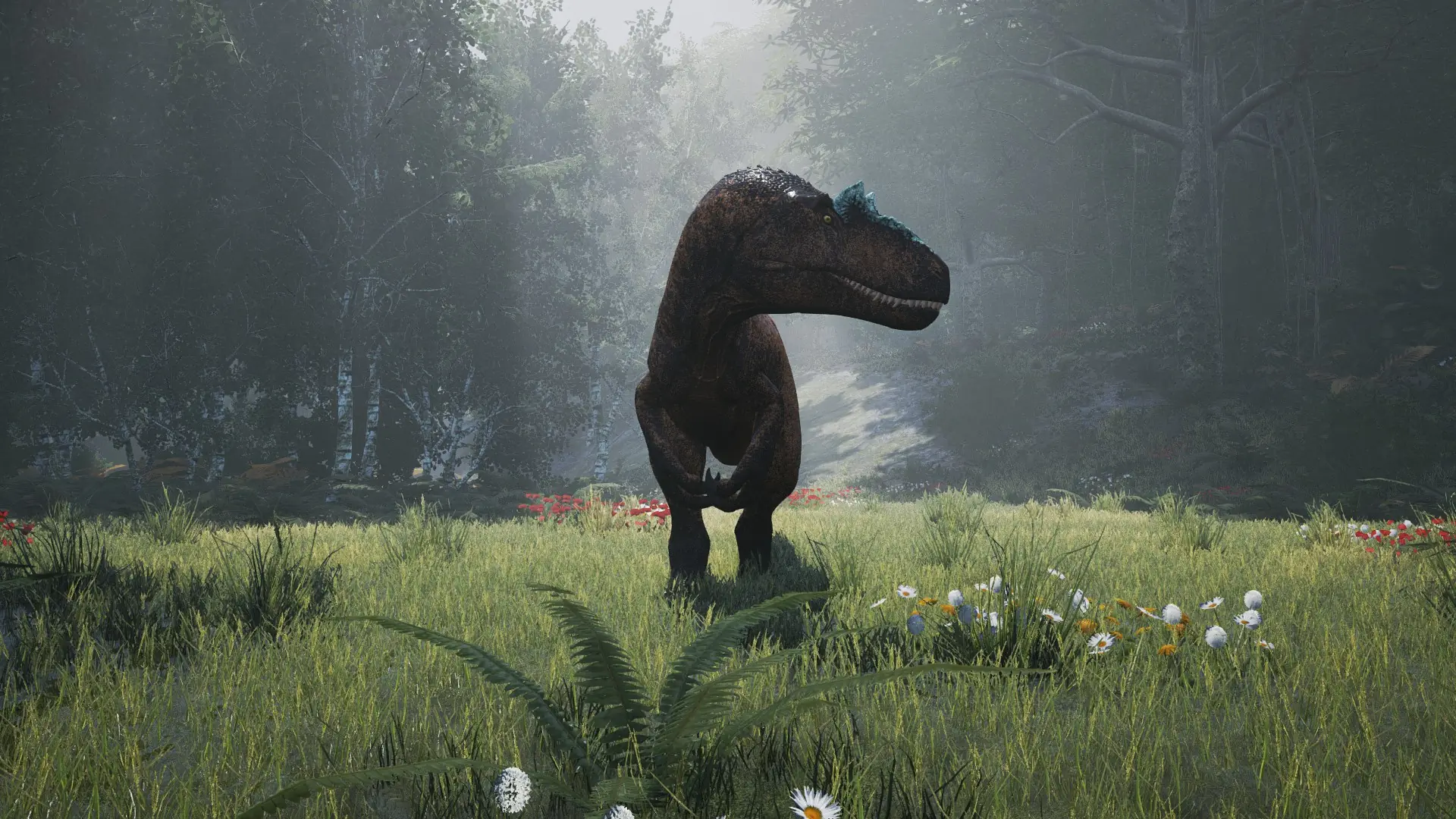
The Isle server hosting: a large carnivorous dinosaur stands in a sunlit clearing in a misty forest

Your island, your rules

The Isle Server Hosting

The Isle server hosting for a community that wants its own island: choose which dinosaurs can be played, how fast they grow, whether migrations run and who is allowed through the gate. Built on the official dedicated server, with Game.ini fully in your hands.

Excellent on Trustpilot Hosting since 2004 9 locations 24/7 support in 9 languages

Choose your herd size

The Isle Server Hosting Plans & Pricing

Pick a plan by the number of players you expect on the island at once. Hardware and locations are the same on every plan, memory climbs as the slot count rises, and 3, 6 or 12 month terms lower the monthly price.

  1. 10player slots
    5GB RAM

    A private herd or packBest for groups

    • Friends growing up together
    • Whitelist it and play your own rules
    £9.00/moMonthly, no contract
  2. 20player slots
    8GB RAM

    Small community, up to 20

    • 8GB for a livelier island
    £16.99/moMonthly, no contract
  3. 40player slots
    12GB RAM

    Growing community, up to 40

    • 12GB for busier migrations
    £30.98/moMonthly, no contract
  4. 60player slots
    16GB RAM

    Public server, up to 60

    • 16GB for a busy public island
    £44.98/moMonthly, no contract

* Afterthought's server template advises against more than 100 players. Its own 150 player test servers ran with AI spawning switched off (bSpawnAI=false in Game.ini).

Every plan: NVMe 7500MB/s · 5.0GHz · Up to 100GB. No setup fee. Upgrades and details

In short

Gaming Deluxe hosts The Isle dedicated servers from £9.00/mo for 10 players, with plans up to 160 slots and 5GB to 24GB of memory rising with the plan. Servers run on 5.0GHz CPUs and NVMe storage in 9 locations across the UK, France, Germany, the US and Australia, with Game.ini open for species, growth, migration and whitelist settings.

Key facts checked against our order form, updated .

  • 10 to 160 player slots100 is the official default player count
  • 5GB to 24GB RAMSteps up as the server grows
  • Game.ini controlSpecies, growth, mutations and AI
  • Whitelist and VIPsPrivate communities and a join queue
  • 9 locationsOne price on every continent we serve
  • Offsite backupsSeven days of copies kept
  • DDoS protectionStandard at every location
  • 24/7 support in 9 languagesHosting game servers since 2004

Run the island

The Isle Server Hosting Control Panel

Running a The Isle server mostly means editing Game.ini and keeping up with patches. Our panel handles both, plus restarts, backups and logs, without a home PC or a command line.

Gaming Deluxe game server control panel with the server menu, connection details and Stop and Restart buttons

The Gaming Deluxe control panel, pictured with a Windrose server. The Isle servers use the same panel and menu.

Start, stop and restart

Restart after every Game.ini change so the new species list, growth rate or whitelist takes effect.

Configuration Files

Edit Game.ini in the browser: server name, password, admins, whitelist, allowed classes, mutations and migrations.

File Manager and SFTP

Keep copies of your config, and download files from the server whenever you need them.

Backups and Scheduled Tasks

Back up before a big patch and schedule restarts and Steam updates for when the island is quiet.

Steam Update

Bring the server up to the latest build when Afterthought ships a patch, so players can connect.

Log Viewer

Follow joins, disconnects and start-up messages, and spot a typo in Game.ini before the community notices.

Latest updates

The Isle in 2026: New Species and the Elder Stage

The Isle has been in Early Access on Steam since 1 December 2015, and its current map, Gateway, has been on the official servers since November 2023. 2026 has been a busy year for new species.

0.21.7724 August 2026GatewaySince 14 November 2023Early Access1 December 2015

01

Austroraptor in August

Patch 0.21.772 on 4 August 2026 added Austroraptor, with a pounce, a water jump and daytime spearfishing, plus another Mangroves location and better Linux performance on high-population servers.

02

Kentrosaurus and new regions

Patch 0.21.720 on 3 July 2026 brought Kentrosaurus and work-in-progress Redwoods and Mangroves locations with their own migration zones.

03

The apex update

Patch 0.21.321 on 23 December 2025 added Tyrannosaurus, Allosaurus, the Elder life stage, clams and two new mutations, along with a reworked island layout.

04

What is in development

Afterthought's September 2026 dev blog lists Oviraptor as almost complete, Baryonyx in testing and Spinosaurus on the way, with no release dates.

Customising & branches

Mods, Branches and Platforms for The Isle Server Hosting

The Isle servers are customised through Game.ini rather than mods. Official mod support is on Afterthought's list of plans, and the game is a Windows title on Steam.

Customising

No official mods yet

The Isle has no official mod support today. The Steam store page lists Steam Workshop mod support among Afterthought's plans, without a timeline.

Customise with Game.ini

Allowed species, growth speed, mutations, migrations, patrol zones, AI density, plants, weather and day length are all server settings.

Humans are experimental

Playable humans can be switched on with bEnableHumans, which Afterthought added as an experimental option in December 2022. It is off in the official template.

Branches & platforms

One branch in development

Afterthought develops one branch of the game and only maintains the original Legacy version. Server builds are published per branch and map, so the server and its players must be on the same one.

PC only

The Isle is a Windows game on Steam, with no console version, so everyone on your server plays on PC.

Updates arrive often

Patches land regularly and players must match the server's build. Run Steam Update after each patch, and use a scheduled update for overnight releases.

Windows (Steam)

Memory, sized for you

RAM for The Isle Server Hosting

Afterthought publishes no memory figure for the dedicated server; the game itself asks for 8GB, with 16GB recommended. Our plans start with the free 5GB tier on 10 slots and rise one tier per plan to 24GB on 160 slots. AI density, plants and the number of players spread across the map all add to the load.

  • A private group

    Plan: 10 Slots
    RAM included: 5GB

    When to add more: If you raise AI density or the group grows past ten, move up to 8GB.

  • Small community

    Plan: 20 Slots
    RAM included: 8GB

    When to add more: Busy migrations and many nests at once can call for 12GB.

  • Growing community

    Plan: 40 Slots
    RAM included: 12GB

    When to add more: High AI density and full migrations are the usual reason to step up.

  • Public server

    Plan: 60 Slots
    RAM included: 16GB

    When to add more: A busy public island with many species can use 20GB.

  • Full public server

    Plan: 100 Slots
    RAM included: 20GB

    When to add more: The official default player count; 24GB gives headroom at peak times.

  • Very large server

    Plan: 160 Slots
    RAM included: 24GB

    When to add more: Above 100 players, consider turning AI spawning off; 32GB is on the order form.

Memory tiers on the order form: 5GB, 8GB, 12GB, 16GB, 20GB, 24GB and 32GB, and the order form also has slot sizes between our plans. You can upgrade later from the client area and keep your server as it is.

Low ping, worldwide

The Isle Server Hosting Locations and Ping Test

Choose from 9 locations in the UK, France, Germany, the United States and Australia. Fights between dinosaurs are decided in fractions of a second, so run the ping test below and pick the location that suits most of your community.

LondonUnited Kingdom · Europe -
ParisFrance · Europe -
FrankfurtGermany · Europe -
New York (Buffalo)United States · North America -
DallasUnited States · North America -
Los AngelesUnited States · North America -
ChicagoUnited States · North America -
MiamiUnited States · North America No test
SydneyAustralia · Oceania -

On every island

Included With The Isle Server Hosting

No setup fee, and nothing else to buy before your first hatchling. Every The Isle plan comes with the following, as listed on our order form.

  • Game serverThe Isle dedicated server, kept current with Steam Update
  • Player slotsPlans for 10, 20, 40, 60, 100 and 160 players, with sizes in between on the order form
  • Memory5GB on 10 slots, rising one tier per plan to 24GB on 160 slots
  • ConfigurationFull Game.ini access for species, growth, migration, whitelist and RCON
  • Storage100GB NVMe at 7,500MB/s included, upgrades to 200GB and 14,000MB/s drives
  • Processor5.0GHz included, with 5.2GHz+ and 5.6GHz+ options
  • Locations9 to choose from, one price everywhere
  • BackupsOffsite copies for the last 7 days, plus panel backups and scheduled tasks
  • ProtectionDDoS protection at every location
  • Support24/7 tickets from a team hosting game servers since 2004

Optional upgrades

Added at checkout, billed with your plan.

  • Memory AllocationTiers up to 32GBtiered
  • Hard DiskNVMe 14,000Mb/sfrom £4.99
  • CPU Clock Speed5.2GHz+ - 5.6GHz+from £4.99
  • CPU PriorityHigh CPU Priority - Realtime CPU Priorityfrom £4.99
  • VIP Ticket Priority SupportPrioritise My Ticket Pleasefrom £1.99
  • Disk SpaceUp to 120GB - Up to 200GBfrom £6.99

Each plan includes the memory on its row, one tier more for each step up: 5GB on 10 slots up to 24GB on 160 slots. Other slot sizes and memory tiers up to 32GB are on the order form. All 9 locations share one price. Prices read from our order form on 14 October 2026. Taxes, if any, are shown at checkout.

Built for survivors

The Isle Server Hosting Features

What The Isle communities use most once the server is running.

Choose your species

List exactly which playable dinosaurs are allowed, one per line, for themed or balanced servers.

Faster growth

Set a growth multiplier, up to 20 times, so players reach adulthood in an evening instead of a week.

Mutations on your terms

Enable mutations and pick which ones are active and how strong they are.

Whitelist, VIPs and queue

Lock the server to your community, list your VIPs and let a queue form when it is full.

DDoS protection

Attack traffic is filtered before it reaches the island, so a grudge cannot end the night.

RCON ready

Turn on RCON in Game.ini to manage the server remotely with a password.

Before the first hatchling

The Isle Server Hosting Essentials Before You Order

Five things that make launch day smoother.

  1. Agree on a branch

    Afterthought develops one branch and only maintains Legacy. Players need the same branch and build as the server, so settle which one your community plays before launch.

  2. Admins by SteamID64

    Add each admin's SteamID64 to AdminsSteamIDs in Game.ini, one line per admin, then restart.

  3. Respect the 100

    MaxPlayerCount is 100 in the official template, which notes that more is not recommended. Above 100, consider switching AI spawning off.

  4. Private or public

    Set bServerPassword and a ServerPassword for a password, or bServerWhitelist with WhitelistIDs to admit only listed players.

  5. Patch day

    The Isle updates often, and players cannot join a server on an older build. Schedule a Steam Update and restart, or run it from the panel when a patch drops.

Answers

The Isle Server Hosting FAQ

Short answers to what new The Isle server owners ask us most.

Getting started

How quickly is my The Isle server ready?

It is created automatically once payment clears, usually within a few minutes and at most about 20. Your panel login arrives by email.

How do I make myself an admin?

Stop the server, add your SteamID64 to the AdminsSteamIDs lines in Game.ini, one line per admin, and start it again.

Can I turn off AI dinosaurs?

Yes. Set bSpawnAI to false in Game.ini, or lower AIDensity for fewer AI creatures. Afterthought ran its own 150 player test servers with AI switched off.

Which location should I choose?

Use the ping test on this page from your PC and pick the lowest result for most of your players. All 9 locations cost the same.

Players and settings

How many players can The Isle server hold?

The official Game.ini sets MaxPlayerCount to 100 and notes that more is not recommended. Afterthought's own 150 player test servers ran without AI. Our plans go from 10 to 160 slots.

Can I choose which dinosaurs players can be?

Yes. AllowedClasses in Game.ini lists the playable species, one per line. A separate list stops chosen species from spawning as AI.

Can I speed up growth?

Yes. GrowthMultiplier changes how fast dinosaurs grow. Afterthought's template advises keeping it no higher than 20.

Can I make the server private?

Yes. Use a server password, or switch on the whitelist and list each player's ID in WhitelistIDs so only they can join.

Updates and mods

What happens when The Isle updates?

Run Steam Update from the panel and restart, so the server matches the players' build. A scheduled update task keeps the server current overnight.

Does The Isle support mods?

Not officially. Steam Workshop support is listed among Afterthought's plans but has no timeline. Servers are customised through Game.ini instead.

Can I enable playable humans?

Yes, as an experimental option: set bEnableHumans to true in Game.ini. It is off in the official template.

Billing

How much does The Isle server hosting cost?

The 10 slot plan is the cheapest at £9.00 a month. Every plan is also available for 3, 6 or 12 months at a lower monthly rate.

Is there a contract?

No. Monthly plans renew month by month and can be cancelled at any time. Longer terms are paid upfront.

The complete guide · 5 min read

The Isle Server Hosting: The Complete Guide

This guide explains how to run a The Isle server in 2026: branches and maps, the Game.ini settings that shape a server, admins and access, species and growth, migrations and AI, and player counts. It is written for the community owner who also wants time to play.

By , Owner, Gaming DeluxePublished · Updated

In this guide
  1. Branches, Maps and Test Builds
  2. Game.ini: The Settings That Shape Your Server
  3. Admins, Whitelists, VIPs and RCON
  4. Species, Growth, Mutations and Nesting
  5. Migrations, Patrol Zones and AI
  6. Player Counts, Queues and Performance
  7. What to Compare Before You Rent a The Isle Server
  8. The Isle Server Glossary
  9. The Isle Server Help and Next Steps

Branches, Maps and Test Builds

The Isle has more than one branch. Legacy is the original game, which Afterthought said in November 2020 it was maintaining rather than developing; every new species and system goes into the branch it now develops. That branch opened to the public in June 2020, and its current map, Gateway, went live on 14 November 2023, when the official servers moved over and the earlier Isla Spiro map kept its own branch for a limited time.

Afterthought publishes server builds per branch and map, and a server and its players must be on the same one. Agree with your community which branch you play, and keep the server on the latest build of it. New features usually appear first on Hordetest, the official test branch, before they reach the public build.

Game.ini: The Settings That Shape Your Server

Almost every server choice lives in Game.ini, which you edit from Configuration Files with the server stopped. Afterthought published its current template with patch 0.17.54 in October 2024. These are the settings community owners change most, with the template's values:

SettingTemplate valueWhat it does
ServerName / MapNameYour name / GatewayHow the server is listed, and the map it loads
MaxPlayerCount100Player cap; more than 100 is not recommended
bServerPassword / ServerPasswordOff / blankRequires a password to join
bServerWhitelistOffOnly players listed in WhitelistIDs may join
bQueueEnabled / QueuePortYour choice / 10000A join queue when the server is full
ServerDayLengthMinutes / ServerNightLengthMinutes45 / 20Length of day and night
GrowthMultiplier1Growth speed; keep it no higher than 20
bEnableMigration / bEnableMassMigrationOnSpecies migrations and mass migrations
bSpawnAI / AIDensityOn / 1Whether AI creatures spawn, and how many
bEnableHumansOffExperimental playable humans

Admins, Whitelists, VIPs and RCON

People-related settings sit in their own section of Game.ini, with one entry per line. AdminsSteamIDs lists your admins, WhitelistIDs lists who may join when the whitelist is on, and VIPs lists players with VIP status. The whitelist arrived in July 2023 and is the simplest way to run a private community.

  1. Stop the server and open Game.ini in Configuration Files.
  2. Add an AdminsSteamIDs line for each admin's SteamID64.
  3. For a private server, set bServerWhitelist to true and add a WhitelistIDs line per player.
  4. To manage the server remotely, set bRconEnabled and an RconPassword; the template notes RCON uses port 8888.
  5. Start the server and check the log to confirm it loaded cleanly.

Afterthought notes that RCON accepts Epic Online Services or Steam IDs. Keep the RCON password private; anyone with it can run server commands.

Species, Growth, Mutations and Nesting

AllowedClasses decides which dinosaurs players can choose, one class per line, which is how themed servers such as herbivore-only or apex-free islands are made. DisallowedAIClasses does the opposite job for AI, removing species from the wild.

Dinosaurs grow from hatchling through juvenile and sub-adult to adult, and since December 2025 an Elder stage. GrowthMultiplier speeds that up; Afterthought's template says to keep it no higher than 20. Nesting, added in July 2022, lets players court, build a nest and raise hatchlings, and friends can be invited to the nest. With bEnableMutations on, the EnabledMutations entries choose which mutations exist on the server and how strong each one is, so lineages can adapt across generations.

Migrations, Patrol Zones and AI

The current map is built around movement. Species migrate between zones over time, mass migrations move whole populations on a longer cycle, and patrol zones mark areas worth ranging between; Afterthought notes that a patrol zone switches itself off when it runs out of food. Sanctuaries arrived on Gateway together with migrations.

  • SpeciesMigrationTime and MassMigrationTime set how often migrations move, in seconds.
  • bEnablePatrolZones turns patrol zones on or off.
  • AIDensity and AISpawnInterval control how much wildlife there is.
  • bSpawnPlants and PlantSpawnMultiplier control food for herbivores.
  • bEnableDiets switches the nutrient diet system on or off.

Player Counts, Queues and Performance

Afterthought's official servers run 100 slots with AI, and its template sets MaxPlayerCount to 100 with a note that more is not recommended. In May 2024 it began testing 150 slot servers with AI switched off, and a stress test held steady at 140 out of 150. That gives a clear rule of thumb: up to 100 players with AI, and above that only with AI spawning turned off.

When a popular server fills up, bQueueEnabled lets new arrivals wait in line instead of being turned away. Patch 0.21.772 also improved Linux server performance with high populations. More memory helps a busy server, but AI density and player count matter just as much.

What to Compare Before You Rent a The Isle Server

The Isle servers need regular care. These are the details that matter after launch week.

  1. Full Game.ini accessSpecies lists, growth, mutations and migrations all live in Game.ini. Make sure you can edit it directly.
  2. Fast patch updatesThe Isle patches often. Check that you can run a Steam update yourself, or schedule one.
  3. Memory for your player countCompare the RAM included at the size you need, not just the starting price.
  4. Location and pingCombat timing depends on latency, so test from where your community plays.
  5. Backups you controlFind out whether you can back up and restore without a ticket, and how long offsite copies last.
  6. DDoS protectionPopular public servers attract attacks; protection should be included, not extra.
  7. Billing termsCompare monthly and longer terms, and check for setup fees or minimum contracts.

The Isle Server Glossary

Legacy
The original version of the game, maintained but no longer developed.
Gateway
The Isle's current map, on the official servers since November 2023.
Hordetest
The official test branch where updates are tried before release.
Growth stages
Hatchling, juvenile, sub-adult, adult and, since December 2025, elder.
Nesting
Courting, building a nest and raising hatchlings, added in July 2022.
Mutations
Traits that let a lineage adapt over generations; servers choose which are enabled.
Migration
Species moving between zones over time; mass migrations move whole populations.
Patrol zones
Areas of the map that draw dinosaurs to range between them, switching off when empty of food.
Sanctuary
A special area of Gateway, introduced together with migrations.
Vocal calls
Broadcast, attract and danger calls used to communicate with other players.
Game.ini
The server's main settings file.

The Isle Server Help and Next Steps

Useful pages for setting up and running your server.

How this guide was made: researched from Afterthought's patch notes, dev blogs and Game.ini templates published on Steam, and the official The Isle site, drafted with AI assistance, checked against our live order form for every plan, price and location, and reviewed by Matthew Griffin before publishing. Spotted something out of date? Tell us.