
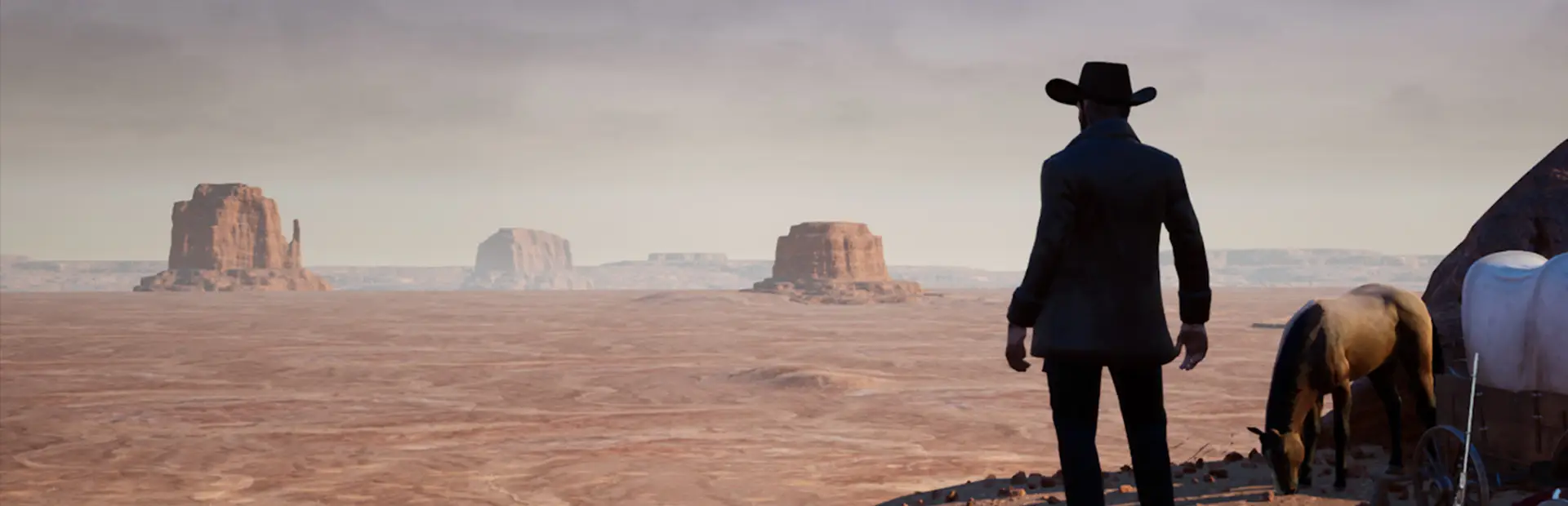
Outlaws of the Old West server hosting: a cowboy beside his horse looks out over a red desert of mesas

Your own frontier, your own law

Outlaws of the Old West Server Hosting

Outlaws of the Old West server hosting for posses, roleplay towns and PvP gangs who want a frontier that stays put: your cabins, your corrals and your bounty board, on a map nobody else wipes. Pick PvP, PvE or RP rules and run the admin list yourself.

Excellent on Trustpilot Hosting since 2004 9 locations 24/7 support in 9 languages

Stake your claim

Outlaws of the Old West Server Hosting Prices

Four sizes, from a handful of friends to a large community town. Every plan gets the same processors, drives and network; the slot count and bundled memory are what change, and paying 3, 6 or 12 months ahead brings the monthly price down.

  1. 10player slots
    5GB RAM

    A posse of friendsBest for a posse

    • Shared ranch and hunting trips
    • PvE suits a small group well
    • 5GB of memory included
    €8.10/moMonthly, no contract
  2. 20player slots
    8GB RAM

    A small frontier settlement

    • Two or three rival gangs
    • 8GB of memory included
    • Room for an RP sheriff and deputies
    €19.69/moMonthly, no contract
  3. 40player slots
    12GB RAM

    A lively community map

    • Trading towns and bounty hunts
    • 12GB for a well-built world
    • Good size for public PvP
    €40.56/moMonthly, no contract
  4. 60player slots
    16GB RAM

    A large PvP or roleplay community

    • Plenty of claims across the map
    • 16GB for heavy building
    • Space for a full RP cast
    €61.42/moMonthly, no contract

Every plan: NVMe 7500MB/s · 5.0GHz · Up to 100GB. No setup fee. Upgrades and details

The lowdown

Gaming Deluxe rents Outlaws of the Old West servers from €8.10/mo, with 10 to 60 player slots and 5GB to 16GB of memory bundled with the plan you choose. Each server sits on 5.0GHz processors and NVMe drives in one of 9 locations across the UK, mainland Europe, the US and Australia, and is built automatically once payment clears.

Key facts checked against our order form, updated .

  • 10 to 60 player slotsFrom a small posse to a busy frontier town
  • 5GB to 16GB RAMOne memory tier more on each larger plan
  • 9 locationsSame price at every site
  • PvP, PvE or RPThe three server types the game supports
  • AdminList.txtSteam64IDs in a text file, then ActivateAdmin in game
  • Offsite backupsThe last 7 days, ready to restore
  • DDoS protectionFiltering at every location
  • 24/7 support in 9 languagesGame server hosting since 2004

Sheriff's office

Outlaws of the Old West Server Hosting Control Panel

Admins, bans and backups for your frontier are handled from a browser. Open the text files the server reads, save, restart, and you are back in the saddle without touching a remote desktop.

Gaming Deluxe game server control panel with the server menu, connection details and Stop and Restart buttons

The Gaming Deluxe control panel, pictured running a Windrose server. Outlaws of the Old West servers use the same panel and menu.

Config file editor

AdminList.txt and BanList.txt open straight from the configuration files list, one Steam64ID per line.

File Manager and SFTP

Browse the server folders or keep your own copy of the save with an SFTP client.

Web console

Watch the server start and spot problems in the output without being in game.

Steam Update

Reinstall or refresh the dedicated server build from Steam in one step.

Backup manager

Seven days of offsite copies; download one or roll the world back after a disaster.

Scheduled tasks

Set restarts for the small hours so the frontier stays responsive.

Patch history

Outlaws of the Old West Updates and Early Access

Outlaws of the Old West entered Early Access on Steam on 12 March 2019 and is still listed as Early Access. The most recent patch notes from the developers on Steam are for patch 1.3.2 on 3 June 2020, so the server build has been settled for a long time.

Early Access12 March 2019BattlEye added1.3 · 7 April 2020Latest patch notes1.3.2 · 3 June 2020

01

Patch 1.3 and BattlEye

Released on 7 April 2020, it added the BattlEye anti-cheat system and removed prefab buildings except the train station. The developers wiped their official servers and advised private server owners to wipe too.

02

Patch 1.3.2

Live on 3 June 2020 with a batch of fixes, and the last patch notes posted on Steam.

03

Single player without a server

Patch 1.2.7 in August 2019 stopped Single Player mode from needing a dedicated server running on your own PC.

04

Bigfoot hunt

Patch 1.2.9 in October 2019 brought Bigfoot to the alpine and mountain biomes, with gold bars, a Bigfoot hat and a chance of a Bigfoot mount as loot.

Rules of the range

Mods and Server Types for Outlaws of the Old West Server Hosting

Outlaws is a vanilla game as far as its official pages go: neither the Steam store page nor the developers' patch notes describe mod support. What shapes a server is the rule set it runs and how its admins use the built-in tools.

Mods

Plan a vanilla server

With no official modding route, a hosted server runs the game as the developers shipped it. That also means no mod updates to chase.

Admin tools instead of plugins

In-game admin commands handle healing, teleporting, item spawns and horse spawns, which covers most of what events and RP towns need.

Anti-cheat built in

BattlEye has been part of the game since patch 1.3, so fair play does not depend on third-party add-ons.

Server types

PvP servers

Open conflict. Patch notes allow players into other people's storage on PvP and RP servers, and buildings can be blown up.

PvE servers

Raiding is fixed out of PvE, and other players' horses and livestock cannot be hurt unless they share your guild.

RP servers

Built for towns: RP servers let players place buildings close to each other, while keeping PvP style access to storage.

Steam (Windows PC)

Memory per plan

RAM for Outlaws of the Old West Server Hosting by Plan

The developers publish no hardware guidance for the dedicated server, so the memory in each plan is our own sizing: 5GB with 10 slots, 8GB with 20, 12GB with 40 and 16GB with 60. Big settlements and many tamed animals add load over time, which is why memory rises with the slot count.

  • A few friends sharing a ranch

    Plan: 10 Slots
    RAM included: 5GB

    When to add more: Rarely, unless the group builds a whole town.

  • Small settlement or a couple of gangs

    Plan: 20 Slots
    RAM included: 8GB

    When to add more: Go up a tier if restarts get slower as the map fills with builds.

  • Public community map

    Plan: 40 Slots
    RAM included: 12GB

    When to add more: Large towns and herds of horses can justify 16GB.

  • Large PvP or RP community

    Plan: 60 Slots
    RAM included: 16GB

    When to add more: Heavily built worlds may want 20GB or more.

Order form memory tiers: 5GB, 8GB, 12GB, 16GB, 20GB, 24GB and 32GB. Upgrade from the client area and the world and settings stay as they are.

Choose your territory

Outlaws of the Old West Server Hosting Locations

Pick from 9 sites in the UK, France, Germany, five US cities and Sydney. Gunfights and horseback chases feel better on a low ping, so run the test from your own PC and choose the site closest to most of your players.

LondonUnited Kingdom · Europe -
ParisFrance · Europe -
FrankfurtGermany · Europe -
New York (Buffalo)United States · North America -
DallasUnited States · North America -
Los AngelesUnited States · North America -
ChicagoUnited States · North America -
MiamiUnited States · North America No test
SydneyAustralia · Oceania -

Always-On Protection

Outlaws of the Old West Server Hosting with DDoS Protection

Watch how our multi-layered defence system filters malicious traffic while legitimate connections pass through uninterrupted.

Internet DDoS Protection Game Server

Malicious traffic is filtered at the edge, while legitimate traffic passes through uninterrupted.

Malicious Traffic (Blocked)Legitimate Traffic (Allowed)

At Every Location
Included
Full Protection
Layer 3/4/7
24/7 Active Filtering
Always-On
Added Latency
<1ms

In every saddlebag

Included in Outlaws of the Old West Server Hosting

No setup fee and no add-ons needed to start. These rows are taken from our order form.

  • Game serverThe Outlaws of the Old West dedicated server, installed and updated through Steam
  • Player slots10, 20, 40 or 60 on the plans above
  • Memory5GB with 10 slots, 8GB with 20, 12GB with 40 and 16GB with 60, with tiers to 32GB
  • Storage100GB NVMe at 7,500MB/s, with 200GB and 14,000MB/s upgrades
  • Processor5.0GHz as standard, with 5.2GHz+ and 5.6GHz+ options
  • Locations9 sites, one price
  • Admin filesAdminList.txt and BanList.txt in the config file editor, plus File Manager, FTP and SFTP
  • BackupsOffsite backups of the last 7 days, downloadable and restorable
  • ProtectionDDoS protection at every location
  • Support24/7 ticket support from a host running game servers since 2004

Optional upgrades

Added at checkout, billed with your plan.

  • Memory AllocationTiers up to 32GBtiered
  • Hard DiskNVMe 14,000Mb/sfrom €5.82
  • CPU Clock Speed5.2GHz+ - 5.6GHz+from €5.82
  • CPU PriorityHigh CPU Priority - Realtime CPU Priorityfrom €5.82
  • VIP Ticket Priority SupportPrioritise My Ticket Pleasefrom €2.32
  • Disk SpaceUp to 120GB - Up to 200GBfrom €8.16

The memory listed on each card is part of its price. Larger tiers up to 32GB, and up to 100 slots, are on the order form. All 9 locations are charged the same, so pick the site nearest your riders. Prices read from our order form on 21 October 2026. Taxes, if any, are shown at checkout.

Frontier tools

Outlaws of the Old West Server Hosting Features

What makes keeping the peace, or breaking it, simpler on our servers.

Text file admin list

Add a Steam64ID to AdminList.txt, restart, and that player can open the admin window.

Ban list you control

BanList.txt takes one Steam64ID per line, and a console command reloads it live.

Seven days of backups

Offsite copies of the world, so a raid gone wrong or a bad wipe can be undone.

Timed restarts

Scheduled tasks restart the server while your riders sleep.

DDoS protection

Attack traffic is filtered before it reaches your frontier.

5.0GHz processors

Fast cores keep wildlife, weather and busy towns running smoothly.

Before you ride out

Outlaws of the Old West Server Hosting Essentials

Five things worth knowing before your first ride out.

  1. It is still Early Access

    The game has been in Early Access since March 2019 and the last patch notes on Steam date from June 2020. Buy the game and the server for what it is today.

  2. Steam64IDs, not names

    Admins and bans are listed by the 17 digit Steam64ID, which you can look up from a Steam profile.

  3. Admin needs activating

    Being on the list is not enough on its own: press SHIFT + ~ in game and type ActivateAdmin to open the admin window.

  4. Server type sets the rules

    PvP, PvE and RP servers treat raiding, storage access and building distance differently, so agree on one before people settle.

  5. Windows only

    The Steam store page lists Windows system requirements only, and no console version exists. Your server is for PC players.

Answers

Outlaws of the Old West Server Hosting FAQ

Answers to what Outlaws server owners ask us most.

Setting up

How soon is my Outlaws server online?

It is built automatically as soon as payment clears, and the login for the panel arrives by email.

How do I make someone an admin?

Open AdminList.txt in the panel's configuration files, add their Steam64ID on a new line and restart. In game they press SHIFT + ~, type ActivateAdmin, and the Admin window appears in the ESC menu.

How do I ban a player?

Use the Admin window in game, or add the player's Steam64ID to BanList.txt. The console command RefreshBanTextList reloads the list without a restart.

Can I change between PvP, PvE and RP?

Yes, the game type is a server setting. Open a ticket if you would like our team to switch it, and think about a wipe if players have already built under the old rules.

The game and players

How many players can an Outlaws server hold?

The developers have not published an official cap. Our plans run 10, 20, 40 and 60 slots, and the order form goes up to 100 if your community needs more.

Is Outlaws of the Old West still being updated?

The latest patch notes from the developers on Steam are for 1.3.2, released on 3 June 2020, and the game is still marked Early Access. Your server runs that current build.

Can console players join?

No. Outlaws of the Old West is sold on Steam for Windows PC, so your server is for PC players.

Does my server use anti-cheat?

BattlEye was added to the game in patch 1.3 on 7 April 2020 and is part of the current build.

Backups and data

Can I get my world back after a mistake?

Yes. Offsite backups cover the last 7 days. Our knowledge base explains how to download a backup and how to restore your progress from one.

Should I wipe my server?

Only when your community agrees. The developers recommended private server owners wipe after BattlEye arrived, but on today's build a wipe is your choice, for a fresh season or a rule change.

Billing and plans

How much does Outlaws of the Old West server hosting cost?

The 10 slot plan is the cheapest at €8.10 a month. The plans table shows every size for 1, 3, 6 and 12 months, with lower monthly prices on the longer terms.

Can I upgrade later?

Yes. Add slots or memory from the client area whenever the town grows; the world carries over.

Is there a minimum term?

No. Monthly billing renews each month and can be cancelled at any time. The 3, 6 and 12 month terms are paid upfront at a lower rate.

The complete guide · 7 min read

Outlaws of the Old West Server Hosting: A Full Guide

This guide is for whoever ends up wearing the sheriff's badge on a private Outlaws of the Old West server. It covers why a server of your own makes sense, where the game stands in 2026, how PvP, PvE and RP servers differ, sizing slots and memory, setting up admins and bans, the admin console, and looking after backups and wipes.

By , Owner, Gaming DeluxePublished · Updated

In this guide
  1. Why Run a Private Outlaws of the Old West Server
  2. Where Outlaws of the Old West Stands in 2026
  3. PvP, PvE or RP: Choosing a Server Type
  4. Slots, the 144 km² Map and Memory
  5. Admins and Bans: AdminList.txt and BanList.txt
  6. Admin Console Commands Worth Knowing
  7. Building, Horses and Trade on a Private Frontier
  8. Backups, Wipes and Restoring Progress
  9. What to Check Before Renting an Outlaws Server
  10. Outlaws of the Old West Server Glossary
  11. Outlaws of the Old West Server Help

Why Run a Private Outlaws of the Old West Server

Outlaws of the Old West is a survival game set on a large Wild West map, where you hunt, farm, fish and mine, build a cabin or ranch wherever you can walk, tame horses and haul goods by wagon. All of that takes time, and time invested in a world only pays off if the world is still there next week, under rules the group is happy with.

A rented server gives the group that certainty. It stays up when nobody is playing, the admin list and ban list are yours, and you decide whether the map is a lawless PvP frontier, a peaceful PvE homestead or a roleplay town with a sheriff and a saloon.

  • Friends and families: a quiet PvE ranch without strangers burning it down.
  • Roleplay groups: an RP server where buildings can stand close together, so a main street is possible.
  • PvP gangs: a contested map with raiding, bounties and a ban list your own admins enforce.

Where Outlaws of the Old West Stands in 2026

The game is developed by Virtual Basement LLC and published by Wandering Wizard. It launched in Steam Early Access on 12 March 2019 and is still listed as Early Access. Patches arrived often through 2019 and into 2020; the latest patch notes from the developers on Steam are for 1.3.2 on 3 June 2020, and their last Steam announcement, in October 2020, covered an official server wipe.

  • 1.2.7, August 2019: Single Player no longer needs a local dedicated server; PvE raiding fixed.
  • 1.2.9, October 2019: the Bigfoot hunt in the alpine and mountain biomes.
  • 1.2.12, February 2020: a large code overhaul, with a wipe recommended for private servers.
  • 1.3, 7 April 2020: BattlEye anti-cheat, prefab buildings removed except the train station.
  • 1.3.2, 3 June 2020: a round of fixes and the newest notes on Steam.

PvP, PvE or RP: Choosing a Server Type

Outlaws servers run as one of three game types, and the developers' patch notes show they behave differently in ways that matter once players start building.

Server typeStorage and raidingBuildingSuits
PvPOther players' storage can be opened; buildings can be blown upNormal spacing rulesGangs, bounty hunters, open conflict
PvERaiding fixed out; others' horses and livestock are safe unless you share a guildNormal spacing rulesFriends, families, relaxed survival
RPStorage access works as on PvPBuildings can be placed close to each otherRoleplay towns and organised communities

Choose before the first big build. Switching an established world from PvE to PvP exposes everything players built under safer rules, so communities often pair a change of type with a fresh start. Our support team can change the game type for you on a ticket.

Slots, the 144 km² Map and Memory

The Steam store page describes a launch play area of 144 km², split into biomes with changing weather and a day and night cycle in which nocturnal wildlife comes out and temperatures fall. Survival means watching hunger, thirst and temperature, while predators, bandits and other players add danger.

The developers have not published a player cap or hardware guidance for the dedicated server, so our plans are sized around how groups tend to play: 10 slots with 5GB for a posse, 20 with 8GB for a small settlement, 40 with 12GB for a public map and 60 with 16GB for a large community. The order form goes up to 100 slots for anyone who needs more room.

  • On a big map, more players mostly means more building, more tamed animals and more wagons, and that is what memory goes on.
  • If restarts slow down or the server log complains as the world fills, step up one memory tier.
  • Upgrades keep the save and all settings, so starting small costs nothing later.

Admins and Bans: AdminList.txt and BanList.txt

Outlaws keeps its staff and its banned players in two plain text files, both reachable from the configuration files list in our panel.

  1. Look up the admin's Steam64ID from their Steam profile, for example with steamid.io.
  2. Open AdminList.txt and add the Steam64ID on a new line.
  3. Restart the server so the list is read again.
  4. In game, press SHIFT + ~ to open the console at the bottom of the screen.
  5. Type ActivateAdmin and press Enter. The Admin window now sits in the ESC menu, with options to add admins, kick and ban.

Bans work the same way in reverse: add or remove Steam64IDs in BanList.txt, one per line. Two console commands save you a restart when you edit either file: RefreshAdminTextList and RefreshBanTextList reload them on the spot.

Admin Console Commands Worth Knowing

Once admin is active, the console opened with SHIFT + ~ accepts commands. They are not case sensitive. These are the ones our knowledge base documents for Outlaws servers.

CommandWhat it does
GMBuffUnlimited health and stamina, with no hunger or thirst
Teleport x yMoves you to map coordinates
DestroyTargetRemoves the object at the centre of your aim
KillTargetDeals maximum damage to whatever you are aiming at
summonItem Resource_Wood 100Spawns an item by name and quantity
SummonhorseSpawns a random tame horse ready to ride
RefreshAdminTextList / RefreshBanTextListReloads the admin or ban list from file

Used with restraint, these turn an admin into a game master: set up a gold rush event, hand out horses to new settlers, clear a griefer's eyesore or bring a lost player back to town. On a PvP server, publish your rules on admin item spawns so nobody suspects favouritism.

Building, Horses and Trade on a Private Frontier

According to the store page, the building system is modular, with support structures and free rotation, so players can put up anything from a hunting cabin to a full ranch. Horses and other animals can be tamed, wagons carry goods, and players trade directly or through an Auction House. Weapons run from melee and slingshots to long guns and explosives.

The game also tracks morality. Lawless behaviour can make a player wanted by NPC bounty hunters, and other players can claim bounties on outlaws. On a community server that system is a gift to roleplay: a sheriff's office, wanted posters in the saloon, and a reason for honest settlers and outlaws to keep crossing paths.

  • PvE ranches: focus on farming, taming and trade, with the Auction House as the town's heart.
  • RP towns: use the tight building rules for a main street, and let bounties drive the story.
  • PvP maps: agree on raid rules early and keep the ban list fair and public.

Backups, Wipes and Restoring Progress

Every server keeps offsite backups for the last 7 days. Our knowledge base covers both directions: downloading a backup to keep your own copy, and restoring progress from one when something has gone wrong, such as a raid exploit, an accidental demolition or a file edited in the wrong place.

  • Download a backup before any big change, such as a switch of game type.
  • Schedule a nightly restart; it keeps a long-running world responsive.
  • Announce wipes well ahead, and keep the last backup in case the community changes its mind.

Wipes on Outlaws have a history: the developers wiped their official servers several times, including for BattlEye in April 2020, and suggested private servers follow. On today's settled build there is no technical need to wipe, so a fresh start is purely a community decision.

What to Check Before Renting an Outlaws Server

A few details decide how easy a server is to live with once your town is built.

  1. Access to the admin filesYou should be able to edit AdminList.txt and BanList.txt yourself, at any hour.
  2. Choice of server typeMake sure PvP, PvE or RP can be set, and changed later with help if needed.
  3. Backups you can restoreSeveral days of copies, ideally stored offsite, matter more on a game where building takes weeks.
  4. Sensible slot sizesPlans for small posses as well as larger communities, with room to grow.
  5. Location and pingTest from where your players are before you commit.
  6. Support hoursProblems tend to show up on weekend evenings; check that help is available then.
  7. Billing termsCompare monthly against longer terms, and look for setup fees or minimum contracts.

Outlaws of the Old West Server Glossary

PvP server
A server where players can fight, open each other's storage and destroy buildings.
PvE server
A server where raiding is off and other players' animals are protected unless you share a guild.
RP server
A roleplay server type that lets players build close together.
Steam64ID
The 17 digit Steam account number used in AdminList.txt and BanList.txt.
AdminList.txt
The file that lists which players can become admins.
BanList.txt
The file that lists banned players, one per line.
ActivateAdmin
The console command that turns admin on and adds the Admin window to the ESC menu.
BattlEye
The anti-cheat system added to the game in patch 1.3.
Bounty
A reward on a wanted player, hunted by NPC bounty hunters and claimable by other players.
Wipe
Resetting the world to a fresh map, removing all builds and progress.

Outlaws of the Old West Server Help

Official pages and our own step-by-step guides.