


The complete guide · 6 min read
Unreal Tournament 2004 Server Hosting: The Complete Guide
This guide covers running a UT2004 server in 2026: what OldUnreal changed, choosing a game type and a slot count, handling maps, mutators and the ini, getting listed, and looking after your players. It is written for whoever ends up holding the admin password.
By Matthew Griffin, Owner, Gaming DeluxePublished · Updated
In this guide
- Why UT2004 Still Draws a Crowd
- OldUnreal, Epic and the State of the Game
- Choosing a Game Type for Your Server
- How Many Slots You Actually Need
- Maps, Mutators and the Server Ini
- Getting Listed and Letting Players In
- Admins, Passwords and Fair Play
- Backups and Moving From Another Host
- What to Compare Before You Rent a UT2004 Server
- UT2004 Server Glossary
- UT2004 Server Help and Next Steps
Why UT2004 Still Draws a Crowd
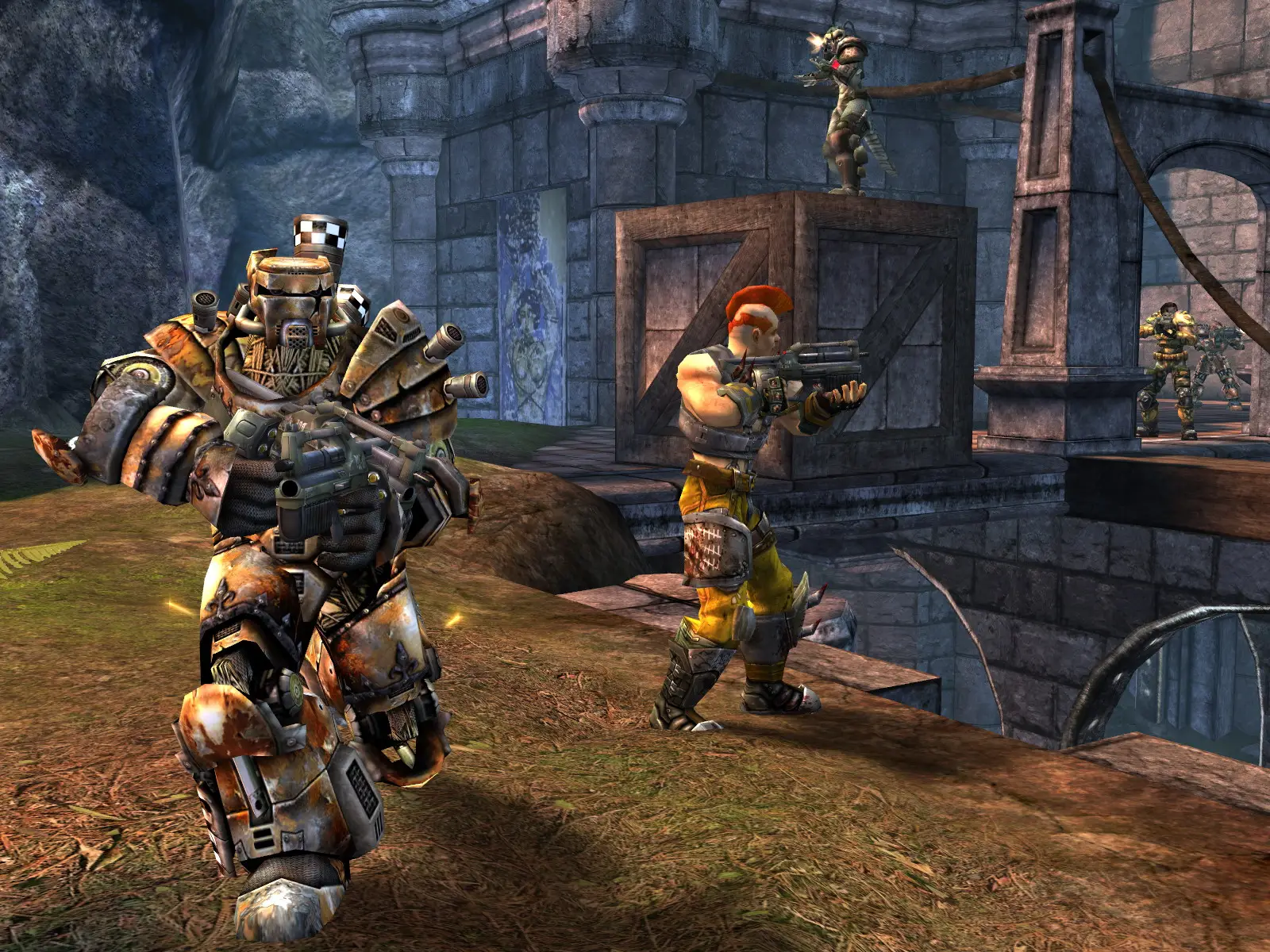
Unreal Tournament 2004 arrived on 16 March 2004 with more than 95 maps, ten game modes and vehicles that fight on land, in the air and in space, from single-seat fighters to five-person vehicles. It sits between the pure arena shooters that came before it and the vehicle sandboxes that came later: one evening can be tight Deathmatch duels, the next a 32 player Onslaught war across a huge map.
What keeps it alive is the people. Clans that met at LAN parties still play together, and two decades of custom maps, mutators and full conversions are out there to run. A dedicated server is where all of that lives: your rotation, your rules and your admins, online whether or not anyone in the group has their PC switched on.
OldUnreal, Epic and the State of the Game
Epic no longer sells UT2004. Its Steam page now carries a notice that the Editor's Choice Edition is no longer available on the Steam store. That could have been the end, but OldUnreal, the group behind the long-running community patches for Unreal and the original Unreal Tournament, reached an agreement with Epic in 2025 to take over maintenance of the Unreal Tournament code base. Its UT2004 repository describes the project as approved by Epic, though not an official Epic project.
Two things came out of that. The first is a set of full-game installers: on Windows the installer downloads the original Editor's Choice Edition disc image, installs the game and patches it to OldUnreal's latest version, while Linux and macOS players get builds from GitHub. The second is patch 3374, announced as the first public UT2004 patch in over 20 years. Preview 9 appeared on 12 February 2026, Preview 17 on 27 March and Preview 23 on 23 July, billed as the last preview before release candidates.
- Platforms: Windows 7 or later and Linux, both on 64-bit Intel or ARM CPUs, and macOS Catalina (10.15) or later on Intel or Apple Silicon.
- Server fixes so far: a CPU usage regression on servers (Preview 23), a broken web admin on Windows servers (Preview 17) and new FILECACHE console commands (Preview 22).
- Known catch: the first preview did not work on servers running the AntiTCC anti-cheat add-on.
Choosing a Game Type for Your Server
A UT2004 server plays one game type at a time, so start with what your community actually enjoys. A mixed rotation can work on a public server, but a server built around one mode is easier to fill with regulars, because people know what they will get when they join.
| Game type | In one line | Suggested slots |
|---|---|---|
| Deathmatch | Every player for themselves | 16 |
| Capture the Flag | Take the enemy flag home while defending yours | 16 to 24 |
| Double Domination | Hold two control points together to score | 16 to 20 |
| Onslaught | Vehicle war along a chain of power nodes to the enemy core | 24 to 32 |
| Assault | One team attacks a run of objectives, the other defends, then sides swap | 20 to 32 |
Big vehicle maps are the reason the larger plans exist. On a crowded Deathmatch map, extra players mostly mean more spawn kills, while Onslaught and Assault maps are built with room for full teams.
How Many Slots You Actually Need
Plan for your busiest night, not your average one. A clan with eight regulars who meet twice a week is well served by 16 slots. A public CTF server that wants spectators and a waiting list needs 20 or 24. Onslaught events are where 32 slots pay off.
Slots are sold one at a time from 16 to 32 on our order form, so an unusual number is fine. Memory does not change with the slot count: every plan has 5GB, many times what an engine designed for 128MB PCs uses. If you outgrow your plan, upgrade from the client area and the server keeps its maps and settings.
Maps, Mutators and the Server Ini
Most of the work of running UT2004 happens in plain text. The server ini holds the server name, the passwords, the master server settings and each mode's limits, such as time and score. The map list sets the rotation for every game type, and the launch line loads the mutators.
- Stop the server from the panel.
- Upload maps to the Maps folder and code packages to the System folder, over SFTP for anything large.
- Add the new maps to the rotation of the game type you run.
- Add any mutators to the launch line in the form their readme gives.
- Start the server and watch the Web Console for missing package errors.
Keep a copy of your working ini before every change. A single misspelt package name can stop a map loading, and with the last good file to hand the fix takes two minutes instead of an evening.
Getting Listed and Letting Players In
Players find a UT2004 server in two ways: through the in-game server browser, which reads from master servers, or by connecting straight to the IP and port shown in our panel. If the browser does not show your server, the master server section of the ini is the first place to look.
OldUnreal's README is specific about servers on its patch. Remove any mutators or actors that reported to several master servers at once, replace IpDrv.MasterServerUplink with IpDrv.MasterServerLauncher in the [Engine.GameEngine] section, and keep at least one MasterServerList entry under [IpDrv.MasterServerLink], whether or not the server lists itself.
Admins, Passwords and Fair Play
Set an admin password in the ini before the server goes public, and give it only to people you would trust with the server itself. Change it whenever someone leaves the admin team. For extra panel tasks such as restarts, a sub user login is safer than sharing your own account.
Anti-cheat for UT2004 has always come from the community. If your server runs an add-on such as AntiTCC, make sure it supports the game build your players use: OldUnreal noted that its first 3374 preview did not work on servers with AntiTCC and promised a compatible version.
Backups and Moving From Another Host
We keep offsite backups of the last 7 days, and you can restore them from the panel. Take your own snapshot before any big change, such as a new map pack, a mutator update or a move to a newer patch. If you are coming from another host, download your Maps, System and ini files there, upload them here, and the server picks them up on its next start.
What to Compare Before You Rent a UT2004 Server
Old games make it tempting to grab the cheapest offer. These details matter more than the headline price.
- Full file accessUT2004 lives on custom maps, mutators and ini edits, so SFTP and a file manager are not optional.
- Per-slot pricingLook for slots sold one at a time, so a clan of twelve is not paying for thirty-two.
- Locations near your playersRun a ping test first. Instant-hit weapons are unforgiving of lag.
- Backups you can restoreCheck you can roll back yourself, without waiting on a ticket.
- Help with patchesAsk whether the host will help if your group moves to OldUnreal's 3374 builds.
- Billing termsCompare monthly and longer cycles, and look for setup fees and minimum terms.
UT2004 Server Glossary
- Onslaught
- A team vehicle mode in which you link power nodes towards the enemy's power core.
- Assault
- An objective mode: one team attacks a sequence of goals, the other defends, then the sides swap.
- Mutator
- A small add-on that changes the rules of a match, loaded on the server's launch line.
- Server ini
- The plain-text settings file holding the server name, passwords, limits and master server entries.
- Master server
- The listing service the in-game browser reads to show public servers.
- 3369
- Epic's patch that OldUnreal's README requires, with the ECE Bonus Pack, before a manual install of its own patch.
- 3374
- OldUnreal's community patch for UT2004, in public preview since 12 February 2026.
- AntiTCC
- A community anti-cheat add-on for UT2004 servers.
- WebAdmin
- UT2004's browser-based admin page; OldUnreal's previews fixed it on Windows servers and added a file cache refresh button.
UT2004 Server Help and Next Steps
Useful pages for setting up and running your server.
- OldUnreal UT2004 patches on GitHubPlatform requirements and server upgrade notes.
- Patch 3374 release notesEvery preview and what it fixed.
- OldUnreal full game installersHow new players get the game.
- Gaming Deluxe control panelWhat the panel does and how to log in.
- Our server locations
- Contact support24/7 help with maps, mutators and ini edits.
How this guide was made: researched from the game's Steam page and OldUnreal's own README and patch notes (Epic's announcement page blocks automated reads, so it was not used), drafted with AI assistance, checked against our live order form for every plan, price and location, and reviewed by Matthew Griffin before publishing. Spotted something out of date? Tell us.
Sources, checked October 22, 2026:
- Unreal Tournament 2004: Editor's Choice Edition on Steam (Epic Games, 16 March 2004; no longer available; ten game modes, 95+ maps, up to 32 other players online, 128MB minimum RAM)
- OldUnreal UT2004Patches README (agreement with Epic in 2025, approved by Epic but not an official Epic project, platform requirements, master server upgrade notes)
- OldUnreal, UT2004 Patch 3374 Previews 9, 17 and 23 (12 February, 27 March and 23 July 2026), release notes
- OldUnreal, UT2004 full game installers
- Epic Games, Epic is turning off online services and servers for some older games (blocks automated reads, not used)
- Gaming Deluxe order form, Unreal Tournament 2004 (slots 16 to 32, sold one at a time)