
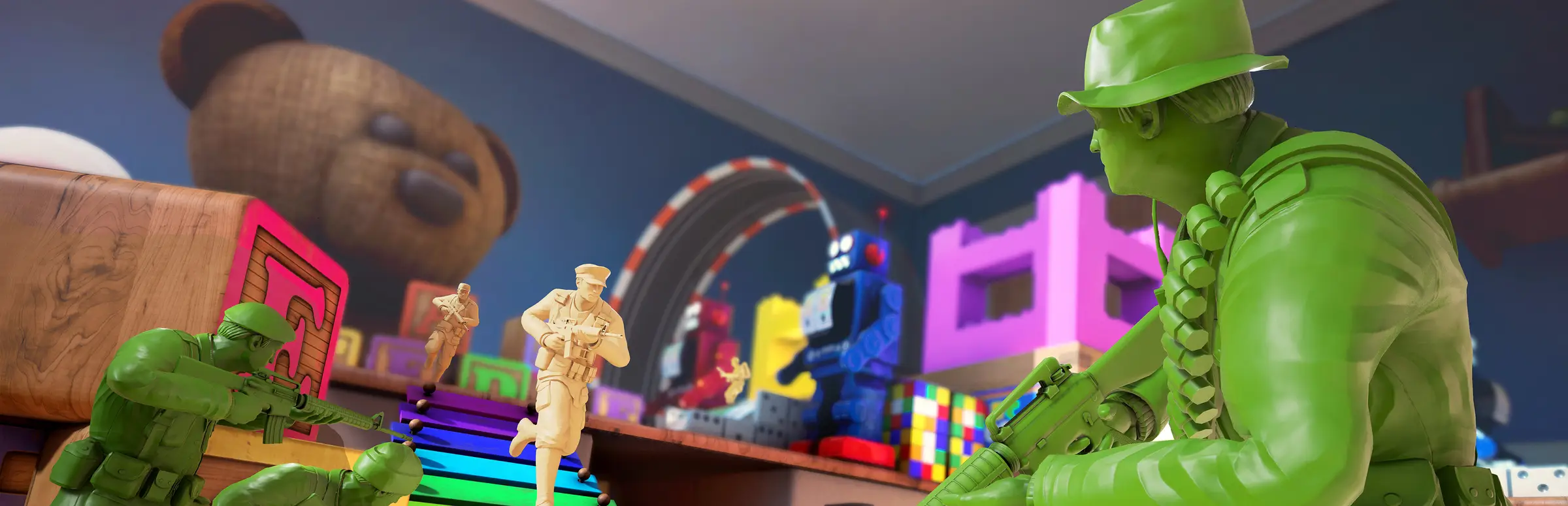
The Mean Greens server hosting: green plastic army men take cover on a toy shelf beside a teddy bear and building blocks

Green vs Tan, on a server you run

The Mean Greens Server Hosting

The Mean Greens is Virtual Basement's third-person shooter where you play a plastic army man, fighting Green against Tan across a bathtub, a kitchen counter, a freezer and other giant household maps. The Mean Greens server hosting gives your group a server that is always there for game night, with bots to fill gaps and a password to keep it private.

Excellent on Trustpilot Hosting since 2004 9 locations 24/7 support in 9 languages

Pick your squad size

The Mean Greens Server Hosting Plans and Prices

The order form sells slots one at a time, so these three plans match how the game is played: 3v3, the 5v5 that Steam describes, and the 8v8 servers Virtual Basement ran in 2015. The two smaller plans use the free 5GB tier and 16 slots steps up to 8GB. Monthly billing, cancel any time.

  1. 6player slots
    5GB RAM

    3v3 for a small groupLowest price

    • Our lowest-cost Mean Greens server
    • Quick matches with friends
    • Free 5GB memory tier
    €5.28/moMonthly, no contract
  2. 10player slots
    5GB RAM

    The classic 5v5Most popular

    • The match size Steam lists
    • Every mode and map
    • Free 5GB memory tier
    €8.80/moMonthly, no contract
  3. 16player slots
    8GB RAM

    Big 8v8 plastic warfare

    • The size of the 2015 8v8 servers
    • Chaos on the larger maps
    • 8GB memory
    €17.57/moMonthly, no contract

Every plan: NVMe 7500MB/s · 5.0GHz · Up to 100GB. No setup fee. Upgrades and details

In short

Gaming Deluxe hosts The Mean Greens dedicated servers from €5.28/mo, with slots sold one at a time on a slider; our plans run from 6 to 16 players. Pick from 9 locations in the UK, France, Germany, the US and Australia. The server is installed automatically once payment clears, with launch options and files you control.

Key facts checked against our order form, updated .

  • 6 to 16 player slotsFrom 3v3 to 8v8
  • Password optionPrivate matches for your group
  • 9 locationsThe same price everywhere
  • Bots on or offFill the teams or play humans only
  • 5GB to 8GB RAMMore on the 16 slot plan
  • Offsite backupsSeven days kept
  • DDoS protectionOn every server
  • 24/7 support in 9 languagesHosting since 2004

Run it from a browser

Your The Mean Greens Server Hosting Control Panel

The Mean Greens' server is controlled with a few launch options, such as its password and bot switch. The panel lets you set those and restart without touching a command line.

Gaming Deluxe game server control panel with the server menu, connection details and Stop and Restart buttons

The Gaming Deluxe control panel, pictured with a Windrose server. The Mean Greens servers use the same panel.

Launch options

Add a server password or switch bots off with the options Virtual Basement documented.

Start and stop

One click to restart after a change or a game update.

Console output

Check that the server came up and see players join.

File Manager and SFTP

Reach the server files if support asks for a log or you want a copy.

Nightly restart

Schedule a restart so the server is fresh for the next game night.

Extra logins

Let a friend restart the server with their own panel account.

Version 2.0

The Mean Greens Server Hosting and Version 2.0

The Mean Greens launched on Steam on 8 December 2015 and reached PlayStation 4 and Xbox One on 5 August 2020. After a quiet few years, Virtual Basement released version 2.0 on 22 October 2026, which it calls a huge update that reworks the game's back end.

Steam release8 December 2015PS4 and Xbox One5 August 2020Version 2.022 October 2026

01

Dedicated server files, January 2019

Patch 1.21 brought back the server browser and shipped the files to host your own server, started with HostServer.bat in the install folder.

02

Server passwords, January 2019

Patch 1.24 added password protection for dedicated servers through a launch option.

03

Bots, March 2020

Patch 1.31 reworked bot pathing and added a -NoBots launch option for dedicated servers that want humans only.

04

Version 2.0, October 2026

Smarter bots that play every map and fill a server as people come and go, new menus and matchmaking, Steam Deck support, a free demo and a VIVERSE version, all cross-play compatible.

Maps, modes & bots

Maps, Modes and Bots for The Mean Greens Server Hosting

There is no mod scene to manage. The fun of a Mean Greens server is in its household maps, its quick modes and how you set the bots.

Maps and modes

Ten maps

Steam lists 10 maps, from Bathtub Bash's rubber ducks and sunken ships to a kitchen counter, a freezer and a Christmas toy train.

Ten modes

Capture the flag, first to 30 kills, capture points, a farmyard take on foosball and more, in quick objective rounds.

Server settings

Bots everywhere

Version 2.0 lets bots play on every map and fill the teams automatically as players join and leave.

Humans only

Add -NoBots to the launch options and the server keeps matches to real players.

Private matches

Set a server password so only your group can join.

Cross-play in 2.0

Virtual Basement says the Steam, demo and VIVERSE versions of 2.0 can all play together.

Windows

Memory per plan

RAM for The Mean Greens Server Hosting

The Mean Greens is a light game: Steam asks for just 4GB of RAM to play it. A server for 6 or 10 players sits comfortably inside the free 5GB tier, and the 16 slot plan moves to 8GB to give 8v8 matches with bots plenty of headroom.

  • 3v3 with friends

    Plan: 6 Slots
    Memory: 5GB

    Why: Small matches, low load.

  • Classic 5v5

    Plan: 10 Slots
    Memory: 5GB

    Why: The standard match size.

  • 8v8 party

    Plan: 16 Slots
    Memory: 8GB

    Why: Full teams, bots and physics on big maps.

The order form offers 5GB up to 32GB, but The Mean Greens rarely needs more than the plans include. You can change tier from the client area at any time.

Low ping rounds

The Mean Greens Server Hosting Locations and Ping Test

Choose from 9 locations in the UK, France, Germany, the United States and Australia. Rockets and sniper shots feel best on a low ping, so run the test from your gaming PC and pick the lowest result for most of your group.

LondonUnited Kingdom · Europe -
ParisFrance · Europe -
FrankfurtGermany · Europe -
New York (Buffalo)United States · North America -
DallasUnited States · North America -
Los AngelesUnited States · North America -
ChicagoUnited States · North America -
MiamiUnited States · North America No test
SydneyAustralia · Oceania -

Always-On Protection

The Mean Greens Server Hosting with DDoS Protection

Watch how our multi-layered defence system filters malicious traffic while legitimate connections pass through uninterrupted.

Internet DDoS Protection Game Server

Malicious traffic is filtered at the edge, while legitimate traffic passes through uninterrupted.

Malicious Traffic (Blocked)Legitimate Traffic (Allowed)

At Every Location
Included
Full Protection
Layer 3/4/7
24/7 Active Filtering
Always-On
Added Latency
<1ms

In every plan

What The Mean Greens Server Hosting Includes

No setup fee and no required extras. Every plan includes the following, as today's order form lists it.

  • Game serverA The Mean Greens dedicated server
  • SlotsOur plans: 6, 10 or 16
  • Memory5GB or 8GB by plan, up to 32GB available
  • Storage100GB NVMe at 7,500MB/s, with faster and larger options
  • Processor5.0GHz included
  • Locations9, one price
  • File accessFile Manager and SFTP
  • BackupsSeven days offsite
  • ProtectionDDoS filtering
  • Support24/7 tickets

Optional upgrades

Added at checkout, billed with your plan.

  • Memory AllocationTiers up to 32GBtiered
  • Hard DiskNVMe 14,000Mb/sfrom €5.82
  • CPU Clock Speed5.2GHz+ - 5.6GHz+from €5.82
  • CPU PriorityHigh CPU Priority - Realtime CPU Priorityfrom €5.82
  • VIP Ticket Priority SupportPrioritise My Ticket Pleasefrom €2.32
  • Disk SpaceUp to 120GB - Up to 200GBfrom €8.16

Plans include the memory shown. Extra memory, faster CPUs and bigger disks are optional on the order form. Every location has the same price, so pick the one closest to your players. Prices read from our order form on 23 October 2026. Taxes, if any, are shown at checkout.

Built for game night

The Mean Greens Server Hosting Features

What a server of your own adds to game night.

Private game nights

A password keeps the server to your friends, family or stream community.

Bots when you need them

Fill empty spots with bots, or switch them off for humans-only rounds.

Always ready

No one has to host from their own PC before the group can play.

Sized for your group

Pay for a 3v3 server or go up to 8v8 as your group grows.

DDoS protection

Attack traffic is filtered before it reaches the match.

Fast hardware

5.0GHz cores and NVMe storage keep rounds snappy.

Before the first round

The Mean Greens Server Hosting Essentials Before You Order

Four things to know.

  1. Version 2.0 is brand new

    2.0 arrived on 22 October 2026 with a reworked back end. Make sure everyone has updated before your first match.

  2. Pick your team size

    Steam describes 5v5 battles. Bigger 8v8 servers ran on the official network in 2015; size your plan to the group you actually have.

  3. Decide on bots

    Bots keep a small group's matches busy. For competitive nights, switch them off with -NoBots.

  4. Consoles are separate

    Our server is the PC version. Virtual Basement has not said that PS4 or Xbox players can join PC servers.

Answers

The Mean Greens Server Hosting Questions

Quick answers for plastic army commanders.

Getting started

How quickly is my Mean Greens server ready?

It is created automatically once payment clears and the details arrive by email, usually within minutes.

How do my friends find the server?

Patch 1.21 brought back The Mean Greens' server browser, so friends can look for your server by name. A password keeps it private.

Which location should I choose?

Run the ping test on this page from your PC and pick the lowest result for most players. Prices are the same everywhere.

Settings and bots

How do I password my server?

Virtual Basement added a -ServerPassword launch option in patch 1.24. Set it in the panel and restart the server.

Can I turn bots off?

Yes. Patch 1.31 added -NoBots for dedicated servers, so matches are humans only.

What do bots do in version 2.0?

Virtual Basement says 2.0 bots are smarter, use every weapon, play on every map and fill the server automatically as people join or leave.

Version 2.0 and platforms

Does version 2.0 change how servers work?

2.0 reworked the game's back end, menus and matchmaking. Virtual Basement has not published new server instructions, so if a setting has moved, open a ticket and our support team will help you adjust it.

Can console players join?

Virtual Basement says the Steam, demo and VIVERSE versions of 2.0 are cross-play compatible. It has not said that PS4 or Xbox players can join PC servers, so we do not promise it.

How many players can a match have?

Steam lists battles of up to 10 players, 5v5, and Virtual Basement ran 8v8 servers in 2015. Our plans go from 6 to 16.

Plans and billing

How much does The Mean Greens server hosting cost?

The 6 slot plan is €5.28 a month, and each extra slot adds the same per-slot price. Every location costs the same.

Can I change size later?

Yes. Add slots or memory from the client area whenever you like.

Is there a minimum term?

No. Monthly billing can be cancelled at any time, and longer terms are on the order form.

The complete guide · 4 min read

The Mean Greens Server Hosting: The Complete Guide

Everything you need to run a good The Mean Greens server: what the game is, the maps and modes, choosing a size, passwords and bots, what version 2.0 changes, and how to keep game nights running smoothly.

By , Owner, Gaming DeluxePublished · Updated

In this guide
  1. The Mean Greens in a Nutshell
  2. Maps and Modes Your Server Can Run
  3. Choosing a Server Size
  4. Passwords, Bots and Launch Options
  5. What Version 2.0 Changes
  6. Running a Good Game Night
  7. What to Compare Before You Rent a The Mean Greens Server
  8. The Mean Greens Server Glossary
  9. The Mean Greens Server Help and Next Steps

The Mean Greens in a Nutshell

The Mean Greens - Plastic Warfare is a third-person shooter from Virtual Basement LLC, released on Steam on 8 December 2015. You play a toy army man in the age-old war of Green against Tan, jumping, rolling and shooting your way through objective rounds on maps built from everyday rooms at giant scale.

It is a short-session party shooter rather than a long grind. Rounds are quick, the weapons are simple to pick up and the maps do the talking: riding rubber ducks across a bathtub, melting an ice cube in a freezer to reach a frozen dinosaur, pushing a cup off a kitchen counter, or scoring goals past moving plastic pigs and cows in a farmyard foosball match.

Maps and Modes Your Server Can Run

Steam lists 10 modes and 10 maps with 6 weapons. Each map tends to suit its own mode, which keeps the rotation varied without any setup from you.

Some of the maps on Steam's list
MapModeWhat happens
Bathtub BashCapture the flagRide floating ducks to sunken ships, grab a flag and carry it home.
Game night tableFirst to 30 killsA paper-craft city on a games table; simple and fast.
AquariumLow-gravity CTFDuel bridges and sunken temples under water.
Kitchen counterObjectivePush the other team's cup off and cut their zipline.
FreezerObjectiveMelt the ice and free your frozen dinosaur first.
Toy trainCapture pointsA festive tug-of-war for three points on a moving train.

Patch notes over the years also mention maps such as Off the Rails, Deep Freeze, Lazy Hamster and Halloween Hustle, so the rotation has grown since launch.

Choosing a Server Size

Steam describes The Mean Greens as 5v5 battles of up to 10 players. In December 2015 Virtual Basement also put 8v8 servers on its official network, and our slider can go higher still, but there is no official word on matches above 16, so our plans stop there.

Our suggestions (a guide, not a rule)
GroupSuggested slotsMemory on that plan
A few friends, 3v365GB
The standard 5v5105GB
Big party, 8v8168GB

With version 2.0 bots filling empty places automatically, a small group can still have full teams, so you do not need to buy slots for players you do not have.

Passwords, Bots and Launch Options

The Mean Greens keeps server settings simple. In January 2019 patch 1.21 included dedicated server files, run from HostServer.bat in the game folder, and later patches added options to the server's launch line. The two that matter most are documented by Virtual Basement itself.

Launch options from Virtual Basement's patch notes
OptionAdded inWhat it does
-ServerPassword="yourpassword"Patch 1.24Players must enter the password to join.
-NoBotsPatch 1.31Turns bots off on a dedicated server, for humans-only matches.

Set them in the panel, restart, and check the console to see the server come up. If you host a public server, leave bots on so new arrivals always find a match; for clan nights or tournaments, switch them off and add a password.

What Version 2.0 Changes

On 22 October 2026 Virtual Basement released version 2.0, its biggest update so far. The studio says it completely reworked the back end while keeping the feel of the game. Bots were overhauled: they no longer get stuck, can use every weapon, can play on every map and automatically fill a server as people join or leave.

The menus and matchmaking were rebuilt too, the game is now fully compatible with Steam Deck, and two DLC characters arrived. Virtual Basement also launched the game on VIVERSE, which lets friends join without installing anything, plus a free demo, and says all three versions are cross-play compatible.

Running a Good Game Night

Make sure everyone updates the game before playing, since server and players need to be on the same version, which matters right after a big release like 2.0. Share the server name and password in your group chat, and decide on bots before you start so nobody is surprised mid-round.

A nightly restart at a quiet hour keeps a long-running server fresh. The Mean Greens has no world to save, but our offsite backups of the last 7 days still protect your settings, and moving from another host only means setting the same launch options here. Patch 1.33 also rebalanced team player counts to stop extra players joining the wrong side, so uneven teams usually sort themselves out.

What to Compare Before You Rent a The Mean Greens Server

Quick checks before you pay anyone.

  1. Per-slot pricingA 3v3 group should not pay for 40 slots.
  2. Launch option accessYou need to set passwords and bots yourself.
  3. Updates after 2.0Ask how quickly the host follows a new build.
  4. PingTest from your own PC first.
  5. SupportHelp when a setting changes after an update.
  6. No lock-inLook for setup fees and minimum terms.

The Mean Greens Server Glossary

Virtual Basement
The studio that develops and publishes The Mean Greens.
Green vs Tan
The two plastic armies, and the two teams in every match.
HostServer.bat
The file that starts a dedicated server, added in patch 1.21.
-ServerPassword
The launch option that sets a join password.
-NoBots
The launch option that turns bots off.
VIVERSE
The platform where the 2.0 version can be played without installing.
5v5
Five players a side, the match size Steam lists.

The Mean Greens Server Help and Next Steps

Where to go next.

How this guide was made: researched from The Mean Greens' Steam store page and Virtual Basement's patch notes on Steam (2015 to 2026), drafted with AI assistance, checked against our live order form for every plan, price and location, and reviewed by Matthew Griffin before publishing. Version 2.0 is only a day old as we write, and Virtual Basement has not published new server instructions, so we only describe the launch options from its earlier patch notes. Spotted something out of date? Tell us.