
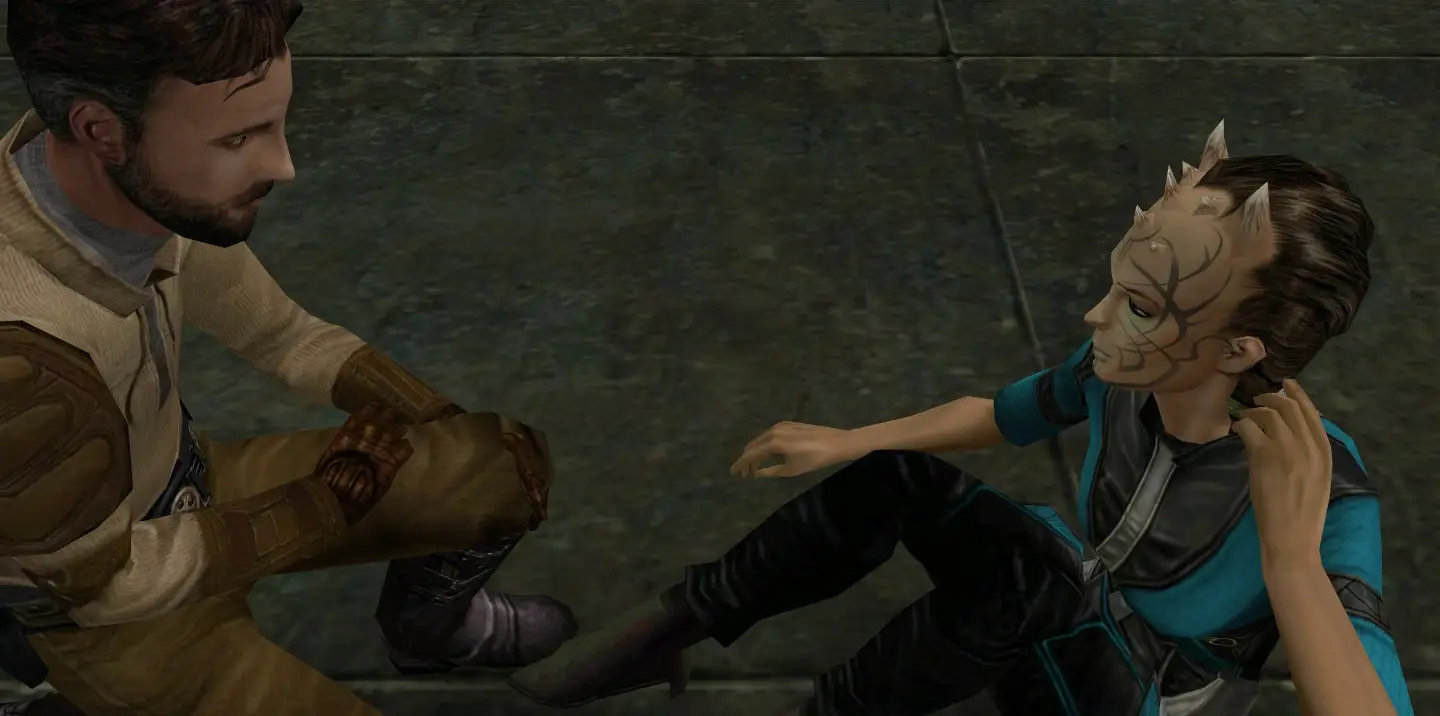
Jedi Knight: Jedi Academy server hosting: a horned Zabrak Jedi student sits on a stone floor beside Jedi Master Kyle Katarn in a cut-scene

Duels, Siege and saber clans

Jedi Knight: Jedi Academy Server Hosting

Jedi Knight: Jedi Academy server hosting for saber clans, duel servers and the friends who never stopped meeting for one more round. Run your own arenas, your own mods and your own rules on a server that stays online when you are not.

Excellent on Trustpilot Hosting since 2004 9 locations 24/7 support in 9 languages

Pick your arena size

Jedi Knight: Jedi Academy Server Hosting Plans

A Jedi Academy server is light, so every plan includes the free 5GB memory tier and the choice comes down to how many players you want in the arena. Longer billing terms lower the monthly price.

  1. 12player slots
    5GB RAM

    A duel server or a small clanDuel servers

    • Duel and Power Duel nights
    • Clan practice behind a password
    • The lowest JKA price
    €7.00/moMonthly, no contract
  2. 16player slots
    5GB RAM

    Regulars and visitorsMost popular

    • Free for all with room to spare
    • Team games of eight a side
    • Upgrade later from the client area
    €9.33/moMonthly, no contract
  3. 24player slots
    5GB RAM

    A community public

    • Busy Capture the Flag
    • Siege with full teams
    • Space for an admin mod
    €14.00/moMonthly, no contract
  4. 32player slots
    5GB RAM

    Events and large servers

    • Clan events and tournaments
    • Large Siege and team games
    • Room for a mod's own modes
    €18.67/moMonthly, no contract

Every plan: NVMe 7500MB/s · 5.0GHz · Up to 100GB. No setup fee. Upgrades and details

In short

Gaming Deluxe hosts Jedi Knight: Jedi Academy servers from €7.00/mo, with 12 to 32 player slots and 5GB of RAM included on every plan. Servers run on 5.0GHz CPUs and NVMe storage in 9 locations across the UK, France, Germany, the United States and Australia, with file access for custom maps and mods, and are set up automatically once payment clears.

Key facts checked against our order form, updated .

  • 12 to 32 player slotsFrom duel servers to busy team games
  • 5GB RAM on every planFar more than a 2003-era server needs
  • Six multiplayer modesIncluding Siege and two-on-one Power Duel
  • Custom maps and modsUpload them over SFTP
  • Config editorEdit server.cfg in the browser
  • 9 locationsOne price in the UK, EU, US and Australia
  • DDoS protectionFiltering at every location
  • 24/7 support in 9 languagesHosting game servers since 2004

Server control

The Jedi Knight: Jedi Academy Server Hosting Control Panel

Day-to-day jobs are done in a browser: start and stop, edit server.cfg, upload maps and mods, schedule restarts and read the log.

Gaming Deluxe game server control panel with the server menu, connection details and Stop and Restart buttons

The Gaming Deluxe control panel, pictured with a Windrose server. Jedi Academy servers use the same panel.

Configuration Files

Open server.cfg in the browser to set the name, passwords, game mode, time and score limits and the map rotation.

SFTP access

Upload map and mod files with an SFTP client, using the login in the panel. Large files go far more reliably this way.

Scheduled restarts

Restart the server at a quiet hour so a long session never drags.

Backups

Seven days of offsite backups, plus your own before you change mods.

Log Viewer

Find out quickly why a map or mod did not load.

Sub-users

Give clan admins their own panel login with limited rights.

Modes & mods

Game Modes, Maps and Mods for Jedi Knight: Jedi Academy Server Hosting

Raven Software shipped Jedi Academy with six multiplayer modes and 23 multiplayer arenas, and players have been adding to it ever since. A server can stay close to the original or become something else entirely.

Built-in modes

Duel and Power Duel

One-on-one saber fights, and the two-on-one Power Duel Raven added in Jedi Academy. Duel servers are the heart of many communities.

Siege

The team-based objective mode, with classes and a scripted goal for each side. It suits organised teams and larger slot counts.

Free for all, team and flag games

The other modes cover chaotic free for all, team deathmatch and Capture the Flag, with Force powers and weapons in play.

Maps and mods

Custom maps

Community maps are uploaded over SFTP and added to the rotation in server.cfg. Players need the same files to join.

Server mods

Admin and gameplay mods run in their own mod folder on the server, chosen at start-up. Follow each mod's own install notes.

OpenJK

A community project that maintains the Jedi Academy engine with full backwards compatibility with the existing game and mods, under the GPLv2 licence.

WindowsmacOS

Memory, kept simple

RAM for Jedi Knight: Jedi Academy Server Hosting

Jedi Academy's server comes from 2003, and its memory use is tiny by today's standards. We publish no complex sizing here: the free 5GB tier on every plan is far more than the game needs, even with mods and a long map list.

  • Duel or clan server

    Plan: 12 Slots
    RAM included: 5GB

    Need more?: No.

  • Free for all with regulars

    Plan: 16 Slots
    RAM included: 5GB

    Need more?: No.

  • Community CTF or Siege

    Plan: 24 Slots
    RAM included: 5GB

    Need more?: No.

  • Events with a large mod

    Plan: 32 Slots
    RAM included: 5GB

    Need more?: Very unlikely; the order form has more if a mod asks for it.

Memory tiers on the order form: 5GB (free), 8GB, 12GB, 16GB, 20GB, 24GB and 32GB.

Ping and saber timing

Jedi Knight: Jedi Academy Server Hosting Locations

Choose from 9 locations in the UK, France, Germany, the United States and Australia. Saber timing is unforgiving with lag, so run the ping test and pick the closest location to most of your players.

LondonUnited Kingdom · Europe -
ParisFrance · Europe -
FrankfurtGermany · Europe -
New York (Buffalo)United States · North America -
DallasUnited States · North America -
Los AngelesUnited States · North America -
ChicagoUnited States · North America -
MiamiUnited States · North America No test
SydneyAustralia · Oceania -

Always-On Protection

Jedi Knight: Jedi Academy Server Hosting with DDoS Protection

Watch how our multi-layered defence system filters malicious traffic while legitimate connections pass through uninterrupted.

Internet DDoS Protection Game Server

Malicious traffic is filtered at the edge, while legitimate traffic passes through uninterrupted.

Malicious Traffic (Blocked)Legitimate Traffic (Allowed)

At Every Location
Included
Full Protection
Layer 3/4/7
24/7 Active Filtering
Always-On
Added Latency
<1ms

In every plan

What Jedi Knight: Jedi Academy Server Hosting Includes

No setup fee. Every plan includes the following, checked against our order form.

  • Game serverA Jedi Knight: Jedi Academy multiplayer server
  • Player slots12, 16, 24 or 32 here; other sizes up to 64 on the order form
  • MemoryThe free 5GB tier on every plan
  • Maps and modsSFTP and a browser editor for server.cfg
  • Storage100GB NVMe at 7,500MB/s
  • Processor5.0GHz included, faster options available
  • Locations9, one price
  • Backups7 days kept offsite, plus your own
  • ProtectionDDoS filtering at every location
  • Support24/7 ticket support since 2004

Optional upgrades

Added at checkout, billed with your plan.

  • Memory AllocationTiers up to 32GBtiered
  • Hard DiskNVMe 14,000Mb/sfrom €5.82
  • CPU Clock Speed5.2GHz+ - 5.6GHz+from €5.82
  • CPU PriorityHigh CPU Priority - Realtime CPU Priorityfrom €5.82
  • VIP Ticket Priority SupportPrioritise My Ticket Pleasefrom €2.32
  • Disk SpaceUp to 120GB - Up to 200GBfrom €8.16

All four plans include the free 5GB memory tier. Other sizes from 12 to 64 slots, extra RAM, faster CPUs and more disk are on the order form. Every one of the 9 locations costs the same. Prices read from our order form on 23 October 2026. Taxes, if any, are shown at checkout.

Built for JKA

Jedi Knight: Jedi Academy Server Hosting Features

What Jedi Academy admins use most.

server.cfg in the browser

Change mode, limits and rotation in seconds.

SFTP for maps and mods

Move large map packs and mod folders reliably.

Scheduled restarts

A fresh start every day at a time you choose.

Sub-users

Clan admins get their own panel login.

DDoS protection

Attacks are filtered before they reach the arena.

5.0GHz CPUs

Plenty of headroom for a fast-paced saber server.

Before you go live

Jedi Knight: Jedi Academy Server Hosting Essentials

Get these ready before your server goes live.

  1. Pick a server style

    Duel, free for all, Siege or a mod's own modes each need different settings and slot counts.

  2. Collect your map files

    Have the map files ready to upload, and a link where players can download them too.

  3. Choose your mod carefully

    Read the mod's install notes before uploading, and keep its version consistent with what players run.

  4. Set an RCON password

    A strong remote admin password lets you change maps and kick troublemakers from the console.

  5. Choose by ping

    Test from your players' PCs. All locations cost the same.

Answers

Jedi Knight: Jedi Academy Server Hosting Questions

What Jedi Academy server owners ask us most.

Getting started

How quickly is my Jedi Academy server ready?

It is set up automatically after payment, usually within 20 minutes, and the login details arrive by email.

How do players join?

Share the server's IP and port from the panel. Players can connect by IP from the game's multiplayer menu or the console.

Can I make the server private?

Yes. Set a join password in server.cfg, save it with the server stopped and start it again.

Which multiplayer modes can I run?

Jedi Academy has six multiplayer modes, including the team-based Siege mode and the two-on-one Power Duel. Set the mode in server.cfg.

Maps and mods

Can I add custom maps?

Yes. Upload the map files over SFTP, add them to your rotation in server.cfg and restart. Players need the same map files.

Can I run server mods?

Yes. Upload the mod's files over SFTP and set the server to start with that mod, following the mod's own instructions. Our support team can help.

What is OpenJK?

A community project that maintains the engine for Jedi Academy and Jedi Outcast, aiming for full backwards compatibility with the existing games and mods.

Performance

How much RAM does a Jedi Academy server need?

Very little. Every plan includes the free 5GB tier, which is far more than a Jedi Academy server uses.

How many players can I have?

The plans here run from 12 to 32 slots, and other sizes up to 64 are on the order form.

Which location is best?

The one with the lowest ping for most of your players. All 9 locations are priced the same.

Billing

How much does Jedi Knight: Jedi Academy server hosting cost?

The 12 slot plan is €7.00 a month. Paying for 3, 6 or 12 months lowers the monthly price, as the plan table shows.

Can I change plan later?

Yes. Change the slot count from the client area at any time and keep your files.

Is there a minimum term?

No. Monthly plans can be cancelled whenever you like.

The complete guide · 5 min read

Jedi Knight: Jedi Academy Server Hosting: The Complete Guide

More than twenty years after Raven Software released it, Jedi Academy still has some of the most dedicated multiplayer communities in gaming, built almost entirely around lightsaber duels, clans and mods. This guide explains how a hosted Jedi Academy server works, which modes and settings matter, how to handle maps and mods, and how to keep a community coming back.

By , Owner, Gaming DeluxePublished · Updated

In this guide
  1. Why Jedi Academy Servers Still Matter
  2. Choosing a Server Style
  3. server.cfg: The File That Runs Your Server
  4. Custom Maps and Keeping Players in Sync
  5. Server Mods and OpenJK
  6. Moving an Existing Clan Server to Us
  7. Hardware, Ping and Why Location Matters
  8. Running a Jedi Academy Community
  9. What to Compare Before Renting a Jedi Academy Server
  10. Jedi Academy Server Glossary
  11. Jedi Academy Server Help and Next Steps

Why Jedi Academy Servers Still Matter

Jedi Knight: Jedi Academy is the Raven Software entry in the Jedi Knight series. It lets players build their own lightsaber from handle to blade, fight with two sabers or a double-bladed saber, and use Force powers on either the light or the dark side. For multiplayer, Raven included six modes, including the team-based Siege mode and the two-on-one Power Duel, and 23 arenas.

What keeps the game alive is the saber combat. It rewards timing, footwork and practice, so players stay with it for years and organise themselves into clans with their own servers, rules and rituals. There is no official matchmaking to fall back on, which means the community lives on servers that people host. A server with a stable address, a consistent style and a responsive admin becomes a home base.

Choosing a Server Style

StyleWhat players come forSuggested plan
Duel serverOne-on-one saber fights and rankings12 Slots
Free for allCasual sabers, Force powers and weapons16 Slots
Capture the Flag or team gamesOrganised team play24 Slots
Siege and eventsFull teams on objective maps32 Slots

Many long-running communities pick one style and stick to it, because players return for a familiar experience. If you want variety, keep the base style fixed and run special nights for other modes.

server.cfg: The File That Runs Your Server

Almost everything about a Jedi Academy server is set in one plain text configuration file, server.cfg, which our panel opens in the browser. It holds the server's name, the join and remote admin passwords, the game mode, time and score limits, and the list of maps to rotate through.

  1. Stop the server before you edit server.cfg.
  2. Change the name, passwords and mode first, then the limits and rotation.
  3. Save the file and start the server.
  4. Join and check that the mode and first map are what you expect.
  5. Keep a downloaded copy of the working file for safekeeping.

Custom Maps and Keeping Players in Sync

Custom maps are one of the joys of a Jedi Academy community, from duel platforms to huge recreations of film locations. Upload map files over SFTP, add them to the rotation in server.cfg and restart.

Players need the same files as the server. A short, curated map list is easier for newcomers than a hundred-map rotation that sends them off to download files before they can play. Publish a list of your server's maps, with download links, on your community page or Discord, and keep it up to date when you change the rotation.

Server Mods and OpenJK

Many Jedi Academy servers run a mod. Admin mods add better tools for kicking, muting and managing duels; gameplay mods change saber systems or add new modes; total conversions turn the game into something new. Each runs in its own mod folder and is selected when the server starts.

  • Read the instructions: every mod has its own install notes, and some need extra settings.
  • Match versions: players usually need the same mod version as the server.
  • Change one thing at a time: if the server will not start, you will know why.
  • Back up first: take a backup before replacing a mod.

OpenJK is a community project that maintains and improves the engine for Jedi Academy and Jedi Outcast. It aims for full backwards compatibility with the existing games and mods and marks Jedi Academy multiplayer as stable. If your community uses it or a mod built on it, tell our support team and we will help you set the server up to match.

Moving an Existing Clan Server to Us

Plenty of Jedi Academy communities have run the same server for years, often on a host that has since dropped the game or on an old machine at someone's home. Moving is mostly a matter of bringing your files with you.

  1. Collect your server.cfg, any other config files, the map files and the mod folder you run.
  2. Order the plan that matches your usual player count; you can change it later without losing anything.
  3. Stop the new server, upload your files over SFTP into the matching folders and replace the default server.cfg with yours.
  4. Start the server, check the log viewer for missing files, and join to test the mode and first map.
  5. Tell your players the new address, and keep the old server running for a few days with a message pointing to the new one if you can.

If something does not load, it is almost always a missing file or a path that differs from the old host. Our support team can look at the log with you and point to the problem.

Hardware, Ping and Why Location Matters

A Jedi Academy server needs very little memory, which is why every plan includes the free 5GB tier. What players notice is responsiveness. Saber fights are decided by timing and position, so a server far away from its players feels sluggish no matter how fast it is. Every plan runs on 5.0GHz CPUs with NVMe storage, and the real choice is location: run the ping test on this page from a few regulars' PCs and choose the lowest common result. All locations cost the same.

Running a Jedi Academy Community

  • Keep the address stable: returning players connect by IP or favourites, so do not move the server without warning.
  • Set clear rules: duel etiquette matters; post the rules in the server name or message of the day.
  • Hold regular events: a weekly tournament or clan night keeps a server busy.
  • Share admin work: sub-users give trusted admins panel access without your password.
  • Restart daily: schedule a restart at a quiet hour.

Jedi Academy is a finished game, so there are no surprise patches to break a working server. Your job is to keep it running, curated and friendly. Do that, and a small server can keep the same regulars for years.

What to Compare Before Renting a Jedi Academy Server

Jedi Academy hosting looks simple. These points separate a good host from a frustrating one.

  1. Config accessYou should be able to edit server.cfg yourself, at any time.
  2. SFTP for maps and modsReal file access is essential for custom content.
  3. Mod helpAsk whether support will help you set up the mod your community uses.
  4. PingSaber timing suffers from lag; pick a host near your players.
  5. BackupsCheck that offsite backups are kept and can be restored.
  6. Price per slotCompare like for like, and look for setup fees.

Jedi Academy Server Glossary

Duel
A one-on-one saber fight.
Power Duel
A two-on-one duel mode added in Jedi Academy.
Siege
The team-based objective mode.
server.cfg
The file that sets the server's name, passwords, mode and maps.
RCON
Password-protected remote admin from the in-game console.
Mod folder
A separate folder holding a mod's files, chosen when the server starts.
OpenJK
A community-maintained engine project for Jedi Academy and Jedi Outcast.
Clan
An organised group of players, often with its own server.

Jedi Academy Server Help and Next Steps

Guides for the jobs you will do most.

How this guide was made: researched from the Jedi Academy Steam store page and the OpenJK project page, drafted with AI assistance, checked against our live order form and knowledge base for every plan, price, location and panel tool, and reviewed by Matthew Griffin before publishing. Spotted something out of date? Tell us.