
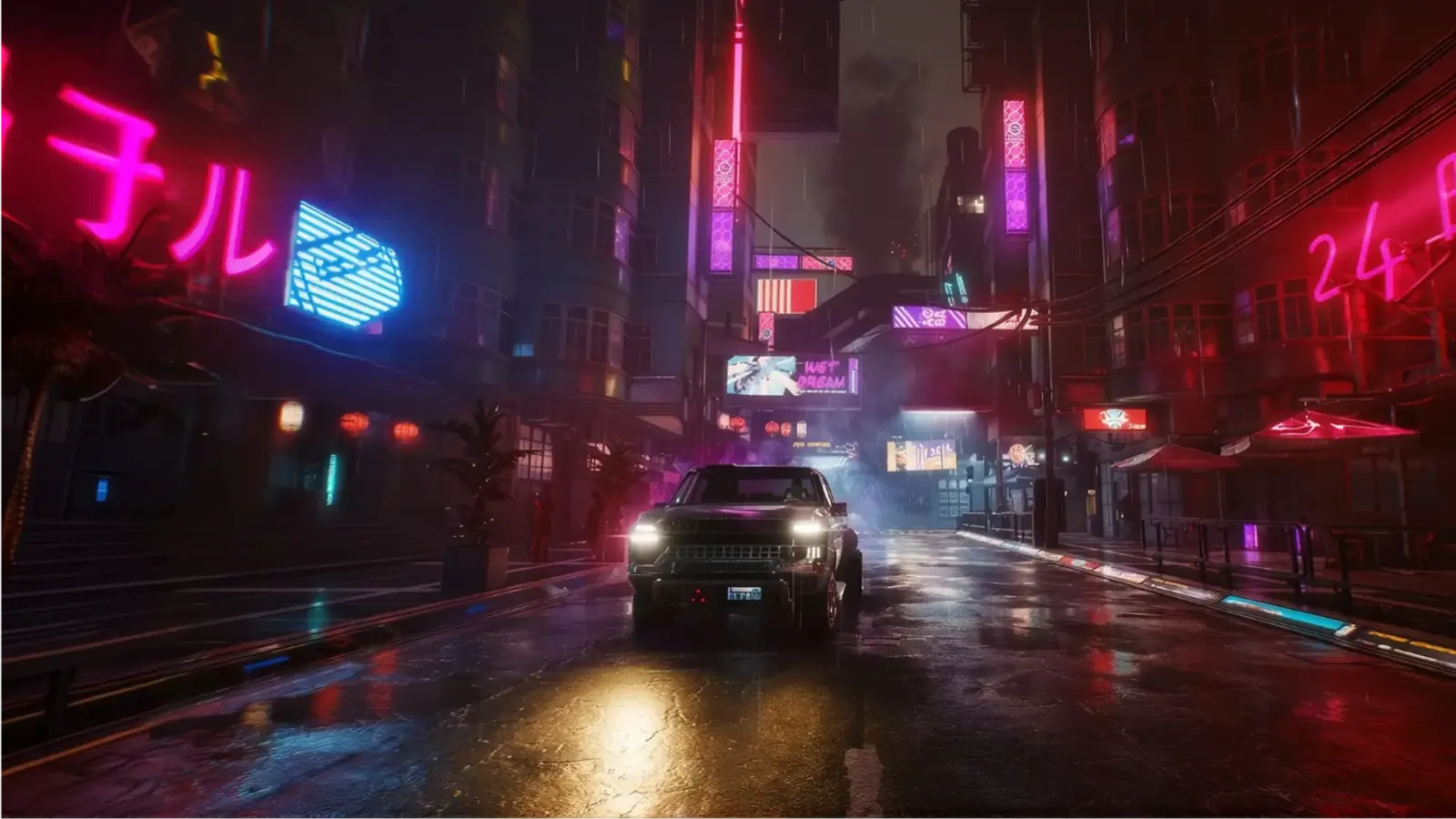
Cyberpunk OPEN//77 server hosting: a car with its headlights on drives down a rain-soaked Night City street lined with pink and blue neon signs

Your own Night City, online around the clock

Cyberpunk OPEN//77 Server Hosting

OPEN//77 is the community multiplayer platform for Cyberpunk 2077: every community runs its own dedicated server, with its own game mode and its own rules. Rent yours here and Night City stays open after you log off, whether you are building a strict roleplay city, a street racing league or a mode nobody has scripted yet.

Excellent on Trustpilot Hosting since 2004 9 locations 24/7 support in 9 languages

Sized by memory

Cyberpunk OPEN//77 Server Hosting Plans and Prices

OPEN//77 plans are sized by memory: 7 of them, from 10GB to 32GB of RAM. The OPEN//77 team says capacity depends on hardware, resources and workload, so you choose the memory your resources and your community need, and move up a size when the city outgrows it. Paying for 3, 6 or 12 months lowers the monthly price.

  1. 10GB
    10GB RAM

    A new community server, from Freeroam to your first custom modeLowest price

    • 10GB of RAM
    • 100GB of NVMe storage
    • Lowest monthly price
    €7.54/moMonthly, no contract
  2. 12GB
    12GB RAM

    Freeroam plus a few resources of your own

    • 12GB of RAM
    • Headroom for extra scripts
    • Same 5.0GHz CPU
    €15.59/moMonthly, no contract
  3. 14GB
    14GB RAM

    A custom game mode that is still taking shape

    • 14GB of RAM
    • Space to test new resources
    • 100GB of NVMe storage
    €17.92/moMonthly, no contract
  4. 16GB
    16GB RAM

    A custom mode with its own resources and WebUI

    • 16GB of RAM
    • Where a young roleplay city starts
    • Room for a longer resource list
    €20.26/moMonthly, no contract

Every plan: NVMe 7500MB/s · 5.0GHz · Up to 100GB. No setup fee. Upgrades and details

In short

Gaming Deluxe hosts Cyberpunk OPEN//77 servers from €7.54/mo, on 7 plans sized by memory, from 10GB to 32GB of RAM, each on a 5.0GHz CPU with NVMe storage, in 9 locations, set up within 20 minutes. OPEN//77 is in Open Alpha: anyone can host, and a free account with a verified email creates the license key a server needs. Players need their own copy of Cyberpunk 2077 at build 2.5 with Phantom Liberty; the server needs no copy of the game.

Key facts checked against our order form, updated .

  • 7 plans by memoryPick the size your resources need
  • 10GB to 32GB RAMMove up a size when your city grows
  • Lua 5.4 resourcesGameplay is scripted, not just configured
  • Freeroam includedRacing, PvP, wardrobe and animations in the server download
  • Free license keyCreated in your OPEN//77 account
  • 9 locationsUK, France, Germany, US and Australia
  • DDoS protectionAt every location
  • 24/7 support in 9 languagesHosting game servers since 2004

Run your city

The Cyberpunk OPEN//77 Server Hosting Control Panel

An OPEN//77 server is a normal server process with one config file, a resources folder and a log worth reading. Our game panel gives you all three in the browser, next to the power buttons and the backups, so you do not need a remote desktop or a command line to run your city.

Gaming Deluxe game server control panel with the server menu, connection details and Stop and Restart buttons
Warden first-run setup for an OPEN//77 server: the Server Identity step with server name, description and tags fields

The Gaming Deluxe control panel, pictured with a Windrose server (OPEN//77 servers use the same panel), and the first-run setup screen of Warden, the admin interface bundled with the OPEN//77 server.

File Manager and SFTP

Open server.jsonc, the file that holds the server name, visibility and network settings, and upload resources into the resources folder. SFTP is quicker for large packages.

Start, stop and restart

Config and startup changes are read when the server starts, so a restart is part of most setup steps. Warn your players first.

Web Console and logs

Watch the server enrol with the OPEN//77 master and load its resources. If the license key is refused, the log says so in plain words.

Backup Manager

The OPEN//77 team advises backing up configuration, persistent data and custom resources before every update during Alpha. A snapshot takes one click.

Connection details

Your server's public IP and port are shown in the panel. They are what OPEN//77 calls the public endpoint, and what players type into Direct Connect.

Open Alpha

OPEN//77 Open Alpha: Where the Platform Stands

OPEN//77 is in Open Alpha. The launcher and the Windows and Linux server packages are public downloads, and no access application, invitation or staff approval is needed to play, host or build. The team is equally clear that this is an early release, not a stable one.

StatusOpen AlphaGame build players need2.5 with Phantom Liberty

01

What Alpha means for a server owner

The official Open Alpha guide tells you to expect bugs, crashes, incomplete features and breaking API changes. APIs, network protocols and resource formats may change between releases, so back up before you update.

02

One exact game build

Players need Cyberpunk 2077 at build 2.5 with the Phantom Liberty expansion. The docs call it the exact build, not a minimum: the client refuses to load on a build it was not made for.

03

Stable and Unstable server builds

Stable is the default download. Preview builds are published as Unstable, and players must select Unstable in the launcher to join one. The docs say not to overwrite a live server with a preview build.

04

An independent community project

OPEN//77 is not affiliated with, endorsed by or supported by CD PROJEKT RED. Its roadmap gives priorities (reliability, compatibility, the resource ecosystem) and states that release dates are not guaranteed.

Resources & modes

Resources and Game Modes on Cyberpunk OPEN//77 Server Hosting

OPEN//77 does not ship one game mode. It ships a platform, and everything players do on your server comes from resources: packages of Lua script that the server loads and sends to each player who joins.

Building blocks

Lua 5.4 on both sides

A resource has a manifest (open77.lua), server scripts that own the shared world and client scripts that run inside the game. Each resource declares the permissions it needs.

Freeroam in the download

The server package includes the Freeroam template, which combines racing, PvP, a wardrobe and an animation menu, plus system resources such as chat, voice, weather and administration.

WebUI for HUDs and menus

A resource can ship a Chromium WebUI page, so HUDs, menus and in-game apps are built with HTML, CSS and JavaScript.

Running it

Players download what you run

When someone connects, their client fetches your server's resource set, verifies its signature and content hashes, then enters the world. Nobody installs your mods by hand.

Data that lasts

Server Lua can store data in SQLite files or through the built-in MySQL and MariaDB bridge. The database service itself is not part of the OPEN//77 download.

Coming from FiveM

The docs list FiveM compatibility aliases for threads, timers, events, commands and exports, with porting notes for the places where OPEN//77 behaves differently.

Cyberpunk 2077 build 2.5Phantom LibertyWindows 10 or 11, 64-bit

Memory

How Much RAM Cyberpunk OPEN//77 Server Hosting Needs

There is no official memory figure for an OPEN//77 server. The Open Alpha guide says capacity depends on hardware, resources and workload, and that no universal player-count target is guaranteed; measuring typical server workloads is still on the roadmap. So the sizes below are our own starting points: the smallest plan has 10GB, and you move to a bigger one when your own graphs ask for it.

  • Freeroam and the system resources from the download

    Memory: 10GB
    When to move up: Start here. Watch memory once real players arrive.

    :

  • A custom game mode with your own resources and WebUI

    Memory: 10GB to 16GB
    When to move up: When memory stays near the limit at your busiest hour.

    :

  • A full roleplay city with jobs, vehicles and persistent data

    Memory: 16GB to 32GB
    When to move up: As your resource list and your regular player count grow.

    :

Our plans come with 10GB, 12GB, 14GB, 16GB, 20GB, 24GB or 32GB. You can change size later from the client area and the server keeps its files.

Close to your players

Cyberpunk OPEN//77 Server Hosting Locations

Choose from 9 locations in the UK, France, Germany, the United States and Australia. Driving, shooting and voice all feel better on a low ping, so run the ping test below from your own PC and pick the site closest to most of your players.

LondonUnited Kingdom · Europe -
ParisFrance · Europe -
FrankfurtGermany · Europe -
New York (Buffalo)United States · North America -
DallasUnited States · North America -
Los AngelesUnited States · North America -
ChicagoUnited States · North America -
MiamiUnited States · North America No test
SydneyAustralia · Oceania -

Always-On Protection

Cyberpunk OPEN//77 Server Hosting with DDoS Protection

Watch how our multi-layered defence system filters malicious traffic while legitimate connections pass through uninterrupted.

Internet DDoS Protection Game Server

Malicious traffic is filtered at the edge, while legitimate traffic passes through uninterrupted.

Malicious Traffic (Blocked)Legitimate Traffic (Allowed)

At Every Location
Included
Full Protection
Layer 3/4/7
24/7 Active Filtering
Always-On
Added Latency
<1ms

In every plan

What Comes with Cyberpunk OPEN//77 Server Hosting

No setup fee. This is what every plan includes, as our order form lists it today.

  • ServerAn OPEN//77 dedicated server for Cyberpunk 2077 multiplayer, set up within 20 minutes
  • Memory10GB to 32GB, set by the plan you choose
  • Storage100GB NVMe at 7,500MB/s; 14,000MB/s drives and up to 200GB as upgrades
  • Processor5.0GHz included; 5.2GHz+ and 5.6GHz+ as upgrades
  • Locations9, all at the same price
  • FilesFile Manager and SFTP for server.jsonc and your resources
  • BackupsOffsite backups plus the Backup Manager in the panel
  • ProtectionDDoS protection at every location
  • Support24/7 support from a team hosting game servers since 2004

Optional upgrades

Added at checkout, billed with your plan.

  • Hard DiskNVMe 14,000Mb/sfrom €5.82
  • CPU Clock Speed5.2GHz+ - 5.6GHz+from €5.82
  • CPU PriorityHigh CPU Priority - Realtime CPU Priorityfrom €5.82
  • VIP Ticket Priority SupportPrioritise My Ticket Pleasefrom €2.32
  • Disk SpaceUp to 120GB - Up to 200GBfrom €8.16

Every plan is the same OPEN//77 server on the same hardware; only the memory changes. Faster CPUs, CPU priority and extra disk space can be added on the order form. All 9 locations cost the same. The OPEN//77 platform itself is free to use; you pay for the hosting, and each player needs their own copy of Cyberpunk 2077 with Phantom Liberty. Prices read from our order form on 17 November 2026. Taxes, if any, are shown at checkout.

Why host it

Why Rent Cyberpunk OPEN//77 Server Hosting

OPEN//77 has no peer-to-peer sessions: every world needs a dedicated server that somebody keeps running. These are the reasons to let us be that somebody.

A world that stays open

Economies, factions and stories carry on when you log off, because the server does not live on your gaming PC.

A public address from day one

OPEN//77 lists only servers that players can reach from the internet. A hosted server has a public IP, with no router ports to forward.

Fast single-core CPUs

The server decides positions, vehicles, loot, time and weather for everyone. Every plan starts on a 5.0GHz CPU.

A way back after a bad update

Alpha releases can break resources. Take a snapshot before you update and restore it if your game mode stops loading.

DDoS protection

A public server page attracts attention, not all of it friendly. Filtering is in place at every location.

People to ask

Our team answers tickets 24/7 and can help with the panel, files and restarts while you concentrate on scripting.

Before you open

Cyberpunk OPEN//77 Server Hosting Essentials Before You Open

Four things to have ready so the first evening goes on building, not on troubleshooting.

  1. An OPEN//77 account with a verified email

    Register on open2077.net and verify your email. Without verification you cannot create a server license key.

  2. A license key, copied straight away

    Create a key under Server license keys in your account. It starts with op77_live_ and is shown only once, so copy it immediately. Treat it like a password.

  3. A name and a visibility setting

    In server.jsonc, identity.name is what players see in the launcher, and identity.visibility decides whether you are listed (public) or hidden for a closed group (private).

  4. Players on the right game build

    Tell your community before launch night: Cyberpunk 2077 at build 2.5, Phantom Liberty installed, 64-bit Windows 10 or 11, and a legal copy of the game.

Answers

Cyberpunk OPEN//77 Server Hosting FAQ

Short answers to what people ask before renting an OPEN//77 server.

The platform

What is OPEN//77?

A multiplayer platform for Cyberpunk 2077. It is not one big official server: each community operates its own dedicated server with its own game mode and rules, and players browse and join them through the OPEN//77 launcher.

Is OPEN//77 made by CD PROJEKT RED?

No. OPEN//77 describes itself as an unofficial, independent community project that is not affiliated with, endorsed by or sponsored by CD PROJEKT. Cyberpunk 2077 remains the property of CD PROJEKT S.A.

Can I host a server now, or is access limited?

You can host now. OPEN//77 is in Open Alpha and the server downloads are public. A free account with a verified email is enough to create a license key; there is no application or approval step.

Is the Open Alpha stable enough for a community?

It is playable, but the team says to expect bugs, crashes, incomplete features and breaking API changes. Plan for regular backups and tell your players that it is an Alpha.

Players

What do players need to join my server?

Their own legal copy of Cyberpunk 2077 at build 2.5 with the Phantom Liberty expansion, on 64-bit Windows 10 or 11, plus the OPEN//77 launcher and a free OPEN//77 account.

Does the server need a copy of Cyberpunk 2077?

No. The dedicated server runs independently of the game and never loads game content, so nothing has to be bought or installed for the server itself.

How many players can join?

OPEN//77 gives no guaranteed player count: its Alpha guide says capacity depends on hardware, resources and workload. That is why our plans are sized by memory. Move to a bigger plan or add a faster CPU if a busy server needs it.

How do players find my server?

A licensed server set to public appears in the launcher and in the server list on open2077.net. Players can also use Direct Connect in the launcher with your IP and port.

Setting up

How quickly is my server ready?

Servers are set up within 20 minutes of payment, and your panel login arrives by email. After that you add your OPEN//77 license key and choose the server's name and visibility.

Where do I get the license key?

In your OPEN//77 account, under Server license keys. The key is shown once. One key can enrol more than one server, and an account can hold up to twenty active keys.

Why is my server missing from the server list?

The OPEN//77 hosting guide names four things to check: the license, public visibility, the connection to the master and the public endpoint. The server log shows whether the key was accepted. If you are stuck, open a ticket.

Can I add my own game mode and resources?

Yes. Upload each resource into the resources folder with the File Manager or SFTP. Resources are written in Lua 5.4 and can include WebUI pages; the official docs cover the manifest and the full Lua API.

Billing

What does Cyberpunk OPEN//77 server hosting cost?

Plans start at €7.54 a month with 10GB of RAM and go up to 32GB. The table shows the price for 1, 3, 6 and 12 months; longer cycles cost less per month.

Can I add memory later?

Yes. Move to a bigger memory tier, a faster CPU or more disk space from the client area. Your files stay in place.

Is there a contract?

No. The monthly plan runs month to month until you cancel. The 3, 6 and 12 month cycles are paid in advance at a lower monthly rate.

The complete guide · 7 min read

Cyberpunk OPEN//77 Server Hosting: The Complete Guide

How the platform is put together, what the Open Alpha means in practice, how a server gets licensed and listed, how resources work, and how to run a community server without losing a weekend to an update. Every platform fact comes from the official OPEN//77 documentation.

By , Owner, Gaming DeluxePublished · Updated

In this guide
  1. How OPEN//77 Is Put Together
  2. What Open Alpha Means for Your Community
  3. License Keys and Getting Listed
  4. server.jsonc, Ports and Startup Options
  5. Resources, Game Modes and Data
  6. Moderation, Warden and Updates
  7. What to Compare Before You Rent an OPEN//77 Server
  8. OPEN//77 Server Glossary
  9. OPEN//77 Server Help and Official Links

How OPEN//77 Is Put Together

Cyberpunk 2077 is a single-player game. OPEN//77 adds a multiplayer layer on top of it, and the official docs are careful about what that layer is. It is not one official server, not a fixed game mode and not a peer-to-peer co-op mod. It is the infrastructure that lets anyone run a Cyberpunk 2077 server, a client that finds those servers and connects to them, and a toolkit for building game modes. The docs put it in one line: if you know how FiveM works for GTA V, that is the shape.

  • The launcher and client: players sign in, the launcher checks their game and installs the multiplayer update. The client runs alongside the game and is designed to leave single-player saves and mods alone.
  • Dedicated servers: each one owns the shared world and accepts player connections. The server is authoritative: it decides positions, inventories, vehicles, loot, time and weather.
  • The master: the OPEN//77 service that checks license keys and keeps the public server directory.
  • Resources: Lua packages that hold all the gameplay.

Because nothing is peer to peer, a world exists only while its server runs. That is the whole case for hosting: a server in a data centre keeps economies, factions and stories going while every member of staff is asleep.

What Open Alpha Means for Your Community

Open Alpha is open in the literal sense. Launcher and server downloads are public, and the docs state that no access application, invitation or staff approval is needed. You do not even have to join the Discord first. It is also an Alpha in the literal sense, and the official guide lists what to expect.

  • APIs, network protocols and resource formats may change, so back up configuration, persistent data and custom resources before updating.
  • Each system has documented limitations, for example which models, bodies and animations are supported.
  • Repeated reconnects can leave a stuck animation or camera; the advice is to restart the game and report the steps.
  • Launcher, client and server have separate version numbers, and you should use compatible releases from the official downloads.

Be straight with your players about this. A community that knows it is testing an Alpha forgives a rollback; a community that was promised a finished game does not. The public roadmap talks about priorities, in order: reliability and developer feedback, then compatibility and capacity, then the wider ecosystem. It gives no release dates.

License Keys and Getting Listed

Every server on the platform belongs to an account. Anonymous servers are not part of OPEN//77: without a license key a server cannot enrol and is never listed. The key is free, and the process is short.

  1. Register on open2077.net and verify your email address.
  2. Open Server license keys in your account and create a key. Give it a label so you can tell your servers apart.
  3. Copy the key at once. It is shown only once; the platform stores just a fingerprint and cannot show it again.
  4. Give the key to the server, either through the OP77_LICENSE_KEY environment variable or the masterServer.licenseKey field in server.jsonc.
  5. Set identity.name and identity.visibility, check that network.publicEndpoint is your public IP and port, and start the server.

On start the server presents the key to the master, receives a short-lived run lease that is renewed with every heartbeat, and publishes its name, endpoint and player count. There is no listing form to fill in: the config is the listing. A public server then shows up in the launcher and on the website. Stop the server or revoke the key and it drops off again.

server.jsonc, Ports and Startup Options

The server reads its settings from server.jsonc, a JSON file that allows // comments. A handful of fields matter on day one.

SettingWhat it does
identity.nameThe name players see in the launcher and the server list
identity.visibilitypublic to be listed, private to stay enrolled but hidden
network.publicEndpointThe address handed to players: a public IP or hostname plus the port
network.maximumPlayersThe player limit of the server
masterServer.enabledLeave it true so the server enrols and is listed

By default the game uses UDP port 11778 and players download resources over TCP port 11779. Both must be reachable from the internet, because a player who cannot fetch your resources cannot enter the world. On a hosted server the ports are assigned for you, so use the ones your panel shows.

Any config field can also be set when the server starts, with options such as --max-players or --log-level, or with OP77_CONFIG environment variables. The log level is worth knowing: info is the default, and debug shows much more when you are chasing a problem. Switch back afterwards, since detailed logging on a busy server produces a lot of output.

Resources, Game Modes and Data

The OPEN//77 site says it plainly: gameplay on a server is not configured, it is scripted. A resource is a folder with a manifest file called open77.lua, server scripts, client scripts and, if you want an interface, WebUI pages. The manifest names the scripts and declares permissions, so a resource only gets the parts of the game it asks for. Each resource runs in its own isolated Lua environment.

The resources folder is grouped by category: system for the official platform resources such as chat and voice, gamemodes for playable modes such as freeroam, and assets for maps, vehicles and other packages. The server download already contains Freeroam, so a new server has something to play before you write a line of code. The docs also describe reference modes, including a deathmatch and a battle royale called Cordon.

The documented systems cover vehicles, NPCs, loot, time and weather, elevators, interactions, chat, notifications, map blips and visual effects. For data that must survive a restart, server Lua can use SQLite files, which need no separate service, or the built-in bridge to MySQL and MariaDB. Note that the server download does not install a database service: a SQL database has to exist before you point the server at it.

If your team has written FiveM resources, read the FiveM compatibility page before porting. It lists the aliases that work unchanged and, more usefully, the places where OPEN//77 deliberately answers differently.

Moderation, Warden and Updates

Licensing decides whether a server is on the platform, not who may join it. Admission is your job: the docs describe passwords, community whitelists and connection rules that a server sets for itself.

For daily administration the server bundles Warden, a browser admin panel with a live console, resource reloads without a restart, warn, kick and ban tools, announcements and staff roles. Warden is off by default and gives complete control of the server, which is why the docs tell you to keep it bound to a private address and reach it through a VPN or SSH tunnel instead of exposing it publicly.

Updates deserve a routine while the platform is in Alpha. Take a backup, update the server, start it, read the log, join with a test account and only then announce that the city is open. If a resource broke, restore the backup and fix it without an audience. Keep preview builds away from your live world: they need players to switch their launcher to Unstable and are meant for testing.

What to Compare Before You Rent an OPEN//77 Server

OPEN//77 hosting is new, so offers are hard to line up. These questions do the sorting.

  1. Memory and CPU in the priceNo official capacity figures exist yet, so check how much RAM and what CPU speed the price includes, and what an upgrade costs.
  2. File accessYou will edit server.jsonc and upload resources constantly. Make sure you get full file access and SFTP.
  3. Both ports reachablePlayers need the game port and the resource download port. Ask whether both are open as standard.
  4. BackupsWith breaking changes expected during Alpha, check how backups are made and how quickly you can restore one.
  5. Location and pingTest your latency to the data centre before ordering, from the place where most of your players live.
  6. Billing termsLook for monthly billing with no minimum term while the platform is this young.

OPEN//77 Server Glossary

OPEN//77
The independent community multiplayer platform for Cyberpunk 2077.
Launcher
The player's program: it signs in, checks the game, installs the multiplayer update and lists servers.
Master
The OPEN//77 service that verifies license keys and keeps the server directory.
License key
The op77_live_ key that ties a server to its owner's account.
server.jsonc
The server's config file: name, visibility, network and master settings.
Public endpoint
The internet address and port the launcher hands to players.
Resource
A package of Lua scripts, a manifest and optional WebUI that adds gameplay.
Freeroam
The game mode template included with the server download.
Warden
The admin panel bundled with the server, off by default.
WebUI
Chromium-based interface pages a resource can ship for HUDs and menus.
Direct Connect
The launcher option for joining a server by IP or hostname and port.

OPEN//77 Server Help and Official Links

The official documentation, and the quickest ways to reach us.

How this guide was made: researched from the official OPEN//77 website and documentation at open2077.net, read on 17 November 2026. Drafted with AI assistance, checked against our live order form for the plan, prices and locations, and reviewed by Matthew Griffin before publishing. OPEN//77 changes quickly during Alpha. Spotted something out of date? Tell us.