
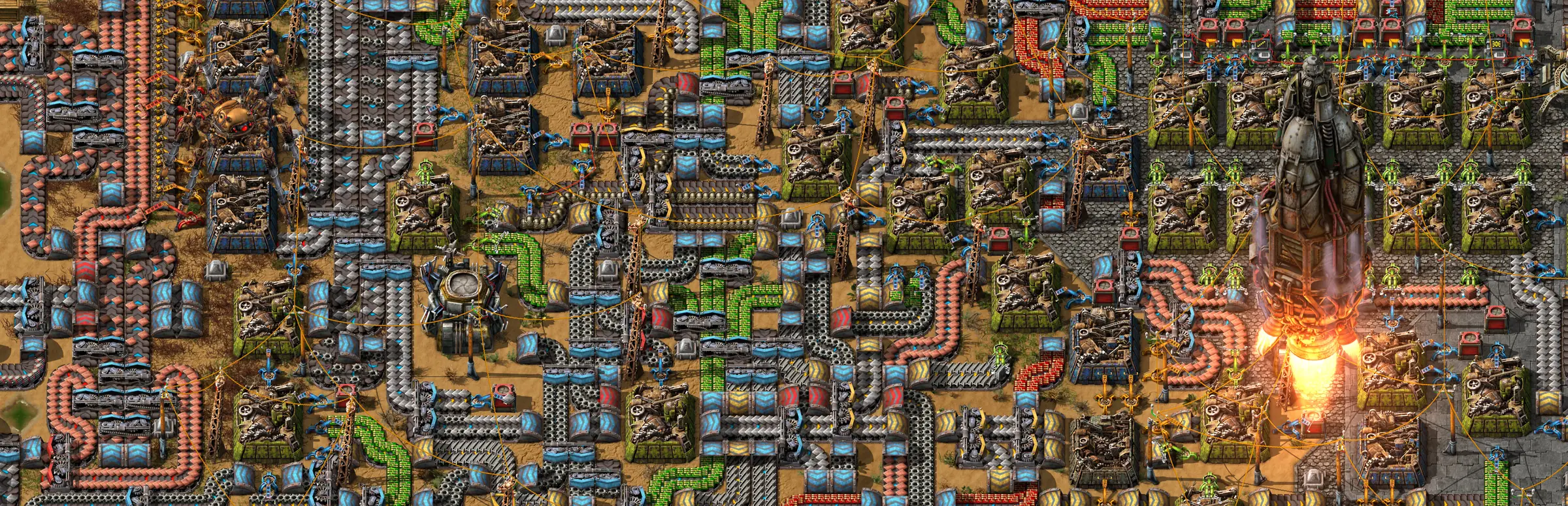
Factorio server hosting: a huge factory of belts and assemblers seen from above as a rocket lifts off

Headless 2.0 and Space Age

Factorio Server Hosting

Factorio server hosting for a factory the whole team can build on, whenever anyone is free: main bus at lunchtime, train network after work, rocket launch at the weekend. Headless 2.0 servers with Space Age content included and the mod portal one click away for every player.

Excellent on Trustpilot Hosting since 2004 9 locations 24/7 support in 9 languages

Size your factory

Factorio Server Hosting Plans by Memory

Factorio plans are sized by memory, since a sprawling factory and a mod list weigh far more than the number of engineers online. Every size has the same processor, storage and locations, and 3, 6 or 12 month terms reduce the monthly cost.

  1. 3GB
    3GB RAM

    3GB RAM: a new map with a small teamRecommended

    • Our recommended start for vanilla 2.0
    • Up to the first rockets on a modest base
    $8.20/moMonthly, no contract
  2. 4GB
    4GB RAM

    4GB RAM: Space Age with a few friends

    • Headroom once platforms and a second planet appear
    $11.03/moMonthly, no contract
  3. 8GB
    8GB RAM

    8GB RAM: several planets or a mod list

    • A good fit for overhaul mods
    $22.07/moMonthly, no contract
  4. 12GB
    12GB RAM

    12GB RAM: heavy overhauls with a group

    • Long-running saves with big rail networks
    $33.10/moMonthly, no contract

Every plan: NVMe 7500MB/s · 5.0GHz · Up to 100GB. No setup fee. Upgrades and details

In short

Gaming Deluxe hosts Factorio headless servers from $8.20/mo, sized by memory with 6 plans from 3GB to 32GB of RAM, and 3GB recommended to start. Our order form sets no slot limit: you choose max_players yourself. Servers run on 5.0GHz CPUs and NVMe storage in 9 locations across the UK, France, Germany, the US and Australia.

Key facts checked against our order form, updated .

  • 3GB to 32GB RAM6 plans, 3GB recommended
  • No slot limitSet max_players to suit your team
  • 2.0 and Space AgeExpansion content ships with the headless server
  • Mod portal modsPlayers download the server's mods on joining
  • 9 locationsIdentical pricing in every region
  • Autosaves plus offsiteFactorio autosaves, we keep 7 days offsite
  • DDoS protectionBuilt into every location
  • 24/7 support in 9 languagesFrom a host running servers since 2004

Run the factory

The Factorio Server Hosting Control Panel

Everything the server admin needs sits in one web panel: server-settings.json in an easy editor, the console, save uploads, mods, custom map generation and scheduled tasks.

Gaming Deluxe game server control panel with the server menu, connection details and Stop and Restart buttons

The Gaming Deluxe control panel, pictured with a Windrose server. Factorio servers use the same panel and menu.

Web Console

Promote admins, manage the whitelist or send a message to the whole team from the live server console.

File Manager and SFTP

Upload a single-player save to the saves folder, or drop mod zips from the official portal into the mods folder.

Mod Manager

Install the Map Generator Editor, then shape a brand-new map through map-gen-settings.json and map-settings.json.

Backups and Scheduled Tasks

Take a backup before a risky rebuild, and schedule restarts, backups and updates to run while the factory is quiet.

Updates

Bring the server up to the newest release after Wube ships a patch, so everyone can connect on the same version.

Easy Editor for server-settings.json

Fill in the server name, password, visibility and your factorio.com username and token without touching raw JSON.

2.0 & Space Age

Factorio 2.0, Space Age and the 2.1 Experimental

Wube released Factorio 2.0 and the Space Age expansion together on 21 October 2024. 2.0 was a free update for everyone; Space Age is a paid expansion. In June 2026 work moved on to 2.1, which is available as an opt-in experimental build.

2.021 October 2024Stable2.0.77Experimental2.1.21 · 6 October 2026

01

Free 2.0, paid Space Age

2.0 brought new rails, a new fluid system, better train control, blueprint and robot improvements and new Nauvis terrain to every owner. Space Age adds space platforms, four new planets, quality and elevated rails.

02

Stable on the server

The stable release at the time of writing is 2.0.77. A server and all of its players must run the same version, so update the server when Steam updates your game.

03

2.1 is experimental

2.1 has been opt-in since 26 June 2026, with 2.1.21 out on 6 October 2026. 2.0 saves load in 2.1 but cannot go back, and Wube has given no date for a stable 2.1.

04

Switch 2 joins in

Factorio and Space Age reached Nintendo Switch 2 on 22 December 2025, free for Switch owners, and Wube says cross-play multiplayer is fully supported there.

Mods & crossplay

Mods and Crossplay on Factorio Server Hosting

Factorio has one of the best official mod systems in gaming: a mod portal run by Wube, with mods that follow players onto servers automatically. Crossplay is official too, as long as every version matches.

Mods

The official mod portal

mods.factorio.com lists thousands of mods for 2.0, with a filter for those that need Space Age. Download a mod's zip and upload it to the server's mods folder.

Mods sync when players join

Join a modded server and the game offers to download and enable every mod the server uses, at the exact versions it runs. Nobody has to hunt down a mod list.

Space Age for everyone

A Space Age game can be played in multiplayer if all players own the expansion. Quality is recommended but optional, so it can be switched off like any mod.

Crossplay

PC and Switch together

Wube's wiki says cross-platform multiplayer with Switch works when the game versions match; PC players can pick the console beta branch on Steam to line up with Switch.

Switch and hosted servers

The same wiki notes that games on a dedicated server are not shown in the Switch's multiplayer browser, and that the Switch has no mod support. Plan a Switch group around a vanilla save.

Same version, every device

Whatever the platform, a player on 2.0.77 cannot join a server on a 2.1 experimental build. Agree on stable or experimental as a team before updating.

WindowsmacOSLinuxSwitchSwitch 2

Memory for megabases

RAM for Factorio Server Hosting: Picking a Size

Wube publishes memory requirements for the game client (8GB minimum, 16GB recommended) but none for the headless server. Our sizes are based on running Factorio maps: memory use grows with the explored map, the number of planets and surfaces in play, and above all the mod list.

  • New vanilla map, small team

    Plan: 3GB
    RAM: 3GB

    Signs you need more: The map has been explored far and wide, or several people are building at once.

  • Space Age with a few friends

    Plan: 4GB
    RAM: 4GB

    Signs you need more: Platforms in orbit and bases on two or three planets keep more surfaces loaded.

  • Several planets or a mod list

    Plan: 8GB
    RAM: 8GB

    Signs you need more: Memory climbing steadily between restarts as the factory grows.

  • Overhaul mods, long-running save

    Plan: 12GB
    RAM: 12GB

    Signs you need more: Large overhaul packs and old saves with huge rail networks.

  • Community server or megabase

    Plan: 20GB
    RAM: 20GB

    Signs you need more: Many players spread across a giant map.

  • The biggest multiplayer factories

    Plan: 32GB
    RAM: 32GB

    Signs you need more: Our largest plan; pair it with a faster CPU option for UPS.

Memory sizes on the order form: 3GB, 4GB, 6GB, 8GB, 10GB, 12GB, 14GB, 16GB, 20GB, 24GB and 32GB, so the sizes between our plans are available too. For a megabase, faster CPU options at checkout matter as much as memory, because Factorio's update rate depends on processor speed.

Low ping, worldwide

Factorio Server Hosting Locations and Ping Test

Choose between 9 locations in the UK, France, Germany, the United States and Australia. Factorio keeps every player in lockstep with the server, so a low ping for the whole team makes building feel instant. Run the test below from the PC you play on.

LondonUnited Kingdom · Europe -
ParisFrance · Europe -
FrankfurtGermany · Europe -
New York (Buffalo)United States · North America -
DallasUnited States · North America -
Los AngelesUnited States · North America -
ChicagoUnited States · North America -
MiamiUnited States · North America No test
SydneyAustralia · Oceania -

On every plan

What Comes With Factorio Server Hosting

No setup fee, and nothing else needed before the first belt goes down. Every Factorio plan includes the following, as listed on our order form.

  • Game serverFactorio headless server for 2.0, which includes Space Age content
  • MemoryPlans at 3GB, 4GB, 8GB, 12GB, 20GB and 32GB, with the sizes in between on the order form
  • PlayersNo slot limit on our order form; set max_players yourself
  • Storage100GB NVMe at 7,500MB/s included, upgrades to 200GB and 14,000MB/s drives
  • Processor5.0GHz included, with 5.2GHz+ and 5.6GHz+ options for bigger factories
  • Locations9 to choose from at one price
  • ModsUpload mods from the official portal; players sync them on joining
  • BackupsFactorio's autosaves, panel backups, scheduled tasks and 7 days of offsite copies
  • ProtectionDDoS protection at every location
  • Support24/7 tickets with a team that has hosted games since 2004

Optional upgrades

Added at checkout, billed with your plan.

  • Hard DiskNVMe 14,000Mb/sfrom $7.06
  • CPU Clock Speed5.2GHz+ - 5.6GHz+from $7.06
  • CPU PriorityHigh CPU Priority - Realtime CPU Priorityfrom $7.06
  • VIP Ticket Priority SupportPrioritise My Ticket Pleasefrom $2.82
  • Disk SpaceUp to 120GB - Up to 200GBfrom $9.89

Factorio plans are memory sizes with no slot limit on our order form; the player cap is the max_players line in server-settings.json. The order form also has 6GB, 10GB, 14GB, 16GB and 24GB. Every one of our 9 locations is priced the same. Prices read from our order form on October 14, 2026. Taxes, if any, are shown at checkout.

Built for engineers

Factorio Server Hosting Features

The parts of the service that matter most once a team has a shared factory to look after.

Bring your save

Upload the save you started alone and the whole team picks up from the same belts and trains.

Custom map generation

Set ore richness, cliffs, enemies and more with the Map Generator Editor before a fresh start.

Mods that follow you

Upload a mod once; every player is offered the same set and versions when they join.

Faster CPU options

Factorio's simulation runs on processor speed, and 5.2GHz+ and 5.6GHz+ upgrades are available at checkout.

DDoS protection

Attack traffic is filtered before it reaches the server, so a public game stays playable.

Safe experiments

Back up before tearing out the main bus, and roll back in minutes if the new design jams.

Before the first shift

Factorio Server Hosting Essentials

Five things to sort out before the first shift on the server.

  1. Does everyone own Space Age?

    A Space Age game needs the expansion on every player's account. If one teammate only has the base game, start a 2.0 game without the expansion mods.

  2. The factory pauses when empty

    auto_pause is on by default, so the server stops time when nobody is connected. Switch it off in server-settings.json if you want production to keep running.

  3. Port 34197 over UDP

    Factorio talks to players over UDP only, on port 34197 unless changed. Our network has it open, so players just need the address from the panel.

  4. Add a factorio.com token to go public

    A public listing needs your factorio.com username and token in server-settings.json. Private games can skip it and share the address and password instead.

  5. Make yourself admin

    List admin names in server-adminlist.json, or promote a player from the console. Commands are allowed for admins only by default.

Answers

Factorio Server Hosting Questions

Short answers to what new Factorio server owners ask us most.

Getting started

How soon can my team play?

The server is created automatically when payment clears, usually within minutes and at most about 20. Login details for the panel come by email.

How do players join?

In Factorio choose Multiplayer, then Connect to address, and enter the IP and port from the panel. If you list the server publicly with your factorio.com token, it also appears in the public game browser.

Can I upload my single-player save?

Yes. Stop the server, upload the save to the saves folder with the File Manager or SFTP, set it as the save to load, then start the server again.

Which location should I pick?

Run the ping test on this page from your PC and choose the lowest result for most of the team. All 9 locations cost the same.

Space Age, mods and players

Does the server support Space Age?

Yes. The headless server for 2.0 ships with Space Age content. Every player who joins a Space Age game needs to own the expansion themselves.

How do mods work on a server?

Upload mod zips from the official mod portal to the server's mods folder and restart. When players connect, the game offers to download and enable the same mods at the same versions.

How many players can join?

Our order form sets no slot limit for Factorio. The game's hard limit is 65,535, though Wube says the practical limit is much lower. Set max_players in server-settings.json, and choose more memory for bigger teams.

Can Switch players join?

Cross-platform play with Switch works when versions match, according to Wube's wiki. The wiki also notes that dedicated server games are not listed in the Switch's multiplayer browser, and the Switch cannot use mods.

Saves and updates

How often does the server save?

Factorio's default is an autosave every 10 minutes, rotating through 5 autosave slots, and both can be changed in server-settings.json. Panel backups and 7 days of offsite copies sit on top.

Should we try the 2.1 experimental?

Only if the whole team opts in on Steam. A 2.0 save loads in 2.1 but cannot be moved back, so take a backup first.

What happens when Factorio updates?

Update the server from the panel and restart it, so it matches the players' version. Check that your mods have updated for the new release before you do.

Billing

How much does Factorio server hosting cost?

The 3GB plan, our recommended start and the smallest size, costs $8.20 a month. Longer terms of 3, 6 or 12 months lower the monthly price.

Can I add memory later?

Yes. Move to a larger size or add CPU and storage upgrades from the client area. The save stays where it is.

The complete guide · 6 min read

Factorio Server Hosting: The Complete Guide

This guide explains how a hosted Factorio server works in the 2.0 and Space Age era: the headless server, the settings file, admins and whitelists, mods, saves, memory and what crossplay really covers. It is written for the engineer who has been put in charge of the server as well as the trains.

By , Owner, Gaming DeluxePublished · Updated

In this guide
  1. What a Headless Factorio Server Is
  2. Space Age on a Server: Who Needs What
  3. server-settings.json, Line by Line
  4. Admins, Whitelists and Going Public
  5. Running Mods From the Official Portal
  6. Saves, Map Strings and Moving a Factory
  7. Memory, CPU and Keeping UPS Up
  8. What to Compare Before You Rent a Factorio Server
  9. Factorio Server Glossary
  10. Factorio Server Help and Next Steps

What a Headless Factorio Server Is

Factorio can host multiplayer from inside the game, but the factory then lives on one player's PC and stops when they quit. A headless server is the same game with no graphics, made for running a map around the clock. Wube offers it as a free download for Linux, and since 2.0 it includes the Space Age content.

One detail surprises new admins. By default the server pauses the game when nobody is connected, a setting called auto_pause. That keeps a factory from running out of ammunition overnight, but it also means no production while everyone is away. Turn it off if your team would rather log in to full chests.

Space Age on a Server: Who Needs What

On stable 2.0, Space Age is built as three official mods: Space Age itself, Quality and Elevated Rails, with the recycler part of Quality. The 2.1 experimental moves the recycler into a fourth mod of its own. The headless server already has the content, so the question is only about players. Wube's game modes page states that a Space Age game can be played in multiplayer if all players own the expansion.

SetupWhat players needGood for
2.0 without the expansionThe base gameMixed groups, or a classic Nauvis rocket run
Space Age with QualityThe base game and Space AgeThe full expansion: platforms, four planets, quality tiers
Space Age without QualityThe base game and Space AgeTeams who want the planets without the quality layer

The planets each change how a team works. Vulcanus is volcanic and built around tungsten and molten metal, Gleba is a swamp of crops that spoil, Fulgora is a stormy scrapyard of ruins and holmium, and Aquilo is an ice world of heat pipes, cryogenics and fusion power. Space platforms carry goods between them and have to be defended against asteroids.

server-settings.json, Line by Line

Most of a Factorio server's behaviour lives in server-settings.json, which our panel opens in an easy editor. Stop the server before changing it. These defaults come from Wube's own example file:

SettingDefaultWhat it controls
max_players0 (unlimited)Player cap; admins can still join a full server
visibilitypublic and lanWhere the game is listed; public needs a factorio.com token
game_passwordemptyA password players must enter to join
require_user_verificationtrueOnly players with a verified factorio.com account can join
allow_commandsadmins-onlyWho may use console commands
autosave_interval / autosave_slots10 minutes / 5How often the map saves and how many autosaves rotate
afk_autokick_interval0 (never)Minutes before an idle player is kicked
auto_pausetruePauses the game while nobody is connected
max_upload_in_kilobytes_per_second0 (unlimited)Caps upload speed while players download the map

Admins, Whitelists and Going Public

Admins are named in server-adminlist.json, one factorio.com username per entry, or promoted from the console. Because allow_commands defaults to admins-only, only they can run commands, which keeps a curious newcomer from cheating in a stack of solar panels.

  1. Stop the server and open server-settings.json in the panel's easy editor.
  2. For a public listing, enter your factorio.com username and token in the credentials section.
  3. Set a game_password for a private team game, or leave visibility as public for anyone to find.
  4. Start the server, then use /whitelist add in the console to limit who can join; an empty whitelist means everyone can.

Your token lives on your factorio.com profile once you have linked your Steam account there. Our knowledge base walks through it step by step.

Running Mods From the Official Portal

Factorio mods come from mods.factorio.com, Wube's own portal, which lists thousands of mods for 2.0. To add one to the server, download its zip, upload it to the mods folder with SFTP or the File Manager, and restart. When a player connects, the game offers to fetch and enable the same mods at the server's versions, so the team never has to compare lists.

  • Add mods one at a time, so a crash points straight at the cause.
  • Check each mod's page for the Space Age requirement and for dependencies.
  • Large overhauls change the whole tech tree; start a new map rather than bolting one onto an old save.
  • Before a Factorio update, wait for your mods to update too, then update the server.

Saves, Map Strings and Moving a Factory

On a PC, Factorio keeps saves in the saves folder of its user data directory: %appdata%\Factorio on Windows, Library/Application Support/factorio on macOS and ~/.factorio on Linux. To move a factory onto the server, upload that save to the server's saves folder and set it to load. Saves from 1.0 and 1.1 still load in 2.0.

For a fresh start with known settings, a map exchange string copies every map-generation option in one line: copy it from the load screen and paste it into the new game screen. On the server, the Map Generator Editor from our Mod Manager lets you edit map-gen-settings.json and map-settings.json, and the Wipe Server button clears the old map before the new one generates.

Memory, CPU and Keeping UPS Up

Two resources decide how a Factorio server feels. Memory has to hold the whole explored map, every surface in Space Age and all loaded mods, which is why our plans are sold by RAM. The processor decides UPS, the number of game updates per second; when a factory grows too big for the CPU, the whole game slows down for everyone.

Start at 3GB for a new vanilla map, give Space Age bases across several planets 4GB to 8GB, and move to 12GB and beyond for overhaul mods. If UPS drops while memory still has room, the answer is a faster CPU option rather than more RAM. You can change both later from the client area without moving the save.

What to Compare Before You Rent a Factorio Server

Factorio servers live for months or years. These are the details that matter once the factory is big.

  1. Memory for the long runCheck the RAM included and how easily you can move up when the map and mod list grow.
  2. Processor speedUPS depends on clock speed. Look for fast CPUs and the option to upgrade for a megabase.
  3. Settings accessYou need to edit server-settings.json, the admin list and map generation files yourself.
  4. Save uploadsSFTP or a file manager makes moving a single-player factory onto the server quick.
  5. Ping to your teamFactorio keeps everyone in lockstep, so a location close to the whole team matters more than anything on a spec sheet.
  6. Backups you controlCheck you can back up and restore yourself, and how long offsite copies are kept.
  7. Billing termsCompare monthly and longer terms, and check for setup fees or minimum contracts.

Factorio Server Glossary

Headless server
Factorio with no graphics, made to run a multiplayer map on a server.
server-settings.json
The file holding the server's name, password, visibility, autosave and player settings.
auto_pause
A setting, on by default, that pauses the game when no players are connected.
UPS
Updates per second: how fast the simulation runs. 60 is full speed.
Space Age
The paid expansion released with 2.0: space platforms, four planets, quality and elevated rails.
Quality
Five tiers for items and buildings, from Normal to Legendary; optional in a Space Age game.
Space platform
A flying factory that carries goods between planets and must fend off asteroids.
Map exchange string
A line of text that copies every map-generation setting to a new game.
Mod portal
Wube's official site for Factorio mods, which players sync from when joining a server.
Megabase
A very large factory, usually built to produce science or rockets at huge rates.
Token
The key from your factorio.com profile that lets a server appear in the public browser.

Factorio Server Help and Next Steps

Useful pages for setting up and running your factory server.