
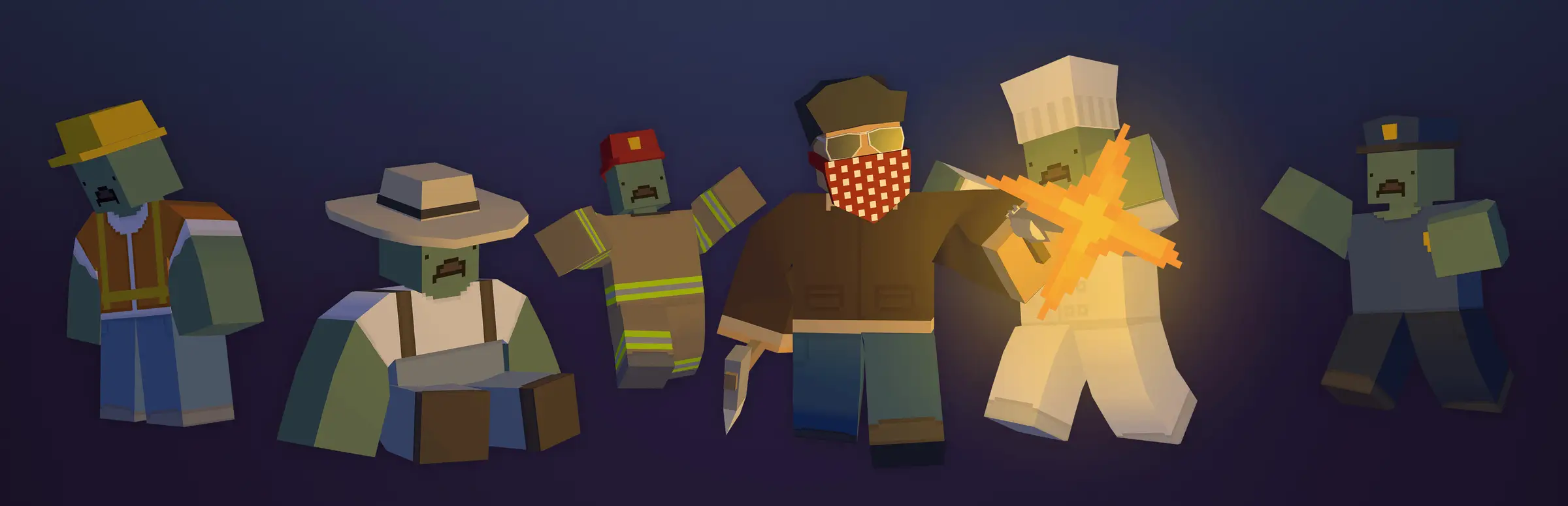
Unturned server hosting: a blocky survivor in a bandana and sunglasses fights off a row of zombies, from a builder and a farmer to a firefighter, a chef and a police officer

Free-to-play zombie survival on a server you run

Unturned Server Hosting

Unturned server hosting for groups who want their own corner of the apocalypse: your map, your PvP and difficulty rules, Workshop mods that download to players as they join, and Rocket plugins installed from the panel. Unturned is free on Steam, so everyone you invite can play.

Excellent on Trustpilot Hosting since 2004 9 locations 24/7 support in 9 languages

Size your survivor count

Unturned Server Hosting Plans and Monthly Prices

An Unturned server accepts up to 200 players, and ours are sold by the slot from 20 to 120. These four plans cover most servers, from a friends' island to a busy public server, with memory rising one tier per plan. Any other count between 20 and 120 can be picked on the order form.

  1. 20player slots
    5GB RAM

    Friends and a small community

    • The free 5GB memory tier
    • Vanilla or a few Workshop items
    • The lowest monthly price
    $8.40/moMonthly, no contract
  2. 40player slots
    8GB RAM

    A growing community serverBest for most servers

    • 8GB for plugins and a curated map
    • Room for raids, trading and groups
    • Our pick for most servers
    $21.03/moMonthly, no contract
  3. 60player slots
    12GB RAM

    A busy PvP or roleplay server

    • 12GB for big maps and plugin sets
    • Space for clans and events
    • Popular with Rocket-heavy setups
    $35.09/moMonthly, no contract
  4. 100player slots
    16GB RAM

    A large public server

    • 16GB of memory
    • Large curated maps such as California 2
    • Up to 120 slots on the order form
    $57.55/moMonthly, no contract

Every plan: NVMe 7500MB/s · 5.0GHz · Up to 100GB. No setup fee. Upgrades and details

In short

Gaming Deluxe hosts Unturned dedicated servers from $8.40/mo, with 20 to 100 player slots and 5GB to 16GB of RAM depending on the plan. Each server runs Smartly Dressed Games' Unturned Dedicated Server on 5.0GHz CPUs and NVMe storage in 9 locations across the UK, France, Germany, the US and Australia, and is set up automatically after payment.

Key facts checked against our order form, updated .

  • 20 to 100 player slotsAny count from 20 to 120 at checkout
  • 5GB to 16GB RAMOne tier more with each plan
  • 9 locationsSame price in the UK, EU, US and Australia
  • Workshop and curated mapsListed by File ID, fetched at start-up
  • Rocket in one clickPlugins and RCON from the Mod Manager
  • MySQL for pluginsConnection details in the panel
  • Steam login tokenPuts you on the Internet server list
  • DDoS protectionStandard at every location
  • 24/7 support in 9 languagesHosting game servers since 2004

Your server toolkit

The Unturned Server Hosting Control Panel

Unturned is set up in text files and extended with plugins. The panel gives you an editor for the files, a Mod Manager for Rocket, and scheduled tasks for saves, restart warnings and wipes.

Gaming Deluxe game server control panel with the server menu, connection details and Stop and Restart buttons

The Gaming Deluxe control panel, pictured with a Windrose server. Unturned servers use the same panel and menu.

Configuration Files

Edit Commands.dat for the map, name, password and player limit, and the server config for difficulty settings and your login token.

Mod Manager

Install Rocket, the plugin framework Smartly Dressed Games now maintains, or add phpMyAdmin from the tools section.

Rocket Plugins button

Name the plugins you want in RocketPlugins.json, then let the panel download them before the next start.

Scheduled Tasks

Run a Save before each restart, post a chat warning, update Rocket or wipe the server on a timetable you set.

Web Console

With Rocket installed, type server commands in the browser using the RCON password from Server Details.

Database Details

Plugins that keep data in MySQL read their connection details from the panel; manage the tables with phpMyAdmin.

Still growing in 2026

Unturned in 2026: Wild Harvest, California 2 and the Source Code

Unturned left Early Access in 2017 and is still patched often. Version 3.26.3.13 on 30 September 2026 is the newest at the time of writing, and this year has already brought a farming and building update, a huge new curated map and, in July, the release of the game's source code.

Full release7 July 2017Patch3.26.3.13 · 30 September 2026Source code7 July 2026

01

Wild Harvest (3.26.2.0)

Released on 2 April 2026 with tougher but more rewarding fishing, clay you smelt into bricks for a complete set of brick building pieces, and wild mushrooms to forage.

02

California 2

A curated map released on 30 April 2026, roughly six times the size of the first California, with NPC safezones, more than 100 quests and a deep endgame. Servers download it from the Workshop like any curated map.

03

Source code on GitHub

On 7 July 2026 Smartly Dressed Games published Unturned's source code and project files. Its FAQ says it plans to keep maintaining the official Steam version and to keep the code in sync with each release.

04

Patch day on a server

Players on a newer build cannot join an older server, so run Steam Update and restart. The dedicated server bundles the current Rocket build, which keeps plugins in step with the game.

Workshop & plugins

Workshop, Curated Maps and Plugins for Unturned Server Hosting

Few survival games are as open to modding as Unturned. Smartly Dressed Games supports Workshop maps and mods directly in the dedicated server, and plugins through Rocket or OpenMod.

Workshop and maps

Workshop by File ID

Add each item's File ID to WorkshopDownloadConfig.json. At start-up the server installs and updates them, dependencies included, and players download them automatically as they connect.

Curated maps

A6 Polaris, Arid, Buak, Elver, Kuwait, California 2 and the other curated maps live on the Workshop. The server downloads them like any mod, then you name the map in Commands.dat.

Built-in maps

PEI, Washington, Yukon, Russia and Germany ship with the game, so they need no download at all.

Plugins and rules

Rocket (LDM)

Smartly Dressed Games maintains Rocket as the Legally Distinct Missile and bundles it with the dedicated server. Our Mod Manager installs it in one click.

OpenMod

The other plugin framework covered in the official documentation, for server owners who prefer it to Rocket.

The hosting rules

Servers on the public list must follow Smartly Dressed Games' rules: never sell vanilla premium content such as Stockpile items or Gold Upgrade benefits, and label any paid perks truthfully.

WindowsmacOSLinux

Memory, map by map

RAM for Unturned Server Hosting, Plan by Plan

Smartly Dressed Games publishes no memory figures for the dedicated server, so these are our own sizing notes. Memory follows three things: how many players are online, which map you run (curated maps like California 2 dwarf PEI) and how many plugins are loaded. Each plan steps up one tier from the free 5GB.

  • Friends on a built-in map

    Plan: 20 Slots
    RAM included: 5GB

    When to add more: Seldom. Keep an eye on the graph if you switch to a large curated map.

  • Community server, a few plugins

    Plan: 40 Slots
    RAM included: 8GB

    When to add more: When a big Workshop map and a plugin set are loaded together.

  • Busy PvP or roleplay server

    Plan: 60 Slots
    RAM included: 12GB

    When to add more: With long plugin lists or many bases spread across the map.

  • Large public server

    Plan: 100 Slots
    RAM included: 16GB

    When to add more: A hundred players on a big curated map; 20GB and above are on the order form.

Memory tiers on the order form: 5GB, 8GB, 12GB, 16GB, 20GB, 24GB and 32GB. Change tier later from the client area.

Low ping, top of the list

Unturned Server Hosting Locations and Ping Test

Pick from 9 locations in the UK, France, Germany, the United States and Australia. Players browsing the Internet list see the ping to every server, so a location close to your community helps you get found. Run the test from your own PC first.

LondonUnited Kingdom · Europe -
ParisFrance · Europe -
FrankfurtGermany · Europe -
New York (Buffalo)United States · North America -
DallasUnited States · North America -
Los AngelesUnited States · North America -
ChicagoUnited States · North America -
MiamiUnited States · North America No test
SydneyAustralia · Oceania -

Always-On Protection

Unturned Server Hosting with DDoS Protection

Watch how our multi-layered defence system filters malicious traffic while legitimate connections pass through uninterrupted.

Internet DDoS Protection Game Server

Malicious traffic is filtered at the edge, while legitimate traffic passes through uninterrupted.

Malicious Traffic (Blocked)Legitimate Traffic (Allowed)

At Every Location
Included
Full Protection
Layer 3/4/7
24/7 Active Filtering
Always-On
Added Latency
<1ms

In every plan

What Unturned Server Hosting Includes

No setup fee and nothing you have to add before playing. This is what comes with every Unturned plan, as our order form lists it today.

  • Game serverSmartly Dressed Games' Unturned Dedicated Server, kept current through Steam
  • Player slots20, 40, 60 or 100 as plans; any count from 20 to 120 on the order form
  • Memory5GB on 20 slots up to 16GB on 100 slots; tiers up to 32GB
  • PluginsRocket (LDM) and phpMyAdmin from the Mod Manager
  • Plugin dataMySQL connection details shown in the panel
  • Storage100GB NVMe at 7,500MB/s, upgradable to 200GB and 14,000MB/s
  • Processor5.0GHz included, with 5.2GHz+ and 5.6GHz+ options
  • Locations9, one price wherever you choose
  • BackupsOffsite copies of the last 7 days, restorable from the panel
  • ProtectionDDoS filtering at every location
  • Support24/7 tickets from a team running game servers since 2004

Optional upgrades

Added at checkout, billed with your plan.

  • Memory AllocationTiers up to 32GBtiered
  • Hard DiskNVMe 14,000Mb/sfrom $7.06
  • CPU Clock Speed5.2GHz+ - 5.6GHz+from $7.06
  • CPU PriorityHigh CPU Priority - Realtime CPU Priorityfrom $7.06
  • VIP Ticket Priority SupportPrioritise My Ticket Pleasefrom $2.82
  • Disk SpaceUp to 120GB - Up to 200GBfrom $9.89

Each plan includes the RAM shown on its card. Tiers up to 32GB are on the order form, along with any slot count from 20 to 120. All 9 locations cost the same, and the order form also offers 3, 6 and 12 month billing. Prices read from our order form on October 22, 2026. Taxes, if any, are shown at checkout.

Built for server owners

Unturned Server Hosting Features

The parts of the service an Unturned server owner uses every week.

Workshop at start-up

List File IDs once and the server keeps maps and mods updated every time it boots.

Rocket in one click

Install the framework from the Mod Manager and pull plugins with the panel's Rocket button.

Scheduled saves and wipes

Unturned has no autosave, so schedule a Save before each restart and wipes on your own timetable.

MySQL for plugin data

Economy, ban and stats plugins can store their data in a database you manage with phpMyAdmin.

DDoS protection

Attack traffic is filtered before it reaches the server, so a raid ends in game, not offline.

5.0GHz CPUs

A quick core keeps the server responsive with a full player list and a long plugin set.

Before the first wipe

Unturned Server Hosting Essentials Before You Order

Five things that save time on the first day.

  1. Add a login token

    Without a Game Server Login Token Unturned treats the server as anonymous and hides it from the Internet list. Make one for app ID 304930 and paste it into the config.

  2. Save before restarts

    There is no built-in autosave. Schedule the Save command a few minutes before every restart.

  3. Make yourself owner

    Put your Steam64 ID in the Owner line of Commands.dat, and enable Cheats if you want admin commands in game.

  4. Know the hosting rules

    Never sell Stockpile items or Gold Upgrade benefits, and set the monetization field honestly if you sell perks.

  5. Trust your Workshop items

    Smartly Dressed Games' September 2026 notes report a rise in malicious Workshop content. Add items from creators you trust, and back up first.

Answers

Unturned Server Hosting FAQ

Answers to the questions new Unturned server owners ask us most.

Getting started

How quickly is my Unturned server ready?

It is created automatically once payment clears, usually within 20 minutes, and the panel login arrives by email. Add your login token and Owner ID, start it, and you are live.

Do my players need to buy Unturned?

No. Unturned is free to play on Steam, so anyone you invite can download it and join.

How do players find and join my server?

With a login token set, the server appears on the Internet list. Players can also connect directly by address, or use your Server Code, which stays the same between restarts once a token is configured.

How do I make myself an admin?

Add your Steam64 ID with the Owner command in Commands.dat for full control. Other admins can be added with the Admin command while the server runs, or listed in Adminlist.dat.

Maps, mods and plugins

How do I add Workshop mods and maps?

Stop the server, put each item's File ID in the File_IDs list of WorkshopDownloadConfig.json, and start it again. The server installs the items and their dependencies, and players download them as they join. For a Workshop map, also set the map name in Commands.dat.

Can I run a curated map like California 2?

Yes. Curated maps are on the Workshop, so add the map's File ID to the download list (California 2 is 3707778928), let the server fetch it, and select it as the map. Larger maps like this one suit the bigger memory plans.

How do I install Rocket plugins?

Install Rocket from the Mod Manager, list the plugins you want in RocketPlugins.json, and press the Rocket Plugins button to download them. Start the server to generate each plugin's configuration files, then edit them in the File Manager.

Does Unturned have RCON or a web console?

Not on its own. With Rocket installed, the Web Console in the panel takes server commands using the RCON password shown in Server Details.

Settings and updates

Can I turn PvP off or change the difficulty?

Yes. The PvE command in Commands.dat disables player against player combat, and the Mode command picks Easy, Normal or Hard. Each difficulty has its own section of server settings in the config files.

Does Unturned save automatically?

No, Unturned has no built-in autosave. The Shutdown command saves on the way out, and a scheduled Save task in the panel covers the rest.

What happens when Unturned updates?

Players who update first cannot join an older server, so run Steam Update and restart, or set automatic Steam updates in Scheduled Tasks.

Plans and billing

How much does Unturned server hosting cost?

The 20 slot plan is the cheapest, at $8.40 a month. The table above shows every plan, and the order form also offers 3, 6 and 12 month billing.

Can I change the slot count later?

Yes. Upgrade or downgrade slots and memory from the client area. Upgrades are invoiced for the difference, then a restart applies them.

Is there a contract?

No. Monthly billing renews month by month and you can cancel whenever you like.

The complete guide · 5 min read

Unturned Server Hosting Explained: A Complete Guide

This guide explains how a hosted Unturned server works in 2026, from getting listed and the two main config files to Workshop maps, plugins, saves and the hosting rules. It is written for the survivor in the group who always ends up running things.

By , Owner, Gaming DeluxePublished · Updated

In this guide
  1. What a Dedicated Unturned Server Changes
  2. Getting on the Internet Server List
  3. Commands.dat: Name, Map, Players and Rules
  4. Difficulty Settings and the Server Config
  5. Workshop Mods and Curated Maps
  6. Rocket, OpenMod and Plugin Data
  7. Saves, Restarts and Wipes
  8. Staying Within the Hosting Rules
  9. What to Compare Before You Rent an Unturned Server
  10. Unturned Server Glossary
  11. Unturned Server Help and Next Steps

What a Dedicated Unturned Server Changes

Unturned's multiplayer runs on the Unturned Dedicated Server tool, U3DS for short, which Smartly Dressed Games ships alongside the game on Windows and Linux. Started from a Steam Library at home, it opens as a LAN server: friends can join through a Steam invite or a randomly generated Server Code, but nobody else can see it.

Turning that into a proper Internet server takes a login token, either port forwarding or Steam's Fake IP relay, and a machine that never switches off. A hosted server takes care of the network side. Ports are already open on ours, so the server can be found by address without Fake IP, and it stays online while everyone sleeps.

Getting on the Internet Server List

The single most important setting is the Game Server Login Token, or GSLT. Servers without one count as anonymous and are hidden from the Internet list. A token also keeps your Server Code the same between restarts, and helps Steam move players' Favorites and History if your server's address ever changes.

  1. Sign in at Steam's game server account page while logged in to your Steam account.
  2. Create a token using Unturned's app ID, 304930, with a memo naming the server.
  3. Paste it into the Login_Token setting in the Browser section of the server config, or pass it with the GSLT command in Commands.dat.
  4. Restart. The server now logs in to Steam and appears on the Internet list.

Commands.dat: Name, Map, Players and Rules

Basic server settings live in Commands.dat in your server's folder, one command per line. Lines starting with two slashes are comments. The ones nearly every server sets:

  • Name and Map: the server's list name and the level it loads, PEI by default.
  • MaxPlayers: the player limit, which the official wiki puts at 1 to 200.
  • Owner and Cheats: your Steam64 ID for admin rights, and whether admin cheat commands work.
  • Password, PvE and Perspective: a join password, PvP off, and first person, third person or both.
  • Mode: Easy, Normal or Hard, which picks the matching difficulty settings.

Most settings only take effect when the server starts, so stop it before editing. Runtime commands such as Save, or Admin to add an admin, are typed in the server console or in chat with an @ or / in front by someone with admin rights.

Difficulty Settings and the Server Config

Deeper options, such as loot spawn chances, hitmarkers and the public listing settings, sit in the server config. Since version 3.25.8.0 that is Config.txt, with comments explaining every option and separate files for each difficulty. Servers created earlier still carry a Config.json, which the game converts to the newer format at start-up.

Workshop Mods and Curated Maps

Workshop content goes in WorkshopDownloadConfig.json, as File IDs taken from each item's page address. Every start, the server installs and updates the items and their dependencies, and joining players download them automatically. Curated maps, the community-created maps officially linked from inside the game, work the same way.

A few curated maps and their Workshop File IDs, from Smartly Dressed Games' documentation
MapFile ID
A6 Polaris2898548949
Arid2683620106
Elver2136497468
Kuwait2483365750
California 23707778928

After the map has downloaded, set it with the Map command. PEI, Washington, Yukon, Russia and Germany need no download, because they ship with the game.

Rocket, OpenMod and Plugin Data

Plugins add what the base game leaves out: economies, kits, teleports, moderation tools. Rocket is the long-standing framework. Its original authors stopped maintaining it on 20 December 2019, and Smartly Dressed Games forked it to keep it working with the game, now under the name Legally Distinct Missile. The current build ships inside the dedicated server, and our Mod Manager installs it for you.

Plugins are named in RocketPlugins.json and downloaded with the panel's Rocket Plugins button, then configured through the XML files they create on first start. Plugins that keep data in MySQL can use the database details in the panel, and phpMyAdmin from the Mod Manager's tools makes the tables easy to check. OpenMod is the other framework the official documentation covers.

Saves, Restarts and Wipes

One detail catches many new owners: Unturned has no built-in autosave. The Save command writes the world while the server runs, and Shutdown saves before closing. In the panel, a scheduled Console/RCON task can send Save a few minutes before each planned restart, and another can post a warning in chat.

PvP servers often wipe on a fixed rhythm, and Scheduled Tasks has a Wipe Server task for exactly that. The server stops while the task runs, so it doubles as a restart. Take a backup before the first wipe until the schedule is proven.

Staying Within the Hosting Rules

Servers on the public list follow Smartly Dressed Games' hosting rules, and breaking them can get a server banned from the list. The money rules matter most: you may not sell or give away access to vanilla premium content, meaning Gold Upgrade benefits and any cosmetic sold in the Stockpile or on the Steam Market. Custom cosmetics you own the rights to are fine.

The rules also forbid roleplaying current real-world tragedies, and ask servers behind anycast proxies to tell Smartly Dressed Games, because those proxies distort the ping shown in the server browser.

What to Compare Before You Rent an Unturned Server

Unturned hosts offer similar headline features. These details decide how the server feels after a month.

  1. Slot rangeCheck you can pick the slot count you need, not just a few fixed sizes, and change it later.
  2. Memory per planLarge curated maps and plugin sets need more memory; see what the base price includes.
  3. Plugin supportOne-click Rocket, a way to download plugins and access to their config files save hours.
  4. SchedulingWith no autosave in Unturned, scheduled saves, restarts and wipes are essential, not extras.
  5. Database accessEconomy and stats plugins often want MySQL. Ask whether it is available and how you reach it.
  6. Locations and pingA location near your community improves both the game and how high you sit in the list.
  7. Billing termsMonthly billing with no minimum term and no setup fee keeps an experiment cheap.

Unturned Server Glossary

U3DS
The Unturned Dedicated Server tool that runs a server without the game client.
Commands.dat
The file of startup commands: name, map, player limit, owner, password and rules.
Config.txt
The detailed server config, per difficulty, since version 3.25.8.0.
GSLT
Game Server Login Token, the Steam token that puts a server on the Internet list.
Server Code
A 17-digit code players can use to join; fixed between restarts once a GSLT is set.
Fake IP
Steam's relay option for joining by address without port forwarding.
Curated map
A community-created map officially linked from in game and downloaded through the Workshop.
File ID
The number in a Workshop item's address, listed in WorkshopDownloadConfig.json.
Rocket (LDM)
The plugin framework Smartly Dressed Games maintains as the Legally Distinct Missile.
OpenMod
An alternative plugin framework for Unturned servers.
Stockpile
Unturned's in-game shop for cosmetics, which servers may not resell.

Unturned Server Help and Next Steps

Official documentation and our own guides.

How this guide was made: researched from Smartly Dressed Games' official documentation, the official Unturned wiki and its announcements on Steam, drafted with AI assistance, checked against our live order form and knowledge base for every plan, price, location and panel feature, and reviewed by Matthew Griffin before publishing. Spotted an error? Tell us.