
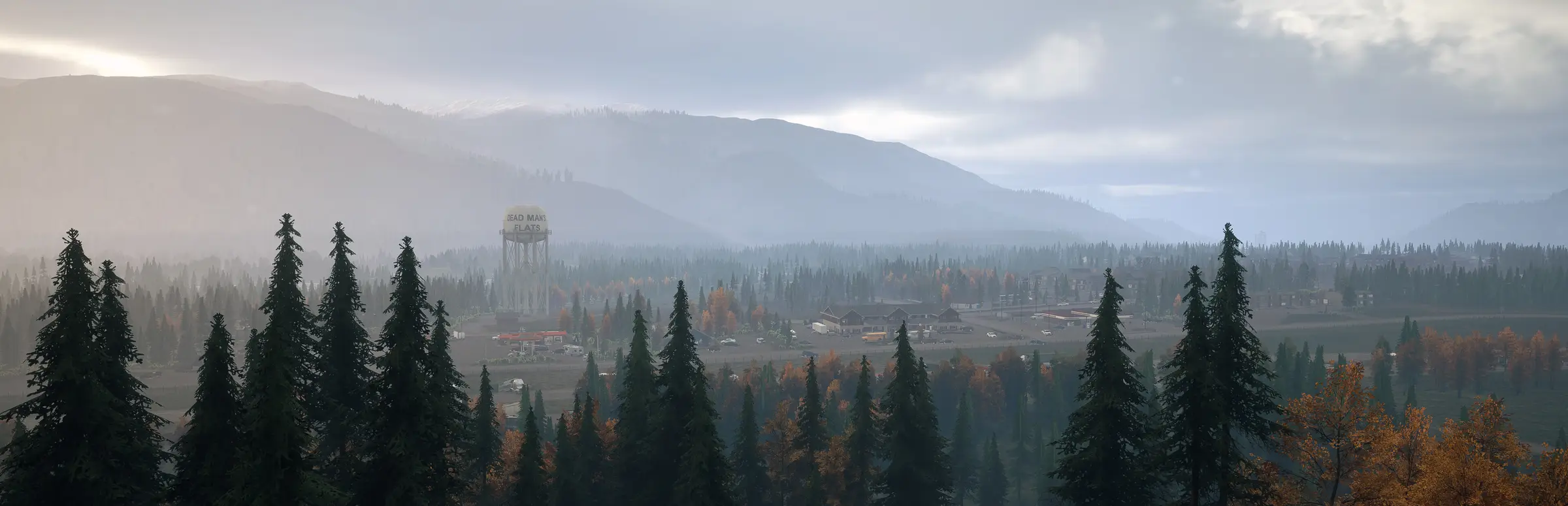
Dead Matter server hosting: a vast pine forest stretches to a small town with a water tower under grey skies

Early Access survival servers, sized by slot

Dead Matter Server Hosting

Dead Matter server hosting for groups who want their own corner of the infected 6x6 km map, with admin commands at hand and a launch flag that brings vehicles onto the map. Before you order, please note that Dead Matter is still in Early Access and the developer's most recent update was posted in June 2024.

Excellent on Trustpilot Hosting since 2004 9 locations 24/7 support in 9 languages

Set your slots

Dead Matter Server Hosting Plans and Pricing

Dead Matter is sold per slot: drag the order form slider to any count from 10 to 36. The four cards below are our suggested starting points, each paired with a memory tier. Locations and hardware are identical across them, and longer billing terms lower the monthly price.

  1. 10player slots
    10GB RAM

    A private group trying the gameLowest price

    • 10GB of RAM included
    • Full admin command access
    • Smallest monthly outlay
    $30.40/moMonthly, no contract
  2. 20player slots
    20GB RAM

    A regular communityRecommended RAM tier

    • 20GB of RAM included
    • The tier our order form marks Recommended
    • Headroom for vehicles and bases
    $82.01/moMonthly, no contract
  3. 30player slots
    24GB RAM

    A busy public server

    • 24GB of RAM included
    • Room for larger PvP groups
    • Same locations and hardware
    $116.65/moMonthly, no contract
  4. 36player slots
    32GB RAM

    The top of the sliderMost slots

    • 32GB of RAM included
    • Most slots we sell for Dead Matter
    • Largest memory tier on the form
    $143.38/moMonthly, no contract

Every plan: NVMe 7500MB/s · 5.0GHz · Up to 100GB. No setup fee. Upgrades and details

Quick answer

Gaming Deluxe runs Dead Matter dedicated servers from $30.40/mo, with any slot count from 10 to 36 on the order form slider and 10GB to 32GB of memory across our four suggested plans. Servers sit on 5.0GHz processors and NVMe storage in 9 locations in the UK, France, Germany, the US and Australia, and are created automatically shortly after payment.

Key facts checked against our order form, updated .

  • 10 to 36 slotsChoose any number on the slider
  • 10GB to 32GB RAM20GB marked Recommended on the order form
  • Admin commandsGod mode, noclip, spawning, weather and more
  • 9 locationsOne price wherever you host
  • game.ini editorSet admins and options in the panel
  • Offsite backupsThe last 7 days of copies kept
  • DDoS protectionStandard in every region
  • 24/7 support in 9 languagesRunning game servers since 2004

Take control

Managing Dead Matter Server Hosting from the Control Panel

Dead Matter admins and server options are set in game.ini. Our web panel opens that file in an editor next to start and stop, the console, logs and backups, so you never need a remote desktop to change who runs the server.

Gaming Deluxe game server control panel with the server menu, connection details and Stop and Restart buttons

The Gaming Deluxe control panel, pictured with a Windrose server. Dead Matter servers use the same panel and menu.

Config file editor

Stop the server, list yourself as admin or superadmin in game.ini, save and start it again.

File Manager and SFTP

Look through server files and logs in the browser, or switch to SFTP for bulk transfers.

Backup Manager

Snapshot the world before you experiment with settings or spawn a fleet of vehicles, then roll back if needed.

Scheduled Tasks

Automate overnight restarts, regular backups or console commands so the server looks after itself.

Steam Update

Fetch the latest server build from Steam if QI Games publishes a new patch.

Web Console and Log Viewer

Follow start-up, see players connect and read the log when the server misbehaves.

Development status

Dead Matter Server Hosting: Early Access Status and Updates

Dead Matter entered Early Access on Steam on 15 September 2023 and has not reached a 1.0 release. The last developer update on its Steam news page dates from June 2024, and QI Games has made no official statement since about the schedule. Please weigh this before ordering.

Last developer postsJune 20240.12 Foundation5 March 2024Early Access15 September 2023

01

Still Early Access

The store page estimated roughly 36 months of Early Access, a rough guide from the developer rather than a fixed date. Expect unfinished systems and occasional bugs.

02

Last developer posts: June 2024

The newest posts are a Spring Wrap-Up on 5 June 2024 and Development Stream posts on 15 June 2024. Steam shows the last developer update as over two years old.

03

0.12 Foundation Update

Released on 5 March 2024, it made the server about 500% faster and added a hardcore mode, cooking and farming. A hotfix two days later fixed a crash when connecting to dedicated servers.

04

Vehicles on dedicated servers

Patch 0.11.2 (4 October 2023) made vehicles on dedicated servers depend on the -EnableVehiclesOnDedicated launch flag. Our support team can help you set it if you want cars on your map.

Mods & platforms

Mods, Map and Platforms for Dead Matter Server Hosting

Mods are not supported in the current Early Access build, and there is no Workshop yet. Dead Matter is a Windows game on Steam, so every player connects from a PC.

Mods and map

No mods for now

QI Games lists modding and Workshop support as planned for the full release only. Until then, servers run the game as shipped.

Admin commands instead

Admins can spawn items, vehicles, animals and zombies, change weather and gravity, and teleport, which covers much of what groups want from a mod.

Plans for full release

A 15x15 km map and 128 players are described for the full release. These are future plans with no confirmed date, so do not buy expecting them.

Platforms

Steam on Windows

The game is sold on Steam for Windows. Single-player, online co-op and online PvP are all listed on the store page.

No crossplay

There are no console editions, so crossplay is not a setting you need to think about.

6x6 km today

The current Early Access map is 6x6 km, which suits small and mid-sized communities.

Steam (Windows)

Sizing memory

RAM Guide for Dead Matter Server Hosting

QI Games has not published memory requirements for its dedicated server, so the RAM on our plans is our own sizing. The order form offers 10GB, 20GB, 24GB and 32GB, with 20GB marked Recommended.

  • Friends only, up to 10

    Suggested plan: 10
    RAM included: 10GB

    When to go higher: If vehicles are enabled and the base count climbs.

  • Regular group, around 20

    Suggested plan: 20
    RAM included: 20GB

    When to go higher: Our recommended tier; rarely needs more for co-op play.

  • Public PvP, up to 30

    Suggested plan: 30
    RAM included: 24GB

    When to go higher: When the panel's memory graph runs close to the ceiling at peak times.

  • Full slider, 36 players

    Suggested plan: 36
    RAM included: 32GB

    When to go higher: Already the largest tier on the order form.

You can pair any slot count with any memory tier on the order form, and change either later from the client area while keeping your world.

Pick a region

Dead Matter Server Hosting Locations and Ping Test

Host in any of 9 locations: the UK, France, Germany, five cities in the US, or Sydney. Run the ping test below from your gaming PC and pick the best result for most of your players.

LondonUnited Kingdom · Europe -
ParisFrance · Europe -
FrankfurtGermany · Europe -
New York (Buffalo)United States · North America -
DallasUnited States · North America -
Los AngelesUnited States · North America -
ChicagoUnited States · North America -
MiamiUnited States · North America No test
SydneyAustralia · Oceania -

Always-On Protection

Dead Matter Server Hosting with DDoS Protection

Watch how our multi-layered defence system filters malicious traffic while legitimate connections pass through uninterrupted.

Internet DDoS Protection Game Server

Malicious traffic is filtered at the edge, while legitimate traffic passes through uninterrupted.

Malicious Traffic (Blocked)Legitimate Traffic (Allowed)

At Every Location
Included
Full Protection
Layer 3/4/7
24/7 Active Filtering
Always-On
Added Latency
<1ms

Standard on all plans

Included in Every Dead Matter Server Hosting Plan

No setup fee and no add-ons to buy before you start. This is what each plan includes, taken from our order form.

  • Server softwareThe Dead Matter dedicated server, updated through Steam Update
  • SlotsAny count from 10 to 36 on the slider
  • Memory10GB, 20GB, 24GB or 32GB tiers
  • Storage100GB NVMe at 7,500MB/s, upgradable to 14,000MB/s drives and up to 200GB
  • CPU5.0GHz standard, 5.2GHz+ or 5.6GHz+ as options
  • Locations9, all at one price
  • Configurationgame.ini editable in the panel for admins and options
  • Backups7 days of offsite copies and manual snapshots
  • ProtectionDDoS mitigation in each data centre
  • SupportTicket help at any hour from a team hosting since 2004

Optional upgrades

Added at checkout, billed with your plan.

  • Memory AllocationTiers up to 32GBtiered
  • Hard DiskNVMe 14,000Mb/sfrom $7.06
  • CPU Clock Speed5.2GHz+ - 5.6GHz+from $7.06
  • CPU PriorityHigh CPU Priority - Realtime CPU Priorityfrom $7.06
  • VIP Ticket Priority SupportPrioritise My Ticket Pleasefrom $2.82
  • Disk SpaceUp to 120GB - Up to 200GBfrom $9.89

The 20GB Recommended label is our own order form guidance, not a figure from QI Games. Each card's price includes the RAM listed on it. Any slot count between 10 and 36 can be chosen on the order form, and all 9 locations cost the same. Prices read from our order form on October 21, 2026. Taxes, if any, are shown at checkout.

For the infected world

Dead Matter Server Hosting Features

What a dedicated server adds to a Dead Matter group.

Online without a host

The map stays up when the person who set it up goes offline, so others can play at any hour.

Admin toolkit

Spawn gear with /SpawnItem, clear the streets with /RemoveZombies or set the weather for an event night.

Admin and superadmin

Grant trusted players admin rights in game.ini, with superadmin for the owner.

Vehicles on demand

Add the -EnableVehiclesOnDedicated launch flag to bring cars onto your server.

Safe experiments

Take a snapshot before hardcore runs or spawning sprees, and restore it in minutes.

High clock CPUs

5.0GHz processors on NVMe storage keep the zombie AI responsive as the slot count rises.

Know before you buy

Dead Matter Server Hosting Essentials Before You Order

Five points to know before your first session.

  1. Early Access, quiet since June 2024

    The game has no 1.0 release and the last developer update was in June 2024. Buy for the game as it plays today.

  2. Stop before editing game.ini

    Admin changes should be made with the server stopped. Add yourself as admin or superadmin, save, then start it.

  3. Turn vehicles on

    Vehicles on dedicated servers need the -EnableVehiclesOnDedicated launch flag. Open a ticket and our team will help you set it.

  4. Commands open with Y

    Press Y for chat and type commands starting with a slash, such as /god, /noclip or /unstuck.

  5. Find item IDs first

    Run /listitems to see IDs, then /SpawnItem with the ID and a quantity.

Your questions

Dead Matter Server Hosting FAQ

Honest answers to what buyers ask most, including the game's development status.

About the game

Is Dead Matter still being updated?

Dead Matter is in Early Access with no 1.0 release, and the developer's last update on Steam was in June 2024 (a Spring Wrap-Up and Development Stream posts). QI Games has made no official statement since. We host the current build; please order knowing that.

Will the 15x15 km map and 128 players come to my server?

QI Games describes them as planned for the full release. There is no date, so we cannot promise when or whether they arrive. Today's Early Access map is 6x6 km.

Are mods or crossplay supported?

No. Modding and Workshop support are planned for full release only, and the game is a Windows release on Steam with no console versions.

Getting started

How quickly is my Dead Matter server set up?

Setup runs automatically when payment is confirmed, and the panel login is emailed to you. You are usually ready to play within minutes.

How do I make myself an admin?

Stop the server, open game.ini in the panel's config editor, add yourself as admin or superadmin, save and restart. Our knowledge base article on Dead Matter console commands walks through it.

How do I use admin commands?

In game, press Y to open chat and type a command starting with /. Examples include /god, /noclip, /teleport with a name or SteamID, /SetWeather with a preset and /GiveAmmo.

Why are there no vehicles on my server?

Since patch 0.11.2, vehicles on dedicated servers need the -EnableVehiclesOnDedicated launch flag. Contact support and we will help you enable it.

Slots and performance

How many slots can I buy?

Any number from 10 to 36 on the order form slider. Our cards show 10, 20, 30 and 36 as starting points. QI Games has not published an Early Access player cap, so we sell up to 36.

How much RAM does a Dead Matter server need?

There is no official figure. Our order form marks 20GB as Recommended as our own guidance, with 10GB, 24GB and 32GB also available.

Which location should I choose?

Use the ping test on this page and pick the lowest result for most players. All 9 locations cost the same.

Billing

How much does Dead Matter server hosting cost?

Prices start at $30.40 a month for 10 slots, and you pay per slot as you move the slider. The plans table shows each card for 1, 3, 6 and 12 month terms.

Can I add slots or memory later?

Yes. Raise the slot count or memory tier from the client area whenever you like, and your world stays on the server.

Do I have to sign a contract?

No. Monthly billing rolls on until you cancel, and the longer terms are simply paid upfront at a lower monthly rate. There is no setup fee.

The complete guide · 6 min read

The Complete Guide to Dead Matter Server Hosting

An honest guide to running Dead Matter on a dedicated server: where the game stands in Early Access, what the server can do today, how to set up admins and vehicles, the commands worth knowing and how to size your slots. Written for whoever in your group is thinking of renting one.

By , Owner, Gaming DeluxePublished · Updated

In this guide
  1. Where Dead Matter Stands Today
  2. The Updates That Shaped the Server
  3. Setting Up Admins in game.ini
  4. Admin Commands Worth Knowing
  5. Vehicles, Hardcore Mode and the Map
  6. Picking Slots and Memory
  7. Backups, Restarts and Steam Updates
  8. What to Weigh Before Renting a Dead Matter Server
  9. Dead Matter Server Glossary
  10. Dead Matter Server Help and Next Steps

Where Dead Matter Stands Today

Dead Matter is developed and published by QI Games. It launched into Steam Early Access on 15 September 2023 as a survival game with zombies, an open world and action RPG elements, playable alone, in online co-op or in online PvP. It has not reached version 1.0, and at launch the store page estimated around 36 months of Early Access, which was always described as a rough estimate.

Buyers deserve a plain statement: the developer's last update on the Steam news page was in June 2024, with a Spring Wrap-Up on 5 June and Development Stream posts on 15 June. Steam itself now shows that the last developer update is more than two years old. QI Games has not made an official statement about the schedule since then, so we do not know what comes next, and we will not guess.

What that means in practice is simple. A server you rent today runs the current Early Access build of the game. If you and your friends enjoy Dead Matter as it plays now, a dedicated server makes it far more convenient. If you are hoping for the larger map or new systems promised for full release, wait for official news before ordering.

The Updates That Shaped the Server

Several Early Access patches matter directly to anyone hosting. They are worth knowing because they explain how today's server behaves.

VersionDateWhat changed for servers
0.11.127 September 2023First patch after the Early Access launch
0.11.24 October 2023Vehicles on dedicated servers need the -EnableVehiclesOnDedicated launch flag
0.12 Foundation Update5 March 2024Server about 500% faster, plus hardcore mode, cooking and farming
0.12 hotfix7 March 2024Fixed a crash when connecting to dedicated servers
Spring Wrap-Up and streams5 and 15 June 2024The most recent developer posts on Steam

Setting Up Admins in game.ini

On our servers, admin rights live in game.ini, which you open through the config file editor in the panel. Our knowledge base article on Dead Matter console commands covers it in detail; the short version is below.

  1. Stop the server from the panel, so your change is not overwritten.
  2. Open game.ini in the config file editor.
  3. Add yourself, and anyone you trust, as admin or superadmin.
  4. Save the file and start the server again.
  5. Join, press Y to open chat and try a command such as /god to confirm it works.

Keep superadmin for the owner and one deputy at most. Admin commands can spawn anything and move anyone, so a small, trusted team avoids arguments later, especially on a public PvP server.

Admin Commands Worth Knowing

Admins type commands into chat, starting each with a forward slash. These are the ones our customers use most, taken from our knowledge base.

  • /god and /noclip: become invulnerable or fly through walls, useful for inspecting a base or rescuing a stuck player.
  • /listitems and /SpawnItem [ItemID] [Quantity]: look up item IDs first, then spawn what you need for an event or a refund.
  • /SpawnZombie, /SpawnVehicle and /SpawnAnimal: stage a horde, hand out a car or stock a hunting ground.
  • /RemoveZombies: clear the area when a session gets out of hand.
  • /teleport "name or steamid": jump to a player to help or check on them.
  • /unstuck: free a player trapped in scenery.
  • /SetWeather [Preset], /GiveAmmo and /SetGravity [Scale]: set the mood, resupply a squad or have some fun on a quiet night.

Because mods are not supported in Early Access, these commands are the main way to shape your server. Many groups use them to run events, such as a supply drop at a set location followed by a staged horde.

Vehicles, Hardcore Mode and the Map

Vehicles are not on by default on dedicated servers. Since patch 0.11.2 they depend on the -EnableVehiclesOnDedicated launch flag, so open a ticket and our team will help you add it to the server's start-up options. Once set, cars appear after the next restart.

The 0.12 Foundation Update added a hardcore mode alongside cooking and farming. Hardcore suits groups who want every trip into town to feel risky; take a snapshot in Backup Manager before switching, so you can return to the earlier world if the group changes its mind.

The current map measures 6x6 km. QI Games describes a 15x15 km map, up to 128 players and modding support as goals for the full release. They are future plans with no date, and given the current development status we treat them as uncertain.

Picking Slots and Memory

Dead Matter is sold per slot, so you choose any count from 10 to 36 on the order form. QI Games has not published a player cap for the Early Access dedicated server, so 36 is simply the most we offer. Our four cards, at 10, 20, 30 and 36 slots, are starting points rather than fixed bundles.

There is no official memory guidance either. The order form offers 10GB, 20GB, 24GB and 32GB, and marks 20GB as Recommended; that label is our own guidance. A friends-only server with no vehicles is comfortable on 10GB; a regular community with cars and several bases is better on 20GB.

Watch the memory graph during your busiest evening. If it sits near the limit, move up a tier from the client area. Backups and offsite copies of the last 7 days stay in place whatever you change.

Backups, Restarts and Steam Updates

An Early Access game can surprise you, so treat backups as routine. Take a snapshot in Backup Manager before you change game.ini, turn on hardcore mode, enable vehicles or run a large spawning event. If anything goes wrong, restoring takes a few clicks, and offsite copies of the last 7 days sit behind those snapshots as a second safety net.

Scheduled Tasks keep a long-running world healthy without anyone remembering to do it. A restart in the early hours, followed by an automatic backup, is a sensible default for most groups. You can also schedule console commands, for example clearing zombies before a planned event night.

Server and players must run the same build of the game. Steam shows no developer update since June 2024, but if QI Games does release a patch, run Steam Update in the panel and restart before your group tries to reconnect, and check the Steam news page for any notes aimed at server owners.

What to Weigh Before Renting a Dead Matter Server

For a game in Early Access, a few checks matter more than usual.

  1. The game's own statusRead the latest posts on the Steam news page yourself and decide whether the current build is enough for your group.
  2. Short billing termsWith development quiet since June 2024, starting on monthly billing keeps your commitment small.
  3. Admin file accessYou should be able to edit game.ini yourself to set admins without waiting for a ticket.
  4. Vehicle launch flagCheck that you can run the server with -EnableVehiclesOnDedicated if you want cars on the map.
  5. Flexible slot countsPaying per slot lets you match the server to your real group size.

Dead Matter Server Glossary

Early Access
Steam's label for a game still in development and sold before its full release.
game.ini
The server configuration file where admins and superadmins are listed on our panel.
Superadmin
The highest admin level, best kept for the server owner.
-EnableVehiclesOnDedicated
The launch flag that enables vehicles on a dedicated server.
Foundation Update
Patch 0.12 from March 2024, with big server performance gains and hardcore mode.
Item ID
The code /SpawnItem needs, listed by /listitems.
Slot slider
The order form control used to choose any player count from 10 to 36.

Dead Matter Server Help and Next Steps

Links for checking the game's status and running your server.

About this guide: based on QI Games' Steam store page and patch notes plus our own knowledge base, written with AI assistance, checked against our live order form for slots, prices and locations, and reviewed by Matthew Griffin before publishing. QI Games' own website refused automated reads, so it was not used. Found something out of date? Tell us.