
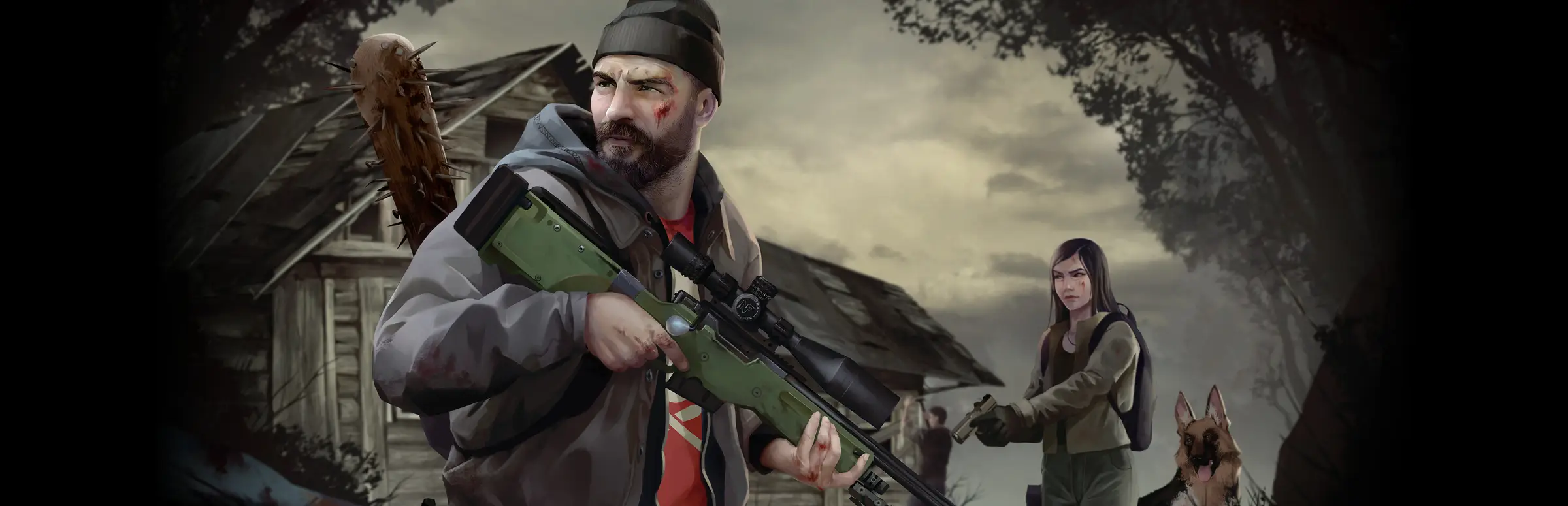
HumanitZ server hosting: a bearded survivor with a sniper rifle and a woman with her dog outside a ruined cabin

Dedicated zeek survival for up to 24

HumanitZ Server Hosting

HumanitZ server hosting for crews who want their town, their barricades and their car park full of salvaged vehicles to survive the night without them. The world ticks on while you sleep, so whoever logs in first can scavenge, fortify or pick off a few zeeks before the rest arrive.

Excellent on Trustpilot Hosting since 2004 9 locations 24/7 support in 9 languages

Pick your squad size

HumanitZ Server Hosting Plans and Prices

Three plans that stop at 24 slots, which is where Yodubzz caps a server today. Hardware and locations are the same on all three; bigger plans carry more memory for busier maps, and longer billing cycles trim the monthly figure.

  1. 8player slots
    5GB RAM

    A small squad holding one townLowest price

    • 5GB of RAM included
    • Every 1.1 server setting available
    • Cheapest way onto a dedicated server
    $10.41/moMonthly, no contract
  2. 16player slots
    8GB RAM

    A community with several safehousesMost popular

    • 8GB of RAM included
    • Space for convoys and scattered bases
    • Balanced choice for regular groups
    $19.62/moMonthly, no contract
  3. 24player slots
    12GB RAM

    A full server at the official capFull 24 player cap

    • 12GB of RAM included
    • Every seat the game currently allows
    • Built for busy PvP or co-op nights
    $30.26/moMonthly, no contract

Every plan: NVMe 7500MB/s · 5.0GHz · Up to 100GB. No setup fee. Upgrades and details

At a glance

Gaming Deluxe runs HumanitZ dedicated servers from $10.41/mo, with 8, 16 or 24 player slots and 5GB to 12GB of memory depending on the plan. Every server uses the official HZ_Server software from Steam on 5.0GHz processors and NVMe drives, in 9 locations spread over the UK, France, Germany, the US and Australia, and goes live by itself a few minutes after you pay.

Key facts checked against our order form, updated .

  • 8 to 24 survivor slots24 is the current official player cap
  • 5GB to 12GB RAMMemory grows with each larger plan
  • 1.1 server settingsHeadshot Only, weapon durability, cleanup timers
  • 9 locationsIdentical pricing across every region
  • gameserversetting.iniEdited straight from the panel
  • Offsite backupsA week of save history to fall back on
  • DDoS protectionFiltering at every data centre
  • 24/7 support in 9 languagesGame server specialists since 2004

Run the outbreak

Your HumanitZ Server Hosting Control Panel

HZ_Server reads its options from gameserversetting.ini and a readme that explains each one. Our browser panel opens that file in an editor beside the power buttons, the console and your saves, so tweaking a setting never means a remote desktop session.

Gaming Deluxe game server control panel with the server menu, connection details and Stop and Restart buttons

The Gaming Deluxe control panel, pictured with a Windrose server. HumanitZ servers use the same panel and menu.

Config file editor

Open gameserversetting.ini to set the player limit, Headshot Only mode, weapon durability, car limits and cleanup timers, then restart for them to take hold.

File Manager and SFTP

Read the server readme, browse the save folders and move larger files over SFTP when the browser is too slow.

Backup Manager

Copy the world before a wipe, a big settings change or a major patch, and put it back in a couple of clicks.

Scheduled Tasks

Queue restarts with RCON warnings to players, nightly backups or console commands at whatever hour suits your group.

Steam Update

Pull the latest HZ_Server build after a Yodubzz patch such as 1.1A, so updated players are not turned away.

Web Console, Log Viewer, Server Details

Follow the boot sequence, check connections and read the RCON password from Server Details when a scheduled task needs it.

Patch watch

HumanitZ 1.1 and the Updates Behind Your Server

Yodubzz Studios opened Early Access on 18 September 2023 and shipped the full 1.0 release on 6 February 2026. The newest content drop is the 1.1 Major Update, nicknamed the Spooky Update, from 19 October 2026, followed a day later by the 1.1A hotfix.

1.1 Spooky Update19 October 20261.0 release6 February 2026Early Access18 September 2023

01

1.0: a clean slate

Version 1.0 needed a new save, wiped the official servers, overhauled the map and brought new admin console commands plus anti-cheat and bans.

02

1.02: admin panel and logs

Patch 1.02 on 28 February 2026 added a brand-new admin panel and server logs, which make moderating a public server far easier.

03

1.1: the Spooky Update

1.1 brought NPC recruitment (single-player and hosted multiplayer only), Headshot Only mode, fallen players rising as zeeks, walkie-talkies and new server settings for weapon durability, headshot mode, car recycle days and backpack cleanup.

04

Wipe or keep after 1.1

A new save is not required for 1.1, but the developers highly encourage server owners to wipe fully. Back up the old world first so you can return to it.

05

1.1A hotfix

Released on 20 October 2026, the hotfix asks server owners to restart. Run Steam Update in the panel, then restart so players on the patched client can join.

Settings & platforms

Mods, Settings and Platforms for HumanitZ Server Hosting

HumanitZ has no official mod support and no Steam Workshop at the moment, so customisation comes from the server's own settings file. It is a Windows game on Steam, which means every player arrives from a PC.

Settings and mods

Settings over mods

gameserversetting.ini covers the player limit, car ownership limits through MaxOwnedCars, time freezing when empty and the 1.1 options such as weapon durability and Headshot Only.

Mods: use at your own risk

Patch 1.04 (24 April 2026) states mods are not officially supported and are banned on official servers. Unofficial ones may break after any update, so back up before trying them.

Modding support listed as coming

Patch 1.03 put Modding Support under Coming Soon. No date or format has been announced, so treat it as a plan rather than a promise.

Platforms

Steam on Windows

HumanitZ is sold on Steam for Windows. Players join a dedicated server from their Steam copy, including directly by IP and query port.

No crossplay today

With the game on PC only, there is no crossplay to configure. The official FAQ says the team is working towards a console release, without naming platforms or dates.

Match the build

Clients and server must run the same version. After each patch, update the server from the panel before your players try to reconnect.

Steam (Windows)

Memory guide

Memory Sizing for HumanitZ Server Hosting

Yodubzz does not publish RAM figures for HZ_Server, so the memory on each plan is our own sizing: 5GB on 8 slots, 8GB on 16 and 12GB on 24. Busy maps with lots of vehicles, loot and bases are what push a server towards a higher tier.

  • Up to 8 friends, one safehouse

    Plan: 8
    RAM included: 5GB

    Consider more when: Seldom needed unless the world fills with cars and crates.

  • 9 to 16 players, several bases

    Plan: 16
    RAM included: 8GB

    Consider more when: The memory graph stays high on long weekend sessions.

  • 17 to 24 players, public PvP

    Plan: 24
    RAM included: 12GB

    Consider more when: Many vehicles and dropped backpacks; tighten cleanup settings or add RAM.

  • Long-running world after 1.1

    Plan: Any
    RAM included: Plan RAM

    Consider more when: A save that was never wiped keeps growing; 16GB or 20GB gives breathing room.

Order form RAM tiers: 5GB, 8GB, 12GB, 16GB, 20GB, 24GB and 32GB. Add memory later from the client area without losing your world.

Close to your crew

HumanitZ Server Hosting Locations and Ping Test

Choose from 9 data centres: the UK, France, Germany, five US cities and Sydney. Test from the PC you play on and go with the lowest figure for the bulk of your group.

LondonUnited Kingdom · Europe -
ParisFrance · Europe -
FrankfurtGermany · Europe -
New York (Buffalo)United States · North America -
DallasUnited States · North America -
Los AngelesUnited States · North America -
ChicagoUnited States · North America -
MiamiUnited States · North America No test
SydneyAustralia · Oceania -

Always-On Protection

HumanitZ Server Hosting with DDoS Protection

Watch how our multi-layered defence system filters malicious traffic while legitimate connections pass through uninterrupted.

Internet DDoS Protection Game Server

Malicious traffic is filtered at the edge, while legitimate traffic passes through uninterrupted.

Malicious Traffic (Blocked)Legitimate Traffic (Allowed)

At Every Location
Included
Full Protection
Layer 3/4/7
24/7 Active Filtering
Always-On
Added Latency
<1ms

Every plan

What Every HumanitZ Server Hosting Plan Includes

There is no setup charge and nothing extra to buy before the first zeek goes down. Here is what each plan comes with, taken from our order form.

  • Server softwareThe official HZ_Server from Steam, refreshed through Steam Update
  • Slots8, 16 or 24, the top plan matching the current 24 player cap
  • RAM5GB, 8GB or 12GB by plan, with tiers up to 32GB
  • Disk100GB NVMe at 7,500MB/s; 14,000MB/s drives and up to 200GB are optional extras
  • CPU5.0GHz as standard, with 5.2GHz+ and 5.6GHz+ upgrades
  • Locations9 regions, one price
  • Settingsgameserversetting.ini and the server readme open in the panel editor
  • BackupsOffsite copies kept for 7 days, plus on-demand snapshots in Backup Manager
  • DDoS defenceActive at every location
  • HelpTickets answered day and night by a host running game servers since 2004

Optional upgrades

Added at checkout, billed with your plan.

  • Memory AllocationTiers up to 32GBtiered
  • Hard DiskNVMe 14,000Mb/sfrom $7.06
  • CPU Clock Speed5.2GHz+ - 5.6GHz+from $7.06
  • CPU PriorityHigh CPU Priority - Realtime CPU Priorityfrom $7.06
  • VIP Ticket Priority SupportPrioritise My Ticket Pleasefrom $2.82
  • Disk SpaceUp to 120GB - Up to 200GBfrom $9.89

Each card's price already covers the RAM listed on it. Larger memory tiers, up to 32GB, can be chosen on the order form. Prices do not change between our 9 locations, so pick whichever is closest to most of your players. Prices read from our order form on October 21, 2026. Taxes, if any, are shown at checkout.

Made for survivors

HumanitZ Server Hosting Features

The things that matter most once your town starts to feel lived in.

A world that keeps going

Bases, vehicles and loot stay put when the last player logs off, and FreezeTime can pause the clock while nobody is online.

Headshot Only and more

Turn on Headshot Only, adjust weapon durability and decide how fast abandoned cars and backpacks are cleared.

Auto-admin list

Players on the server's auto-admin list become admin when they join and stay hidden from the player list.

Moderation tools

Since 1.02 the admin panel and server logs help you spot trouble, and 1.0 added bans and anti-cheat.

Restarts with warnings

Schedule RCON restarts every 12 hours with a 30 minute heads-up so nobody loses a supply run.

Fast CPUs and NVMe

5.0GHz cores keep hordes and NPC survivors reacting quickly when 24 players spread across the map.

First night checklist

HumanitZ Server Hosting Essentials for Day One

A short list that saves confusion on the first night out.

  1. Decide on a wipe

    1.1 runs on old saves, yet Yodubzz highly encourages a full wipe. Snapshot the current world, then start fresh if your group agrees.

  2. Restart after 1.1A

    The 20 October hotfix asks server owners to restart. Update the server in the panel first, then restart it.

  3. Make yourself admin

    Add your Steam account to the auto-admin option described in the server readme, save and restart. You will join with admin rights and stay off the visible player list.

  4. Share the query port

    Players can connect by IP using the Steam query port. Server Details in the panel shows the address and ports to hand out.

  5. Plan regular restarts

    Set a Scheduled Task to send a warning over RCON and restart twice a day, so long sessions stay smooth.

Questions

HumanitZ Server Hosting FAQ

Clear answers to the questions new server owners send us.

Setting up

How soon can we play on a new HumanitZ server?

Setup is automatic once payment is confirmed, and your login details come by email. In most cases the server is ready a few minutes later.

How do players join?

Players can connect directly by IP and the Steam query port, a method added in the February 2024 patches. Copy both from Server Details in the panel and share them with your group.

How do I get admin rights?

HZ_Server has an auto-admin list documented in its readme: anyone on it is made admin on joining and is hidden from the player list. Edit the setting in the panel, save and restart. The 1.02 admin panel then gives you moderation tools in game.

Which location is best?

Use the ping test on this page from your own PC and choose the lowest result for most players. All 9 locations are priced the same.

Players and gameplay

How many players can a HumanitZ server hold?

The official FAQ puts the cap at 24 players and says the team hopes to raise it. Our plans offer 8, 16 or 24 slots to match.

Can I recruit NPC survivors on a dedicated server?

Not according to the 1.1 notes. NPC recruitment works in single-player and hosted multiplayer only, so it is not part of a dedicated server game.

How do I turn on Headshot Only mode?

Headshot Only arrived in 1.1 and is also a server setting. Switch it on in gameserversetting.ini with the panel's config editor and restart.

Does HumanitZ support mods or crossplay?

Neither officially. Mods are used at your own risk and banned on official servers, with modding support listed as coming soon. The game is PC only, so there is no crossplay; a console release is being worked on but has no platforms or dates yet.

Saves and patches

Do I need to wipe my server for 1.1?

No, a new save is not required. The developers do highly encourage a full wipe, so take a backup first and decide with your players.

Can I bring my existing world onto the server?

Yodubzz does not document a transfer method, so we cannot guarantee it. Our support team will gladly try it with you: stop the server, back it up and upload the save files over SFTP.

What should I do after a HumanitZ patch?

Run Steam Update in the panel and restart. Players who updated their game cannot connect to an older server build, and hotfixes such as 1.1A specifically ask owners to restart.

Plans and billing

What does HumanitZ server hosting cost?

The 8 slot plan starts at $10.41 per month. The table above lists every plan for 1, 3, 6 and 12 month terms, and the longer terms work out cheaper each month.

Can I move to a bigger plan later?

Yes. Change slots or add memory, CPU or storage from the client area at any point, and the world stays on the server.

Am I tied into a contract?

No. A monthly plan simply renews each month until you cancel. Quarterly, six month and yearly terms are paid in advance in return for a lower rate.

The complete guide · 6 min read

The Complete Guide to HumanitZ Server Hosting

A practical walk through running a HumanitZ world on a dedicated server: what HZ_Server is, the settings file, the 1.1 options, admin rights, restarts, wipes and patches. Aimed at the player who ends up looking after the server for everyone else.

By , Owner, Gaming DeluxePublished · Updated

In this guide
  1. Why Run HumanitZ on a Dedicated Server
  2. Working with gameserversetting.ini
  3. What the 1.1 Spooky Update Means for Server Owners
  4. Choosing Between 8, 16 and 24 Slots
  5. Admins, Moderation and Scheduled Restarts
  6. Wipes, Backups and Keeping Up with Patches
  7. What to Check Before Renting a HumanitZ Server
  8. HumanitZ Server Glossary
  9. HumanitZ Server Help and Next Steps

Why Run HumanitZ on a Dedicated Server

When one player hosts a HumanitZ game, the world only exists while that player is online. Everyone else is a guest, and the moment the host closes the game the session ends. That is fine for a couple of friends on a Saturday, but a group of eight, sixteen or twenty-four people never plays at the same times, and the host quickly becomes the bottleneck.

Yodubzz Studios added dedicated server support in December 2023, with a maximum player setting and the same 24 player ceiling the game still has. The official FAQ tells self-hosters to use SteamCMD to download HZ_Server. You could run it on a spare PC at home, but that machine then has to stay on all day, your router needs the right ports open, and your upload has to carry every player. Renting the server puts it in a data centre with steady bandwidth, a fixed address and DDoS filtering instead.

A dedicated server also changes how the game feels. Bases and vehicles stay exactly where they were left, a PvP rivalry can run for weeks, and new players can join a living world rather than waiting for an invitation from whoever happens to be hosting tonight.

Working with gameserversetting.ini

HZ_Server keeps its options in gameserversetting.ini, the spelling Yodubzz uses in its own posts. A readme.txt shipped with the server explains each option. On our servers you open both in the panel's config editor, change a value, save and restart.

SettingPurposeOfficially mentioned in
Max playersHow many survivors can be online at once, up to 24Dedicated server launch post, December 2023
MaxOwnedCarsLimits how many vehicles each player can ownPost of 3 May 2025
FreezeTimeStops the world clock while nobody is connectedPost of 24 April 2025
Auto-admin listPlayers on it join as admin, hidden from the player listPost of 27 February 2025
Headshot modeOnly head hits kill zeeks1.1 Major Update
Weapon durabilityHow quickly weapons wear out1.1 Major Update
Car recycle days and backpack cleanupHow long abandoned vehicles and dropped backpacks remain1.1 Major Update

What the 1.1 Spooky Update Means for Server Owners

The HumanitZ 1.1 Major Update landed on 19 October 2026, and several of its changes are aimed squarely at people running servers. The new options give you more say over how punishing your world is and how tidy it stays over time.

  • Headshot Only: a game mode and a server setting where only shots to the head drop a zeek. Expect players to burn more ammunition early on.
  • Dead players become zeeks: a fallen survivor rises as one of the infected, which makes looting a friend's last stand a little more tense.
  • Walkie-talkies: a new way for groups to coordinate across the map.
  • Weapon durability setting: soften or harden wear on weapons to suit a casual or a hardcore crowd.
  • Car recycle days and backpack cleanup: decide how long abandoned vehicles and dropped packs hang around, which keeps a long-running map from filling with clutter.

NPC recruitment is the headline feature, but the notes limit it to single-player and hosted multiplayer, so do not promise it to the players on your dedicated server. A day later the 1.1A hotfix arrived and asked server owners to restart, which on our panel means Steam Update followed by a restart.

Choosing Between 8, 16 and 24 Slots

Because HumanitZ currently tops out at 24 players, paying for more than 24 slots would buy nothing. Our three plans step up in eights: 8 slots for a tight squad, 16 for a small community and 24 for a server that uses every seat the game allows. If Yodubzz raises the cap, as its FAQ says it hopes to, we will review the plans.

Memory is our own sizing, since no official RAM guidance exists: 5GB on 8 slots, 8GB on 16 and 12GB on 24. What tends to fill memory is the world itself, meaning the number of vehicles, bases and loose items, more than the number of people online. The 1.1 cleanup settings help here, because recycling abandoned cars and clearing dropped backpacks stops a world from slowly bloating.

Keep an eye on the memory graph in the panel during your busiest evening. If it hovers near the limit, step up a tier from the client area; the order form goes as far as 32GB and the upgrade leaves your world in place.

Admins, Moderation and Scheduled Restarts

Admin rights start with the auto-admin list documented in the readme. Anyone on it is made admin the moment they join and does not show up in the player list, which is handy for quietly watching a public PvP server. Since 1.0 there are extra admin console commands, anti-cheat and bans, and the 1.02 patch in February 2026 added a brand-new admin panel and server logs.

  1. Open the readme in the File Manager and find the auto-admin option.
  2. Add the Steam accounts of your admins as the readme describes and save.
  3. Restart the server so the list is read.
  4. Join the game and use the admin panel to watch players, read logs and act on trouble.

Regular restarts keep a long session healthy. Our knowledge base has a step by step guide: Server Details shows the RCON password, and Scheduled Tasks can run a Console or RCON Command task. A common pattern is a restart every 12 hours with a 30 minute warning broadcast first, so players have time to get somewhere safe.

Wipes, Backups and Keeping Up with Patches

HumanitZ has had two very different update moments. Version 1.0 in February 2026 required a new save, wiped the official servers and reworked the map. Version 1.1 does not require a new save, although the developers highly encourage server owners to wipe fully. That leaves the call with you and your players.

Whatever you decide, take a snapshot in Backup Manager first. Offsite copies of the last 7 days sit underneath as a safety net, so even a wipe you regret can be undone. If you want the best of both, archive the old world, start a fresh one for 1.1 and keep the backup in case the group misses their old base.

Patches follow one rule: the server and every client must match. When a new build reaches Steam, players who update first cannot join an older server. Run Steam Update in the panel and restart, and everyone is back in. FreezeTime is worth switching on for quieter servers, since it stops the clock while the map is empty and nobody returns to a world that moved on without them.

What to Check Before Renting a HumanitZ Server

Offers can look alike at first glance. These points decide how the server behaves after a month of hordes and car chases.

  1. Slots up to the capHumanitZ allows 24 players today. Seats beyond that cannot be filled, so there is no reason to pay for them.
  2. Memory in the headline priceFind out how much RAM the quoted price includes and what the next tier costs before your map fills up.
  3. Direct settings accessYou should be able to edit gameserversetting.ini and read the readme yourself, including the new 1.1 options.
  4. RCON and scheduled restartsCheck that you can automate restarts with in-game warnings, not just a bare reboot.
  5. Backups under your controlBefore a wipe you want a snapshot you can restore yourself, plus several days of offsite history.
  6. A data centre near your playersPing matters in a shooter. Test a location close to most of the group before ordering.

HumanitZ Server Glossary

HZ_Server
The dedicated server software for HumanitZ, downloaded through SteamCMD.
gameserversetting.ini
The settings file that controls the player limit, vehicles, time and 1.1 options.
Zeek
The game's name for its zombies.
Headshot Only
A 1.1 mode and server setting where only hits to the head kill a zeek.
Auto-admin list
Players on it become admin on joining and are hidden from the player list.
FreezeTime
An option that pauses the world clock while no players are online.
Query port
The Steam port players use alongside the IP to connect directly.
RCON
Remote console access used by scheduled tasks to send warnings and commands.
Wipe
Starting the server on a brand new save, discarding the old world.

HumanitZ Server Help and Next Steps

Handy links for setting up and running your server.

How we wrote this guide: built from Yodubzz Studios' FAQ, the HumanitZ Steam page and its patch notes, drafted with help from AI, matched against our live order form for plans, prices and locations, and checked by Matthew Griffin before it went live. Something out of date? Let us know.