
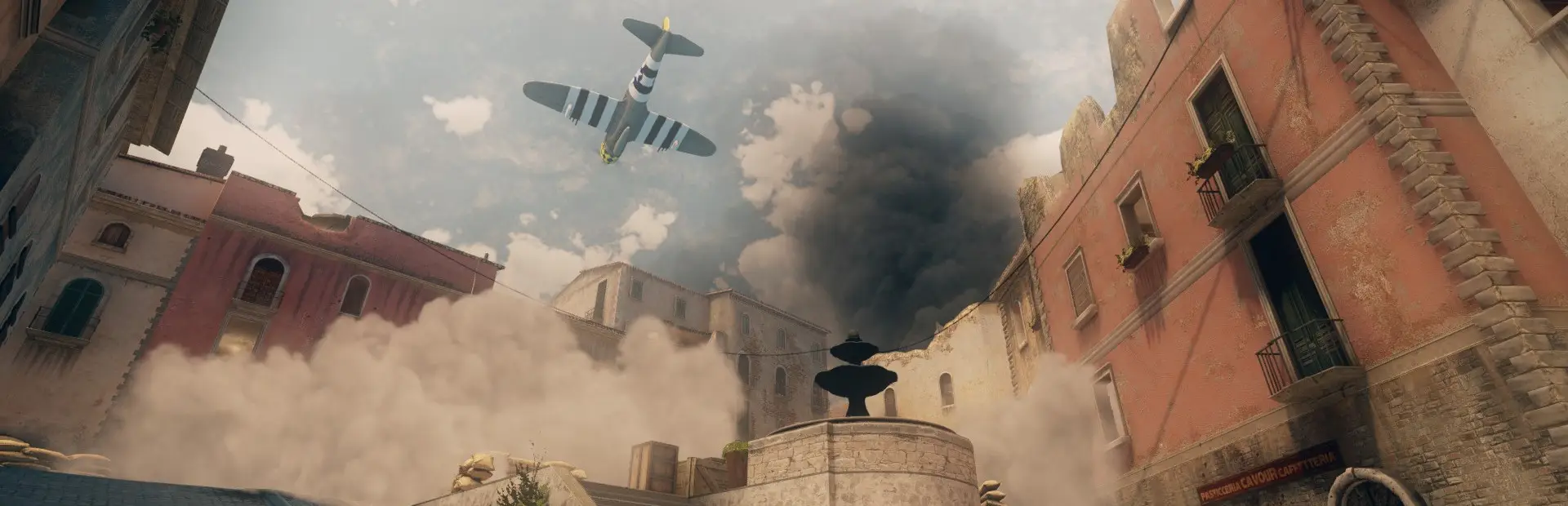
Day of Infamy server hosting: a fighter plane swoops over smoke drifting between the sunlit stone buildings of an Italian town square

WWII teamwork, radios and artillery on your server

Day of Infamy Server Hosting

Day of Infamy is New World Interactive's World War II shooter: nine classes, high lethality, proximity voice and officers who call in Stukas, Typhoons and artillery over a radioman's backpack. Day of Infamy server hosting gives your unit or community a server of its own for PvP, co-op against bots or a full WW1 conversion.

Excellent on Trustpilot Hosting since 2004 9 locations 24/7 support in 9 languages

Pick your platoon size

Day of Infamy Server Hosting Plans and Prices

Slots are sold one at a time from 12 to 32, so an 18 or 28 slot server is on the order form too. The two smaller plans use the free 5GB tier; the larger plans step up to 8GB for full PvP lobbies and busy co-op nights. Monthly billing has no minimum term.

  1. 12player slots
    5GB RAM

    A co-op squad against botsBest start

    • The cheapest way to host
    • Room for a unit's training night
    • Free 5GB tier
    £5.40/moMonthly, no contract
  2. 16player slots
    5GB RAM

    8v8 PvP or a big co-op groupMost popular

    • Two full teams of eight
    • Space for a medic and support
    • Free 5GB tier
    £7.20/moMonthly, no contract
  3. 24player slots
    8GB RAM

    A public PvP server

    • 12v12 on the larger maps
    • Officers and radiomen on both sides
    • 8GB memory
    £13.79/moMonthly, no contract
  4. 32player slots
    8GB RAM

    Our largest Day of Infamy plan

    • 16v16 battles
    • Events and community nights
    • 8GB memory
    £17.39/moMonthly, no contract

Every plan: NVMe 7500MB/s · 5.0GHz · Up to 100GB. No setup fee. Upgrades and details

In short

Gaming Deluxe hosts Day of Infamy dedicated servers from £5.40/mo, with 12 to 32 player slots sold one at a time and 5GB to 8GB of RAM depending on the plan. Pick from 9 locations across the UK, France, Germany, the US and Australia; the server is set up automatically after payment, with full file access for maps, mods and configs.

Key facts checked against our order form, updated .

  • 12 to 32 player slotsAny size in between
  • 5GB to 8GB RAMBigger plans get more
  • 9 locationsOne price everywhere
  • PvP and co-op7 versus modes, 3 against AI
  • Workshop content1,200+ community mods and maps
  • Full file accessConfigs, map cycles and mods over SFTP
  • DDoS protectionIncluded at every location
  • 24/7 support in 9 languagesHosting game servers since 2004

Your command post

Your Day of Infamy Server Hosting Control Panel

A Day of Infamy server is mostly configs, a map cycle and the mods your players subscribe to. The panel puts all of it in a browser tab.

Gaming Deluxe game server control panel with the server menu, connection details and Stop and Restart buttons

The Gaming Deluxe control panel, pictured with a Windrose server. Day of Infamy servers use the same panel and menu.

File Manager and SFTP

Edit server.cfg and the map cycle in the browser, or upload large map and mod files over SFTP.

Web Console

Send rcon-style commands and watch the log live without joining a match.

Update from Steam

Bring the dedicated server up to date when New World Interactive ships a change, as it did when BattlEye was removed.

Backup Manager

Snapshot your configs before trying a new mod set, then roll back in a few clicks.

Scheduled restarts

Restart at a quiet hour so a public server starts each evening fresh.

Sub users

Let a fellow admin log in with their own account and only the permissions you give them.

Where the game stands

Day of Infamy in 2026: BattlEye Removed and Community Content

Day of Infamy launched on 23 March 2017. Its last big official content drop was the Flakturm update in December 2017, and since then the game has been kept alive by its servers and Workshop creators. The latest official change came on 24 December 2025.

Release23 March 2017Flakturm update14 December 2017BattlEye removed24 December 2025

01

BattlEye removed

On 24 December 2025 BattlEye support was removed from the game client and the Windows dedicated server. Server owners had to update the dedicated server through Steam, and some setups needed extra configuration afterwards.

02

Windows 11 24H2

The Steam page warns that Day of Infamy will not run on Windows 11 version 24H2 and that this cannot be supported. Check your players can launch the game before you plan an event.

03

The Flakturm update

The December 2017 update added the Flakturm VII flak tower, gave support players ammo pouches to drop, and merged the co-op playlists so players were not spread too thin.

04

Screaming Steel

A free WW1 total conversion released in 2018, with co-op added in 2019 and its final Endgame update in July 2021. It is installed from the Day of Infamy Workshop.

Maps & mods

Maps, Mods and Workshop for Day of Infamy Server Hosting

Steam lists over 1,200 community mods, levels, sound packs and weapons for Day of Infamy, and the game ships with a level editor and the Source SDK. Your server decides which of them your players see.

Content

Workshop maps

Community levels extend the 14 official maps. Players get them from the Steam Workshop, and the server needs the same files in its map cycle.

Total conversions

Screaming Steel turns Day of Infamy into a WW1 shooter with its own maps, classes and weapons, in PvP and co-op.

Sound and weapon packs

Smaller mods change sounds, weapons and gear. Keep a list so you know what to remove if something breaks.

Modes and players

PvP rotation

Seven player versus player modes are built in. Pick the ones your regulars enjoy and build the map cycle around them.

Co-op against AI

Three co-op modes put your squad against bots. They are the easiest way to keep a small community playing on quiet nights.

Players on three systems

Day of Infamy is on Steam for Windows, macOS and Linux, though the Steam page warns it does not run on Windows 11 24H2.

WindowsmacOSLinux

Memory, kept simple

RAM for Day of Infamy Server Hosting

Day of Infamy's minimum spec for players is 4GB of RAM, and the dedicated server needs far less than a gaming PC. The smaller plans run comfortably on the free 5GB tier, while the 24 and 32 slot plans get 8GB for full lobbies, bots and larger mod sets.

  • Co-op squad against bots

    Plan: 12 Slots
    Memory: 5GB

    Headroom: Plenty, with room for a few Workshop maps.

  • 8v8 PvP

    Plan: 16 Slots
    Memory: 5GB

    Headroom: Yes, on the official maps and most custom ones.

  • Public 12v12 server

    Plan: 24 Slots
    Memory: 8GB

    Headroom: Room for a long map cycle and mod packs.

  • 16v16 events

    Plan: 32 Slots
    Memory: 8GB

    Headroom: Comfortable for full teams, fire support and big conversions.

On the order form you can also choose 12GB, 16GB, 20GB, 24GB or 32GB. Switch tiers whenever you like from the client area; configs and mods stay put.

Low ping, clean shots

Day of Infamy Server Hosting Locations and Ping Test

Choose from 9 locations in the UK, France, Germany, the United States and Australia. Gunfights in Day of Infamy are over in a shot or two, so run the test from the PC you play on and pick the lowest result for most of your players.

LondonUnited Kingdom · Europe -
ParisFrance · Europe -
FrankfurtGermany · Europe -
New York (Buffalo)United States · North America -
DallasUnited States · North America -
Los AngelesUnited States · North America -
ChicagoUnited States · North America -
MiamiUnited States · North America No test
SydneyAustralia · Oceania -

Always-On Protection

Day of Infamy Server Hosting with DDoS Protection

Watch how our multi-layered defence system filters malicious traffic while legitimate connections pass through uninterrupted.

Internet DDoS Protection Game Server

Malicious traffic is filtered at the edge, while legitimate traffic passes through uninterrupted.

Malicious Traffic (Blocked)Legitimate Traffic (Allowed)

At Every Location
Included
Full Protection
Layer 3/4/7
24/7 Active Filtering
Always-On
Added Latency
<1ms

In every plan

What Day of Infamy Server Hosting Includes

No setup charge and no compulsory extras. Each Day of Infamy plan includes all of this on the order form today.

  • Game serverThe Day of Infamy dedicated server
  • Player slotsAny count from 12 to 32, one slot at a time
  • Memory5GB to 8GB by plan, with tiers up to 32GB
  • Storage100GB NVMe at 7,500MB/s, with 200GB and 14,000MB/s upgrades
  • Processor5.0GHz included, with 5.2GHz+ and 5.6GHz+ options
  • Locations9, all at the same price
  • File accessFile Manager and SFTP for configs, map cycles and mods
  • BackupsOffsite copies of the last 7 days, restorable from the panel
  • ProtectionDDoS filtering in front of every server
  • Support24/7 tickets from a team hosting game servers since 2004

Optional upgrades

Added at checkout, billed with your plan.

  • Memory AllocationTiers up to 32GBtiered
  • Hard DiskNVMe 14,000Mb/sfrom £4.99
  • CPU Clock Speed5.2GHz+ - 5.6GHz+from £4.99
  • CPU PriorityHigh CPU Priority - Realtime CPU Priorityfrom £4.99
  • VIP Ticket Priority SupportPrioritise My Ticket Pleasefrom £1.99
  • Disk SpaceUp to 120GB - Up to 200GBfrom £6.99

Every plan includes NVMe storage, DDoS protection and offsite backups. Bigger memory tiers, faster CPUs and extra disk are on the order form. One price at all 9 locations: just choose the closest to your players. Prices read from our order form on 23 October 2026. Taxes, if any, are shown at checkout.

Built for squads

Day of Infamy Server Hosting Features

What matters once the server is yours.

Your modes, your maps

Build a map cycle around the PvP modes your community likes, or run co-op only for a relaxed squad night.

Room for conversions

Run Workshop maps, weapon packs or a full conversion such as Screaming Steel next to the official content.

Bots for quiet hours

Co-op modes against AI keep a small community playing when there are not enough people for PvP.

Snapshots before changes

Save a copy before trying a new mod set or build, and restore it from the panel if it misbehaves.

DDoS protection

Floods aimed at the server are filtered before they arrive, so the round is decided on the objective.

5.0GHz cores

Fast cores keep hit registration steady when artillery, smoke and 32 players share a map.

Before the first match

Day of Infamy Server Hosting Essentials Before You Order

Four things worth knowing before the first match.

  1. Keep the server updated

    Since the 24 December 2025 update, BattlEye is gone from the client and the Windows dedicated server. Players on an updated client need an updated server, so update from the panel when Steam ships a build.

  2. Check your players' PCs

    The Steam page says the game will not run on Windows 11 version 24H2. Ask your group before you book an event night.

  3. Plan your mod list

    Every player needs the same Workshop content as the server. Share a collection link so newcomers can subscribe before joining.

  4. Set passwords early

    Put an admin password in the server config before going public, and a join password if the server is for your unit only.

Answers

Day of Infamy Server Hosting Questions

Short answers to what Day of Infamy server owners ask us most.

Getting started

How quickly is my Day of Infamy server ready?

As soon as your payment goes through, the server is built for you and the panel details arrive by email. Expect to be in a match within minutes.

Is Day of Infamy still playable online?

Yes. The game is still on sale on Steam and community servers keep it running. The most recent official update, on 24 December 2025, removed BattlEye from the client and the Windows dedicated server.

Which location should I choose?

Test from the PC you game on with the ping tool on this page and take the location that suits most of your squad. They all cost the same.

Modes and content

Can I run co-op against bots?

Yes. Day of Infamy has three co-op modes against AI alongside its seven PvP modes, and a server can run either kind.

Can I add Workshop maps and mods?

Yes. Steam lists over 1,200 community mods, levels and packs. Add them to the server and its map cycle, and players download the same items from the Workshop.

Can I host Screaming Steel?

Yes. Screaming Steel is a free WW1 total conversion on the Day of Infamy Workshop, with PvP and co-op. Load its files on the server and tell your players to subscribe.

How many players fit on a server?

Our order form sells 12 to 32 slots, one at a time. 16 slots suits 8v8, while 32 slots covers full 16v16 nights.

Updates and anti-cheat

What happened to BattlEye?

New World Interactive removed BattlEye from the game client and the Windows dedicated server on 24 December 2025. Server owners had to update the dedicated server through Steam.

Why can some players not start the game?

The Steam page warns that Day of Infamy will not run on Windows 11 version 24H2 and that the issue is not supported. It is a client problem, not a server one.

Plans and billing

How much does Day of Infamy server hosting cost?

From £5.40 a month for 12 slots. Each slot you add costs the same fixed amount, at any location.

Why do the bigger plans have more RAM?

Full PvP lobbies, bots and large mod sets use more memory, so the 24 and 32 slot plans move up from the free 5GB tier to 8GB.

Is there a contract?

There is none. Monthly plans can be cancelled whenever you want, and 3, 6 and 12 month terms are available if you prefer.

The complete guide · 5 min read

Day of Infamy Server Hosting: The Complete Guide

This guide covers running a Day of Infamy server in 2026: what makes the game different, PvP versus co-op, picking a slot count, Workshop content and conversions, keeping the server current after the BattlEye change, and building a community that turns up. It is written for whoever ends up holding the admin password.

By , Owner, Gaming DeluxePublished · Updated

In this guide
  1. Why Day of Infamy Still Has a Following
  2. PvP or Co-op: Deciding What Your Server Is For
  3. Naming the Server and Writing the Rules
  4. How Many Slots You Need
  5. Workshop Content and Total Conversions
  6. Keeping the Server Current After the BattlEye Change
  7. Building a Community That Turns Up
  8. Backups and Changing Hosts
  9. What to Compare Before You Rent a Day of Infamy Server
  10. Day of Infamy Server Glossary
  11. Day of Infamy Server Help and Next Steps

Why Day of Infamy Still Has a Following

Day of Infamy came from the team behind Insurgency and took its formula to World War II: few hit points, little on-screen help and a heavy reward for moving as a team. It ships with nine specialised classes, 14 levels based on battles across Europe, more than 60 weapons and 33 playable units from the US Army, the British Commonwealth and the German Wehrmacht.

What sets it apart is communication. Proximity voice means nearby friends and enemies can hear you, and a radioman's backpack lets officers talk further and call in support. Artillery with explosive, smoke or incendiary shells, carpet bombing, Stuka dive bombers, Typhoon rocket strafes, P-47 gun runs and supply drops all depend on two players working together.

  • Classes: nine, each with its own role in the squad.
  • Modes: seven player versus player modes and three co-op modes against AI.
  • Voice: proximity VOIP for everyone, longer range through radios.
  • Content: 14 official levels plus Workshop maps, sound packs, weapons and conversions.

PvP or Co-op: Deciding What Your Server Is For

Most Day of Infamy servers settle on one side of the game. A PvP server needs enough people online to fill two teams, and it lives or dies on a sensible map cycle and active admins. A co-op server pits your squad against bots, which is easier to fill and kinder to newcomers, but it attracts a smaller and more regular crowd.

Our suggestions per server type (a guide, not a rule)
Server typeWhat it suitsSuggested slots
Co-op against AIA unit's squad, training nights12 to 16
Small PvPClan matches and 8v816
Public PvPRegulars plus strangers24
Event server16v16 nights and big conversions32

There is no rule against both. Some communities run PvP at weekends and co-op on weeknights, switching the map cycle and restarting. Keep two config files ready and the switch takes a minute.

Naming the Server and Writing the Rules

Most players pick a server from the browser in a few seconds, so the name does the selling. Say whether you run PvP or co-op, vanilla or modded, and where you are, and keep it the same so regulars can find you again. Put the house rules in the message players see on joining: no team killing, use of voice, how admins handle disputes.

How Many Slots You Need

Plan for your busiest night. Slots are sold one at a time between 12 and 32, so a unit of 14 is not forced to pay for 32. If the server grows, upgrade from the client area and it keeps its configs and files.

Memory follows the plan. The 12 and 16 slot plans run on the free 5GB tier, which is far more than the game's Source-based server needs for those numbers. The 24 and 32 slot plans include 8GB, so a long map cycle, bots and a heavy conversion still have room.

Workshop Content and Total Conversions

Day of Infamy includes a level editor and the Source SDK, and its community has used them well: Steam counts more than 1,200 mods, levels, sound packs and weapons. Custom maps are the obvious place to start, because they freshen a rotation without changing how the game plays.

Screaming Steel goes further. It is a free WW1 total conversion released on the Workshop in July 2018, with its own maps, units and weapons. Its 2019 Wintersturm update added co-op, and the Endgame update of 22 July 2021 was billed as its final release, with a new map, a new class and more weapons.

  1. Pick the Workshop items you want and make a collection for your players.
  2. Add the same content to the server and list the maps in its map cycle.
  3. Restart and watch the console for missing files.
  4. Post the collection link where newcomers will see it.

Keeping the Server Current After the BattlEye Change

On 24 December 2025 New World Interactive removed BattlEye from both the game client and the Windows dedicated server. Players only had to update through Steam. Server owners had to update the dedicated server too, and the announcement warned that some setups would need extra configuration afterwards.

The lesson for any Day of Infamy host is simple: when Steam ships a build, update the server soon after, or players on the new client may not be able to join. Use the panel's update and take a backup first. If the server misbehaves after an update, the official announcement points players to the Saber support portal, and our own support team can help with the server side.

Building a Community That Turns Up

A WWII shooter that rewards teamwork rewards regulars. Pick fixed event nights, run the same map cycle long enough for people to learn it, and give squads a reason to come back together. Co-op against bots is a gentle way to teach new players the classes, radios and fire support before they face other people.

Use the server name to say what you are: PvP or co-op, vanilla or modded, and your region. Players browsing the list decide in seconds, and a clear name brings the right ones in.

Backups and Changing Hosts

Seven days of offsite backups are kept automatically and restore from the panel. Still, snapshot the server yourself before loading a conversion, updating mods or moving to a new game build. Coming from another host? Download your configs, map cycle and custom content there, then upload them here over SFTP.

What to Compare Before You Rent a Day of Infamy Server

Before you pick a host for a WWII shooter with a loyal crowd, check these points.

  1. Per-slot pricingLook for slots sold one at a time, so a unit of fourteen does not pay for thirty-two.
  2. Full file accessMap cycles, configs and Workshop content need editing, so SFTP and a file manager matter.
  3. Quick game updatesCheck you can update the server yourself when Steam ships a build.
  4. Locations near your playersRun a ping test first. One or two shots decide most fights.
  5. Backups you can restoreIf a mod set breaks the server, you should be able to restore a snapshot without opening a ticket.
  6. Billing termsLook at the monthly price and the longer terms, and check for setup fees or lock-ins.

Day of Infamy Server Glossary

Radioman
The class carrying the radio backpack that lets officers call in fire support and talk over longer range.
Fire support
Artillery, bombing runs, strafes and supply drops called in by an officer through a radioman.
Proximity VOIP
Voice chat that nearby players on both teams can hear.
Co-op
Modes where a team of players fights AI bots instead of other players.
Map cycle
The list of maps and modes the server rotates through.
Workshop collection
A Steam list of the mods and maps your server uses, so players can subscribe in one click.
Screaming Steel
A free community WW1 total conversion for Day of Infamy.
Flakturm
The December 2017 update and its flak tower map, Flakturm VII.

Day of Infamy Server Help and Next Steps

Useful pages for setting up and running your server.