
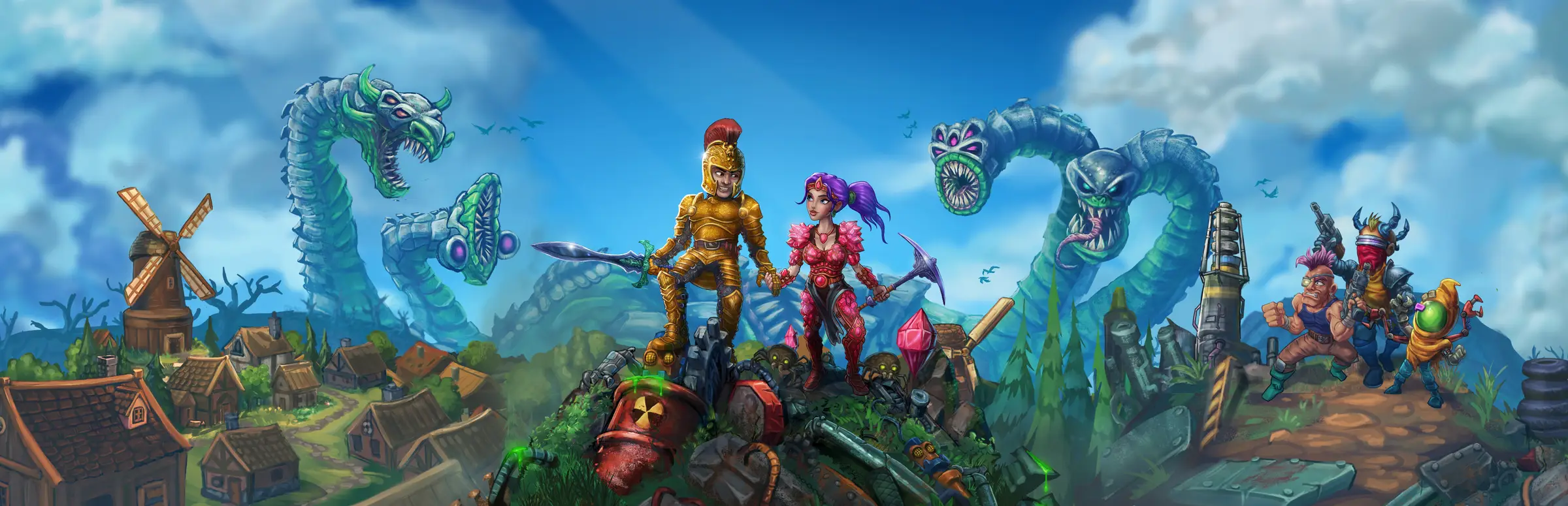
Necesse server hosting: a golden knight and a pink-haired miner stand on a hill between a windmill village and giant serpents

One shared world that never closes

Necesse Server Hosting

Necesse server hosting for groups who want a world that does not depend on one person's PC: friends join on their own schedule, the settlement and its settlers are waiting whenever anyone logs in, and the infinite map keeps growing. Ready for version 1.3 and the Rust & Romance update.

Excellent on Trustpilot Hosting since 2004 9 locations 24/7 support in 9 languages

Size your settlement

Necesse Server Hosting Plans and Prices

Fair Games built Necesse to work for a few friends or for a dedicated server with hundreds of players. These five plans run from a friends' world to a large public server. Memory starts at the free 8GB on the two smallest plans and rises as the world fills up, and paying for 3, 6 or 12 months lowers the monthly price.

  1. 10player slots
    8GB RAM

    A friends' worldBest for friends

    • 8GB included, the free tier
    • One shared settlement or a few
    • The lowest monthly price
    £4.90/moMonthly, no contract
  2. 20player slots
    8GB RAM

    A small community

    • The same free 8GB
    • Room for rival colonies
    • Boss parties of mixed builds
    £6.80/moMonthly, no contract
  3. 40player slots
    12GB RAM

    A community server

    • 12GB for a busy world
    • Many settlements loaded at once
    • Our pick for public servers
    £21.79/moMonthly, no contract
  4. 60player slots
    12GB RAM

    A lively public world

    • 12GB of memory
    • Incursion nights and events
    • Space to keep growing
    £27.99/moMonthly, no contract

Every plan: NVMe 7500MB/s · 5.0GHz · Up to 100GB. No setup fee. Upgrades and details

In short

Gaming Deluxe hosts Necesse dedicated servers from £4.90/mo, with 10 to 100 player slots and 8GB to 16GB of RAM depending on the plan. Each server runs Fair Games' official Necesse server on 5.0GHz CPUs and NVMe storage in 9 locations across the UK, France, Germany, the US and Australia, and is set up automatically after payment.

Key facts checked against our order form, updated .

  • 10 to 100 player slotsUp to 250 on the order form
  • 8GB to 16GB RAM8GB free, more as the world fills
  • 9 locationsOne price in the UK, EU, US and Australia
  • Version 1.3 readySteam Update after every patch
  • Bring your worldUpload a save from your own PC
  • Workshop modsUpload server mods by File Manager or SFTP
  • Offsite backupsSeven days of copies, restored in the panel
  • DDoS protectionIncluded at every location
  • 24/7 support in 9 languagesHosting game servers since 2004

Run the world

The Necesse Server Hosting Control Panel

A Necesse server is a light program with a world save and a settings file. The panel wraps both with power controls, file access, backups and updates, all in the browser.

Gaming Deluxe game server control panel with the server menu, connection details and Stop and Restart buttons

The Gaming Deluxe control panel, pictured with a Windrose server. Necesse servers use the same panel and menu.

Configuration Files

Change the server's settings from the browser. Stop the server first, because changes saved while it runs do not apply.

File Manager and SFTP

Upload a world from your PC, add mods, or download a copy of the save to keep at home.

Steam Update

Necesse patches often. Update the server along with the game so everyone is on the same version.

Backup Manager

Snapshot the world before migrating an old save or trying a new mod, and restore it in a few clicks.

Scheduler

Restart at quiet hours; our knowledge base recommends at least twice a day for a smooth server.

Log Viewer

Follow the log live to see who joined and catch a mod that fails at start-up.

Rust & Romance is here

Necesse 1.3: Rust & Romance and the Road Since 1.0

Necesse reached version 1.0 on 16 October 2025 after six years of Early Access, and Fair Games has kept large updates coming since. Rust & Romance arrived on 30 July 2026, and v1.3.3 from 25 August 2026 is the current server build on the official site at the time of writing.

1.016 October 2025UpdateRust & Romance · 30 July 2026Server buildv1.3.3 · 25 August 2026

01

Rust & Romance (1.3)

Settler personalities, a romance questline, the Scrapyard as a new tier 8 incursion, much bigger biomes and the Charred Forest. Older saves still load, though Fair Games recommends a new world for the full experience.

02

Version 1.0

Infinite world generation with seamless, blended biomes, the Fallen Altar perk tree and a final incursion. Early Access worlds can be migrated into the new generation rather than lost.

03

1.1 and the Secrets update

Version 1.1 on 18 December 2025 rebalanced combat and added wildlife; the Secrets update on 9 April 2026 hid collaborations with other games in areas players have not explored yet.

04

A publishing partner

On 7 October 2026 Fair Games announced a partnership with Fireshine Games for publishing and porting, said development carries on as before, and promised news of a Christmas update.

Mods & multiplayer

Mods and Multiplayer on Necesse Server Hosting

Necesse has supported mods and the Steam Workshop since 2022, and its multiplayer covers co-op and PvP. Here is what that means on a dedicated server.

Mods

Steam Workshop

Fair Games added modding and the Workshop in v0.21.23 in June 2022, including mods that run only on the client or only on the server.

Mods on the server

Upload server mods with the File Manager or SFTP. Mods that are not marked client-only or server-only run on both sides, so players need them too.

Mods after big updates

Fair Games warned that most mods would not work at the launch of 1.0, and that modders usually catch up within a couple of weeks. Check each mod before updating the server.

Multiplayer

Co-op or rival colonies

Build one giant settlement together or set up separate, competing colonies. Steam lists online co-op and online PvP.

Characters and worlds

Since v0.23 characters are separate from worlds, and a server owner can require players to make characters for that world only.

Public server tools

A world border, a cap on settlers per settlement and dropped item clean-up keep a busy public world under control.

WindowsmacOSLinux

Memory for an infinite map

RAM for Necesse Server Hosting: What Each Plan Includes

Fair Games publishes no memory guide for the dedicated server, so these are our own sizing notes. Necesse's world is infinite, and memory follows how much of it is loaded at once: players spread across biomes, settlements full of settlers, incursions in progress. Version 1.0.3 noticeably improved memory use on dedicated servers, and this product's free tier is 8GB, so even the smallest plan has room.

  • Friends sharing a settlement

    Plan: 10 Slots
    RAM included: 8GB

    When to add more: Rarely. 8GB is generous for a small group.

  • Several groups, separate colonies

    Plan: 20 Slots
    RAM included: 8GB

    When to add more: When most players are online and exploring in different directions.

  • Community server

    Plan: 40 Slots
    RAM included: 12GB

    When to add more: With many settlements and their settlers loaded across the map.

  • Busy public world

    Plan: 60 Slots
    RAM included: 12GB

    When to add more: Move to 16GB if peak hours push the graph close to the limit.

  • Large public server

    Plan: 100 Slots
    RAM included: 16GB

    When to add more: Bigger communities can take 20GB or more from the order form.

Memory tiers on this order form: 8GB, 12GB, 16GB, 20GB, 24GB and 32GB. Change tier later from the client area and the world stays put.

Low ping, clean dodges

Necesse Server Hosting Locations and Ping Test

Choose from 9 locations in the UK, France, Germany, the United States and Australia. Dodging a boss's attack patterns rewards a low ping, so run the test from your own PC and pick what suits most of your players.

LondonUnited Kingdom · Europe -
ParisFrance · Europe -
FrankfurtGermany · Europe -
New York (Buffalo)United States · North America -
DallasUnited States · North America -
Los AngelesUnited States · North America -
ChicagoUnited States · North America -
MiamiUnited States · North America No test
SydneyAustralia · Oceania -

Always-On Protection

Necesse Server Hosting with DDoS Protection

Watch how our multi-layered defence system filters malicious traffic while legitimate connections pass through uninterrupted.

Internet DDoS Protection Game Server

Malicious traffic is filtered at the edge, while legitimate traffic passes through uninterrupted.

Malicious Traffic (Blocked)Legitimate Traffic (Allowed)

At Every Location
Included
Full Protection
Layer 3/4/7
24/7 Active Filtering
Always-On
Added Latency
<1ms

In every plan

What Necesse Server Hosting Includes

No setup fee and no add-ons you must buy. Every Necesse plan includes the following, as our order form lists it today.

  • Game serverFair Games' official Necesse dedicated server, kept current with Steam Update
  • Player slots10, 20, 40, 60 or 100 as plans; options up to 250 on the order form
  • Memory8GB on 10 and 20 slots, 12GB on 40 and 60, 16GB on 100; up to 32GB
  • Your worldUpload an existing save or start a new one
  • ModsFile Manager and SFTP for Workshop and server mods
  • Storage100GB NVMe at 7,500MB/s, upgradable to 200GB and 14,000MB/s
  • Processor5.0GHz included, 5.2GHz+ and 5.6GHz+ options
  • Locations9, all at the same price
  • BackupsOffsite copies of the last 7 days, plus your own snapshots
  • ProtectionDDoS filtering on every server
  • Support24/7 tickets from a team that has run game servers since 2004

Optional upgrades

Added at checkout, billed with your plan.

  • Memory AllocationTiers up to 32GBtiered
  • Hard DiskNVMe 14,000Mb/sfrom £4.99
  • CPU Clock Speed5.2GHz+ - 5.6GHz+from £4.99
  • CPU PriorityHigh CPU Priority - Realtime CPU Priorityfrom £4.99
  • VIP Ticket Priority SupportPrioritise My Ticket Pleasefrom £1.99
  • Disk SpaceUp to 120GB - Up to 200GBfrom £6.99

Each plan includes the RAM on its card; this product's free tier is 8GB. Tiers up to 32GB, and slot options up to 250, are on the order form. The 9 locations all cost the same, so let the ping test decide. Prices read from our order form on 22 October 2026. Taxes, if any, are shown at checkout.

Built for settlers

Necesse Server Hosting Features

The parts of the service a Necesse group notices most.

From friends to a community

Necesse scales from a handful of friends to hundreds of players on one dedicated server.

Bring your world

Upload the world you started at home and carry on with everyone on the server.

Rules for public worlds

World border, settler caps and item clean-up keep a crowded server tidy.

Patch-day updates

Run Steam Update after each patch so players on the new version can connect.

DDoS protection

Hostile traffic is filtered before it reaches your world.

5.0GHz CPUs and NVMe

Fast cores and storage keep a busy settlement responsive when everyone is online.

Before your first night

Necesse Server Hosting Essentials Before You Order

Five things to sort out before your first night in the world.

  1. Match versions

    Players and the server must run the same version, so update the server whenever Necesse patches.

  2. Stop before editing

    Settings changed while the server runs do not apply. Stop, edit, save and start again.

  3. Character rules

    Decide whether players may bring characters from other worlds or must make one for yours.

  4. Empty means paused

    By default a dedicated server pauses when nobody is online, so the world waits for its players.

  5. Old worlds and 1.0

    An Early Access world has to be migrated into the 1.0 world generation. Take a backup first.

Answers

Necesse Server Hosting FAQ

Short answers to the questions new Necesse server owners ask most.

Getting started

How quickly is my Necesse server ready?

It is created automatically once payment clears, usually within 20 minutes, and the panel login arrives by email. Start it, then share the address and port with your friends.

How do my friends join?

Share the server's IP address and port from the panel. Players enter them when joining a server from Necesse's multiplayer menu, with no port forwarding on anyone's router.

Can I upload my existing world?

Yes. Stop the server, upload your world's save with the File Manager or SFTP, and start the server on it. Our support team can place it for you if you prefer. Early Access worlds need migrating into the 1.0 world generation first.

Which location should I choose?

Run the ping test on this page from the PC you play on, and choose the location with the lowest result for most of your group. All 9 locations cost the same.

Players and mods

How many players can a Necesse server hold?

Fair Games describes dedicated servers with hundreds of players. Our order form sells 10 to 250 slots, and the plans on this page run from 10 to 100, which covers most groups and communities.

Can we use mods on the server?

Yes. Necesse supports Steam Workshop mods, and some are made to run only on the client or only on the server. Upload server mods with the File Manager or SFTP, and make sure players have the mods that run on both sides.

Can players fight each other?

Yes. Steam lists online PvP alongside co-op, and the game invites groups to build rival colonies or one shared settlement. Agree the rules for your world before the first raid.

Does the server keep running when nobody is online?

The server stays online, but by default a Necesse dedicated server pauses the world while it is empty, so nothing moves on until someone joins.

Updates and worlds

What happens when Necesse updates?

Players who update first cannot join an older server, so run Steam Update in the panel and restart. If a mod needs an older build, Fair Games keeps previous server versions on its official server page.

Can I keep my Early Access world in 1.0?

Yes. Version 1.0 lets you migrate an old world into the new world generation, which places your islands and settlement into it. Back the world up before you do.

Are backups included?

Yes. We keep offsite copies for the last 7 days, and the Backup Manager lets you take your own snapshots, for example before a big update.

Plans and billing

How much does Necesse server hosting cost?

The 10 slot plan is the cheapest, at £4.90 a month. The table above shows each plan for 1, 3, 6 or 12 months, and the longer terms cost less per month.

Why do the 10 and 20 slot plans have the same RAM?

The free tier on this product is already 8GB, which comfortably covers twenty players, so both plans keep it. Memory steps up on the community plans, where far more of the world is loaded at once.

Can I cancel at any time?

Yes. Monthly billing renews month by month and can be cancelled whenever you like. The 3, 6 and 12 month cycles are paid upfront at a lower monthly rate.

The complete guide · 5 min read

Necesse Server Hosting Explained: A Complete Guide

This guide covers running a Necesse server after 1.0 and the Rust & Romance update: why a dedicated server helps, picking slots, the settings that matter, mods, memory, updates and moving worlds. It is written for whoever in the group ends up looking after the settlement.

By , Owner, Gaming DeluxePublished · Updated

In this guide
  1. Why Run Necesse on a Dedicated Server
  2. From 1.0 to 1.3: What Changed for Server Worlds
  3. Choosing Slots for a Friends' World or a Public One
  4. Server Settings Worth Knowing
  5. Running Mods on a Necesse Server
  6. Memory in an Infinite World
  7. Updates, Backups and Moving Worlds
  8. What to Compare Before You Rent a Necesse Server
  9. Necesse Server Glossary
  10. Necesse Server Help and Next Steps

Why Run Necesse on a Dedicated Server

A Necesse world hosted from someone's game is only open while that person plays. The rest of the group has to wait for them, and the evening ends when they log off. A dedicated server is a separate program that runs the world on its own, so anyone can join whenever they have time, and the world is always where they left it.

Fair Games publishes the server for Windows, macOS and Linux on its official site and through Steam, and pitches it for everything from a few friends to hundreds of players. One detail surprises people: by default a dedicated server pauses the world while it is empty, a change made back in 2022. Your settlers wait for you rather than carrying on alone.

From 1.0 to 1.3: What Changed for Server Worlds

Version 1.0 on 16 October 2025 rebuilt world generation around infinite, seamless biomes. Worlds from Early Access do not simply carry on: you migrate them, which inserts your old islands and settlement into the new generation. The Rust & Romance update on 30 July 2026 then made biomes much bigger and added the Charred Forest, which is why Fair Games recommends a new world for the full experience, even though older saves still load.

  • Keep the old world: everything you built survives, and new content appears in areas nobody has explored.
  • Start fresh: the cleanest way to see bigger biomes and every secret from the 2026 updates.
  • Do both: back up the old world, start a new one, and swap between them when you like.

Choosing Slots for a Friends' World or a Public One

Necesse does not punish you for picking a big number, but slots are what you pay for, so size the server for your busiest evening rather than your whole friends list.

  • 10 slots: a friends' world, one shared settlement or a few, on the free 8GB.
  • 20 slots: a small community or several groups with rival colonies, still on 8GB.
  • 40 to 60 slots: a community or public server, with 12GB for a world loaded in many places at once.
  • 100 slots: a large public server with 16GB; options up to 250 are on the order form.

You can move between plans later from the client area, so starting small costs nothing if the group grows.

Server Settings Worth Knowing

Fair Games has added server options steadily since Early Access. A few shape how a hosted world feels:

  • Owner: a server launch option sets the world's owner, added in v0.21.23.
  • Pause when empty: on by default since December 2022, so the world only moves while someone plays.
  • World characters: since v0.23, characters are separate from worlds, and an owner can require characters made for that world.
  • World border, settler cap and clean-up: limits for public servers, also from v0.23.
  • Client projectile hits: on by default to reduce desync; Fair Games notes it can be switched off in the server config if cheating becomes a concern.

Running Mods on a Necesse Server

Modding arrived in v0.21.23 in June 2022, along with the Steam Workshop. Mods can be flagged as client-only or server-only; everything else runs on both sides, so the server and every player need the same copy. Upload server mods with the File Manager or SFTP and restart.

Big updates are where mods break. Fair Games said at the 1.0 launch that most mods would not work straight away and that modders usually update them within a couple of weeks. On a modded server, hold back the Steam Update until your mods support the new version, and take a snapshot either way.

Memory in an Infinite World

An infinite world sounds like an infinite memory bill, but the server only keeps loaded the parts of the map where players are. Memory therefore follows how far your players spread out, how many settlements and settlers they run, and how many incursions are open at once. Version 1.0.3 also brought a significant improvement to memory use on dedicated servers.

Our plans start at the free 8GB, which suits friends' worlds well, and step up to 12GB and 16GB for community servers. If the memory graph in the panel sits close to the limit at peak times, move up a tier; your world stays where it is.

Updates, Backups and Moving Worlds

Necesse patches regularly, and Fair Games reminds server owners to update their servers along with the game, because players on a new version cannot join an older one. Run Steam Update in the panel, restart, and everyone is level again. If you ever need an older build for a mod, Fair Games lists previous server versions on its official server page.

Moving a world in either direction is a file copy: stop the server, upload or download the save with the File Manager or SFTP, and start again. Our offsite copies cover the last 7 days, and the Backup Manager adds snapshots you take yourself, such as before a migration or a mod update.

What to Compare Before You Rent a Necesse Server

Necesse plans look alike at first. These details decide how the server feels after a few weeks.

  1. Slots for your peak, not your listSize for the most players online at once, and check you can change plan later.
  2. Memory in the priceSee how much RAM the base price includes; an 8GB starting tier leaves room to grow.
  3. File accessMods and world uploads need a file manager and SFTP, not a ticket every time.
  4. Backups you controlMigrations and big updates go better with snapshots you can restore yourself.
  5. Location and pingCombat in Necesse is about dodging, so test the ping from your own PC first.
  6. Billing termsLook for monthly billing, no minimum term and no setup fee.

Necesse Server Glossary

Dedicated server
Fair Games' server program, which runs a Necesse world without a player hosting it.
Settlement
Your base and village, claimed with a settlement flag and run with settlers.
Settler
A recruited villager who farms, crafts, hauls and fights for the settlement.
Incursion
A challenge you open from the Fallen Altar, with its own enemies, loot and boss.
Fallen Altar perk tree
The 1.0 system of perks that modify the incursions you open.
World generation
The infinite, seamless biome system introduced in version 1.0.
Migration
Inserting an Early Access world's islands and settlement into the 1.0 world generation.
Server-only mod
A mod that runs on the server alone, so players do not need it.
Pause when empty
The default dedicated server behaviour of pausing the world while nobody is online.
World border
A server setting that limits how far players can travel.

Necesse Server Help and Next Steps

Official pages and our own help.

How this guide was made: researched from Fair Games' official server page and its announcements and patch notes on Steam (the official Necesse wiki could not be reached when we checked, so it was not used), drafted with AI assistance, checked against our live order form and knowledge base for every plan, price and location, and reviewed by Matthew Griffin before publishing. Something out of date? Tell us.