


The complete guide · 4 min read
Silica Server Hosting: The Complete Guide
This guide covers running a Silica server in the run-up to 1.0: what the game is, how its modes and factions work, server size and memory, admin setup, and keeping a server healthy through Early Access updates.
By Matthew Griffin, Owner, Gaming DeluxePublished · Updated
In this guide
What Silica Is
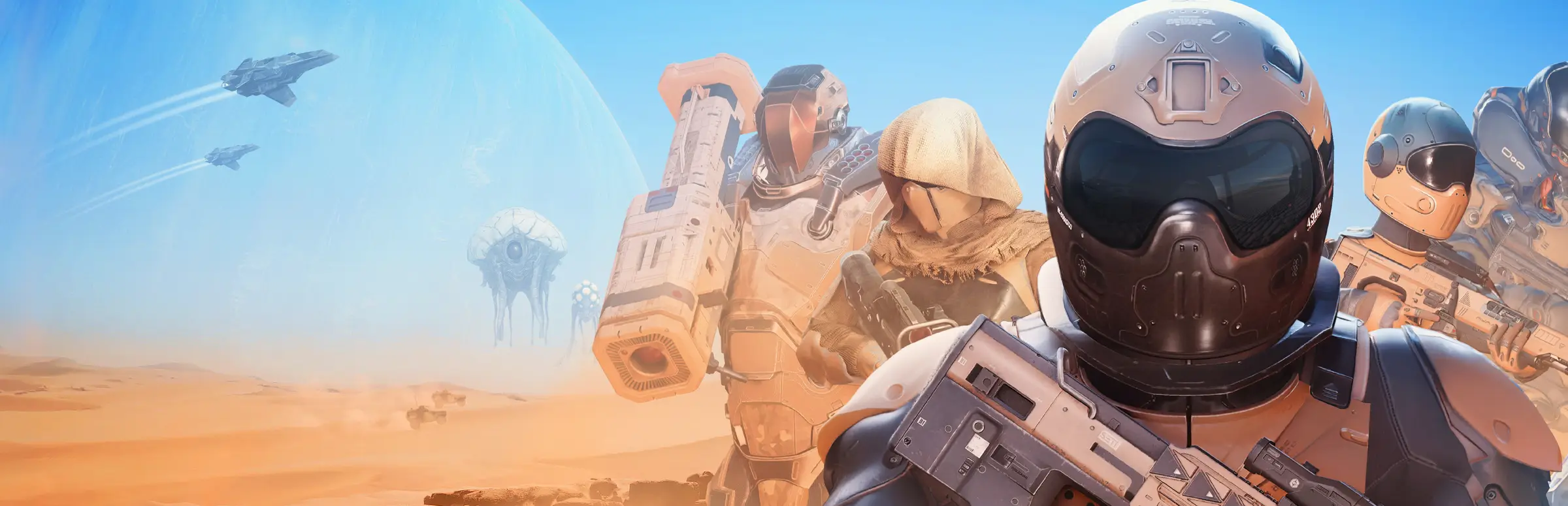
Silica is a crossover of first-person shooter and real-time strategy, built by Martin Melichárek and published by Bohemia Interactive. Each team can have a commander who plays from above, placing structures, running harvesters and ordering units, while the rest of the team fights on the ground in first person, on foot or in land and air vehicles. One side can also be aliens, whose bases and creatures work differently from the human factions.
That mix is what makes a dedicated server valuable. A good Silica match needs a commander who knows the job and a team that listens, and those come from a community that plays together regularly. Your own server gives that community a fixed home with its own admins.
From Early Access to 1.0
Silica launched in Early Access on 3 May 2023. Dedicated servers arrived on 20 December 2023 with update 0.8.18, Linux dedicated server support followed in July 2024, and the networking moved to Steam Networking Sockets in August 2024. Siege mode came in November 2024 and Sandbox in December 2024.
Update 0.9 in December 2025 was the biggest yet: it split the two human factions, Sol and Centauri, with 21 new units and 13 new structures. 2026 brought an AI overhaul in May, new command options in July, and Cooperative Strategy in September. On 16 October 2026 the team announced that Silica will leave Early Access on 3 November 2026, with a voiced Centauri campaign, matchmaking and more reliable dedicated servers.
- 1.0 modes: Strategy, Cooperative Strategy with difficulty settings, the Campaign, and 1v1 matchmaking.
- Server side: fewer disconnects, more reliable dedicated servers and team-killer detection.
- Sandbox: better building tools and Steam Workshop sharing for scenarios.
Modes and Faction Line-Ups
Strategy is the heart of multiplayer. Since the first dedicated server update, players vote on the line-up: humans against humans, humans against aliens, or a three-way match with all factions. A three-way match needs more players to feel alive, which is worth keeping in mind when you pick a plan.
| Mode or line-up | Suggested slots | Notes |
|---|---|---|
| Cooperative Strategy | 10 | Players together against the AI |
| Humans vs humans or vs aliens | 16 | Two full teams with commanders |
| Three-way battles | 24 | Three teams need more players |
| Siege and events | 36 | Our largest plan; test first |
We could not find an official player limit that we can quote for Silica, so if you plan an event at 36 slots, run a test match first. The order form sells any count from 10 to 36.
Memory and Performance
Silica is not a light game. The minimum spec on Steam asks players for 16GB of RAM, and the server has to keep track of every unit, structure and projectile in a match. That is why the smallest memory tier on this product is 16GB, and why our larger plans step up to 20GB and 24GB.
The developers have spent a lot of 2026 on performance: collision avoidance for large battles was optimised, units are pooled ahead of use to reduce stutter, and building placement no longer causes a hitch. If a long match still feels heavy on your server, the 32GB tier is on the order form.
Setting Up Admins and Settings
- Order a plan at the location nearest your players and wait for the setup email.
- Open the server's settings files in the File Manager and set the server name.
- Add yourself as a root admin, then add your standard admins.
- Check the ports and, if needed, the IP binding in the XML settings.
- Start the server, join it, and test a Kick or EndRound command to confirm admin rights.
Silica's admin system has two levels. Root admins can add and remove other admins; standard admins handle day-to-day moderation such as kicking, timed bans and ending a round. Update 0.9 added an ExitServer command for admins, and an UnlinkedStructures command that switches off structure decay for a chosen team.
Running Through Updates
Silica updates often, and a server left on an older build can stop players joining. The routine is simple: take a backup, update the server, read the patch notes, then start it up. With 1.0 planned for 3 November 2026, expect a large update around that date, and plan your community's launch night for after you have tested it.
We keep offsite backups of the last 7 days, restorable from the panel. Take your own snapshot before every update. If you are moving from another host, copy your settings files there, upload them here and start the server.
Building a Silica Community
The best Silica servers have regular commanders. Commanding is a skill, and new players learn faster when an experienced commander explains the plan. Run themed nights, such as a weekly three-way battle, and use Cooperative Strategy to train new commanders against the AI before they face other players. The game's lead developer even thanked community server hosts by name in the 1.0 announcement: they matter to this game.
What to Compare Before You Rent a Silica Server
A demanding Early Access game needs more from a host than a low price.
- Enough memorySilica needs real RAM. Check the included tier, not just the slot price.
- Fast updatesAn outdated server can lock players out. Check you can update yourself.
- Settings accessYou need the XML settings and admin lists under your control.
- PingTest from your PC before picking a location.
- BackupsMake sure you can restore settings yourself after an update.
- Billing termsCompare cycles, setup fees and minimum terms.
Silica Server Glossary
- Commander
- The player who runs a team's base and army from a top-down RTS view.
- Baltarus
- The desert planet where Silica's battles take place.
- Sol and Centauri
- The two human factions, made distinct in update 0.9.
- HvHvA
- Humans vs humans vs aliens: a three-way Strategy match.
- Harvester
- A unit that gathers resources to fund a team's army.
- Root admin
- An admin who can add and remove other admins.
- Sandbox
- A mode where a game master builds a scenario for others to play.
Silica Server Help and Next Steps
Official pages and Gaming Deluxe help.
How this guide was made: researched from Silica's Steam store page and the developers' own Steam announcements and patch notes, drafted with AI assistance, checked against our live order form for every plan, price and location, and reviewed by Matthew Griffin before publishing. Spotted something out of date? Tell us.
Sources, checked 23 October 2026:
- Silica on Steam (Martin 'Dram' Melichárek, Bohemia Interactive; Early Access since 3 May 2023; Windows; FPS and RTS crossover; 16GB minimum RAM)
- Silica V0.8.18 Patch Notes (dedicated servers, HvH/HvA/HvHvA vote, standard and root admins, Kick, Ban, EndRound, PlayerInfo), 20 December 2023
- Silica V0.8.66 Patch Notes (Linux dedicated server support), 18 July 2024
- Silica V0.9 Unit split (Sol and Centauri split, 21 units, 13 structures, IP binding via XML, ports on the command line, ExitServer and UnlinkedStructures, 5 minute empty-server restart), 11 December 2025
- Cooperative Strategy Game Mode, Repairs and New RTS Tools (co-op vs AI, performance work), 10 September 2026
- Devblog #07: Full Release Date Announcement (leaving Early Access on 3 November 2026; 1.0 modes, matchmaking, more reliable dedicated servers, Workshop scenarios), 16 October 2026
- Gaming Deluxe order form, Silica Dedicated Game Server (pid 445; slots slider 10 to 36, option 707; memory 16GB included to 32GB, option 708)