


The complete guide · 5 min read
Outpost Zero Server Hosting Explained: A Complete Guide
This guide covers running an Outpost Zero server in 2026: what the game is, where it stands after its last patch, choosing a plan, sandbox and Conquest play, the settings you can change, admin commands and keeping a long-running colony healthy.
By Matthew Griffin, Owner, Gaming DeluxePublished · Updated
In this guide
- What Outpost Zero Is
- An Honest Word on the Game's Status
- Choosing a Plan: Players, Drones and Bases
- Sandbox and Conquest
- Settings You Can Change
- Admin Commands and Moderation
- Keeping a Long-Running Colony Healthy
- What to Compare Before You Rent an Outpost Zero Server
- Outpost Zero Server Glossary
- Outpost Zero Server Help and Next Steps
What Outpost Zero Is
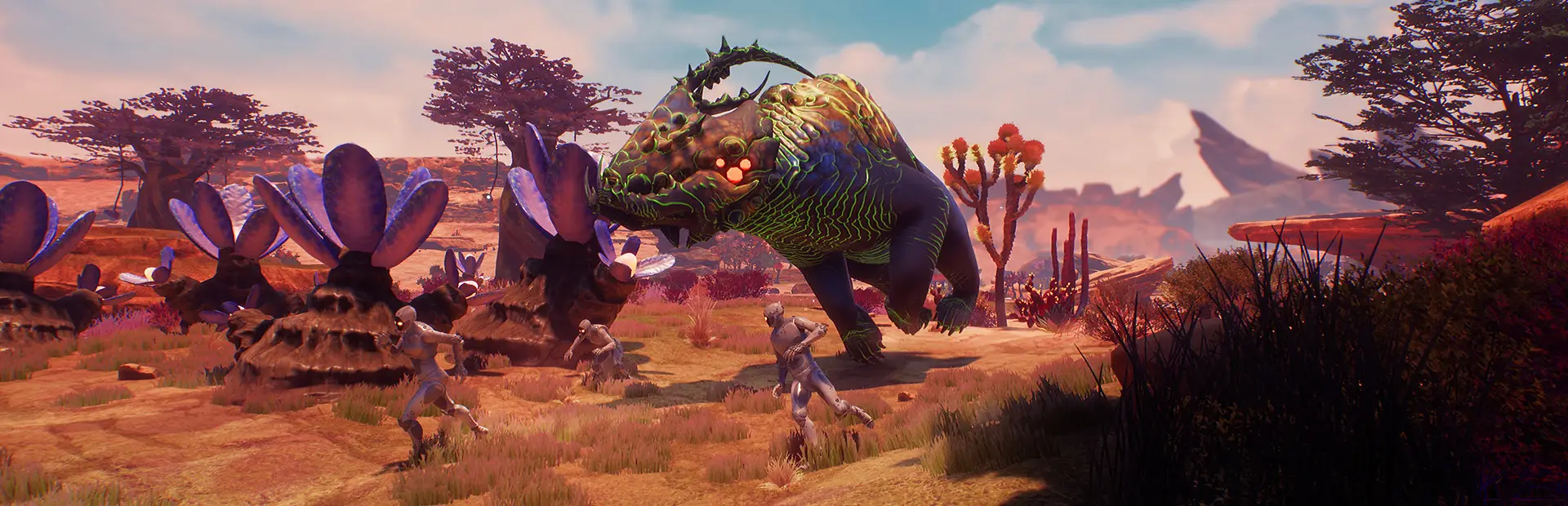
Outpost Zero puts you in the role of an AI Overseer sent from Earth to the alien world of Gaiya, tasked with building a habitat for the human colonists who will follow. You do not build it alone: you command AI drones that mine, haul, craft and fight, and you keep them happy with quarters and entertainment, as the Steam page describes.
When the game left Early Access, Symmetric Games summed it up as a first person real time strategy game mixed with survival. Rival corporations compete for Gaiya's resources, pirates raid bases and native creatures attack, so a server is as much about automation and defence as it is about shooting.
An Honest Word on the Game's Status
Outpost Zero is not in active development. The final patch, 1.0.10099, came out on 7 December 2019, and the last post on the game's Steam news feed is a sale from March 2020. The developers wrote in that last patch post that they would keep working on performance for servers with large bases; no further patch followed.
- Still sold: the Steam store page is live, so new players can buy the game and join.
- Stable version: with no updates, the server and players never fall out of step.
- Thin documentation: the official wiki's dedicated server page links to a hosting guide that no longer loads, so the patch notes are the best official record.
If your group enjoys the game as it is, a server works well. If you are hoping for new content, look at the related games at the end of this page.
Choosing a Plan: Players, Drones and Bases
Every player brings more than a character to the server. They bring a base, a power network, mining outposts, supply chains and a crew of AI drones, and the server keeps all of it in the world, even while its owners are offline. The developers' patch notes kept returning to AI, turret and structure performance on dedicated servers for exactly that reason.
| Plan | Typical group | RAM included |
|---|---|---|
| 10 Slots | Friends learning the game together | 5GB |
| 20 Slots | A few corporations sharing the planet | 8GB |
| 30 Slots | A community server with rivalries | 12GB |
| 40 Slots | A busy server with large colonies | 16GB |
The order form sells sizes up to 160 slots. For an older game with a smaller player base, most groups are well served by the plans above, and you can move up later without losing the world.
Sandbox and Conquest
Most servers run the standard sandbox game, where survival never ends and corporations rise and fall. The final patch even re-added a weakened volcano as a global event in sandbox modes, so structures deteriorate regularly and the world never stands still.
Conquest arrived as a beta in March 2019. Gaiyacite starts to spawn after a warm-up, and a corporation wins in one of four ways:
- Pyrrhic Victory: build and fully charge a volcano bomb in the mouth of the volcano.
- Economic Victory: gather a set amount of Gaiyacite in storage.
- Technology Victory: build and charge tech scanners on active alien artifacts.
- Revolution Victory: launch a satellite that frees all bots from corporate control.
Settings You Can Change
Outpost Zero never had a full server manual that is still online, so its settings are known from the patch notes. These are the ones the developers documented:
- TODCycleSpeed in DefaultGame.ini sets the speed of the day and night cycle (final patch, December 2019).
- Timed restarts can be set through the ini files, fixed in the same patch.
- Game=Conquest on the command line starts a Conquest match (March 2019).
- Gather rate, resource respawn and environment damage became config settings in an Early Access patch in July 2018.
Stop the server before editing ini files, keep a backup of the original, and change one thing at a time so you know what made a difference.
Admin Commands and Moderation
The official wiki, linked from the game's website, lists chat commands typed into the chat window. Most are cheats that need permission on the server, and they take a player's Steam ID, or 0 for yourself.
- FoodForThought lists every player with their Steam ID and map coordinates.
- NoGlues teleports a player to map coordinates.
- ResetPlayer respawns a player in a new body.
- RadioFreeZerg spawns a pirate raid, handy for events.
Use cheats openly and sparingly. On a server with rival corporations, the fastest way to lose players is an admin who seems to play by different rules.
Keeping a Long-Running Colony Healthy
- Restart daily: big worlds with many drones run better after a fresh start.
- Back up before changes: take a snapshot before switching modes or editing settings, with our offsite copies of the last 7 days as a safety net.
- Watch the memory graph: if it climbs towards the limit over a long session, move up a tier.
- Keep the rules clear: decide how raids, alliances and admin help work before the server fills up.
What to Compare Before You Rent an Outpost Zero Server
For an older game, the details that matter are a little different.
- Memory on each planDrones and big bases need RAM. Check what each plan includes rather than just the slot count.
- Command line and ini accessConquest and the documented settings need both. Make sure you can edit them yourself.
- Backups you can restoreLook for backups you can take and restore without a ticket.
- Flexible termsFor a game no longer updated, monthly billing with no minimum term keeps you free to move on.
- Location and pingChoose a data centre near most of your group and test it first.
- Support that knows old gamesAsk whether the host still supports the game properly, not just sells it.
Outpost Zero Server Glossary
- Gaiya
- The alien planet where Outpost Zero is set.
- Overseer
- The player's role: an AI sent from Earth to prepare the colony.
- Drones
- The AI-controlled robots that mine, haul, craft and fight for you.
- Corporation
- A group of players working together and competing with others.
- Command centre
- The heart of a base, with territory around it.
- Pirates
- Hostile raiders who attack bases.
- Conquest
- A mode with four victory conditions, added as a beta in 2019.
- Gaiyacite
- The resource at the centre of Conquest's Economic Victory.
- DefaultGame.ini
- A server config file, home of the day and night cycle speed.
Outpost Zero Server Help and Next Steps
The official records and our own pages.
- Outpost Zero news on SteamEvery patch note from Early Access to 1.0.10099.
- Chat Commands, Outpost Zero official wikiThe admin and cheat commands.
- Outpost Zero official siteThe game's own overview.
- Gaming Deluxe control panelLogging in and using the panel.
- Our server locations
- Contact support24/7 help with settings, restarts and backups.
How this guide was made: researched from the Steam store page, Symmetric Games' patch notes and announcements on Steam, the official site and the official wiki it links to, drafted with AI assistance, checked against our live order form for every plan, price and location, and reviewed by Matthew Griffin before publishing. Spotted something out of date? Tell us.
Sources, checked 22 October 2026:
- Outpost Zero on Steam (Symmetric Games, tinyBuild, 25 July 2019, Windows, still on sale)
- Outpost Zero news on Steam (Early Access 12 July 2018, patches to 1.0.10099 on 7 December 2019, last post March 2020)
- Outpost Zero official site, Symmetric Games
- Chat Commands, Outpost Zero wiki (linked as the official wiki from outpostzerogame.com)
- Dedicated Server Setup, Outpost Zero wiki (its server hosting link returns 404, so no official hosting guide was available)
- Gaming Deluxe knowledge base: Frequently asked questions (setup time, Switch Game)
- Gaming Deluxe order form, Outpost Zero Dedicated Server
