


The complete guide · 4 min read
Chivalry: Deadliest Warrior Server Hosting Explained: A Complete Guide
This guide covers running a Chivalry: Deadliest Warrior server in 2026: what the expansion is, what changed when the official servers closed, the six warriors, the modes and maps, the server settings Torn Banner documented, custom content and how to build a community that keeps coming back.
By Matthew Griffin, Owner, Gaming DeluxePublished · Updated
In this guide
- What Chivalry: Deadliest Warrior Is
- Why Community Servers Matter Since April 2024
- The Six Warriors and How They Play
- Modes, Maps and Choosing a Size
- Server Settings Torn Banner Documented
- SDK Maps, Mods and the Server Browser
- Building a Deadliest Warrior Community in 2026
- What to Compare Before You Rent a Deadliest Warrior Server
- Chivalry: Deadliest Warrior Server Glossary
- Chivalry: Deadliest Warrior Server Help and Next Steps
What Chivalry: Deadliest Warrior Is
Chivalry: Deadliest Warrior is Torn Banner Studios' expansion for Chivalry: Medieval Warfare, made with 345 Games and based on the Spike TV series Deadliest Warrior. It launched on Steam on 14 November 2013. Steam sells it as downloadable content for Chivalry: Medieval Warfare, and Torn Banner described it at launch as a separate experience: faster and more varied than the base game.
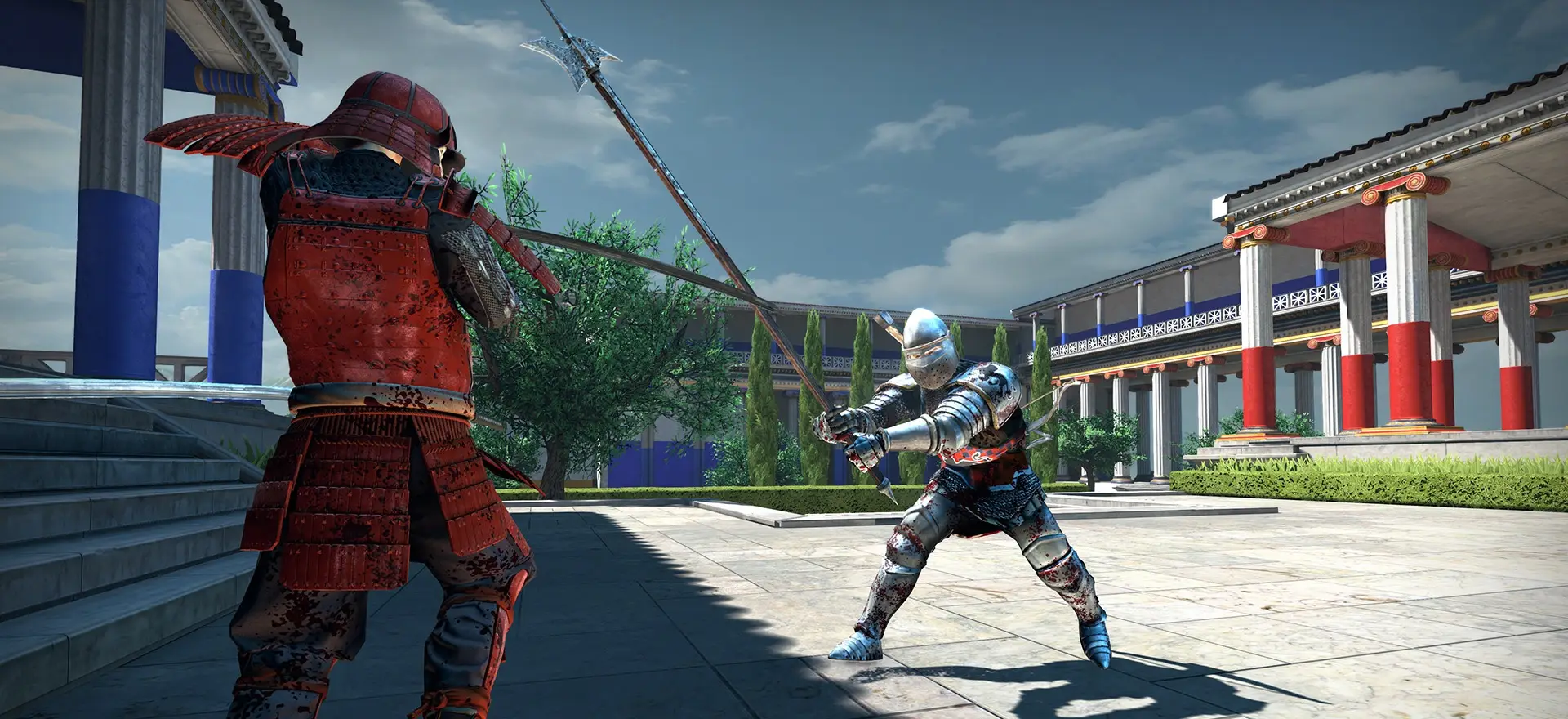
Instead of medieval factions, it puts iconic warriors from across history into first person melee combat. Every environment is the homeland of one of them, so you fight in Greek temples, a misty ninja village, a samurai stronghold, a pirate island, a Norse fishing port and a medieval castle with siege weapons.
Why Community Servers Matter Since April 2024
On 7 March 2024 Torn Banner announced that, after 12 years of support, the official servers for Chivalry: Medieval Warfare and its DLC Chivalry: Deadliest Warrior would go offline on 8 April 2024. The notice was clear that this would not make the game unplayable, because unofficial servers had been available to players since close to launch.
Since then, community servers are the only place to play. That changes what a good server owner does. You are no longer competing with an official browser full of ranked servers: you are the server. Regular opening hours, a sensible map vote, fair ping limits and admins who are online at peak time decide whether players come back.
The Six Warriors and How They Play
Torn Banner's launch announcement sums up each class. A server's map choice and mode mix shape which of them shine:
| Warrior | Torn Banner's description |
|---|---|
| Spartan | A shielded warrior that excels when fighting in teams |
| Ninja | A swift stealth warrior with good crowd control abilities |
| Samurai | A versatile fighter with long range and melee weapons |
| Pirate | A skirmisher with gunpowder weapons |
| Viking | An all-out berserker for close range |
| Knight | A tank with superior armour and high-impact weapons |
In April 2014 the Ceremonial Heroes update added Achilles as an unlockable Spartan skin and a ceremonial helm for each class, all unlocked at level 25, so long-time players on your server still have something to show off.
Modes, Maps and Choosing a Size
Torn Banner's patch notes name the modes a Deadliest Warrior server can run: Free-For-All, Duel, Last Team Standing, Hold the Banner, Plant the Banner and Multi-team, the expansion's own mode with up to six teams at once. The six homeland maps are Acropolis, Bamboo Forest, Fortress Garden, Ducat Isle, Fjord and Fertile Valley, and Patch 2 added Moor and Frigid from the base game for every mode except Duel.
- Duel servers need very few slots: 12 is plenty.
- Team modes such as Last Team Standing and the banner modes play well around 24.
- Multi-team needs enough players to fill several teams, so 36 or more makes sense.
- Large public servers can go higher. Steam describes the base game's battles as up to 32 players and Torn Banner gives no separate figure for the expansion, so ask support before you plan a very big one.
Server Settings Torn Banner Documented
Patch 1, a week after launch, added 64-bit dedicated server executables and further server CPU optimisations, fixed the TimeLimit command line option and added an XP multiplier to every game type. Patch 2, in February 2014, brought several more settings a community server uses every day:
| Setting or feature | What Torn Banner's notes say |
|---|---|
| Ping limit | Kicks players whose ping is over a configurable threshold |
| bDisableAutoBalance | A new flag, false by default, to switch auto balance off |
| Map vote reshuffle | An end-of-match option to reshuffle the map vote |
| Default map rotation | Updated to include more maps for rotation and voting |
| SDK support | Mods and maps, with voting that works on SDK maps |
SDK Maps, Mods and the Server Browser
Patch 2 also reworked the server browser to show user generated content clearly. Servers with custom maps get a gold background and modded servers a cyan one, the Mod column can be sorted, and players can filter by Mod, Map or None. A custom content server is easy to find, which helps when you are building a crowd from scratch.
- Stop the server in the panel.
- Upload the map or mod files with the file manager or SFTP.
- Add the maps to your rotation or map vote list.
- Start the server and check the log for anything that did not load.
- Keep stock maps in the vote so new players are never stuck.
Building a Deadliest Warrior Community in 2026
With no official servers, word of mouth does the work. Announce a regular event night, keep the map vote varied but not huge, set a ping limit that keeps fights fair, and give trusted players admin logins so somebody is always there at peak time. If your community also plays the base game, a second server for Chivalry: Medieval Warfare keeps everyone under one roof.
What to Compare Before You Rent a Deadliest Warrior Server
Few hosts still sell this expansion. These are the points that decide how well a server works.
- The right gameMake sure the offer is Deadliest Warrior and not Chivalry: Medieval Warfare or Chivalry 2.
- Full .ini accessPing limits, balance and rotation are config settings. You need to edit them yourself.
- File uploadsSDK maps and mods need a file manager or SFTP.
- CPU speedMelee hit detection in crowded fights rewards fast cores.
- BackupsYour configs and map list take time to build. Check how long backups are kept.
- LocationTest the ping before you buy; parries depend on it.
Chivalry: Deadliest Warrior Server Glossary
- Multi-team
- The expansion's mode with up to six teams fighting at once.
- LTS
- Last Team Standing: rounds won by the team with the last survivors.
- HTB
- Hold the Banner, a banner objective mode.
- PTB
- Plant the Banner, a banner objective mode.
- FFA
- Free-For-All, every player for themselves.
- SDK
- Torn Banner's tools for building custom maps and mods.
- Ping limit
- The highest ping a player may have before the server kicks them.
- Unofficial server
- A community-run server, now the only way to play since April 2024.
Chivalry: Deadliest Warrior Server Help and Next Steps
Official pages and our own guides.
How this guide was made: researched from the Steam store and Torn Banner Studios' announcements on Steam, drafted with AI assistance, checked against our live order form for every plan, price and location, and reviewed by Matthew Griffin before publishing. Spotted something out of date? Tell us.
Sources, checked 23 October 2026:
- Chivalry: Deadliest Warrior on Steam (Torn Banner Studios, 14 November 2013, DLC for Chivalry: Medieval Warfare, Windows, Mac and Linux, six classes, six environments, Multi-team up to six teams)
- Chivalry: Medieval Warfare on Steam (battles of up to 32 players, unofficial servers)
- Chivalry news on Steam, Torn Banner (Deadliest Warrior released, 14 November 2013; Patch 1, 21 November 2013; Patch 2, 11 February 2014; Ceremonial Heroes Update, 10 April 2014; Official Server Sunsetting, 7 March 2024)
- Gaming Deluxe order form, Chivalry: Deadliest Warrior
