


The complete guide · 10 min read
Stormforge Server Hosting: The Complete Guide
This guide collects what is officially known about Stormforge and its servers in launch week: what the game is, how co-op works, what the licence says about hosting companies, how the dedicated server is joined and configured, and which technical details Roboto has still not published. It ends with how hosting works at Gaming Deluxe and what to compare before you rent.
By Matthew Griffin, Owner, Gaming DeluxePublished · Updated
In this guide
- What Stormforge Is
- Storms, Tornadoes and the World of Sorana
- Classes, Bosses and Co-op Play
- What the EULA Says About Servers and Hosting
- How a Stormforge Dedicated Server Works
- Mods, the Level Editor and Steam Workshop
- Early Access: What to Expect
- Hosting Stormforge with Gaming Deluxe
- What to Compare Before You Rent a Stormforge Server
- Stormforge Glossary
- Stormforge Help and Official Links
What Stormforge Is
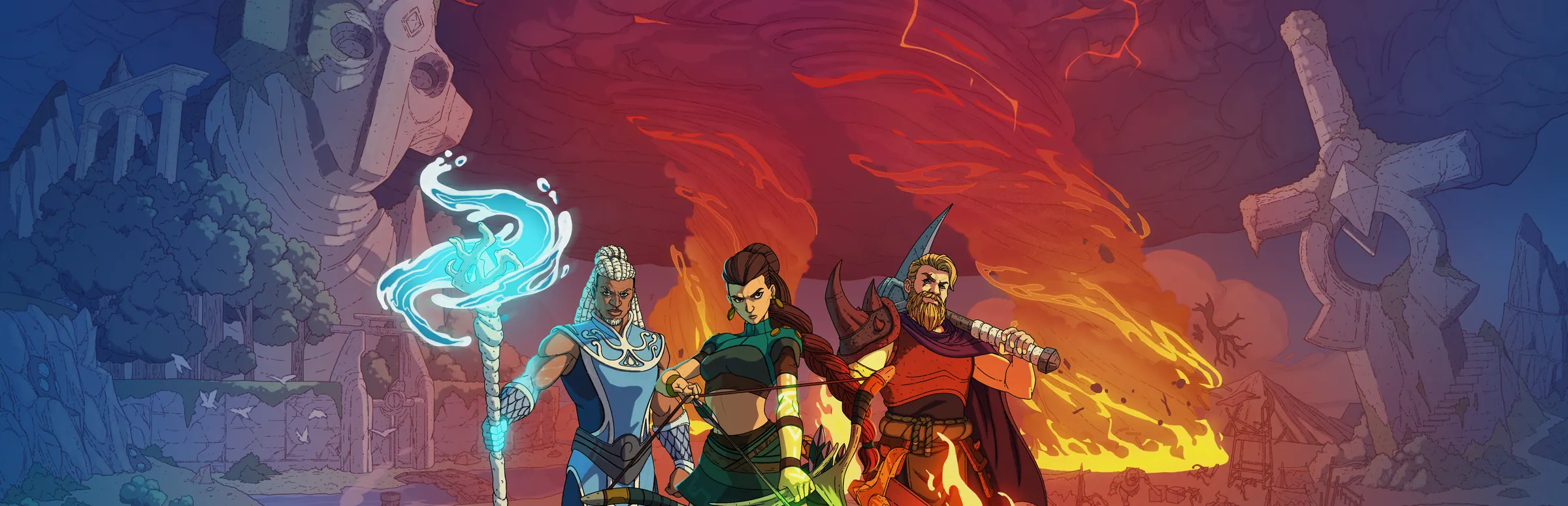
Roboto Games is both the developer and the publisher of Stormforge, a survival crafting game with an open world. It is set in Sorana, a fantasy land battered by magical storms, and you play one of the Stormforged: people who can walk into those storms and take their power. The game runs on Windows and is sold on Steam, where it entered Early Access on 10 November 2026.
The loop will feel familiar if you have played other survival crafting games: gather, craft, build a base, fight, and push further out as your gear improves. What sets Stormforge apart is that the weather is the content. Storms are not scenery. They are where the best resources and the skill points are, and they fight back.
You can play the whole game alone. Roboto's own FAQ says it is designed to be fun solo and better with friends, and the store page lists single-player alongside co-op, online or on a LAN, for up to eight players in one world.
Storms, Tornadoes and the World of Sorana
Roboto compares its storms to dungeons that happen to sit in the open. Tornadoes patrol each one, chase whoever enters, and throw boulders, trees and even enemies at them. Lightning, poison clouds and jets of fire add to the danger. At the centre sits a shielded crystal. Destroy the generators or find some other way to drop the shield, defeat the guardians the storm has empowered, and shatter the crystal. That storm is then cleared permanently.
A chaos storm is another matter. It is far bigger, it wanders over the entire map, and the sensible response is to get under cover. Set a crystal pillar in the middle of a base and it projects a magic shield over the buildings. The same pillar pools every chest inside its radius, so crafting pulls materials from storage directly.
- Three biomes at launch: Whispering Vale, Howling Woods and Ember Canyons.
- Storm-changed wildlife: Thunderhoof deer that teleport beyond bow range, Galewings that ride off on a little tornado of their own, and Mistwolves that turn to mist and shrug off damage while they do.
- Sea travel: build a boat and sail to distant islands to find more storms.
- Ruins and dungeons: dungeons to delve into, and ruins where the remains of giant stone Titans rise out of the ground.
The world is procedurally generated, so each new world gets a new map. Roboto's launch list puts its size at 75 km², and the Steam page counts more than 100 points of interest.
Classes, Bosses and Co-op Play
Progress is tied to bosses. Defeating one earns crests, and crests buy new classes. There are five: Mage, Ranger, Warrior, Villager and Forager. Launch has three bosses, named Squallreaver, Earthbreaker and The Guardian. Skills are not locked to a single class, so one character can combine more than 100 skills, over 20 of them active abilities, from every class it has unlocked.
Several design choices are aimed squarely at groups. Chests in dungeons and ruins hold separate loot for each player, so nobody has to race a friend to the lid. Quests are shared, so the group moves forward together. Portals take you home in an instant, and since the final pre-launch update the Merchant sells mounts: Thunderhoof, Mistwolf and Galewing.
Whoever creates the world picks its difficulty and how dangerous the storms are in World Settings. Roboto calls the multiplayer co-op PvE: a group against the storms, not players against each other.
| Feature | At launch |
|---|---|
| Players | 1 to 8 |
| Biomes | 3 |
| Storm types | 4 |
| Boss fights | 3 |
| Classes | 5 |
| Skills | 100+ |
| Storm-enhanced creatures | 33 |
| World size | 75 km² |
What the EULA Says About Servers and Hosting
The day before launch, Roboto announced a new End User License Agreement that, in its words, covers the full game, dedicated servers and hosting. It took effect on 10 November 2026. Section 5 is the part that matters to anyone thinking about a rented server, and it is refreshingly plain.
- Hosting a world for friends is allowed, whether it runs on a home PC or on a dedicated server.
- You can run it yourself or hand the job to a hosting company, which is allowed to charge you for it.
- Each person who joins must own the game.
- Selling in-game items or advantages to players is forbidden, for hosts and admins alike.
- Responsibility for a server, its guest list and its moderation lies with the person running it.
- Any dedicated server software Roboto provides is licensed under this same agreement.
Two other clauses are worth knowing. If you join a world hosted by another player or a hosting company, that host receives your Steam name and the connection details needed to play. And the agreement states that Stormforge does not install anti-cheat software on your PC.
For a private co-op group that is a comfortable position. Paying a host is expressly allowed, selling in-game advantages on your server is not, and the person who runs the server sets the house rules.
How a Stormforge Dedicated Server Works
At launch the picture became much clearer than it was the day before. The official site now has a block of dedicated server questions in its FAQ. It explains that a dedicated server runs your world on its own machine instead of on a player's PC, so the game stays online 24/7 and the group can drop in even when the host is not playing.
The software itself is on Steam. Asked on the Steam forum on launch day how to run a server on a desktop without opening the game, a Roboto developer answered that the Stormforge Dedicated Server can be launched from Steam and is listed under Tools. Roboto has not put its app id, a download guide or a setup manual in any official source we could read.
Day-to-day use is described in three short answers on the official site:
- Joining: in Stormforge, choose Join a Game and enter the server's address, which the host's control panel shows. If there is a password, share it with the group.
- Versions: everyone needs to be on the same game version as the server.
- World settings: the server reads them from its settings file. Change the file in the control panel or directly, then restart. Players who join cannot change world settings from the in-game menu.
The change log for the launch build fits that: it lists a new Join Game menu and hosting settings for the maximum number of players and a password.
| Topic | Status |
|---|---|
| Dedicated server exists | Yes: official FAQ and a developer reply on Steam |
| Where to get it | Steam, under Tools (developer reply) |
| How players join | Join a Game, server address, optional password |
| World settings | A settings file; restart to apply |
| Player limit | 1 to 8, with a max players setting |
| Ports | Not published |
| Settings file name and keys | Not published |
| Save location | Not published |
| Server operating system | Not published |
| Server memory needs | Not published |
| Workshop content on servers | Not published |
The only official hardware figures are for the player's own PC: Steam lists a 64-bit Windows 10 system, 16 GB of RAM and 5 GB of storage as the minimum. Those numbers describe the game, not a server.
There is one older clue about networking. In June 2024 a Roboto developer wrote on the Steam forum that the studio planned to support self-hosted servers reached over LAN or through a relay server, along with fully offline play, so that players would not have to set up port forwarding at home. That was a statement of plans more than two years before launch, not documentation, so treat it as background.
Mods, the Level Editor and Steam Workshop
Roboto's site calls Stormforge fully moddable, and the Steam page backs that up with two listed features: Workshop integration and a level editor included with the game. Community content comes in four kinds: places to explore, gear, enemies and rule sets that change how a world plays.
The official site adds that community content can be added to a world whenever you want something new, and a Spotlight video announced on 30 October 2026 previewed the modding tool that ships at launch. The EULA says you own the original content you create, mods included. Selling content made with Roboto's assets or tools needs the studio's written consent.
What nobody official has explained yet is the server side: whether a dedicated server fetches Workshop items itself, and how everyone in a group ends up with the same set. Until that is documented, we will not promise modded Stormforge servers.
Early Access: What to Expect
Roboto expects Early Access to last roughly a year and says the timing depends on feedback. Its roadmap to 1.0 lists a mountain biome with a new boss, more storm types, more character classes and a bigger endgame, with a modest price rise planned for the full release.
Three practical points follow for anyone who wants a long-lived world. First, Roboto promises regular updates, and the first hotfix landed within hours of launch, so expect the game to change often. Second, players and server must run the same version, so a server that lags behind a patch locks the group out until it is updated. Third, the EULA warns that an Early Access update may occasionally require a reset, even though the studio works to keep worlds and characters intact. Regular backups are the sensible answer to all three.
Demo players get a head start: Roboto said that progress from the October demo carries over into Early Access.
Hosting Stormforge with Gaming Deluxe
We host co-op survival games such as Valheim, Enshrouded and RuneScape: Dragonwilds, and Stormforge now sits beside them on our order form. It comes in 3 sizes, 4, 6 and 8 slots, which covers every group the game allows. Each size carries its own memory tier, from 8GB to 16GB, and you choose one of 9 locations when you order. Servers are set up within 20 minutes.
To be clear about who we are: Roboto's launch announcement names an official hosting partner, and its FAQ lists a second, approved one. Gaming Deluxe is neither. We are an independent host, working within section 5 of the EULA, which lets a hosting company run a world for you and charge for it.
Because Roboto has published so little technical detail, we keep our promises narrow. You get the server, its address, the settings file, file access over SFTP, backups and a support team that answers tickets 24/7. We do not promise Workshop mods on the server or a transfer of a home world until Roboto documents how those work.
- Pick a plan by the number of friends who play at the same time.
- Choose the location closest to most of them.
- Wait for the email with your control panel login.
- Set a password, check the world settings in the settings file and restart.
- Send the group the server address and the password.
What to Compare Before You Rent a Stormforge Server
Whoever you rent from, these are the points worth checking first.
- Server locationA co-op world feels best when the server is near the group. Check which data centres are on offer and what each costs.
- BackupsEarly Access can reset or break saves. Check how often worlds are backed up and whether you can restore one yourself.
- Update handlingPlayers and server must share a version. Ask how soon servers get a patch and whether you can trigger the update yourself.
- Settings file accessWorld settings on a dedicated server live in a file. Make sure you can open and edit it without raising a ticket.
- Memory you can changeRoboto has published no server requirements, so nobody can size a plan from official figures yet. Being able to move up a tier later matters more than the starting number.
- Honest mod answersIf your group wants Workshop content, get a clear answer on whether the servers load it today.
Stormforge Glossary
- Sorana
- The fantasy land where Stormforge takes place.
- Stormforged
- The player characters, able to enter magical storms and use their power.
- Chaos storm
- The big, wandering kind of storm that crosses the whole map; bases shelter behind a crystal pillar's shield.
- Storm crystal
- The crystal at the centre of a storm. Breaking it clears that storm for good.
- Crystal pillar
- A base structure that raises a shield against chaos storms and links nearby chests for crafting.
- Crest
- A boss reward, spent to unlock classes.
- Dedicated server
- Server software that runs a world on its own machine, so it stays online without a player hosting it from inside their own game.
- Join a Game
- The menu in Stormforge where you type a server's address, and its password if it has one.
- Settings file
- The file a dedicated server reads its world settings from. Changes apply after a restart.
- EULA
- End User License Agreement: Roboto's licence for the game. Section 5 covers servers and hosting.
Stormforge Help and Official Links
The official sources, and the quickest way to reach us.
How this guide was made: researched from the official Stormforge Steam page, Roboto's Steam news posts, the Stormforge EULA, playstormforge.com and developer replies on the Steam forum, all read on 11 November 2026. Drafted with AI assistance, checked against our live order form for every plan, price and location, and reviewed by Matthew Griffin before publishing. Something out of date? Tell us.
Sources, checked 11 November 2026:
- Stormforge on Steam (app 2826790): store page, feature list, Early Access notes, system requirements
- Roboto Games, "Stormforge is available now!" (Steam, 10 November 2026): launch list, Dedicated Servers section, official hosting partner
- Roboto Games, "Small Update and EA Launch Build Change Log" (Steam, 11 November 2026): builds v0.1.036.29384 and v0.1.036.29350, Join Game menu, hosting settings
- Roboto Games, "1 More Day Until Early Access!" (Steam, 10 November 2026): mounts, new EULA
- Roboto Games, "Stormforge Price & Roadmap + Spotlight #3: Building" (Steam, 5 November 2026)
- Roboto Games, "Stormforge Spotlight #2 and Screenshot Contest" (Steam, 30 October 2026): modding tool at launch
- Stormforge End User License Agreement (effective 10 November 2026): section 5, servers and hosting
- playstormforge.com (official site and FAQ): dedicated servers, joining, settings file, hosting partners
- Steam forum: How to run a dedicated server? (developer reply, 10 November 2026): Stormforge Dedicated Server under Tools on Steam
- Steam forum: Can players host their own servers? (developer replies, June 2024)
- Roboto Games (developer and publisher): no server documentation on the studio site
- Gaming Deluxe order form, Stormforge

