


The complete guide · 4 min read
Quake 4 Server Hosting: The Complete Guide
Everything a Quake 4 server admin needs: where the game stands today, picking a mode and a size, the server config, maps and mods, getting players in, and keeping matches fair.
By Matthew Griffin, Owner, Gaming DeluxePublished · Updated
In this guide
Why Run a Quake 4 Server
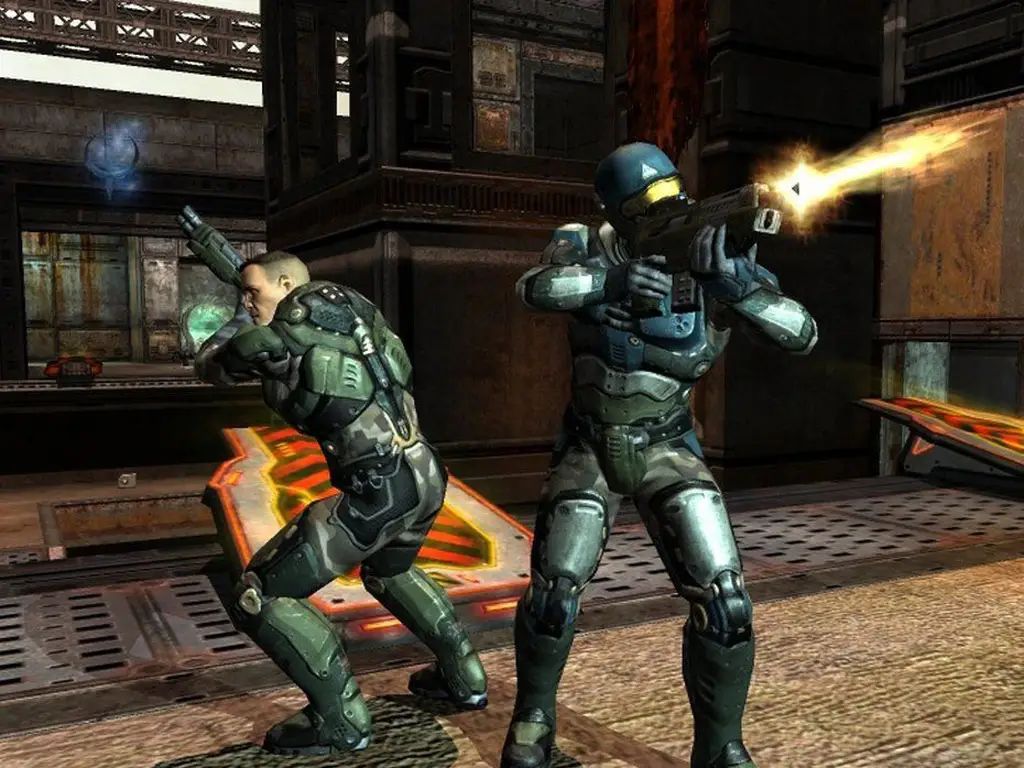
Quake 4 is a game of two halves. The campaign is a story-led sequel to Quake II in which Corporal Matthew Kane and Rhino Squad lead the invasion of Stroggos. The multiplayer is something else: fast arena combat in the Quake tradition, with Strogg and Marine players fighting in Deathmatch, Team Deathmatch and Capture the Flag.
Its players are a loyal crowd. The movement, the weapon balance and the maps are what they came for, and none of that has changed. A dedicated server gives them a fixed home: a place where the map cycle, the rules and the people are known, available whenever someone in the group wants a match.
Where Quake 4 Stands Today
Raven Software developed Quake 4 in 2005 in collaboration with id Software. Bethesda Softworks released it on Steam on 4 August 2011, where it is still sold for Windows. There has been no stream of updates since; the game is complete and stable, which is good news for a server admin. A config that works today will work next year.
Online matches take place on dedicated servers run by players and hosts, and a player can always connect straight to a server by its address. The catch is documentation: id Software's original Quake 4 page refuses automated reads, so the details on this page come from the Steam store and our own experience running the server.
Choosing a Mode and a Size
Pick the mode first, then the size. Arena maps are built for a certain number of players, and a map that is perfect for six becomes a spawn-kill festival at twenty.
| Mode | What it is | Players that feel right |
|---|---|---|
| Deathmatch | Every player for themselves | 2 to 8 |
| Team Deathmatch | Two teams chasing one frag total | 8 to 16 |
| Capture the Flag | Steal the enemy flag, protect your own | 8 to 16 |
That is why the 16 slot plan is our recommended start. The order form also sells 32 and 64 slots for special setups, but we could not find an official player limit we can quote for Quake 4, so talk to our support team before you order the bigger sizes.
The Server Config, Step by Step
Like other id Tech 4 games, a Quake 4 server reads its settings from a plain-text config file. That file holds the server name, the game type, the frag, capture and time limits, the passwords and the map cycle. Keep it tidy and comment your changes; your future self will thank you.
- Stop the server in the panel.
- Open the server config in the File Manager.
- Set the server name, the game type and its limits.
- Set an admin password and, for a private server, a join password.
- List the maps for the cycle in the order you want them.
- Save, start the server and check the console for errors.
Custom Maps and Mods
Quake 4's stock maps are only the start. Community map packs and competition mods have kept the game interesting for years. Upload map packs over SFTP, add the maps to your cycle, and give your players a download link for the same files, because a player without the map cannot load it.
Mods change how the game plays, from tweaks for tournament duels to whole new rule sets. Install one at a time, set the server to load it, and play a test match with a friend before you open it to the public. If anything feels wrong, restore the backup you took before you started.
Getting Players In
Players can find a public server in the in-game browser, or connect straight to the IP and port shown in your panel. For a clan or a league, the direct route is simpler: post the address in your Discord with the password, and the server never needs to be listed at all.
Make sure everyone runs the current Steam version of the game. A mismatched install is the most common reason a player cannot connect to an otherwise healthy server.
Admins and Fair Play
Arena shooters are unforgiving of cheaters and of lag, and you can help with both. Pick a location close to your players so nobody has a ping advantage, set an admin password before going public, and keep a short list of rules in the server name or the message of the day. Give each admin a sub user login in the panel rather than sharing yours, and change passwords when someone leaves.
Backups cover the rest. We keep offsite copies of the last 7 days and you can restore them from the panel. If you are moving from another host, download your config, maps and mods there, upload them here and start the server.
What to Compare Before You Rent a Quake 4 Server
For a classic shooter, these details count for more than the headline price.
- Ping firstTest from your own PC. In an arena shooter, lag decides fights.
- Config accessYou should be able to edit the config and map cycle yourself, any time.
- SFTPMap packs and mods need proper file access, not just a web form.
- Honest sizesAsk the host what player counts it has actually tested for the game.
- BackupsCheck you can restore yourself before a mod change goes wrong.
- Billing termsCompare monthly and longer cycles, setup fees and minimum terms.
Quake 4 Server Glossary
- Strogg
- The alien enemy of the campaign, and one side in multiplayer.
- Frag
- A kill in multiplayer; Deathmatch is won on frags.
- CTF
- Capture the Flag: bring the enemy flag to your base to score.
- Map cycle
- The list of maps the server plays in turn.
- Server config
- The plain-text file with the server's name, rules, passwords and maps.
- id Tech 4
- The id Software engine Quake 4 is built on.
- Mod
- A community add-on that changes how the game plays on the server.
Quake 4 Server Help and Next Steps
Official and Gaming Deluxe pages for running your server.
How this guide was made: researched from the Quake 4 Steam store page (id Software's original game page blocks automated reads, so it was not used), drafted with AI assistance, checked against our live order form for every plan, price and location, and reviewed by Matthew Griffin before publishing. Spotted something out of date? Tell us.
Sources, checked 23 October 2026:
- Quake 4 on Steam (developed in 2005 by Raven Software with id Software, published by Bethesda Softworks, on Steam 4 August 2011, Windows; Deathmatch, Team Deathmatch and CTF as Strogg or Marine; 512MB minimum RAM)
- id Software, Quake 4 game page (refuses automated reads with HTTP 403, not used)
- Gaming Deluxe order form, Quake 4 Dedicated Server (pid 168; slots 16, 32, 64; memory 5GB free to 32GB)