


The complete guide · 5 min read
Chivalry: Medieval Warfare Server Hosting: The Complete Guide
This guide covers running a Chivalry: Medieval Warfare server now that the official ones are gone: what changed in 2024, choosing a size, building a map rotation, Workshop content, and keeping a community together around a finished game.
By Matthew Griffin, Owner, Gaming DeluxePublished · Updated
In this guide
- Why Chivalry: Medieval Warfare Still Has Players
- What Changed When the Official Servers Closed
- Choosing a Server Size
- Building a Map Rotation
- Steam Workshop and Custom Content
- Admins, Rules and Fair Play
- Growing a Community Around a Finished Game
- What to Compare Before You Rent a Chivalry Server
- Chivalry Server Glossary
- Chivalry Server Help and Next Steps
Why Chivalry: Medieval Warfare Still Has Players
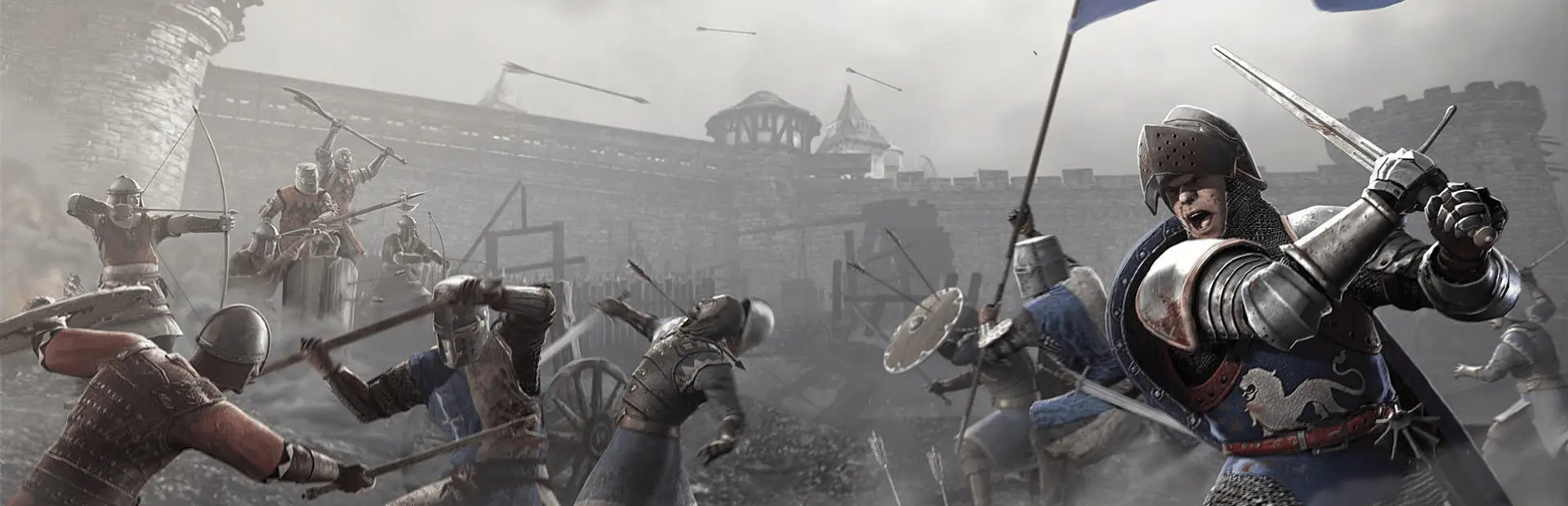
Chivalry: Medieval Warfare arrived on 16 October 2012 and was an immediate hit for a small studio. Torn Banner later wrote that the team went from amateur dreamers working remotely to running a game played by millions, almost overnight. It plays like a first-person shooter with blades: you aim your swings, time your blocks with the mouse and read your opponent's feints.
Chivalry 2 has since taken most of the crowd, but plenty of players still prefer the original's feel, its maps and its community. For them, a dedicated server is not a luxury. Since 2024 it is the only way the game can be played online at all.
What Changed When the Official Servers Closed
In March 2024 Torn Banner announced that, after 12 years of support, the official servers for Chivalry: Medieval Warfare and its Deadliest Warrior DLC would go offline on 8 April 2024. The reasons it gave were a dwindling player count since Chivalry 2, evolving industry standards and the need to put resources where they would serve the wider Chivalry community.
Crucially, the studio added that the shutdown would not make the game unplayable, because unofficial servers had been available since close to launch. The Steam page now carries the same message at the top: private servers can be created by community members and opened to the public, and offline play with AI is still there.
- Online play: community servers only, since 8 April 2024.
- Offline play: still available, with bots.
- Updates: none since Hotfix Patch 48.2 in June 2018.
Choosing a Server Size
Start from how your group actually plays. Free-for-all and duel nights need few slots, and a 12 slot server keeps fights close. Team fights in arenas and villages suit 24. Siege maps, where one team attacks gates and walls while the other holds, are where 36 slots make sense.
| Style | Suggested slots | Notes |
|---|---|---|
| Duels and free for all | 12 | Fast, personal fights |
| Team arenas and village raids | 24 | 12v12 is a classic size |
| Team objective sieges | 36 | Full teams on big maps |
| Large community or event | 48 to 64 | Beyond Steam's 32; test first |
Steam's description talks about battles with up to 32 players, so treat 48 and 64 as sizes to try on your own maps rather than a promise. If you move up later, the server keeps its files.
Building a Map Rotation
A good rotation is the difference between a server people bookmark and one they leave after a map. Mix modes and sizes: a short free-for-all map between two long sieges gives players a breather, and a crowd favourite at the top of the hour brings people back.
- Stop the server from the panel.
- Open the server's ini files in the File Manager.
- Set the map list and order, and the time and score limits for each mode.
- Add any Workshop or custom maps you want to include.
- Start the server and play a full cycle to check every map loads.
Keep a copy of the ini that works. If a new map refuses to load, you can put the old file back in a minute and look into it later.
Steam Workshop and Custom Content
Chivalry: Medieval Warfare shipped with a level editor and Steam Workshop support, and the community has used both for years. The very last patch, Hotfix 48.2 in June 2018, existed to repair Workshop content downloads and server messages; Torn Banner's note on it told players to get back to custom game modes and maps.
Every extra map is more for new players to fetch before they can play, so very large packs slow people down. Pick the maps your regulars actually play, and retire ones nobody votes for. For maps that are not on the Workshop, upload the files over SFTP.
Admins, Rules and Fair Play
With no official servers, there is no central moderation either. Your server's admins set the tone. Write down a few rules, such as no team killing on purpose and no spawn camping, and post them in your server name or message of the day. The game is protected by Valve Anti-Cheat, but a quick kick from an admin often solves more than any system can.
Give each admin their own panel login with a sub user account, and change shared passwords when someone leaves the team.
Growing a Community Around a Finished Game
A game without updates lives on its community. Regular nights help: a fixed weekly siege event, a duel tournament, or a peasants-only free for all in the spirit of the game's old seasonal events. Share the server IP on your Discord and in your group, and keep the server running between events so newcomers can find a match.
If you are moving from another host, download your ini files and custom maps there, upload them here, and the server picks them up on its next start.
What to Compare Before You Rent a Chivalry Server
For a game with no official servers, these matter more than a small price difference.
- File accessYou need to edit ini files and upload maps yourself, not wait on a ticket.
- Sizes that fitCheck the host offers the slot counts your group plays at.
- Ping to your playersRun a ping test from your own PC. Melee timing suffers with lag.
- BackupsMake sure you can restore from the panel before a rotation change goes wrong.
- Support for old gamesAsk whether the host knows the game and will help with configs.
- Billing termsCompare cycles, setup fees and minimum terms.
Chivalry Server Glossary
- Community server
- A server run by players or a host rather than the developer; the only online option since April 2024.
- Team objective
- Maps where one side completes goals such as breaking a gate while the other defends.
- FFA
- Free for all: every player fights every other player.
- Map rotation
- The list of maps the server cycles through, set in its ini files.
- Steam Workshop
- Valve's hub for community maps and modes made for the game.
- Ini file
- A plain-text settings file for the server name, rules and maps.
- Deadliest Warrior
- A Chivalry DLC with its own fighters, hosted as a separate server.
Chivalry Server Help and Next Steps
Official pages and our own help.
- Chivalry: Medieval Warfare on SteamThe game and the server shutdown notice.
- Official server sunsetting announcementTorn Banner's March 2024 post.
- Chivalry Steam WorkshopCommunity maps and modes.
- Gaming Deluxe control panelWhat the panel does and how to log in.
- Our server locations
- Contact support24/7 help with configs and maps.
How this guide was made: researched from the game's Steam page and Torn Banner's own Steam announcements, drafted with AI assistance, checked against our live order form for every plan, price and location, and reviewed by Matthew Griffin before publishing. Spotted something out of date? Tell us.
Sources, checked October 23, 2026:
- Chivalry: Medieval Warfare on Steam (Torn Banner Studios, 16 October 2012; Windows, macOS, Linux; official servers shut down 8 April 2024, private servers and offline play remain; up to 32 players; Steam Workshop and level editor)
- Torn Banner Studios, Chivalry: Medieval Warfare Official Server Sunsetting, 7 March 2024
- Torn Banner Studios, Chivalry Hotfix Patch 48.2 (Workshop downloads and server messages fixed), 28 June 2018
- Torn Banner Studios, Reflecting on Chivalry: Medieval Warfare, 9 October 2019
- Gaming Deluxe order form, Chivalry: Medieval Warfare (pid 244; slots 12, 24, 36, 48, 64; memory 5GB free to 32GB)