
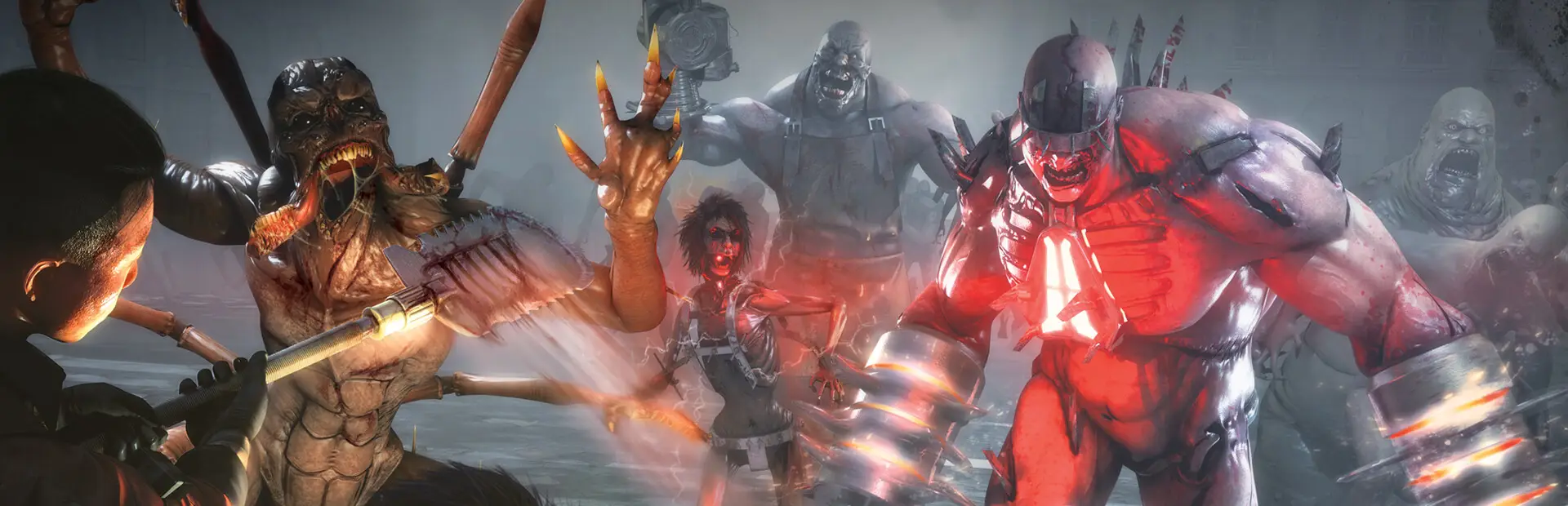
Killing Floor 2 server hosting: a player faces a horde of mutant Zeds led by a glowing red Fleshpound with grinder arms on a foggy city street

Your Zed hunt, your maps, your difficulty

Killing Floor 2 Server Hosting

Killing Floor 2 server hosting for squads who want a lobby of their own: pick the map rotation, the difficulty and the game length, pull in Workshop maps, and keep a server ready for six-player Survival nights or a full six against six Versus match.

Excellent on Trustpilot Hosting since 2004 9 locations 24/7 support in 9 languages

Six or twelve

Killing Floor 2 Server Hosting: Plans and Pricing

Killing Floor 2 has two natural sizes. Survival, Weekly Outbreak and Endless are built for a squad of six, and Versus Survival puts two teams of six on the map. Memory is the same 5GB on both plans, so the price follows the slots. Any count from 6 to 12 can also be chosen on the order form.

  1. 6player slots
    5GB RAM

    A full Survival squadBest for co-op

    • Survival, Weekly Outbreak and Endless
    • Six perks covering each other
    • The lowest monthly price
    $7.62/moMonthly, no contract
  2. 12player slots
    5GB RAM

    Versus Survival, six against sixBest for Versus

    • Teams swap between Mercs and Zeds
    • The higher score takes the match
    • Every slot the order form sells
    $15.24/moMonthly, no contract

Every plan: NVMe 7500MB/s · 5.0GHz · Up to 100GB. No setup fee. Upgrades and details

In short

Gaming Deluxe hosts Killing Floor 2 dedicated servers from $7.62/mo, with 6 or 12 player slots: six for Survival, Weekly Outbreak and Endless, twelve for Versus Survival. Both plans include 5GB of RAM and run on 5.0GHz CPUs with NVMe storage in 9 locations across the UK, France, Germany, the US and Australia, set up automatically after payment.

Key facts checked against our order form, updated .

  • 6 or 12 player slotsSix for co-op, twelve for Versus
  • 5GB RAM on both plansLight on memory, so you pay for slots
  • 9 locationsThe same price in the UK, EU, US and Australia
  • Workshop mapsListed by ID in PCServer-KFEngine.ini
  • WebAdminSwitch maps and settings from a browser
  • Steam and Epic cross-playOn stock, unmodded ranked servers
  • Offsite backupsSeven days kept, restorable in the panel
  • DDoS protectionFiltering at every location
  • 24/7 support in 9 languagesGame servers since 2004

Behind the trader's counter

Killing Floor 2 Server Hosting Control Panel and WebAdmin

Killing Floor 2 keeps its configuration in two ini files and has WebAdmin built in for changes while a match runs. Our panel covers everything around them: power, files, updates and restarts, all from a browser.

Gaming Deluxe game server control panel with the server menu, connection details and Stop and Restart buttons

The Gaming Deluxe control panel, pictured with a Windrose server. Killing Floor 2 servers use the same panel and menu.

Configuration Files

Edit PCServer-KFGame.ini and PCServer-KFEngine.ini in the browser, with the server stopped so the changes are kept.

WebAdmin

Change the map, the difficulty or the game length while the server is up. Custom maps appear once they have a map entry.

Steam Update

Bring the server to the current game build whenever Tripwire ships a fix, so nobody is turned away at the door.

File Manager and SFTP

Check the Workshop download folder or upload files without installing anything on your PC.

Scheduler

Book restarts for quiet hours. Our knowledge base recommends at least two a day for a smooth server.

Log Viewer

Stream the log live to confirm which Workshop items the server fetched at start-up, or download it for later.

State of the game

Killing Floor 2 Today: Version 1150 and Live Seasonal Events

Tripwire released Killing Floor 2 on 18 November 2016. The last game update on its Steam news is the version 1150 hotfix of 15 February 2024, which followed a quality of life update that January. The game is far from switched off, though: Tripwire still runs seasonal double XP weeks and sales, the latest from 25 June to 9 July 2026.

Release18 November 2016Last updateVersion 1150 · 15 February 2024Lobbies6 co-op · 12 Versus

01

A build that stays put

No patch since February 2024 means maps, Workshop items and ini settings that work today keep working. Update day rarely brings surprises.

02

Events still bring players back

Tripwire announced 2XP weeks with seasonal sales in spring and summer 2026, and carried out scheduled backend maintenance in June 2026.

03

Steam and Epic in one lobby

Since July 2020 Killing Floor 2 has also sold on the Epic Games Store, with cross-play and cross-friend invites on unmodded ranked servers.

04

Prefer the original?

This page is for the 2016 sequel. The 2009 Killing Floor is a separate product with its own servers.

Workshop & cross-play

Workshop Maps and Cross-Play for Killing Floor 2 Server Hosting

Killing Floor 2 supports the Steam Workshop and includes a level editor, so community maps are what keep a rotation fresh for years. Adding them does change who can join, so here are both sides.

Workshop content

List the items in the ini

With the server stopped, add a [OnlineSubsystemSteamworks.KFWorkshopSteamworks] section to PCServer-KFEngine.ini and one ServerSubscribedWorkshopItems line per Workshop ID. The server fetches them when it starts.

Let players download from Steam

In the [IpDrv.TcpNetDriver] section, add DownloadManagers=OnlineSubsystemSteamworks.SteamWorkshopDownload as the first download manager, so joining players pull the items straight from Steam.

Give maps an entry

Add a map entry for each custom map to PCServer-KFGame.ini, written in lowercase, so WebAdmin can switch to it and the map cycle can use it.

Who can join

Cross-play on stock servers

Tripwire's July 2020 notes put Steam and Epic Games Store players together on unmodded ranked servers.

Workshop content means Steam

Because cross-play is limited to unmodded servers, plan on a server running Workshop maps being a Steam lobby.

Versus needs nothing extra

Versus Survival is part of the base game, so a 12 slot server runs it without a single mod.

SteamEpic Games Store

Light on memory

RAM for Killing Floor 2 Server Hosting: One Tier for Both Plans

Tripwire's minimum spec for playing Killing Floor 2 is 3GB of RAM, and a dedicated server has no graphics to render at all. So both plans include the free 5GB tier and the price follows the slot count alone. In our experience a long Workshop map list still fits easily inside it.

  • Survival with a squad of six

    Plan: 6 Slots
    RAM included: 5GB

    Our view: Comfortable, even with Workshop maps in the cycle.

  • Weekly Outbreak and Endless runs

    Plan: 6 Slots
    RAM included: 5GB

    Our view: Plenty. A long Endless run is still six players.

  • Versus Survival, six against six

    Plan: 12 Slots
    RAM included: 5GB

    Our view: Enough for twelve players and a boss wave.

  • A big custom map rotation

    Plan: Either plan
    RAM included: 5GB

    Our view: Normally fine; larger tiers are on the order form for extra headroom.

Memory tiers on the order form: 5GB, 8GB, 12GB, 16GB, 20GB, 24GB and 32GB. Switch tier later from the client area if you ever need to.

Low ping, clean parries

Killing Floor 2 Server Hosting Locations and Ping Test

Choose from 9 locations in the UK, France, Germany, the United States and Australia. Parries and Zed Time headshots are all about timing, so test from your own PC and pick the lowest result for most of the squad.

LondonUnited Kingdom · Europe -
ParisFrance · Europe -
FrankfurtGermany · Europe -
New York (Buffalo)United States · North America -
DallasUnited States · North America -
Los AngelesUnited States · North America -
ChicagoUnited States · North America -
MiamiUnited States · North America No test
SydneyAustralia · Oceania -

Always-On Protection

Killing Floor 2 Server Hosting with DDoS Protection

Watch how our multi-layered defence system filters malicious traffic while legitimate connections pass through uninterrupted.

Internet DDoS Protection Game Server

Malicious traffic is filtered at the edge, while legitimate traffic passes through uninterrupted.

Malicious Traffic (Blocked)Legitimate Traffic (Allowed)

At Every Location
Included
Full Protection
Layer 3/4/7
24/7 Active Filtering
Always-On
Added Latency
<1ms

In every plan

What Killing Floor 2 Server Hosting Includes

No setup fee and no compulsory extras. Each Killing Floor 2 plan comes with the following, as the order form lists it today.

  • Game serverThe Killing Floor 2 dedicated server from Steam, kept current with Steam Update
  • Player slots6 or 12 as plans, or any count from 6 to 12 on the order form
  • Memory5GB on both plans, with tiers up to 32GB
  • AdministrationWebAdmin plus direct access to both ini files
  • Storage100GB NVMe at 7,500MB/s, upgradable to 200GB and 14,000MB/s
  • Processor5.0GHz included, 5.2GHz+ and 5.6GHz+ as options
  • Locations9, one price for all
  • BackupsOffsite copies of the last 7 days and snapshots on demand
  • ProtectionDDoS filtering at every location
  • Support24/7 ticket support from a team hosting games since 2004

Optional upgrades

Added at checkout, billed with your plan.

  • Memory AllocationTiers up to 32GBtiered
  • Hard DiskNVMe 14,000Mb/sfrom $7.06
  • CPU Clock Speed5.2GHz+ - 5.6GHz+from $7.06
  • CPU PriorityHigh CPU Priority - Realtime CPU Priorityfrom $7.06
  • VIP Ticket Priority SupportPrioritise My Ticket Pleasefrom $2.82
  • Disk SpaceUp to 120GB - Up to 200GBfrom $9.89

Both plans include 5GB of RAM. Bigger memory tiers, up to 32GB, are on the order form if you ever want them. The 9 locations all cost the same, and the order form also offers 3, 6 and 12 month billing. Prices read from our order form on October 22, 2026. Taxes, if any, are shown at checkout.

Built for squads

Killing Floor 2 Server Hosting Features

Why a squad runs its own Killing Floor 2 server rather than trusting matchmaking.

Your settings, every match

Decide the difficulty and game length once, and change them in WebAdmin whenever the squad wants a harder night.

Survival or Versus

Six slots for co-op modes, twelve for Versus Survival, with the same panel either way.

Workshop rotation

Add community maps by ID and let joining players download them from Steam.

WebAdmin in a browser

Swap maps mid-evening without logging into the game as an admin.

DDoS protection

Attack traffic is filtered long before it can interrupt a boss wave.

5.0GHz CPUs

A fast core keeps hit registration steady when the last wave floods the map.

Before the first wave

Killing Floor 2 Server Hosting Essentials Before You Order

Five things worth knowing before the first wave spawns.

  1. Six or twelve

    Six slots covers Survival, Weekly Outbreak and Endless. Only pick twelve if you plan to run Versus Survival.

  2. Stop before Workshop edits

    If the server is running, its Workshop setup is overwritten at the next restart, so stop it before you edit.

  3. Lowercase map names

    Write custom map names in lowercase, both in the map entries and in the map cycle.

  4. Mods change the guest list

    Stock servers can mix Steam and Epic players; a server with Workshop content is a Steam lobby.

  5. The right game

    This is Killing Floor 2. The 2009 original has its own page and product.

Answers

Killing Floor 2 Server Hosting FAQ

Quick answers to what Killing Floor 2 server owners ask us most.

Getting started

How quickly is my Killing Floor 2 server ready?

It is created automatically after payment, usually within 20 minutes, and the panel details arrive by email. Pick your settings, start it and share the address.

Is this page for Killing Floor 2 or the original?

Killing Floor 2, the 2016 sequel. The 2009 Killing Floor is sold as a separate product, so order the one your squad actually owns.

Which location suits my squad?

Run the ping test on this page from the PC you play on and take the lowest result for most of the group. Every one of the 9 locations costs the same.

Players and modes

How many players can a Killing Floor 2 server hold?

Tripwire built the co-op modes for six players and Versus Survival for twelve, two teams of six. That is why our plans are 6 and 12 slots; the order form also sells any count in between.

Which game modes are there?

Survival, Weekly Outbreak and Endless are six-player co-op, and Versus Survival is the twelve-player mode where teams take turns as the Mercs and the Zeds. Choose 6 slots for the first three and 12 for Versus.

Can Epic Games Store players join my server?

Tripwire's July 2020 notes allow cross-play between Steam and the Epic Games Store on unmodded ranked servers. Once you add Workshop content, expect the server to be for Steam players.

Workshop and admin

How do I add Workshop maps?

Stop the server, add a [OnlineSubsystemSteamworks.KFWorkshopSteamworks] section to PCServer-KFEngine.ini with a ServerSubscribedWorkshopItems line for each Workshop ID, and put the Steam Workshop download manager first in [IpDrv.TcpNetDriver]. Start the server and it downloads the items.

Why are my custom maps missing from WebAdmin?

WebAdmin only lists maps that have an entry in PCServer-KFGame.ini, such as a [kf-yourmap KFMapSummary] section with a MapName line. Use lowercase for the map name there and in the map cycle.

Is Killing Floor 2 still updated?

Gameplay patches have stopped for now: the last one on Tripwire's Steam news is version 1150 from February 2024. Tripwire still runs double XP events and seasonal sales, with the most recent in summer 2026.

Are backups included?

Yes. We keep offsite copies for the last 7 days, and you can take a snapshot in the Backup Manager before trying a new map list.

Plans and billing

How much does Killing Floor 2 server hosting cost?

The 6 slot plan costs $7.62 a month and the 12 slot plan is in the table above. Monthly billing renews month by month, and the order form also offers 3, 6 and 12 month terms.

Why do both plans have the same memory?

A Killing Floor 2 server needs little memory, so the free 5GB tier covers six or twelve players and a long Workshop rotation. You only pay for the slots.

Can I switch between 6 and 12 slots later?

Yes. Change the slot count from the client area when your squad moves from Survival to Versus or back, and the server keeps its settings.

The complete guide · 5 min read

Killing Floor 2 Server Hosting Explained: A Complete Guide

This guide covers running your own Killing Floor 2 server in 2026: what it gives a squad, matching slots to modes, the two ini files, Workshop maps, WebAdmin, cross-play and the honest state of the game. It is written for whoever in the squad ends up holding the admin password.

By , Owner, Gaming DeluxePublished · Updated

In this guide
  1. What Your Own Killing Floor 2 Server Gives a Squad
  2. Survival, Weekly, Endless and Versus: Choosing Slots
  3. The Two ini Files Behind the Server
  4. Adding Workshop Maps Step by Step
  5. WebAdmin, Map Entries and the Rotation
  6. Steam, Epic and Ranked Servers
  7. Is Killing Floor 2 Worth Hosting in 2026?
  8. What to Compare Before You Rent a Killing Floor 2 Server
  9. Killing Floor 2 Server Glossary
  10. Killing Floor 2 Server Help and Next Steps

What Your Own Killing Floor 2 Server Gives a Squad

Public matchmaking drops you into whatever lobby is open, on whatever map and difficulty that host picked. A server of your own turns that around. The squad decides the rotation, the difficulty and how long a game runs, the server stays up between sessions, and friends always know where to find each other.

It is also how you play the maps the base game does not ship. Killing Floor 2 supports the Steam Workshop and comes with a level editor, and years of community maps sit there waiting. A dedicated server can download them by ID and hand them to players as they join.

Survival, Weekly, Endless and Versus: Choosing Slots

Slot choice is simpler here than in most games, because Tripwire built the modes around two sizes.

Killing Floor 2 modes and the plan that fits
ModePlayersPlan
SurvivalUp to 6, co-op6 Slots
Weekly OutbreakUp to 6, co-op with a weekly twist6 Slots
EndlessUp to 6, co-op with no final wave6 Slots
Versus Survival12, two teams of 612 Slots

In Versus Survival one team plays the Mercs and the other the Zeds; then they switch, and the team with the higher score wins. If your group only ever plays co-op, six slots is the whole answer. If Versus is on the menu even occasionally, twelve gives it room, and the order form sells every count in between for anything unusual.

The Two ini Files Behind the Server

Almost everything a Killing Floor 2 server does is set in two files, both reachable from Configuration Files in the panel. PCServer-KFGame.ini holds game-side settings, including the map entries WebAdmin reads. PCServer-KFEngine.ini holds engine settings, including the Workshop section and the download managers players use.

Adding Workshop Maps Step by Step

  1. Find each map on the Killing Floor 2 Workshop and note the number at the end of its page address: that is the Workshop ID.
  2. Stop the server in the panel.
  3. In PCServer-KFEngine.ini, add a section named [OnlineSubsystemSteamworks.KFWorkshopSteamworks] with one ServerSubscribedWorkshopItems=ID line per map.
  4. In the [IpDrv.TcpNetDriver] section, add DownloadManagers=OnlineSubsystemSteamworks.SteamWorkshopDownload as the first DownloadManagers line, so players fetch the files from Steam. Leave the rest of that section as it is.
  5. Start the server. It downloads the items as it boots, and the log viewer shows the progress.

Joining players then download each map from Steam the first time they meet it. Map packs that rely on other Workshop items need those listed too.

WebAdmin, Map Entries and the Rotation

WebAdmin is Killing Floor 2's built-in browser console for changing the level and settings while the server runs. It only offers custom maps it knows about, and it learns about them from map entries in PCServer-KFGame.ini, one section per map in this shape:

  • [kf-yourmap KFMapSummary]
  • MapName=kf-yourmap
  • ScreenshotPathName=UI_MapPreview_TEX.UI_MapPreview_Placeholder

Keep every map name in lowercase, in these entries and in the map cycle, because the server uses the names exactly as written. One known quirk: moving from one custom map straight to another can leave players on the connecting screen while the second map downloads, with no progress shown. It is a download, not a crash, so give it time.

Steam, Epic and Ranked Servers

Killing Floor 2 has been on the Epic Games Store since July 2020. Tripwire's notes for that release enabled cross-play and cross-friend invites between Steam and Epic players on unmodded ranked servers, and wired Epic Online Services into the dedicated server for it.

The practical rule for a server owner follows from that word unmodded. A stock server with the standard maps is the one to run when friends are split across both stores. Once you build a Workshop rotation, treat the server as a Steam lobby, and keep the mixed group on stock maps.

Is Killing Floor 2 Worth Hosting in 2026?

Honestly, yes, for the right squad. Tripwire's last game update was the version 1150 hotfix in February 2024, and Killing Floor 3 has been announced as the series' next step. Yet the publisher still runs double XP events and seasonal sales, the latest from 25 June to 9 July 2026, so busy weeks still come round.

A quiet patch schedule also suits a server well. Your Workshop maps and ini settings keep working, nothing breaks overnight, and the server you set up this month will behave the same next year. If the squad already loves the game, there is little reason to wait.

What to Compare Before You Rent a Killing Floor 2 Server

Most Killing Floor 2 offers look the same on paper. These points decide whether a server suits your squad.

  1. Slots that match the modesSix for co-op and twelve for Versus. Slot counts that ignore the modes mean paying for players you cannot fit.
  2. Ini and WebAdmin accessYou need to edit both ini files yourself and reach WebAdmin, or Workshop maps become a support ticket each time.
  3. What the price includesCheck that the memory in the price covers the server, and that you are not charged extra for a tier you do not need.
  4. Locations to testRun a ping test from your own PC before ordering; Zed Time punishes lag.
  5. Backups you can restoreA snapshot before a new map list saves an evening if a Workshop item misbehaves.
  6. Billing termsLook for monthly billing without a minimum term, and no setup fee.

Killing Floor 2 Server Glossary

Zeds
The specimen clones the squad fights, from small fry to bosses.
Zed Time
The slow-motion moments triggered in combat, when a good shot matters most.
Perk
A player's class, which levels up with talent choices over time.
Survival
The standard six-player co-op mode, wave after wave up to a boss.
Weekly Outbreak
A co-op mode with a changing modifier, such as Bounty Hunt or Perk Roulette.
Endless
Co-op waves that keep coming until the squad falls.
Versus Survival
The twelve-player mode where two teams take turns as Mercs and Zeds.
WebAdmin
The game's browser-based admin console for maps and settings.
PCServer-KFGame.ini
The server's game settings file, including the custom map entries.
PCServer-KFEngine.ini
The engine settings file, home of the Workshop section and download managers.
Workshop ID
The number in a Workshop item's page address, used to list it for the server.

Killing Floor 2 Server Help and Next Steps

Pages that help with setup and running the server.

How this guide was made: researched from the Steam store and Tripwire's announcements on Steam (Tripwire's Killing Floor 2 wiki and killingfloor2.com block automated reads, so neither was used), drafted with AI assistance, checked against our live order form and knowledge base for every plan, price, location and setting, and reviewed by Matthew Griffin before publishing. See something out of date? Tell us.