
The complete guide · 6 min read
Wardogs Server Hosting: The Complete Guide
This guide explains how community servers fit into Wardogs today: what the game is, why its servers can only be rented through approved partners, what an admin can actually control, and what to check before you pay anyone for a Wardogs server. It also explains where Gaming Deluxe stands.
By Matthew Griffin, Owner, Gaming DeluxePublished · Updated
In this guide
- What Wardogs Is
- Control Zones, Hot Zones and Match Flow
- How Wardogs Community Servers Work
- What a Wardogs Server Admin Can Change
- Players, Ping and Hardware
- Rules, Bans and Fair Play
- Where Gaming Deluxe Stands on Wardogs
- What to Compare Before You Rent a Wardogs Server
- Wardogs Glossary
- Wardogs Help and Official Links
What Wardogs Is
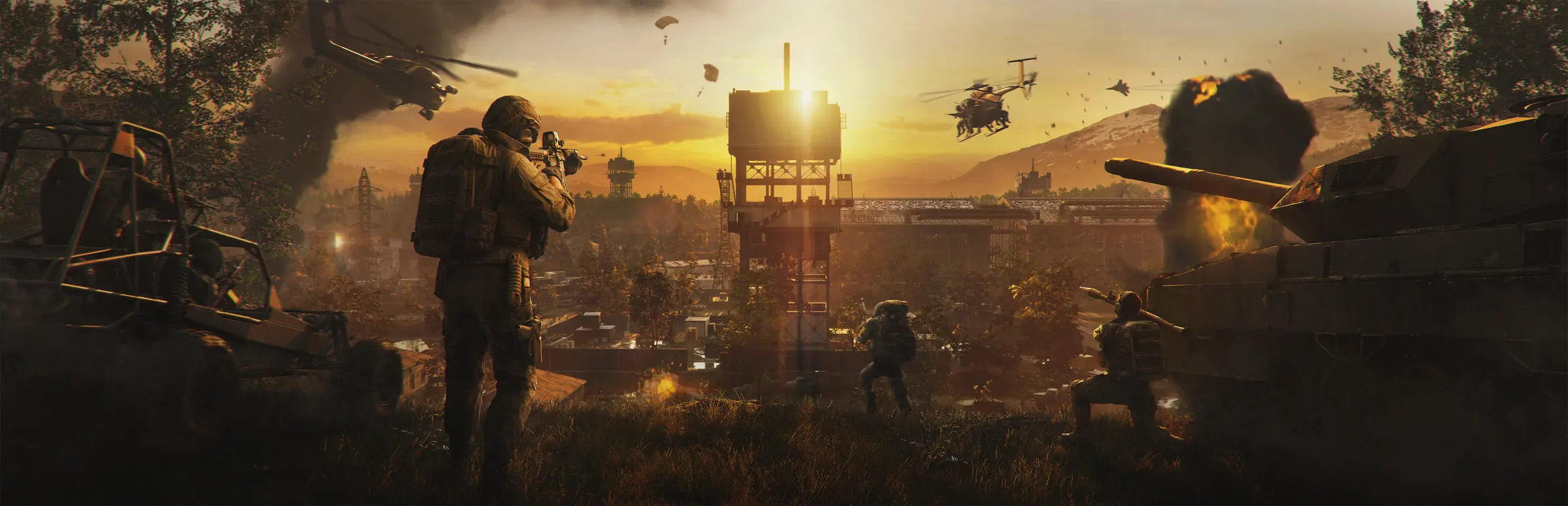
Wardogs is a first-person shooter from BULKHEAD, published by Team17, that its developers call a tactical all-out warfare FPS. Up to 100 players split into three teams and fight over a single objective, the Control Zone, on a large, destructible map set in the industrial mountains of Eastern Europe. It is not a battle royale and not an extraction shooter: everyone respawns, and the match is won by whoever holds the zone longest.
The mode is inspired by King of the Hill, the community game mode many players know from Arma. In a February 2026 post, BULKHEAD said its design team had spent years working with the original creators of that mod. The result keeps the three-team tug of war but adds a cash economy, base building and destruction on top.
Every player starts with $10,000. Before each life you buy a loadout: weapons, gear, utility items or a vehicle. Teamplay actions earn cash, from reviving squadmates and ferrying friendlies to the zone, to spotting and simply holding the objective. Cash carries over from match to match, and it can be exchanged for Gold Bars, the currency of cosmetic unlocks in the Gold Market.
Control Zones, Hot Zones and Match Flow
Each match picks a randomised 2x2km Control Zone inside a 256km² map. The team with the most players inside the zone earns points, and the first team to reach 100 points wins. Because the zone moves between matches and three teams compete for it, the fights rarely settle into the same pattern twice.
Inside the Control Zone sits the Hot Zone, a smaller area that shifts during the match. Players in the Hot Zone count double towards their team's player count and earn double cash, so a well-timed push into it can swing a close match. For a server owner, this is why balanced teams matter: a third team that collapses hands the other two an easy game.
- Roles are player-defined: medic, sniper and spotter, builder, demolitions, transport pilot or tank crew, depending on what you buy.
- Vehicles cost cash: helicopters, armour and artillery are bought, so losing one hurts.
- Building and destruction: forward operating bases can be built and fortified, and rockets and tanks can bring buildings down.
How Wardogs Community Servers Work
Wardogs has two kinds of servers. Official servers are run by the developer. Community servers, according to the official Security and Enforcement page, are often rented by players and communities from third-party hosting providers and are run by their owners, who set their own rules and can kick or ban players.
Who may host them is decided by the rights holders. The Wardogs EULA addendum allows community servers, the community server browser, and servers hosted or operated using tools that Team17 or BULKHEAD make available, authorise or approve, as long as the server and its operator follow the terms and the server rules. Unauthorised private servers, server emulators, protocol emulators and proxies remain prohibited.
In practice, the official Server Hub on wardogs.com lists the approved hosting partners and links the Server Admin Hub Discord. The in-game Host a server button also leads to the hosting page. We did not find a public dedicated server download in the official Steam listing or news when we checked on 23 October 2026.
What a Wardogs Server Admin Can Change
BULKHEAD has been adding server-owner features through its patch notes since launch. This is what has been documented officially so far, by update.
| Update | Date | What changed for server owners |
|---|---|---|
| Patch 0.11 | 14 September 2026 | Separate Community and Official browsers, text search, persistent server IDs, a Host button that leads to the right place |
| Update 0.1.2 | 30 September 2026 | Daily scheduled restarts in UTC, RCON AllowedHosts, capped RCON messages, safer RCON defaults, ServerImageURL checked on load |
| Season 02 | 14 October 2026 patch notes | Admins set their own ping limits; ping tags and filters in the browser; seeding rewards for players who fill empty servers |
The DEPLOY screen added in update 0.1.2 lets players choose between Official, Community, Infantry Mode and Low-Level servers, which helps servers running those modifiers get found. The Patch 0.11 notes also say official servers have no modified game modes, so modifiers are one reason players look for community servers.
Players, Ping and Hardware
A Wardogs match is built for up to 100 players, which is a lot of simultaneous movement, vehicles and destruction for one server to track. Players need a capable PC too: the Steam page lists 16GB of RAM, a 64-bit Windows 10 system and 50GB of storage as the minimum.
Ping matters more than usual. With Season 02, official servers enforce a maximum ping per region, and players who stay above a server's limit for a sustained period are kicked automatically; short spikes and server-side lag are excluded. Community admins can now set their own limit, either stricter for a local competitive server or looser for a community spread across regions.
Seeding is the other challenge. A 100-player game feels empty with ten people. Season 02 rewards players who join and fill empty servers with rewards and a vendor discount when the match begins, which helps a new community server get going.
Rules, Bans and Fair Play
BULKHEAD runs the anti-cheat and its enforcement policy applies on official and community servers alike. Player reports go to the developer, not to the server being played on. On top of that, a community server's own admins can remove a cheater instantly, which the developer itself pointed to in a September 2026 post as the strongest protection on community servers.
Owners carry responsibilities as well. When Season 02 introduced a faction bonus, BULKHEAD warned that community server hosts seen exploiting it would be punished. Treat the server rules on the Server Hub and in the EULA as part of running the server, not an afterthought.
- Write clear rules for your server and post them where players see them.
- Choose admins you trust and keep RCON access to the hosts you allow.
- Set a ping limit that suits your community and a daily restart at a quiet hour.
- Follow the official news, because Early Access updates change server features.
Where Gaming Deluxe Stands on Wardogs
We host game servers for military shooters such as Squad, Arma Reforger, Arma 3 and Insurgency: Sandstorm, so Wardogs is a natural fit for our customers. But a Wardogs community server has to come from an approved hosting partner, and Gaming Deluxe is not one today. We would rather say that plainly than take an order we cannot deliver.
If you want to run Wardogs with us, register your interest through our contact page. It costs nothing, and we will tell you if Wardogs servers become available from Gaming Deluxe. In the meantime, the related games below are all on sale now.
What to Compare Before You Rent a Wardogs Server
Whichever host you choose, these points decide whether a Wardogs community server is worth paying for.
- Approved partner statusCheck that the host appears on the official Server Hub. Hosting outside the approved route can break the EULA.
- Server locationWith ping limits in play, a server close to most of your players matters more than in many shooters.
- Admin accessAsk how you reach RCON, scheduled restarts and the server config, and whether you can add co-admins.
- Support during patchesEarly Access updates are frequent. Ask how quickly the host updates servers after a patch.
Wardogs Glossary
- Control Zone
- The randomised 2x2km objective each match is fought over.
- Hot Zone
- A shifting area inside the Control Zone where players count double and earn double cash.
- Gold Bars
- The endgame currency, exchanged from cash and spent in the Gold Market on cosmetics.
- Community server
- A server rented and run by players or a community, listed in the Community browser.
- Server Hub
- The official page on wardogs.com listing approved hosting partners and the admin Discord.
- RCON
- Remote console: admin commands sent to a running server without joining it.
- Seeding
- Filling an empty server so a match can start; rewarded since Season 02.
- Infantry Mode
- A server modifier signposted on the DEPLOY screen alongside Low-Level servers.
Wardogs Help and Official Links
Official sources and the quickest way to reach us.
Written with AI assistance and checked by Matthew Griffin against the official Wardogs Steam page, the Steam news posts, and the Server Hub, EULA, Security and Enforcement and Player Safety pages on wardogs.com. Gaming Deluxe does not sell Wardogs servers at the time of writing.