


The complete guide · 5 min read
Sunkenland Server Hosting Explained: A Complete Guide
This guide explains how a hosted Sunkenland server works: what the dedicated server does, how worlds are named and loaded, where saves live, how passwords and invites behave, and how to handle Early Access updates. It is written for whoever keeps the crew's world afloat.
By Matthew Griffin, Owner, Gaming DeluxePublished · Updated
In this guide
- What a Dedicated Sunkenland Server Does
- World Names, the Server Name and Start.bat
- Where Saves Live and Moving a World
- Auto-Save and Empty Servers
- Passwords, Invites and Who Can Join
- Living with Early Access Updates
- What to Compare Before You Rent a Sunkenland Server
- Sunkenland Server Glossary
- Sunkenland Server Help and Next Steps
What a Dedicated Sunkenland Server Does
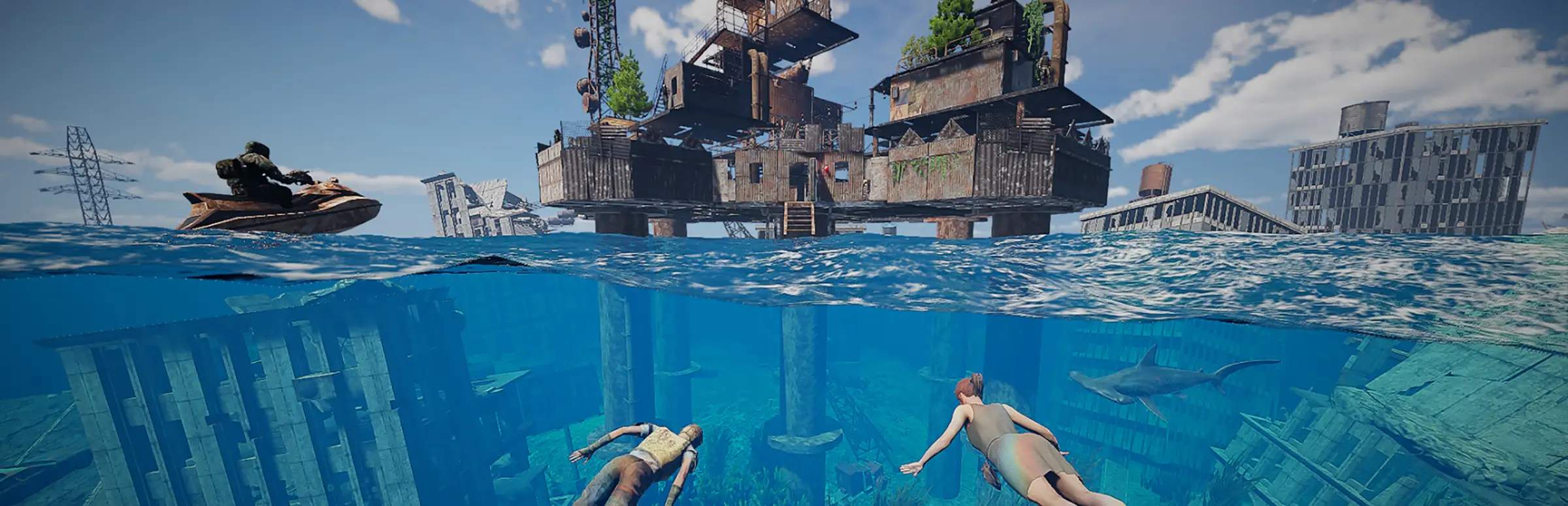
Sunkenland is a survival game set in a world that has been swallowed by the sea: you scavenge sunken ruins, build a base, sail boats and fight off raiders. It plays solo or in online co-op on Steam. In a normal co-op session one player hosts, and the world only exists while that player is online.
Vector3 Studio added dedicated servers in update v0.200 on 2 February 2024, as a free tool in the Steam library called Sunkenland Dedicated Server. It runs a world by itself, with nobody playing on the machine, so any member of the crew can join whenever they like. Hosting it with us puts that official tool in a data centre with a fixed address, fast bandwidth and a panel, so nobody needs to leave a PC running.
World Names, the Server Name and Start.bat
Sunkenland has one habit that surprises new owners: the name players see for your server is the name of the world it runs. There is no separate server name setting, so changing the name means renaming the world and loading it again.
- Stop the server from the panel.
- Press Change Server Name, choose the world, type the new name and press Execute.
- Open Configuration Files, edit Start.bat and set the Load world field to the new name.
- Start the server and check the name in the server list.
The same Load world field is how you switch between worlds. Keep a fresh world and a long-running one side by side, and change the field to choose which one the crew plays tonight. Every world also has a World GUID, which the game shows in the host world settings and uses to tell worlds apart.
Where Saves Live and Moving a World
Sunkenland's save handling changed in July 2026. Update v0.8.20 added cloud saves, and update v0.8.30 changed where the dedicated server looks for worlds. Knowing the two locations saves a lot of confusion when you copy a world from your PC.
| Situation | World folder on a Windows PC |
|---|---|
| Server started without -steamID | AppData\LocalLow\Vector3 Studio\Sunkenland\SteamCloudData\<your SteamID64>\Worlds |
| Server started with -steamID <SteamID64> | AppData\LocalLow\Vector3 Studio\Sunkenland\Worlds |
To move a world onto the server, find the newest copy on your PC, stop the server, upload the world folder with the File Manager or FTP, and load it in Start.bat. Vector3 Studio fixed quest progress problems for worlds created in the normal game and then run on a dedicated server in update v0.8.50, so older worlds come across more cleanly than they used to.
Auto-Save and Empty Servers
Update v0.8.40 in July 2026 added a setting for the dedicated server's auto-save interval and changed the default to 600 seconds, so the world is written to disk every 10 minutes unless you change it. A shorter interval loses less progress after a crash; a longer one means fewer save pauses on very large worlds.
An empty server is a safe server. Since hotfix v0.2.01, enemies no longer spawn on a dedicated server when nobody is online, so your walls are not tested by raiders while the crew sleeps. Together with our offsite backups for the last 7 days and the panel's snapshots, a lost evening of building is always recoverable.
Passwords, Invites and Who Can Join
A Sunkenland world can be protected with a password, and the game remembers your last world settings, including the password, when you create the next one. Three details from Vector3 Studio's update notes matter for a server owner.
- Invites skip the password: a friend who joins through a Steam invitation does not need to type it.
- Friends or invited players only: an option added in March 2024 can restrict a world to Steam friends and invited players.
- Choose the server yourself: players pick their server from the list manually rather than being dropped into one.
For a public community, keep a password and share it in your Discord. For a private crew, combine the password with Steam invites, and new members can join without anyone posting it.
Living with Early Access Updates
Vector3 Studio patches often: its third birthday post in August 2026 counted 58 updates since launch, and October alone brought two hotfixes plus a public test of the companion system. Every update means the server and the players must match again.
- When a patch is announced, take a snapshot in the Backup Manager.
- Run Steam Update in the panel and restart the server.
- Join first yourself and check the world loaded as expected.
- Tell the crew the server is ready.
Test branch builds, like the v0.9.10 companions update, are for trying new features early. Run them on a copy of your world rather than your main save, as they can change before they reach everyone.
What to Compare Before You Rent a Sunkenland Server
Sunkenland hosting offers can look identical. These details decide how the server feels a few updates from now.
- RAM included in the priceCheck how much memory the base price includes and what more costs, rather than comparing slot prices alone.
- World management toolsA rename button and an editable Start.bat save a lot of trial and error, because the server name is the world name.
- World uploadsMoving a world from your PC should be a simple upload with FTP or a file manager.
- Fast updatesEarly Access patches arrive often. Make sure you can update the server yourself straight away.
- Backups you can restoreAsk whether you can roll back without a ticket, and how far back offsite copies go.
- Locations near your crewCombat and boat fights feel better on low ping. Test before you order.
Sunkenland Server Glossary
- Dedicated server
- The free Sunkenland Dedicated Server tool from Steam, which runs a world with no player hosting it.
- Start.bat
- The start script; its Load world field chooses which world the server runs.
- World GUID
- A world's unique ID, shown in the host world settings in game.
- -steamID
- A launch option that changes which folder the server loads saves from.
- Auto-save interval
- How often the server writes the world to disk, 600 seconds by default.
- Cloud saves
- Steam cloud storage for worlds, added in update v0.8.20.
- Public test branch
- An optional Steam branch where new updates are tried before release.
- Slots
- How many players can be online at the same time.
Sunkenland Server Help and Next Steps
Useful pages for setting up and running your world.
- Sunkenland Dedicated Server manual, Vector3 StudioThe developer's manual page (PDF download).
- Change your Sunkenland server nameOur step-by-step guide.
- Sunkenland news on SteamPatch notes from the developer.
- Gaming Deluxe control panelWhat the panel does and how to log in.
- Contact support24/7 help with worlds and updates.
How this guide was made: researched from Vector3 Studio's Steam store page and published update notes (the PDF server manual could not be read automatically, so nothing here relies on it), drafted with AI assistance, checked against our live order form and WHMCS pricing for every plan, price and location, and reviewed by Matthew Griffin before publishing. Spotted something out of date? Tell us.
Sources, checked October 21, 2026:
- Sunkenland on Steam
- Update v0.200 is live (dedicated servers), Steam news
- Hotfix v0.2.01 (no enemy spawns on empty dedicated servers), Steam news
- Update v0.8.30 (dedicated server save paths), Steam news
- Update 0.8.40 (auto-save interval), Steam news
- Hotfix v0.9.12, Steam news
- Sunkenland news and patch notes (v0.1.20, v0.150, v0.2.15, v0.8.20, v0.8.50, 0.8.92, third birthday post), Steam
- Sunkenland Dedicated Server manual page, Vector3 Studio (PDF not machine-readable; not used for facts)
- Gaming Deluxe knowledge base: change your Sunkenland server name
- Gaming Deluxe order form, Sunkenland Dedicated Game Server

